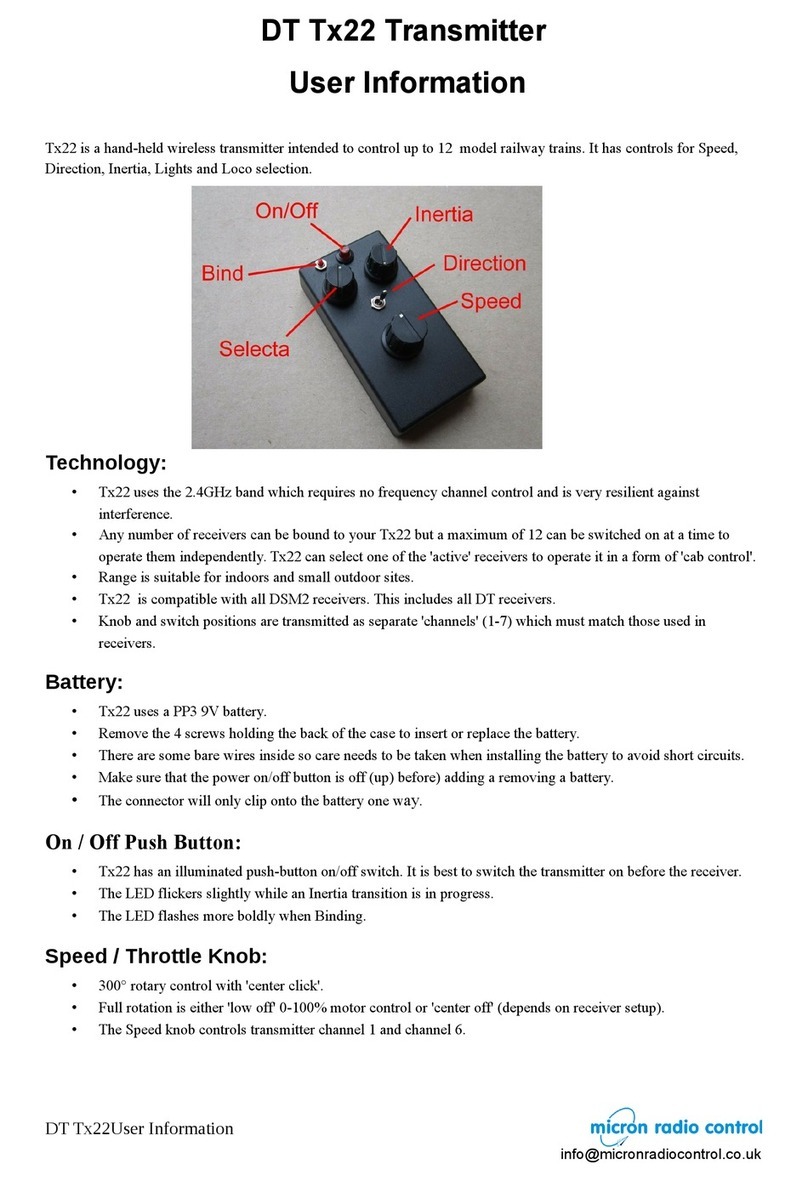
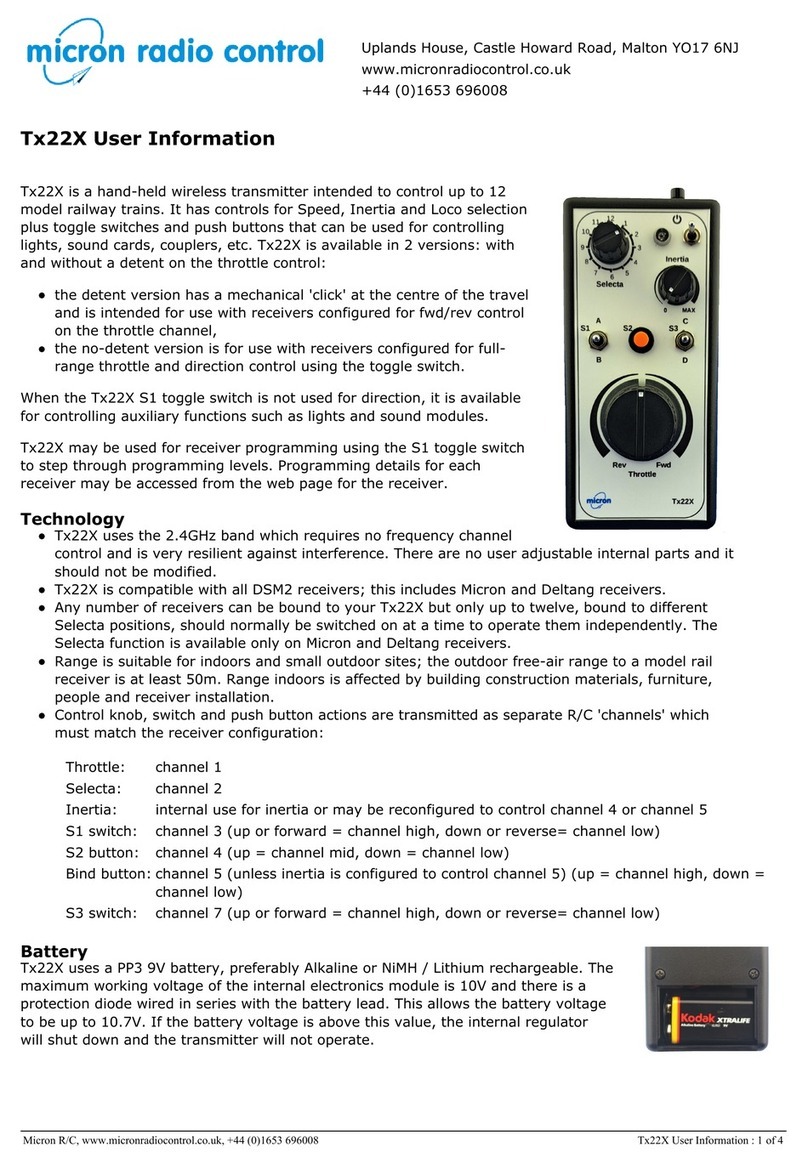
The toggle switch can be used as a Direction switch to select forward/reverse with receivers that have low-off
motor control. Tx22v2 may be ordered with either a momentary (return to centre) or latching toggle
switches. All Micron receivers with a built-in speed controller can use either switch type for direction control
as the latching in forward or reverse is implemented in the receiver. If Tx22v2 is used for a live-steam loco,
the latching toggle switch should be specified.
Receiver Programming
Tx22v2 can be used to program Micron and Deltang receivers. The receivers have a rich set of functionality
which is not possible to describe here, refer to the receiver's programming instructions for details of the
available functions and the programming sequence to modify the functions.
The receiver must first be put into programming mode and then the Tx22v2 toggle switch is used to enter a
programming sequence. There are 2 methods of getting a receiver into programming mode:
1. place the controls for R/C channels 2 and 4 at the extreme positions and then switch receiver on, or
2. switch receiver on and enter the morse code SOS using the bind button (R/C channel 5)
Method 1 works for all receivers, method 2 is not supported by Deltang Rx4x receivers.
Method 1 (chan 2 and 4)
1. switch Tx22v2 on, receiver off
2. set the Inertia knob to control channel 4 (described above).
3. rotate the channel 2 (Selecta) and channel 4 (Inertia) knobs fully left or right (not centred).
4. centre the toggle switch.
5. put the Throttle control in the 'off' position.
6. switch the receiver on.
7. the receiver LED will flash rapidly
8. centre the Selecta and Inertia knobs
9. the receiver LED will flash once, pause and repeat
Method 2 (SOS)
1. switch Tx22v2 on and then the receiver, receiver LED must be lit
2. centre the toggle switch
3. wait at least 5 seconds without touching any transmitter control
4. tap out the morse SOS (... --- …) on the bind button where:
a dot is a short press of less than 0.7 second
a dash is a long press of about 2 seconds
pauses between dots or dashes is about 1 second
5. if the SOS is accepted, the receiver LED will flash once, pause and repeat
6. if the SOS was not accepted go back to step 3
To enter a receiver program sequence
A program sequence comprises 5 values, one for each column from the programming table. The Tx22v2
toggle switch is used to enter the value for each level of the sequence, the receiver LED flashes to show the
digit value. Program data is modified by pulsing the switch low (toggle down or reverse) and stored by
pulsing the switch high (toggle up or forward).
Modify programme
sequence value:
Pulse the toggle switch down.
The Rx LED will briefly show rapid flashing and then the next flash in the sequence
– i.e. if it was showing 1-flash it will now show 2-flash. The flash sequence returns
to 1-flash when advancing beyond the last value in a sequence. The number of the
last value depends on the particular sequence being programmed.
Store programme
sequence value:
Pulse the toggle switch up.
The Rx LED will briefly show rapid flashing and then show the currently
programmed flash pattern for the next in the sequence. If this is the last value in
the program sequence, there is a brief pause with the LED off while the changes
are written to safe storage and then the LED comes on solid.
Repeat the above for each program function that you wish to alter.
For example, to set the ESC output (the first if the receiver has multiple ESC) to respond to full range
throttle on channel 1 and direction control on channel 3, the programme sequence is 1,1,2,1,3: