4
INDEX
INDEX................................................................................................................................................................ 4
1. INTRODUCTION........................................................................................................................................ 6
1.1. Symbols used .................................................................................................................................... 6
1.2. Introduction to MacroPATH and MacroPATH Basic.......................................................................... 6
1.3. Technical Specifications.................................................................................................................... 7
1.4. Transport and storage conditions...................................................................................................... 8
1.5. Warning information........................................................................................................................... 9
1.6. Antivirus............................................................................................................................................. 9
1.7. MacroPATH data backup (PICTURES OF FILES).......................................................................... 10
1.8. Milestone remote connection........................................................................................................... 10
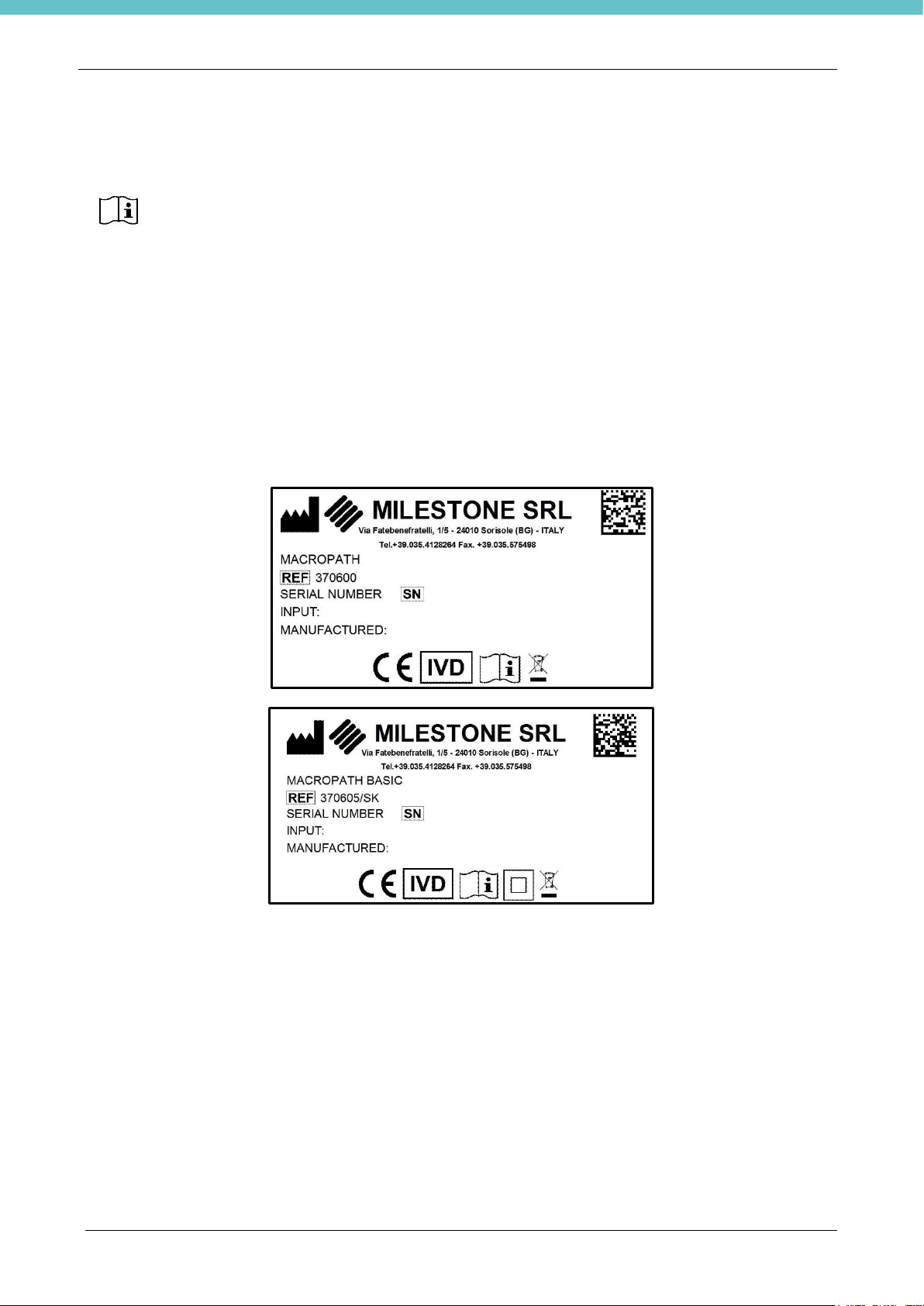
1.9. MacroPATH and MacroPATH Basic labels..................................................................................... 10
2. INSTALLATION........................................................................................................................................ 11
2.1. Unpacking and checking MacroPATH and MacroPATH Basic components .................................. 11
2.2. Overview of PC Monitor (only for MacroPATH)............................................................................... 13
2.3. Camera Overview............................................................................................................................ 14
2.4. Table stand installation for MacroPATH PC Monitor....................................................................... 15
2.4.1. PC Monitor connections........................................................................................................... 16
2.5. Camera Lens Installation................................................................................................................. 17
2.5.1. Camera Orientation ................................................................................................................. 18
2.5.2. Camera connections................................................................................................................ 19
2.6. How to change the language of the Operating System and Keypad .............................................. 20
2.7. Software installation (only for MacroPATH BASIC)......................................................................... 22
2.7.1 License activation ........................................................................................................................ 26
2.8. Foot pedal control configuration (only for MacroPATH Basic) ........................................................ 27
3. WORKING WITH MacroPATH................................................................................................................. 28
3.1. Start MacroPATH............................................................................................................................. 28
3.2. Log in and Log out........................................................................................................................... 28
3.3. Overview of the functions ................................................................................................................ 29
3.3.1. Shortcut Keys........................................................................................................................... 30
3.3.2. Multifunctional buttons............................................................................................................. 31
3.3.3. Foot pedal control.................................................................................................................... 32
3.4. How to operate ................................................................................................................................ 33
3.4.1. Create a file.............................................................................................................................. 33
3.4.2. Edit a file .................................................................................................................................. 33
3.4.3. Files area Functions ................................................................................................................ 34
3.4.4. LIVE area Function.................................................................................................................. 37
3.4.5. Create/retrieve a case ............................................................................................................. 38
3.4.6. Save Image/Video/Audio ......................................................................................................... 38
3.4.7. Thumbnails .............................................................................................................................. 39
3.4.8. Basic camera settings.............................................................................................................. 40
3.4.8.1 Advanced Camera Setting....................................................................................................... 40
3.4.8.2 Optical Zoom Settings ............................................................................................................. 42
3.5. EDIT Functions................................................................................................................................ 43
3.5.1. Tools........................................................................................................................................ 44
3.5.2. Display utilities......................................................................................................................... 48
3.5.3. Utility functions......................................................................................................................... 49
3.6. SETTINGS....................................................................................................................................... 50
3.6.1. General Settings...................................................................................................................... 50
3.6.2. User Settings ........................................................................................................................... 51
3.6.3. Licensing settings .................................................................................................................... 52
3.6.4. Data storage settings............................................................................................................... 53
3.6.5. Camera Settings...................................................................................................................... 54
3.6.6. Calibration................................................................................................................................ 55
3.6.7. Third-party settings.................................................................................................................. 56
3.6.8. Language, date and units of measure settings........................................................................ 59
3.6.9. Appearance Settings ............................................................................................................... 60
3.6.10. Edit tools settings..................................................................................................................... 62
3.6.11. Preferences settings................................................................................................................ 64
4. MacroPATH as MULTISTATION VIEWER .............................................................................................. 65