http://cartft.com Embedded PC Solutions
M4-ATX-HV User Guide - 5 -
rapidly indicating that the factory defaults were loaded. Don’t forget to Remove
jumper! Disconnect M4-ATX-HV from battery for at least few seconds. You are
done!
Power challenges in a vehicle PC: One of most difficult tasks of operating a PC
in a vehicle is power consumption while the computer is OFF. Even when your
computer is OFF or in Suspend, it will still consume about 50-150mA on the 5VSB
rail. No matter how big your battery is, you will eventually drain it if proper actions
are not taken.
The M4-ATX-HV is addressing these issues by cutting off the 5VSB rail after a pre-
defined amount of time (see jumper chart, HARDOFF). During HARDOFF if the
battery level drops below 11.2V for more than one minute, M4-ATX-HV will shut
down and re-activate only when the input voltage is above 12V.
Engine Cranks, under-voltage and over-voltage situations. Another difficult
task is maintaining stable power to your PC. While car batteries are rated at 12V,
they actually provide voltages in between 8-16V (engine cranks) or as high as 80
volts (load dump). Most times, your battery will stay at 13.5V but extra precautions
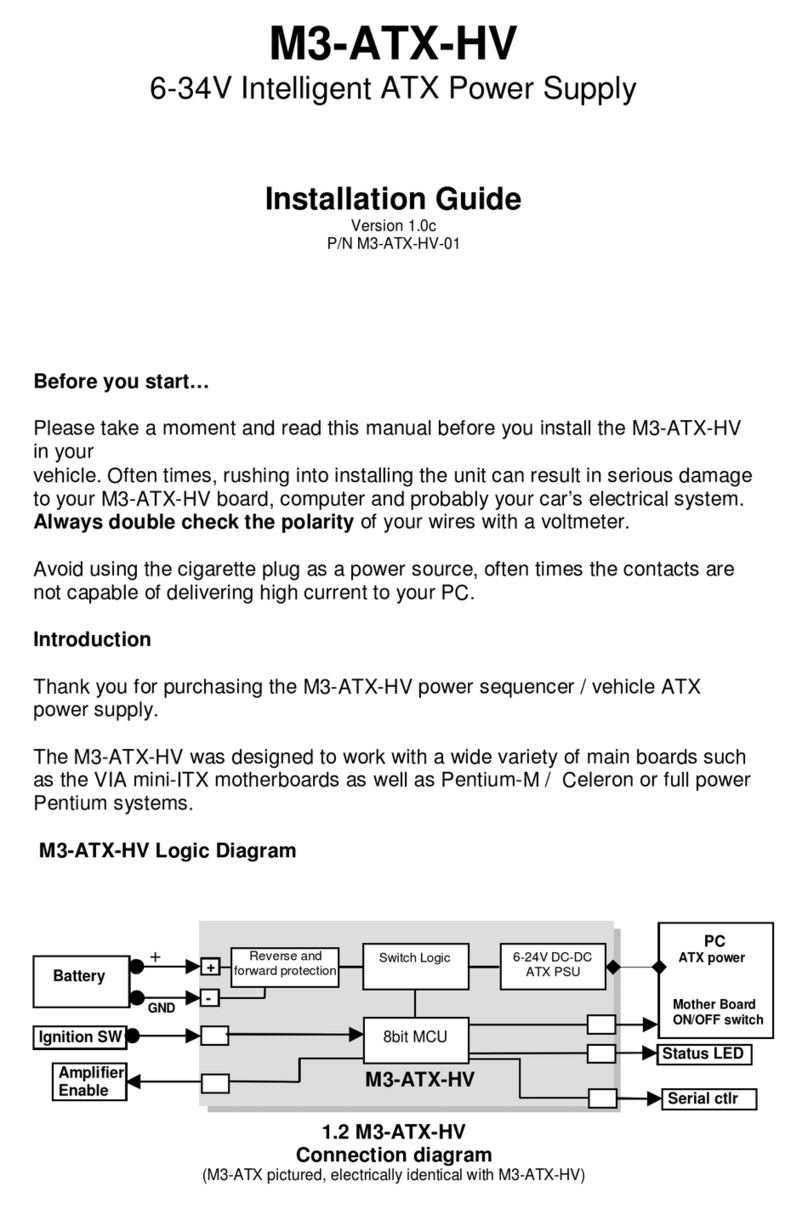
need to take place in order to prevent such situations. M4-ATX-HV operates as low
as 6V and as high as 34V while providing strict regulation as well as input voltage
clamping and reverse protection.
Anti-Thump: If your PC is connected to your car amplifier, you will hear a loud pop
when the computer is first started. The M4-ATX-HV has an ‘anti-thump’ control that
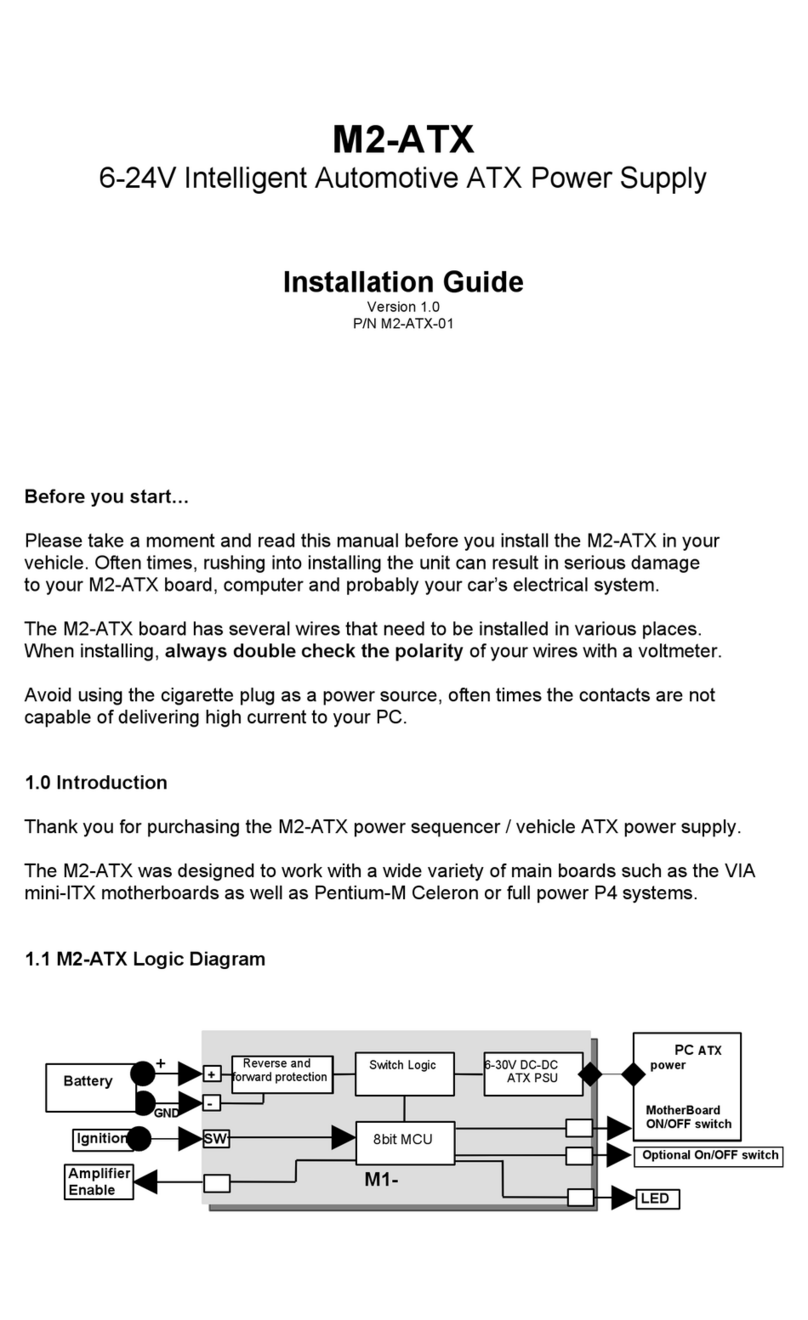
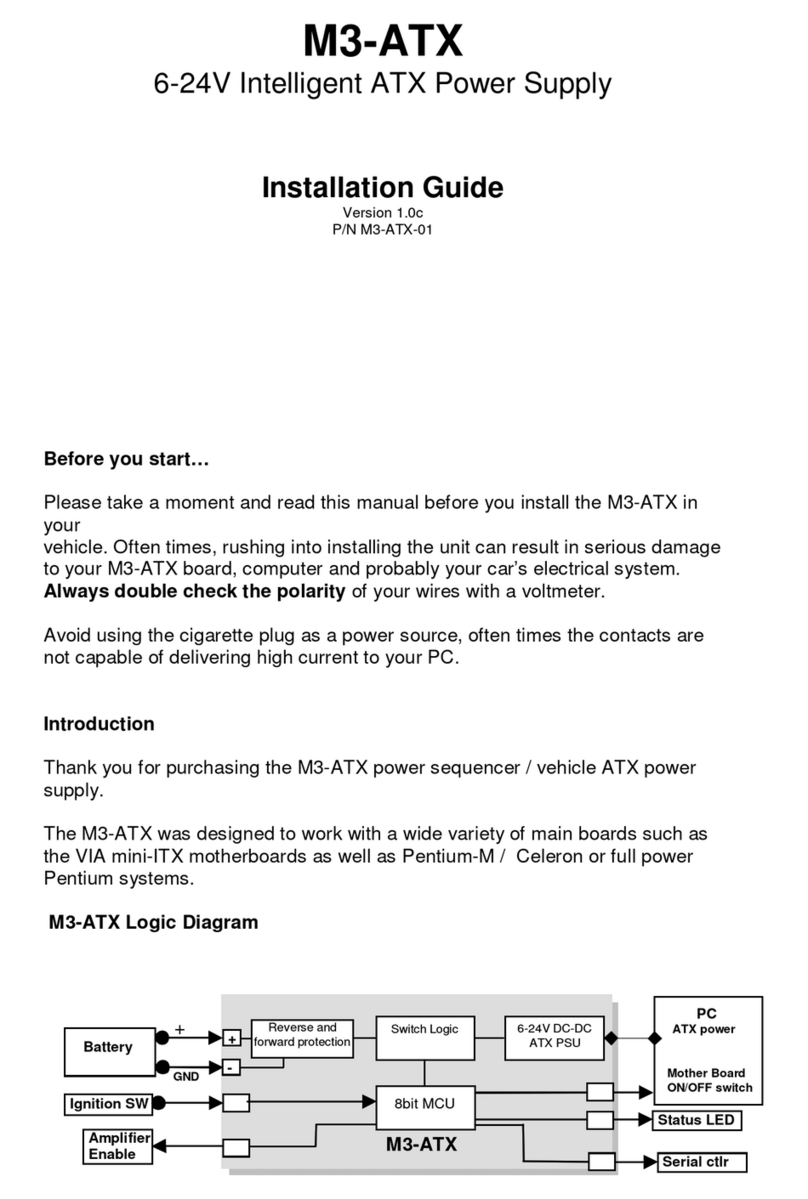
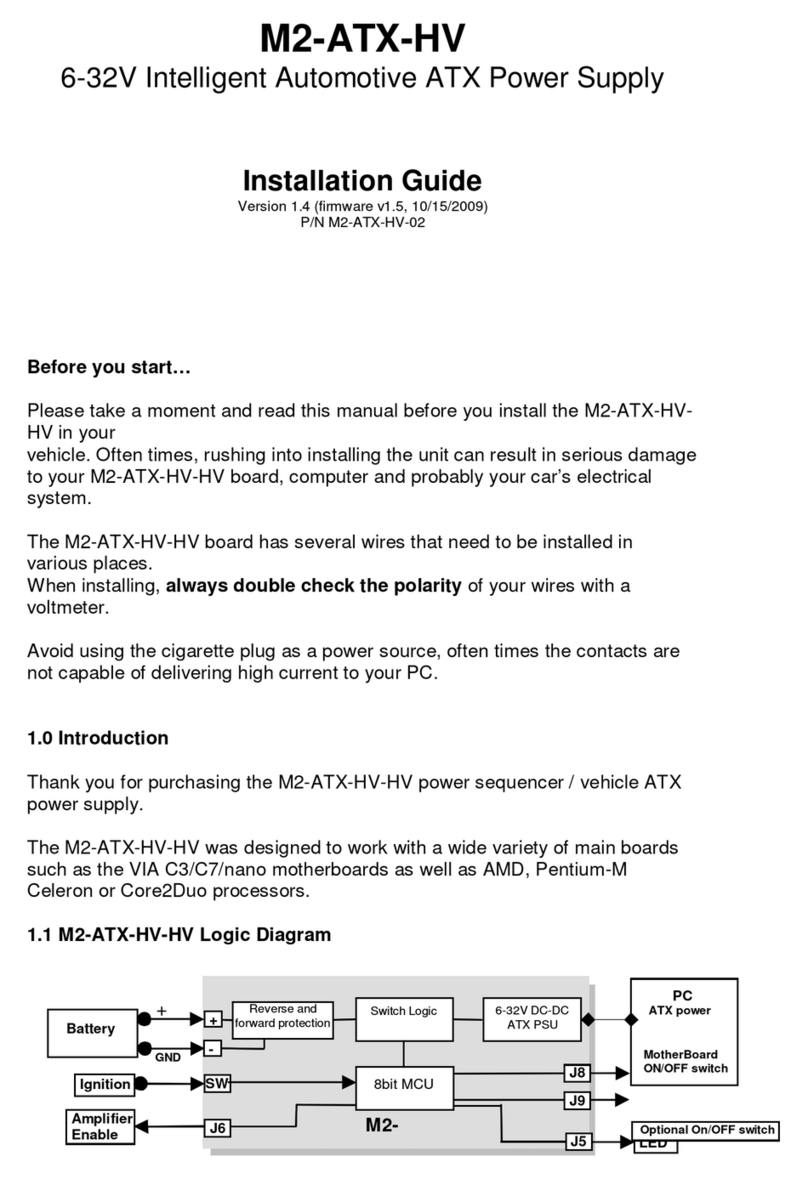
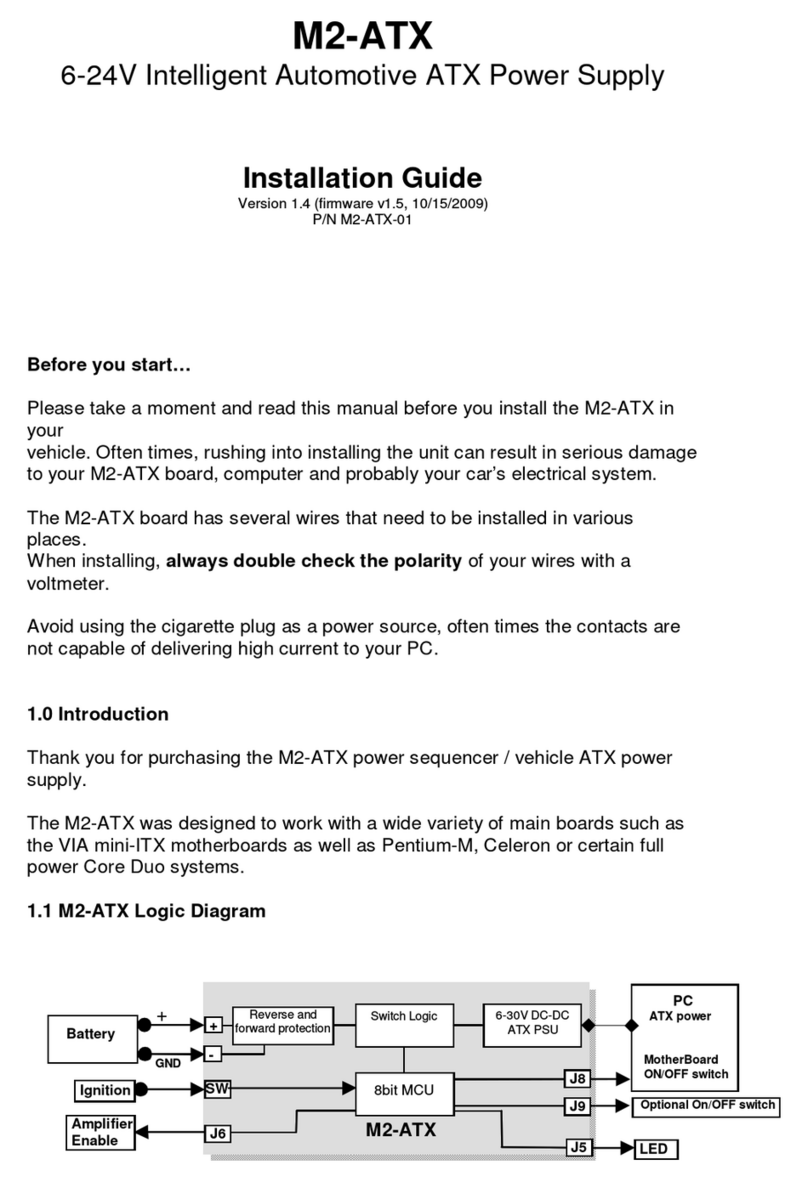
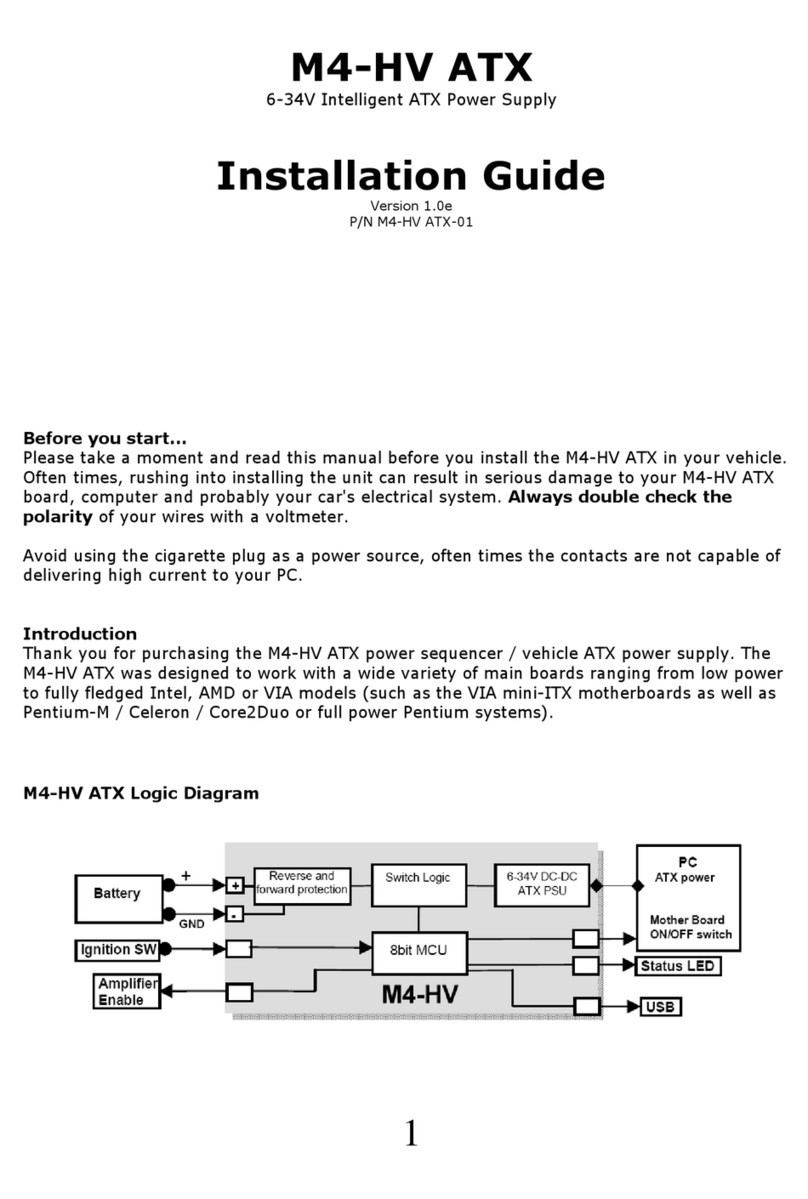
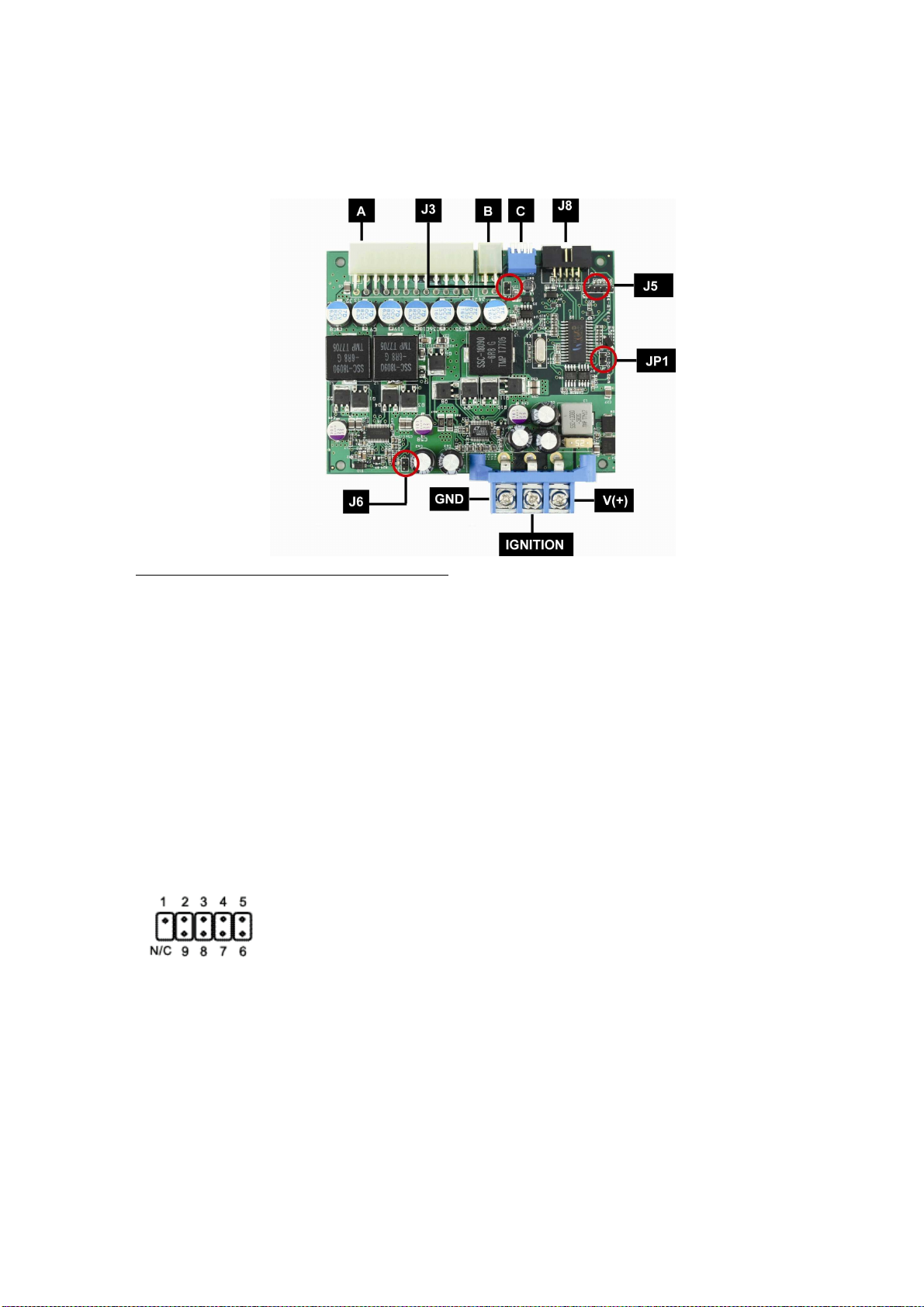
will keep your amp OFF while the PC starts. Simply connect the 2 pin wire to J6
harness to your amplifier remote control pins. The pin at the edge of the PCB is
GND, inner pin is HOT.
Mode of operation explained
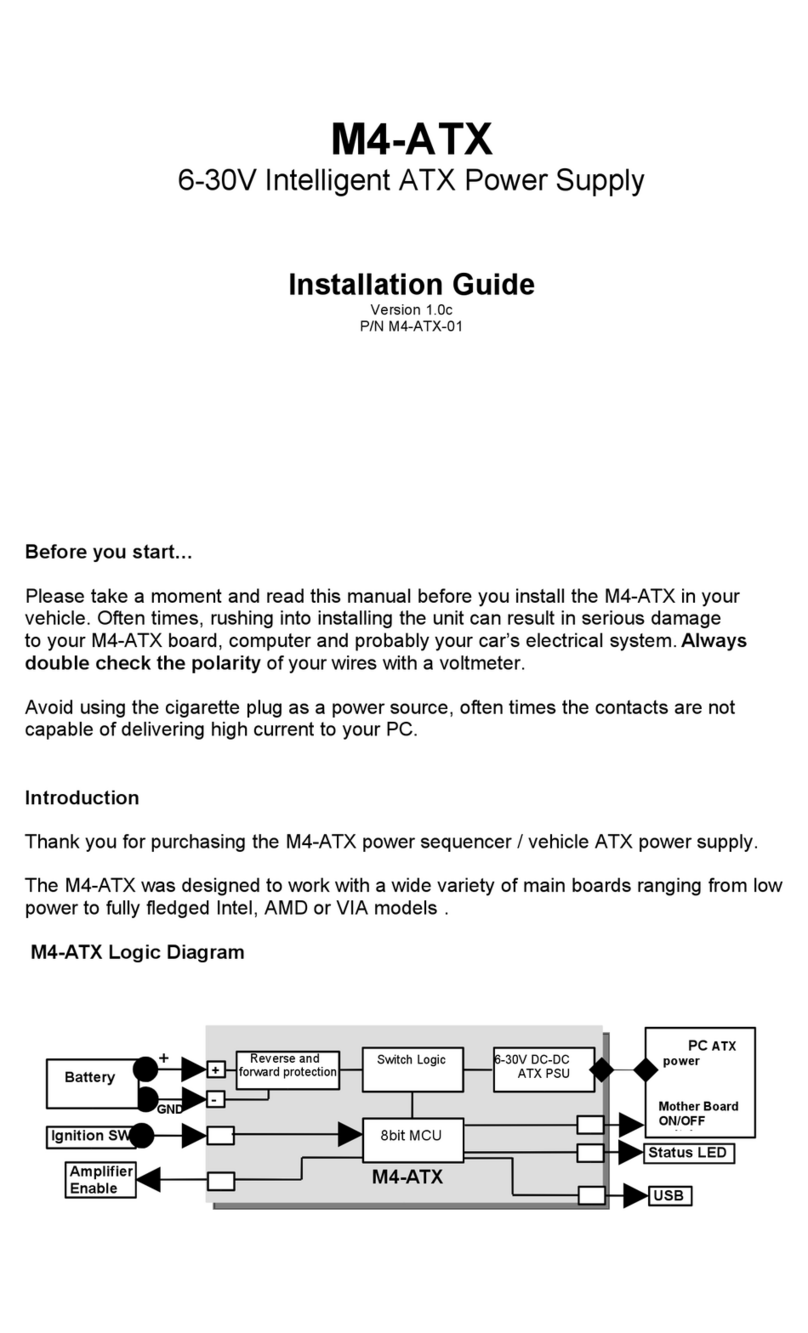
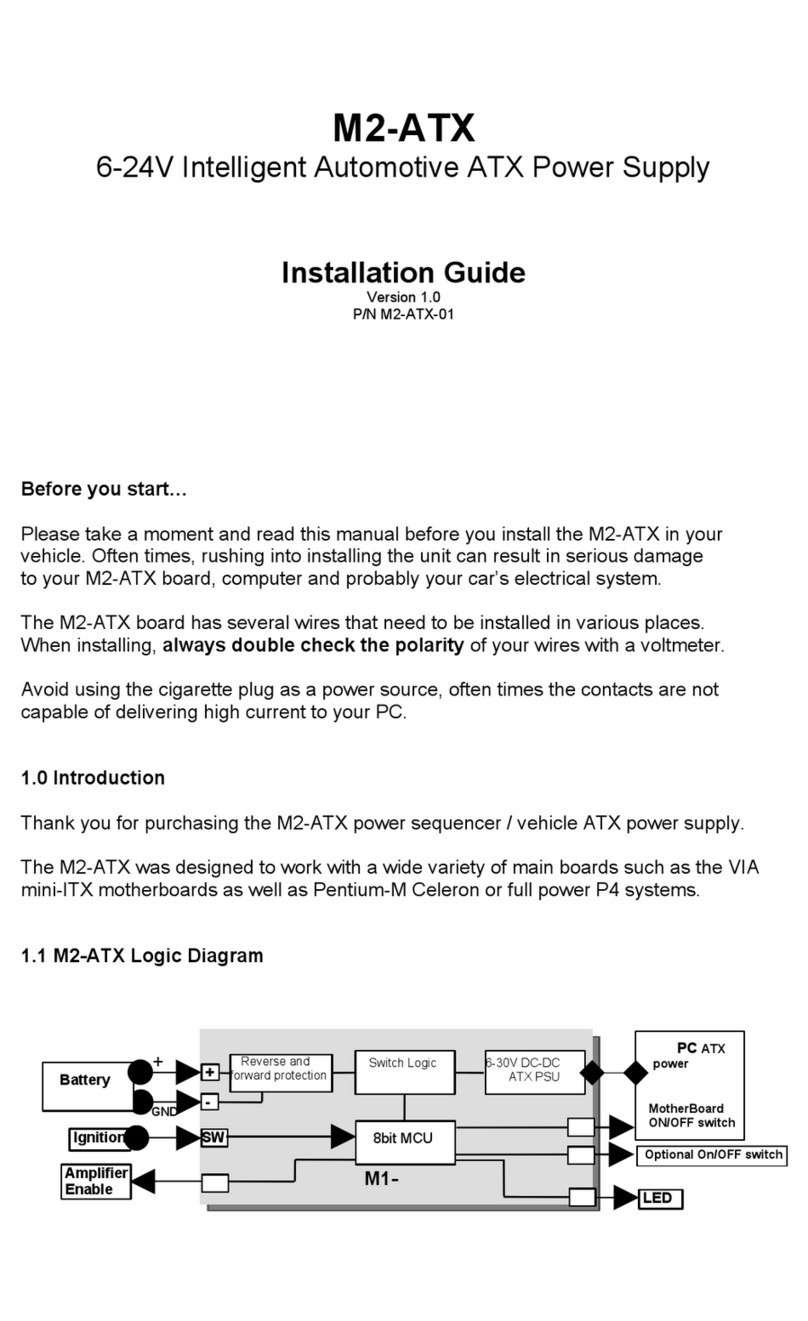
1) Ignition=OFF. Nothing happens. M4-ATX-HV is waiting for ignition signals.
2) Ignition=ON. M4-ATX-HV waits for few seconds then turns on the 5VSB rail.
After another second M4-ATX-HV sends an “ON” signal to the motherboard
via the 2 wires connected to the motherboard’s ON/OFF pins. The
motherboard will turn ON and your system should start booting. The Ignition
state will be latched for 60 more seconds so that the motherboard will have a
change to come up in a clean manner.
3) Ignition=ON. Your computer will remain ON.
4) Ignition=OFF. M4-ATX-HV waits for “OFFDELAY” in seconds (see jumper
chart) and then it turns the motherboard OFF by sending a signal to the
motherboard’s ON/OFF switch. Your computer should turn off gracefully
(shutdown procedure). After shutdown, 5VSB will still be provided for
another “HARDOFF” seconds. In the event where the shutdown process is