The!“Cable0Release”!mode!enables!
you! to!trigger! your! camera! in! the!
most! simple! way.! Just! touch! the!
orange! dot! on! the! screen! and! you! will! trigger!
your!camera.!This!will!have!the!same!effect!as!
you! have! pressed! the! shutter! button! of! your!
camera.!
The!“Press0&0Hold”0mode!gives!you!
the! flexiblity! of! achieving! custom!
exposure! by! keeping! the! shutter!
open!as!long!as!you!keep!touching! the! orange!
button.!Don’t!forget!toset!your!camera!to!BULB!
mode.!
The!“Press0&0Lock”0mode!opens!the!
shutter! with! a! touch! and! keeps! it!
open!until!a!second!touch.!This!will!
save!you!from!touching!the!screen!all!the!time.!
The!“Timed0Release”0is!very!helpful!
if! you! know! exactly! how! long! you!
want!to!keep!the!shutter!open.!Just!
enter! the! exposure! time! and! then! pull! the!
orange!cover!down.!You!can!start!the!exposure!
by!touching!the!orange!circle.!
You! can! use! the! “Self0 Timer”0 to!
trigger! the! camera! when! the! timer!
expires.! Enter! the! timer! duration!
and!pull!the!cover!down.!Then!start!the!orange!
dot!to!start!the!timer.!
The! “Timed0 Release0 &0 Self0 Timer”0
mode! combines! the! custom!
exposure! with! timer! option.! The!
shutter! will! stay! open! for! the! exposure! time!
when!the!timer!expires.!
Timelapse0Modes0
The! “Basic0 Timelapse”0 mode!will!
take! so!many! pictures! you! want!
with!the!set!interval!between!each!
of!them.!If! you! do! not! set! any!frame! number,!
the!timelapse!will!continue!until!you!stop!it.!
The! “Long0 Exposure0 Timelapse”0
gives!you!the!opportunirty!to!set!the!
exposure.! Again,! the! camera! must!
be!in!BULB!mode.!
The!“Bulb0Ramping0Timelapse”0will!
change!the!exposure! from!initial!to!
the! final! value! through! the!
timelapse!process.!The!change!in!the!exposure!
value! will! be! a! linear! change! from! the!
beginning!to!the!end.!
Road0Lapse0Mode0
The!“Road0Laspe”0mode!will!trigger!
the! camera! each! time! you! travel!
the! distance! you! set.!You! can!
repeat!this!for!the!frame!number!you!want.!
HDR0Modes0
We! designed! the! “HDR”0 mode,! so!
you! can! take! consequent! pictures!
with! different! exposures.! You! can!
do! this! by! setting! the! center,! EV! and! Frame!
values.! The! progress! will! be! displayed! on! the!
app!screen.!
The! “HDR0 Timelapse”0 mode! takes!
timelapse! pictures,! where! every!
picture!is!an!HDR.!
Sensor0Modes0
The! “Sound0 Mode”0 triggers! your!
camera! per! sound! events.! You! can!
add! some! delay! and! determine! if!
you!want!continous!shooting!or!a!single!frame.!
You! can! adjust! the! thresold! value! with! dial!
around!the!orange!circle.!
You!can!use!the!“Vibration”0mode!
to! the! same! thing! with! vibration.!
Whenever! your! smartphone!
detects! a! vibration,! your! camera! will! be!
The! “Motion”0 mode! uses! the!
camera! of! your! smartphone! to!
detect! moving! objects.! When! a!
motion! is! detected,! your! camera! will! be!
detected! as! many! times! as! you! set.! You! can!
add! some! delay! and! adjust! the! sensitivity!
using!the!horizontal!bar!under!the!view!area.!
Scenario0Mode0
The!“Scenario”0 mode!enables!you!
to! combine! all! of! the! modes! to!
create! your! custom! sequence! of!
events.! You! can! add! up! to! five! different!
modes! plus! the! delay! parameter! and! then!
execute!them!sequentially.!When!each!step!is!
completed,! the!next! step! will! be! executed!to!
complete! the! scenario.! You! can! delete! any!
step!you!want!by!just!swiping!it!to!left.!It!will!
be! delted! after! you! confirm! the! operation.!
After!you!have!added!all!your!selected!steps,!
you!can!press!the!Start!button!to!let!it!run.!To!
stop! a! running! scenario,! just! press! the! Stop!
User0Menu0
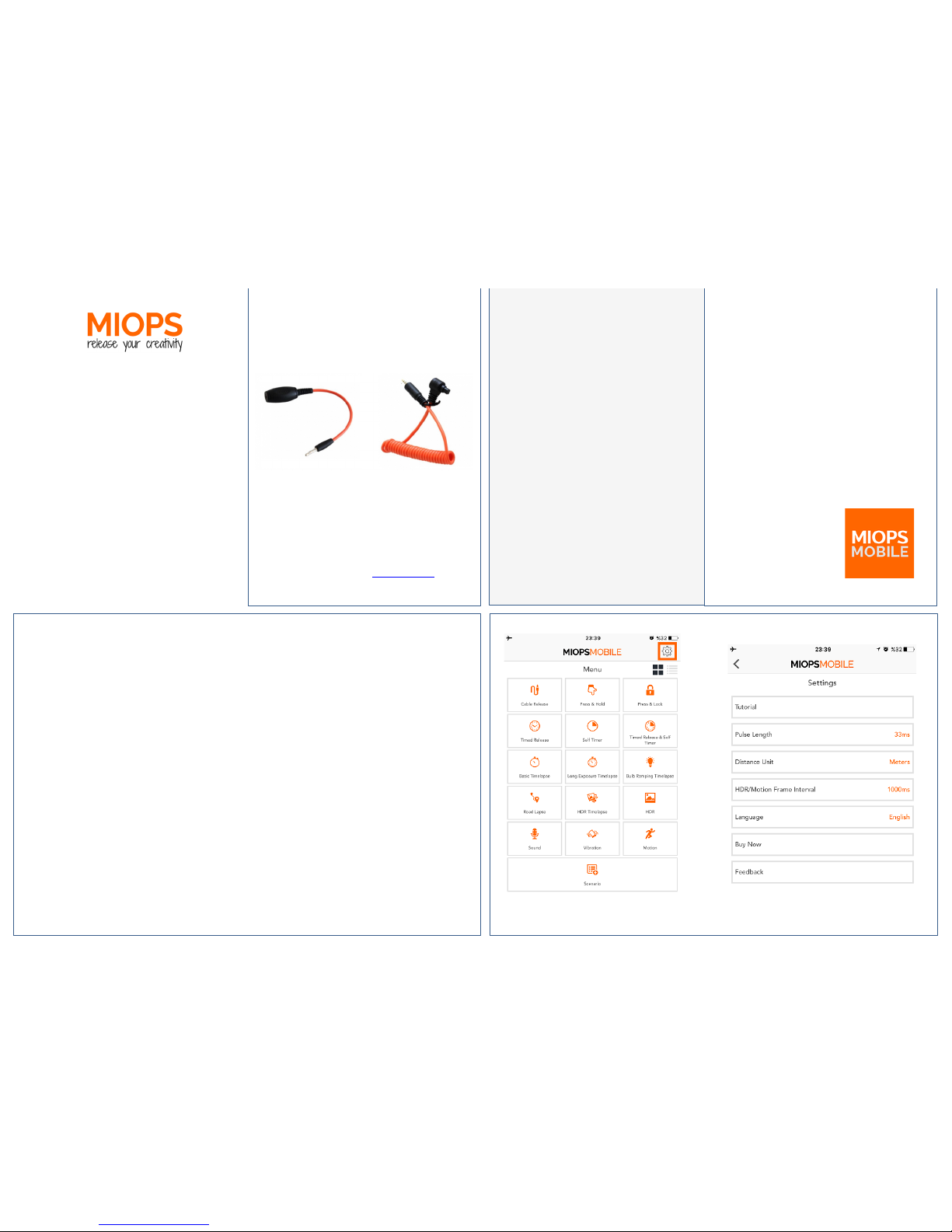
The! MIOPSMOBILE!app! offers! a! clean! and!
stylish!interface!with!easy!to!use!widgets!and!
menus.! The! modes! with! adjustable!
parameters!list!them!in!the!orange!circle.!You!
can! switch! between! the! parameters! by!
swiping!the!circle!to!the!right!or!left.!
!
To! change! a! parameter,! just! touch! the! value!
and! the! keyboard! will! appear.! You! can! enter!
the! value! by! using! the! keyboard.! If! there! are!
two!options!only,!they!will!toggle.!To!close!the!
keybord,! touch! somewhere! outside! of! the!
circle.!
When! you! have! set! all!
parameters,! touch! the!
top! notch! of! the! circle!
and! pull! the! curtain!
down.! This! will! reveal!
the!orange!dot!to!start.!
When! you! ready! to!
start!the!mode!running,!
just! touch! the! orange!
circle.! You! can! monitor!
the!process!by!changing!
values!on!the!screen.!
For!the! full!version! of! the!User! Guide,! please!
visit!www.miops.com!