manuals.online logo
Brands
  1. Home
  2. •
  3. Brands
  4. •
  5. Mitsubishi Electric
  6. •
  7. Industrial PC
  8. •
  9. Mitsubishi Electric MELIPC MI5000 Series User manual

Mitsubishi Electric MELIPC MI5000 Series User manual

Other manuals for MELIPC MI5000 Series

2

This manual suits for next models

1

Other Mitsubishi Electric Industrial PC manuals

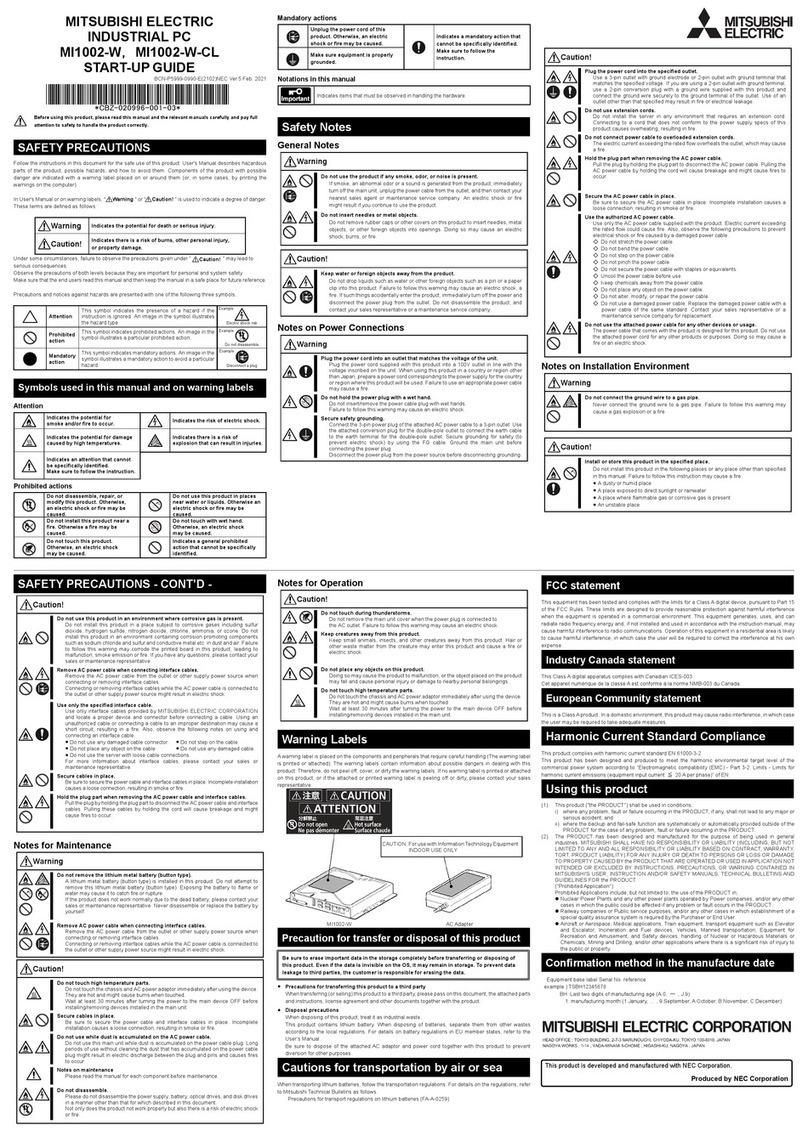
Mitsubishi Electric MELIPC MI1002-W User guide

Mitsubishi Electric

Mitsubishi Electric MELIPC MI1002-W User guide

Mitsubishi Electric MELIPC MI1002-W-CL User manual

Mitsubishi Electric

Mitsubishi Electric MELIPC MI1002-W-CL User manual

Mitsubishi Electric MELIPC MI5A1P User manual

Mitsubishi Electric

Mitsubishi Electric MELIPC MI5A1P User manual

Mitsubishi Electric MELIPC MI1002-W User guide

Mitsubishi Electric

Mitsubishi Electric MELIPC MI1002-W User guide

Mitsubishi Electric MELIPC MI5000 Series User manual

Mitsubishi Electric

Mitsubishi Electric MELIPC MI5000 Series User manual

Mitsubishi Electric MELIPC MI5000 Series Owner's manual

Mitsubishi Electric

Mitsubishi Electric MELIPC MI5000 Series Owner's manual

Mitsubishi Electric MELIPC MI3321G-W Instruction Manual

Mitsubishi Electric

Mitsubishi Electric MELIPC MI3321G-W Instruction Manual

Popular Industrial PC manuals by other brands

Aaeon PER-1603 Quick installation guide

Aaeon

Aaeon PER-1603 Quick installation guide

Siemens SIMATIC IPC627E Quick install guide

Siemens

Siemens SIMATIC IPC627E Quick install guide

Advantech UNO-2184G user manual

Advantech

Advantech UNO-2184G user manual

MSI MS-9A76 manual

MSI

MSI MS-9A76 manual

Stackrack THOR200 user manual

Stackrack

Stackrack THOR200 user manual

Moxa Technologies DA-682C Series user manual

Moxa Technologies

Moxa Technologies DA-682C Series user manual

Nodka eBOX-3000-ETC user manual

Nodka

Nodka eBOX-3000-ETC user manual

MSI MS-9A89 user manual

MSI

MSI MS-9A89 user manual

Chipsee PPC-A72-101 manual

Chipsee

Chipsee PPC-A72-101 manual

Siemens SIMATIC Rack PC 840 V2 Getting started

Siemens

Siemens SIMATIC Rack PC 840 V2 Getting started

Advantech IPPC-6152A user manual

Advantech

Advantech IPPC-6152A user manual

Beckhoff CX9020 manual

Beckhoff

Beckhoff CX9020 manual

Dell Embedded Box PC 5000 Installation and operation manual

Dell

Dell Embedded Box PC 5000 Installation and operation manual

IBASE Technology ASB200-918 Series user manual

IBASE Technology

IBASE Technology ASB200-918 Series user manual

Lenovo ThinkCentre M90q Hardware Maintenance Manual

Lenovo

Lenovo ThinkCentre M90q Hardware Maintenance Manual

IXXAT Econ 100 Hardware manual

IXXAT

IXXAT Econ 100 Hardware manual

Kontron KBox A-151-TGL user guide

Kontron

Kontron KBox A-151-TGL user guide

AXIOMTEK ICO500-518 Series user manual

AXIOMTEK

AXIOMTEK ICO500-518 Series user manual

manuals.online logo
manuals.online logoBrands
  • About & Mission
  • Contact us
  • Privacy Policy
  • Terms and Conditions

Copyright 2025 Manuals.Online. All Rights Reserved.

MELIPC MI5000 Series
User's Manual (Application)
-MI5122-VW
1
SAFETY PRECAUTIONS
(Read these precautions before using this product.)
Before using this product, please read this manual and the relevant manuals carefully and pay full attention to safety to handle
the product correctly.
The precautions given in this manual are concerned with this product only.
In this manual, the safety precautions are classified into two levels: " WARNING" and " CAUTION".
Under some circumstances, failure to observe the precautions given under " CAUTION" may lead to serious
consequences.
Observe the precautions of both levels because they are important for personal and system safety.
Make sure that the end users read this manual and then keep the manual in a safe place for future reference.
[Design Precautions]
WARNING
●Configure safety circuits external to the product to ensure that the entire system operates safely even
when a fault occurs in the external power supply or the product. Failure to do so may result in an
accident due to an incorrect output or malfunction.
(1) Emergency stop circuits, protection circuits, and protective interlock circuits for conflicting
operations (such as forward/reverse rotations or upper/lower limit positioning) must be configured
external to the product.
(2) When the product detects an abnormal condition, it stops the operation and all outputs are:
• Turned off if the overcurrent or overvoltage protection of the power supply module is activated.
• Held or turned off according to the parameter setting if the self-diagnostic function of the
product detects an error such as a watchdog timer error.
●Configure a circuit so that the product is turned on first and then the external power supply. If the
external power supply is turned on first, an accident may occur due to an incorrect output or
malfunction.
●For the operating status of each station after a communication failure, refer to manuals relevant to the
network. Incorrect output or malfunction due to a communication failure may result in an accident.
●Before performing operations for the product from the peripheral connected, read the relevant
manuals carefully and ensure the safety.
WARNING Indicates that incorrect handling may cause hazardous conditions, resulting in
death or severe injury.
CAUTION Indicates that incorrect handling may cause hazardous conditions, resulting in
minor or moderate injury or property damage.
2
[Design Precautions]
[Installation Precautions]
CAUTION
●Do not install the control lines or communication cables together with the main circuit lines or power
cables. Keep a distance of 100 mm or more between them. Failure to do so may result in malfunction
due to noise.
●When selecting fuses and breakers for external circuits, consider the specification values of fusing/
detection characteristics and inrush current.
●When using an uninterruptible power supply (UPS), do not use the one that outputs square waves.
CAUTION
●Use the product in an environment that meets the general specifications described in MELIPC MI5000
Series User's Manual (Startup). Failure to do so may result in electric shock, fire, malfunction, or
damage to or deterioration of the product.
●To mount a power supply module, place the concave parts located at the bottom onto the guides of
the main module, and push in the power supply module until the hooks located at the top snaps into
place. Incorrect interconnection may cause malfunction, failure, or drop of the module.
●When using the product in an environment of frequent vibrations, fix the power supply module with a
screw.
●Tighten the screws within the specified torque range. Undertightening can cause drop of the screw,
short circuit, or malfunction. Overtightening can damage the screw and/or module, resulting in drop,
short circuit, or malfunction.
●To connect a fan module, set the fan module at the correct position of the main module, and push in
the fan module until the fan module fixing hook snaps into place. Check that the fan module fixing
hook is fixed to the main module securely. If the fan module is not connected properly, the fan may not
rotate or it may cause malfunction due to rise in temperature of the main module.
●To disconnect a fan module, securely press the fan module fixing hook with your finger. Then, pull the
module forward while pressing the hook.
●Do not touch the exposed heatsink after removing the fan module. The heatsink is very hot
immediately after the power is switched off and may cause burns. Additionally, touching the heat sink
may deform it and decrease cooling efficiency.
●Do not apply shock such as falling and dropping to the fan module during transportation. Doing so
may result in damage to the product or deterioration in performance.
●When using a CFast card, fully insert it into the CFast card slot. Check that it is inserted completely.
Poor contact may cause malfunction.
●Place hands to hold a CFast card when removing it from the slot because the card may be jumped
out. If not placing hands, the card may fall, resulting in damage or failure.
●Do not directly touch any conductive parts and electronic components of the module or CFast card.
Doing so can cause malfunction or failure of the module.
●Do not remove the protective sheets attached to the plate of the base part. The plate of the base part
also acts as a heat sink and may be very hot during operation. To prevent a burn, do not remove these
sheets or touch them during operation or immediately after the power supply is switched off.
3
[Wiring Precautions]
[Wiring Precautions]
WARNING
●Shut off the external power supply (all phases) used in the system before installation and wiring.
Failure to do so may result in electric shock or cause the module to fail or malfunction.
●After installation and wiring, close the terminal cover before turning it on for operation. Failure to do so
may result in electric shock.
CAUTION
●Individually ground the FG and LG terminals of the product with a ground resistance of 100 ohms or
less. Failure to do so may result in electric shock or malfunction.
●Use applicable solderless terminals and tighten them within the specified torque range. If any spade
solderless terminal is used, it may be disconnected when the terminal screw comes loose, resulting in
failure.
●Check the rated voltage and signal layout before wiring to the power supply module, and connect the
cables correctly. Connecting a power supply with a different voltage rating or incorrect wiring may
cause fire or failure.
●Solderless terminals must be crimped with the tool specified by the manufacturer. Incomplete
crimping may cause short circuit, fire, or malfunction.
●Securely connect the connector of an external device to the product. Poor contact may cause
malfunction.
●Do not install the control lines or communication cables together with the main circuit lines or power
cables. Keep a distance of 100 mm or more between them. Failure to do so may result in malfunction
due to noise.
●Place the cables in a duct or clamp them. (Cable ties made of nylon can be used as well.) If not,
dangling cable may swing or inadvertently be pulled, resulting in damage to the module or cables or
malfunction due to poor contact.
●Check the interface type and correctly connect the cable. Incorrect wiring (connecting the cable to an
incorrect interface) may cause failure of the module and external device.
●Tighten the terminal screws or connector screws within the specified torque range. Undertightening
can cause drop of the screw, short circuit, fire, or malfunction. Overtightening can damage the screw
and/or module, resulting in drop, short circuit, fire, or malfunction.
●Prevent foreign matter such as dust or wire chips from entering the product. Such foreign matter can
cause a fire, failure, or malfunction.
●A protective film is attached to the top of the module to prevent foreign matter, such as wire chips,
from entering the product during wiring. Do not remove the film during wiring. Remove it for heat
dissipation before system operation.
●When disconnecting the cable from the product, do not pull the cable by the cable part. For the cable
with connector, hold the connector part of the cable. For the cable connected to the terminal block,
loosen the terminal screw. Pulling the cable connected to the module may result in malfunction or
damage to the module or cable.
●The product must be installed in a control panel. Connect the main power supply to the power supply
module in the control panel through a relay terminal block. Wiring and replacement of a power supply
module must be performed by qualified maintenance personnel with knowledge of protection against
electric shock. For wiring methods, refer to the MELIPC MI5000 Series User's Manual (Startup).
4
[Startup and Maintenance Precautions]
[Startup and Maintenance Precautions]
WARNING
●Do not touch any terminal while power is on. Doing so will cause electric shock or malfunction.
●Correctly connect the battery connector. Do not charge, disassemble, heat, short-circuit, solder, or
throw the battery into the fire. Also, do not expose it to liquid or strong shock. Doing so will cause the
battery to produce heat, explode, ignite, or leak, resulting in injury and fire.
●Shut off the external power supply (all phases) used in the system before cleaning the module or
retightening the terminal screws, connector screws, or module fixing screws. Failure to do so may
result in electric shock.
●Tighten the terminal screws or connector screws within the specified torque range. Undertightening
can cause drop of the screw, short circuit, fire, or malfunction. Overtightening can damage the screw
and/or module, resulting in drop, short circuit, fire, or malfunction.
CAUTION
●Do not disassemble or modify the product. Doing so may cause failure, malfunction, injury, or a fire.
●Use any radio communication device such as a cellular phone or PHS (Personal Handy-phone
System) more than 25cm away in all directions from the product. Failure to do so may cause
malfunction.
●Shut off the external power supply (all phases) used in the system before mounting or removing the
product. Failure to do so may cause the product to fail or malfunction.
●Do not touch any part of your body or contact any object to the rotating fan. Doing so may result in
injury or failure of the fan module.
●After the first use of the product, do not connect/disconnect the power supply module or fan module
to/from the main module more than 50 times. Exceeding the limit may cause malfunction.
●After the first use of the product, do not insert/remove a CFast card to/from the product more than
10000 times. Exceeding the limit may cause malfunction.
●Place hands to hold a CFast card when removing it from the slot because the card may be jumped
out. If not placing hands, the card may fall, resulting in damage or failure.
●Do not drop or apply shock to the battery to be installed in the product. When removing the battery,
hold the connector part so that the battery cable is not damaged.
●Before handling the product, touch a conducting object such as a grounded metal to discharge the
static electricity from the human body. Failure to do so may cause the product to fail or malfunction.
●Do not remove the protective sheets attached to the plate of the base part and the center of the upper
section of the module case. The plate of the base part also acts as a heat sink and may be very hot
during operation. To prevent a burn, do not remove these sheets or touch them during operation or
immediately after the power supply is switched off.
●Usage under high temperature and humidity may cause the fan module to change colors, but this
does not affect performance.
●Do not turn OFF the power, reset this product, or remove the USB device during access of the USB
device. This may cause data corruption on the USB device or a malfunction of the USB device. Stop
access, and then remove the USB device.

5
[Power-on Precautions]
[Transportation Precautions]
[Disposal Precautions]
CAUTION
●If input power is supplied again immediately after power supply shutdown of the product, an inrush
current that exceeds the specification value may flow.
●To avoid this, wait for five seconds or more after power supply shutdown of the product. Then, supply
input power again.
CAUTION
●When transporting lithium batteries, follow the transportation regulations. For details on regulated
models, refer to the MELIPC MI5000 Series User's Manual (Startup).
CAUTION
●When disposing of this product, treat it as industrial waste.
●When disposing of batteries, separate them from other waste according to the local regulations. For
details on battery regulations in EU member states, refer to the MELIPC MI5000 Series User's Manual
(Startup).
6
CONDITIONS OF USE FOR THE PRODUCT
(1) Mitsubishi industrial PC ("the PRODUCT") shall be used in conditions;
i) where any problem, fault or failure occurring in the PRODUCT, if any, shall not lead to any major or serious accident;
and
ii) where the backup and fail-safe function are systematically or automatically provided outside of the PRODUCT for the
case of any problem, fault or failure occurring in the PRODUCT.
(2) The PRODUCT has been designed and manufactured for the purpose of being used in general industries.
MITSUBISHI SHALL HAVE NO RESPONSIBILITY OR LIABILITY (INCLUDING, BUT NOT LIMITED TO ANY AND ALL
RESPONSIBILITY OR LIABILITY BASED ON CONTRACT, WARRANTY, TORT, PRODUCT LIABILITY) FOR ANY
INJURY OR DEATH TO PERSONS OR LOSS OR DAMAGE TO PROPERTY CAUSED BY the PRODUCT THAT ARE
OPERATED OR USED IN APPLICATION NOT INTENDED OR EXCLUDED BY INSTRUCTIONS, PRECAUTIONS, OR
WARNING CONTAINED IN MITSUBISHI'S USER, INSTRUCTION AND/OR SAFETY MANUALS, TECHNICAL
BULLETINS AND GUIDELINES FOR the PRODUCT.
("Prohibited Application")
Prohibited Applications include, but not limited to, the use of the PRODUCT in;
• Nuclear Power Plants and any other power plants operated by Power companies, and/or any other cases in which the
public could be affected if any problem or fault occurs in the PRODUCT.
• Railway companies or Public service purposes, and/or any other cases in which establishment of a special quality
assurance system is required by the Purchaser or End User.
• Aircraft or Aerospace, Medical applications, Train equipment, transport equipment such as Elevator and Escalator,
Incineration and Fuel devices, Vehicles, Manned transportation, Equipment for Recreation and Amusement, and
Safety devices, handling of Nuclear or Hazardous Materials or Chemicals, Mining and Drilling, and/or other
applications where there is a significant risk of injury to the public or property.
Notwithstanding the above, restrictions Mitsubishi may in its sole discretion, authorize use of the PRODUCT in one or
more of the Prohibited Applications, provided that the usage of the PRODUCT is limited only for the specific
applications agreed to by Mitsubishi and provided further that no special quality assurance or fail-safe, redundant or
other safety features which exceed the general specifications of the PRODUCTs are required. For details, please
contact the Mitsubishi representative in your region.
7
PRECAUTIONS FOR USING THE PRODUCT
For the product manufactured by MicrosoftCorporation in the United States
The product is equipped with Windows10 IoT Enterprise manufactured by Microsoft Corporation in the United States as OS.
For using this product, our company does not have any responsibility for a problem and the damage caused by the product
manufactured by Microsoft Corporation in the United States.
For the problems or specifications of the Microsoft Corporation product, refer to the corresponding manual or consult
Microsoft Corporation.
Contact information is available on the following website.
• Microsoft Corporation: support.microsoft.com/en-us/contactus
For the Wind River Systems product
This product is loaded with VxWorks, manufactured by Wind River Systems, Inc., as a real-time operating system. Mitsubishi
Electric accepts no responsibility for dealing with or damage from problems caused by products manufactured by Wind River
Systems, Inc. when using this product.
For the problems or specifications of the Wind River Systems product, refer to the corresponding manual or consult Wind
River Systems, Inc.
Contact information is available on the following website.
Wind River Systems, Inc.: www.windriver.com
8
INTRODUCTION
Thank you for purchasing the Mitsubishi Electric Industrial PC.
This manual describes the functions and parameter settings of the product.
Before using this product, please read this manual and the relevant manuals carefully and develop familiarity with the
functions and performance to handle the product correctly.
Please make sure that the end users read this manual.
Relevant product
MI5122-VW