MOB MO9086 User manual
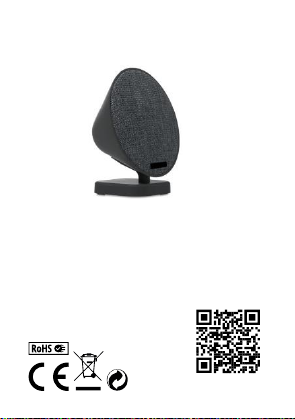
USER MANUAL
(2014/53/EU art. 10-8)
(a) Frequency Range; 2402-2480 MHz
(b) Maximum radio-frequency power; 100mW (EIRP)
(2014/53/EU art. 10-9 Simplified Declaration of Conformity)
Hereby, MOB, declares that item MO9086 complies with the essential requirements and
other relevant conditions of directive 2014/53/EU. The full text of the EU declaration of
conformity is available at the following internet address: www.momanual.com
MOB, PO BOX 644, 6710 BP (NL).
PO: 41-XXXXXX
Made in China

MO9086
EN
Wireless Speaker
Power:
•Works on internal rechargeable Lithium battery. Please charge
your speaker fully before first use.
•To charge the battery use the micro USB cable(included): insert
the jack into ”Charging” jack located on the back of the unit and
then plug the USB connecter of charging cable into the USB port
on a computer for charging.
•A red light will indicate the charging situation. When battery is full,
the red light will turn off automatically.
•Disconnect the USB cable when it is fully charged.
Playing music via Wireless
•Turn your Wireless speaker on by sliding the power switch located
on the back side of the speaker to ‘ON’ position.
•The blue indicator light will flash quickly. This indicates that the
speaker in pairing mode and searching for your Wireless device.
•Turn on the Wireless function on your device, search the speaker
named “MO9086” and select it, your device will pair without a
password. (If required, enter the password “0000” to finalize the
paring). The Blue light will begin to flash slowly after pair is
complete.
•Start playing music on your device. Keep your device within
33feet (10 meters) of your speaker.
•Adjust the volume of your device to a comfortable level.
•Turn off the unit when not in used.
Universal speaker operation
•For other music devices without Wireless, use Auxiliary input
cable. Connect the included Auxiliary cable into the speaker’s
Auxiliary port and plug the other end into your device auxiliary
port.
•The device will switch to auxiliary mode automatically.
•All controls and functions are operated through your mobile

device.
•Disconnect the Auxiliary cable when not in used.
Caution:
•This is not a toy. Please keep away from children.
•Please keep away from water / heat.
•Low power may cause poor connection even no working of
Wireless.
•Do not overcharge the battery.
Product Specifications:
Wireless Frequency: 2.402 – 2.48 GHZ
Radiated Power: ≤4dBM
DE
Wireless Lautsprecher
Stromversorgung:
•Das Gerät arbeitet mit einer internen wieder aufladbaren Lithium
Batterie. Bevor Sie den Lautsprecher zum ersten Mal benutzen,
laden Sie ihn vollständig auf.
•Aufladen der Batterie: Via Mikro USB Kabel (inklusive): Stecken
Sie das USB-Netzkabel in den Mikro-USB-Anschluss auf der
Rückseite des Lautsprechers. Verbinden Sie das andere Ende
des USB-Kabels mit einem USB-Anschluss wie einem Computer.
•Die rote Kontrollleuchte leuchtet, während das Gerät geladen
wird. Sobald das Gerät vollständig aufgeladen ist, schaltet sich
das rote Licht aus.
•Wenn das Gerät vollständig geladen ist, entfernen Sie den
Stecker.
Abspielen von Musik via Wireless
•Schalten Sie den Wireless Lautsprecher ein, indem Sie den
Schalter auf der Rückseite auf „ON“ stellen.
•Die Kontrollleuchte leuchtet blau auf. Dies zeigt an, dass sich der
Lautsprecher im Kopplungs-Modus befindet und nach einem
Wireless-Gerät sucht.

•Stellen Sie sicher, dass Wireless an Ihrem Gerät eingeschaltet
ist. Suchen Sie den Lautsprecher ”MO9086”. Wenn Sie den
Lautsprecher einmal eingestellt haben, wird sich Ihr Gerät beim
nächsten Mal automatisch verbinden (wenn Ihr Gerät nach einem
Passwort fragt, geben Sie ”0000” ein). Sobald der Lautsprecher
gekoppelt ist, wird die Kontrollleuchte (blau) langsamer blinken.
•Starten sie die Musik-Wiedergabe auf Ihrem Gerät. Sorgen sie
dafür, dass sich Ihr Gerät innerhalb einer Distanz von max. 10m
zum Wireless Lautsprechers befindet.
•Stellen Sie die Lautstärke Ihres Gerätes auf einen angenehmen
Level ein.
•Schalten Sie das Gerät aus, wenn es nicht genutzt wird.
Universeller Lautsprecherantrieb
•Für Geräte ohne Wireless, nutzen Sie das Hilfskabel. Verbinden
Sie das mitgelieferte Zusatzkabel mit dem Auxiliary-Port des
Lautsprechers und stecken Sie das andere Ende in den
Zusatzanschluss Ihres Geräts.
•Das Gerät wechselt automatisch in diesen Modus.
•Alle Bedienelemente und Funktionen werden über Ihr Mobilgerät
bedient.
•Ziehen Sie nach Beenden das Kabel ab.
Warnung:
•Das Gerät ist kein Spielzeug. Bitte von Kindern fernhalten.
•Setzen Sie das Gerät keinen Flüssigkeiten / Hitze aus.
•Niedriger Akkustand kann zu schlechter Verbindung führen und /
oder kann dazu führen, dass die Wireless-Funktion nicht optimal
funktioniert.
•Überladen Sie den Akku nicht.
Technische Daten:
Wireless Frequenz: 2.402 – 2.48 GHZ
Strahlungsleistung: ≤4dBM

FR
Haut-parleur Wireless
Mise en marche:
•Fonctionne sur batterie interne rechargeable au lithium. Veuillez
charger complètement votre haut-parleur avant la première
utilisation.
•Pour charger la batterie, utilisez le câble micro USB (inclus):
insérez la prise dans la prise "Charging" située à l'arrière de
l'appareil, puis branchez le connecteur USB du câble de charge
dans le port USB d'un ordinateur pour le recharger.
•Un voyant rouge indique la situation de charge. Lorsque la
batterie est pleine, le voyant rouge s'éteint automatiquement.
•Débranchez le câble USB lorsqu'il est complètement chargé
Lecture de musique via Wireless
•Allumez votre haut-parleur Wireless en faisant glisser
l'interrupteur d'alimentation situé à l'arrière du haut-parleur sur la
position «ON».
•Le témoin lumineux bleu clignote rapidement. Cela indique que
le haut-parleur en mode d'appariement et la recherche de votre
périphérique Wireless.
•Activez la fonction Wireless sur votre appareil, recherchez le
haut-parleur nommé "MO9086" et sélectionnez-le, votre appareil
sera couplé sans mot de passe. (Si nécessaire, entrez le mot de
passe "0000" pour finaliser le paring). Le voyant bleu
commencera à clignoter lentement une fois le jumelage terminé.
•Commencez à lire de la musique sur votre appareil. Gardez votre
appareil à moins de 10 mètres de votre haut-parleur.
•Réglez le volume de votre appareil à un niveau confortable.
•Éteindre l 'appareil lorsqu'il n'est pas utilisé.
Fonctionnement des enceintes universelles
•Pour les autres appareils sans Wireless, utilisez le câble d'entrée
auxiliaire. Branchez le câble auxiliaire fourni dans le port auxiliaire

de l'enceinte et branchez l'autre extrémité dans le port auxiliaire
de votre appareil
•L'appareil passe automatiquement en mode auxiliaire.
•Tous les contrôles et les fonctions sont gérés par votre appareil
mobile.
•Débrancher le câble auxiliaire lorsqu'il n'est pas utilisé.
Mise en garde:
•Ceci n'est pas un jouet. Veuillez le tenir à l'écart des enfants.
•Tenir à l'écart de l'eau / de la chaleur.
•Une faible batterie peut causer une mauvaise connexion même
sans passer par le Wireless.
•Ne surchargez pas la batterie.
Spécifications du produit:
Fréquence Wireless: 2.402 – 2.48 GHZ
Puissance rayonnée: ≤4dBM
ES
Altavoz Wireless
Power:
•Funciona con una batería interna recargable de Litio. Por favor
cargue completamente el altavoz antes de su primer uso.
•Para cargar la batería utilice el cable USB (incluido): insértelo en
el Puerto de “carga” localizado en la parte trasera del altavoz, e
inserte la clavija USB en un Puerto USB o en un ordenador para
cargarlo.
•Una luz roja indica la situación de la carga. Cuando la batería
está cargada completamente, la luz roja se apagará
automáticamente.
•Desconecte el cable USB cuando esté completamente cargado.
Reproducir música vía Wireless
•Encienda su altavoz deslizando el switch en la posición “ON”.

•La luz indicadora azul parpadeará rápidamente. Esto indica que
el altavoz está buscando dispositivos para emparejarse.
•Active el Wireless en su dispositivo, busque el aparato “MO9086”
y selecciónelo, se emparejarán sin password (si le pide un
password, pruebe con “0000” y termine el procedimiento). La luz
azul parpadeará lentamente cuando el emparejamiento esté
completado.
•Comience a reproducir música, mantenga el dispositivo en un
rango de 10m del altavoz.
•Ajuste el volumen en su dispositivo hasta conseguir un volumen
confortable.
•Apague el dispositivo cuando no esté en uso.
Funcionamiento altavoz universal.
•Para dispositivos sin Wireless, puede utilizar el cable auxiliar,
conectando un extremo en el altavoz, y el otro extremo en el
dispositivo.
•El altavoz entrará en el modo auxiliar automáticamente.
•Todos los controles y funciones son controlados por su aparato
móvil.
•Desconecte el cable auxiliar cuando no esté en uso.
Precauciones:
•Este aparato no es un juguete, manténgalo fuera del alcance de
los niños.
•Manténgalo fuera del agua o calor.
•Un nivel bajo de batería, puede causar problemas de sonido, o
de conectividad Wireless.
•No sobre cargue la batería.
Especificaciones del producto:
Frecuencia Wireless: 2.402 – 2.48 GHZ
Power:
≤4dBM

IT
Speaker Wireless
Alimentazione:
•Funziona a batteria interna ricaricabile al litio. Caricare
completamente l’apparecchio prima del primo utilizzo.
•Per la carica della batteria utilizzare il cavo micro USB (incluso):
inserire il jack nell’apposito vano sul retro dell’unità e inserire la
presa USB nella porta USB di un computer.
•Una luce rossa indica la carica. Quando la batteria è
completamente carica la luce rossa si spegne automaticamente.
•Disconnettere il cavo USB una volta completata la carica.
Riproduzione di musica via Wireless
•Accendere lo speaker Wireless posizionando su “ON” il cursore
posto sul retro del dispositivo.
•L’indicatore blu lampeggerà velocemente. Questo indica che lo
speaker è in modalità associazione e in ricerca del dispositivo
Wireless.
•Accendere il Wireless sul Vs dispositivo, ricercare e selezionare
lo speaker “MO9086”, I dispositivi si assoceranno senza bisogno
di password. (Se comunque richiesta, inserire “0000”). La luce blu
inizierà a lampeggiare lentamente dopo la fine dell’associazione.
•Può iniziare la riproduzione della musica. Mantenere i due
dispositivi ad una distanza non inferiore a 10 metri.
•Impostare il volume ad un livello idoneo.
•Spegnere lo speaker quando non viene utilizzato.
Funzioni universali dello speaker
•Per altri dispositivi riproduttori di musica, utilizzare un cavo
ausiliario. Connettere il cavo nell’apposita porta dello speaker e
connettere l’altra estremità al secondo dispositivo.
•Lo speaker entrerà automaticamente in modalità ausiliario.
•Tutti I controlli e le funzioni vengono effettuati tramite dispositivo
mobile.
•Disconnettere il cavo ausiliario quando non in uso.

Attenzione:
•Questo non è un giocattolo. Tenere fuori dalla portata dei bambini.
•Tenere lontano da fonti di umidità e dall’acqua.
•Una bassa carica potrebbe causare una mancanza di
funzionamento del wireless.
•Non sovraccaricare la batteria.
Specifiche prodotto:
Frequenza Wireless: 2.402 – 2.48 GHZ
Potenza generata: ≤4dBM
NL
Wireless luidspreker
Voeding:
•De luidspreker werkt op een interne, oplaadbare lithium batterij.
Laad voorafgaand aan het eerste gebruik de luidspreker volledig
op.
•Gebruik voor het opladen van de batterij de bijgevoegde micro
USB-kabel. Stop de jack-plug in de jack- aansluiting aan de
achterkant van het product. Stop dan de USB-connector van de
oplaadkabel in de USB-poort van een computer om op te laden.
•Als het product zich oplaadt zal een rood lampje gaan branden.
Als de batterij volgeladen is, gaat het rode lampje automatisch uit.
•Haal de USB-kabel eruit wanneer het product volledig is
opgeladen.
Muziek afspelen via Wireless
•Zet de Wireless luidspreker aan door het knopje op de achterkant
van de luidspreker op ‘ON’ te zetten.
•Het blauwe lampje zal nu snel gaan knipperen. Dit betekent dat
de luidspreker op zoek is naar uw Wireless-apparaat.
•Zet de Wireless functie aan op uw apparaat. Zoek naar
luidspreker/speaker “MO9086” en selecteer deze. Meestal zal er
geen wachtwoord gevraagd worden. Mocht dit echter toch het
geval zijn, vul dan “0000” in. Het blauwe lampje op de luidspreker

zal langzaam gaan knipperen als het de Wireless-verbinding
heeft gevonden.
•Start met het afspelen van muziek. De maximale afstand tussen
de luidspreker en uw apparaat is 10 meter.
•Pas het volume van het apparaat aan tot een comfortabel niveau.
•Zet het apparaat uit wanneer het niet in gebruik is.
Gebruik universele luidspreker
•Gebruik voor muziekapparaten zonder Wireless een aux kabel.
Sluit de meegeleverde aux kabel aan op de aux poort van de
luidspreker en steek het andere uiteinde in de auxi poort van uw
eigen apparaat.
•Het apparaat zal automatisch overgaan op de aux stand
•Alle knoppen en functies worden bediend via uw mobiele
apparaat.
•Haal de aux kabel eruit wanneer deze niet wordt gebruikt
Waarschuwing:
•Dit is geen speelgoed. Houd het daarom bij kinderen vandaan
•Houd het product weg van water en hitte
•Een laag batterijniveau kan zorgen voor een slechte connectie of
zelfs geen connectie met Wireless.
•Laad de batterij niet te lang op.
Product Specificaties:
Wireless Frequentie: 2.402 – 2.48 GHZ
Radiated Power: ≤4dBM
PL
Głośnik Wireless
Zasilanie:
•Posiada wbudowany akumulator litowy. Przed pierwszym
użyciem należy naładować głośnik.
•Aby naładować baterię, użyj kabla micro-USB (w zestawie): włóż
wtyczkę do gniazda "Ładowanie" znajdującego się z tyłu
Table of contents
Languages:
Other MOB Speakers manuals