manuals.online logo
Brands
  1. Home
  2. •
  3. Brands
  4. •
  5. Multitech
  6. •
  7. Network Router
  8. •
  9. Multitech RouteFinder RF102S User manual

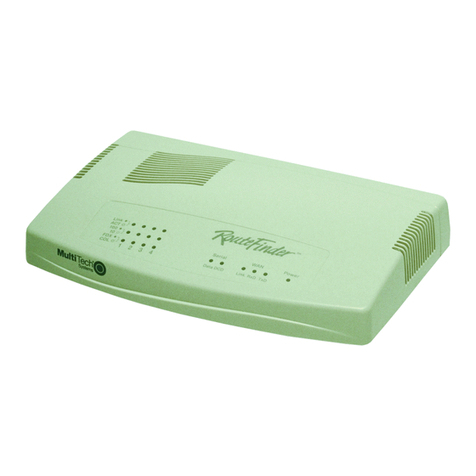
Multitech RouteFinder RF102S User manual


Other manuals for RouteFinder RF102S

1

This manual suits for next models

1

Other Multitech Network Router manuals
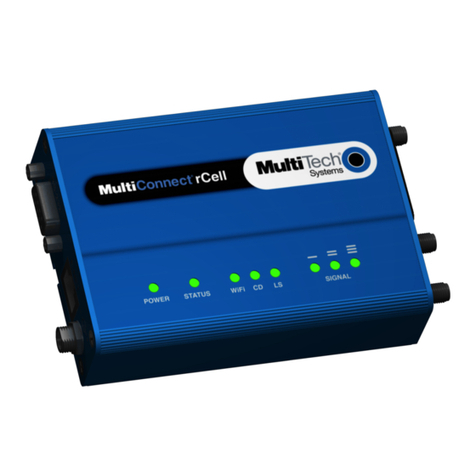
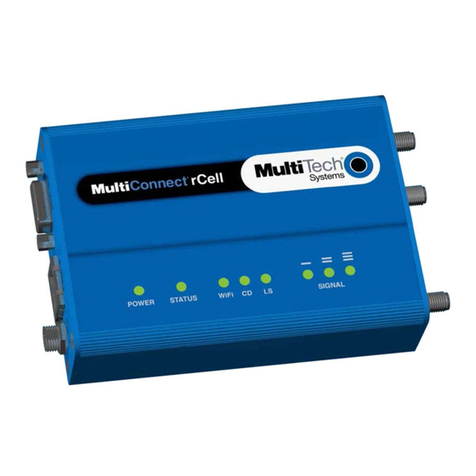
Multitech MultiConnect rCell 100 Series Installation instructions

Multitech

Multitech MultiConnect rCell 100 Series Installation instructions

Multitech MultiConnect rCell 100 Series Installation instructions

Multitech

Multitech MultiConnect rCell 100 Series Installation instructions

Multitech MultiConnect rCell 100 Series User manual

Multitech

Multitech MultiConnect rCell 100 Series User manual

Multitech RouteFinder MTASR2-201 User manual

Multitech

Multitech RouteFinder MTASR2-201 User manual

Multitech RouteFinder RF825-C-Nx User manual
Multitech

Multitech RouteFinder RF825-C-Nx User manual

Multitech RouteFinder MTASR1-100 Technical manual

Multitech

Multitech RouteFinder MTASR1-100 Technical manual

Multitech Embedded Modem User manual

Multitech

Multitech Embedded Modem User manual

Multitech MultiConnect rCell 100 Series User manual

Multitech

Multitech MultiConnect rCell 100 Series User manual

Multitech MultiFrad FR3060 User manual

Multitech

Multitech MultiFrad FR3060 User manual

Multitech MultiFRAD FR2201 User manual

Multitech

Multitech MultiFRAD FR2201 User manual

Multitech MultiConnect rCell 100 Series User manual

Multitech

Multitech MultiConnect rCell 100 Series User manual

Multitech MultiConnect rCell MTR-H6 User manual

Multitech

Multitech MultiConnect rCell MTR-H6 User manual

Multitech RouteFinder MTASR3 User manual

Multitech

Multitech RouteFinder MTASR3 User manual

Multitech MultiConnect rCell 100 Series User manual

Multitech

Multitech MultiConnect rCell 100 Series User manual

Multitech MultiConnect rCell 100 MTR-H5 User manual

Multitech

Multitech MultiConnect rCell 100 MTR-H5 User manual

Multitech MultiConnect rCell MTR-H5 User manual

Multitech

Multitech MultiConnect rCell MTR-H5 User manual

Multitech RouteFinder RF550VPN User manual

Multitech

Multitech RouteFinder RF550VPN User manual

Multitech RouteFinder RF600VPN User manual

Multitech

Multitech RouteFinder RF600VPN User manual

Multitech RoteFinder RF500S User manual
Multitech

Multitech RoteFinder RF500S User manual

Multitech MultiConnect rCell 100 Series Installation instructions

Multitech

Multitech MultiConnect rCell 100 Series Installation instructions

Multitech RouteFinder RF560VPN User manual

Multitech

Multitech RouteFinder RF560VPN User manual

Multitech MultiConnect rCell MTR-LAT1-B07 User manual

Multitech

Multitech MultiConnect rCell MTR-LAT1-B07 User manual

Multitech RouteFinder RF850 User manual
Multitech

Multitech RouteFinder RF850 User manual

Multitech rCell 500 Series User manual

Multitech

Multitech rCell 500 Series User manual

Popular Network Router manuals by other brands

TRENDnet TEW-435BRM - 54MBPS 802.11G Adsl Firewall M Quick installation guide

TRENDnet

TRENDnet TEW-435BRM - 54MBPS 802.11G Adsl Firewall M Quick installation guide

Siemens SIMOTICS CONNECT 400 manual

Siemens

Siemens SIMOTICS CONNECT 400 manual

Alfa Network ADS-R02 Specifications

Alfa Network

Alfa Network ADS-R02 Specifications

Barracuda Networks Link Balancer quick start guide

Barracuda Networks

Barracuda Networks Link Balancer quick start guide

ZyXEL Communications ES-2024PWR Support notes

ZyXEL Communications

ZyXEL Communications ES-2024PWR Support notes

HPE FlexNetwork 5510 HI Series Openflow configuration guide

HPE

HPE FlexNetwork 5510 HI Series Openflow configuration guide

Allied Telesis AT-AR236E quick start guide

Allied Telesis

Allied Telesis AT-AR236E quick start guide

ADTRAN NetVanta 3458-PoE quick start

ADTRAN

ADTRAN NetVanta 3458-PoE quick start

C&H Technologies EM405-8 manual

C&H Technologies

C&H Technologies EM405-8 manual

Huawei WiFi Mesh 3 Product description

Huawei

Huawei WiFi Mesh 3 Product description

Addonics Technologies ISC8P2G-S Quick install guide

Addonics Technologies

Addonics Technologies ISC8P2G-S Quick install guide

Atel W02 Arch+ Faqs

Atel

Atel W02 Arch+ Faqs

Allnet ALL0333AU user guide

Allnet

Allnet ALL0333AU user guide

Sercomm Genesis OC3505D Quick installation guide

Sercomm

Sercomm Genesis OC3505D Quick installation guide

Billion BIPAC 5102 Series user manual

Billion

Billion BIPAC 5102 Series user manual

TP-Link TD-8817 QIG

TP-Link

TP-Link TD-8817 QIG

Motorola MR1900 user guide

Motorola

Motorola MR1900 user guide

Cisco SOHO Series Regulatory compliance and safety information

Cisco

Cisco SOHO Series Regulatory compliance and safety information

manuals.online logo
manuals.online logoBrands
  • About & Mission
  • Contact us
  • Privacy Policy
  • Terms and Conditions

Copyright 2025 Manuals.Online. All Rights Reserved.

Model RF102S
Dual Serial Port Router
with Built-in 4-Port 10/100 Switch
Quick Start Guide
Quick Start Guide
PN#S0000137Revision A
Model RF102S Serial Port Router
This publication may not be reproduced, in whole or in part, without prior
expressed written permission from Multi-Tech Systems, Inc. All rights reserved.
opyright © 2001, by Multi-Tech Systems, Inc.
Multi-Tech Systems, Inc. makes no representations or warranties with respect
to the contents hereof and specifically disclaims any implied warranties of
merchantability or fitness for any particular purpose. Furthermore, Multi-Tech
Systems, Inc. reserves the right to revise this publication and to make changes
from time to time in the content hereof without obligation of Multi-Tech Systems,
Inc. to notify any person or organization of such revisions or changes.
Record of Revisions
Revision Description
A
(02/28/01) Manual released.
Patents
This device is covered by one or more of the following patents: 6,031,867;
6,01 ,113; 6,009,08 ; 5,905,794; 5,864,560; 5,815,567; 5,815,503;
5,81 ,534; 5,809,068; 5,790,53 ; 5,764,6 8; 5,764,6 7; 5,754,589;
D394, 50; 5,7 4,356; 5,673, 68; 5,673, 57; 5,644,594; 5,6 8,030;
5,619,508; 5,617,4 3; 5,600,649; 5,59 ,586; 5,577,041; 5,574,7 5;
D374, ; 5,559,793; 5,546,448; 5,546,395; 5,535, 04; 5,500,859;
5,471,470; 5,463,616; 5,453,986; 5,45 , 89; 5,450,4 5; D361,764;
D355,658; D355,653; D353,598; D353,144; 5,355,365; 5,309,56 ; 5,301, 74.
Other Patents Pending
Trademarks
The Multi-Tech logo is a trade ark of Multi-Tech Syste , Inc. Windows,
Windows 95, 98, NT, and 2000 are trade arks of Microsoft. All other
trade arks are owned by their respective co panies.
Multi-Tech Syste s, Inc.
2205 Woodale Drive
Mounds View, Minnesota 55112
(763) 785-3500 or (800) 328-9717
Fax (763) 785-9874
Tech Support (800) 972-2439
Internet Address: http://www. ultitech.co
iii
Contents
Introduction .................................................................................... 4
Related Documentation .................................................................. 5
Get Adobe Acrobat Reader ...................................................... 5
Get the User Guide ................................................................. 5
Save or Print the User Guide ................................................... 5
Hardware Installation ...................................................................... 6
Sa ety Warnings ...................................................................... 6
Unpacking your RouteFinder ................................................... 6
Cabling your RouteFinder ........................................................ 7
So tware Installation and Con iguration ........................................... 9
Using RouteFinder Setup Wizard .......................................... 10
Testing your Connection ........................................................ 22
Con iguring your Route Finder ............................................... 23
Using Telnet to Con igure your RouteFinder ........................... 23
Limited Warranty ......................................................................... 24
Technical Support ........................................................................ 25
RouteFinder RF102S Quick Start Guide
4
Introduction
Congratulations on the purchase o one o the inest serial port
routers available today, Multi-Tech Systems RouteFinder Model
RF102S.
The RouteFinder RF102S provides shared Internet access or
up to 253 LAN users over a modem connection and one 1 IP
address. Virtual Server (IP Mapping) enables remote client
access to your network over the Internet. Remote clients can
connect directly to the LAN by dialing into the asynchrous port.
You can use IP Routing to segment your enterprise networks
into workgroups. The RF102S eatures an integrated 4-port 10/
100 switch. The Network Monitor Utility enables the network
administrator to view incoming and outgoing packets, the status
o network connections, and speci ic connection events. The
RF102S uses the NAT protocol to implement irewall and
gateway security or LAN-based resources. It also supports
Internet access restrictions by IP address, client protocols or a
list o orbidden sites. The RF102S can support Web, FTP, or
other Internet servers. The RF102 handles POP3, DNS, PPTP,
IRC, SMTP, Microso t NetMeeting, multiplayer games,
RealPlayer, Quick Time, and other requests.
RouteFinder RF102S
Introduction
5
Related Documentation
This RF102S Serial Port Router Quick Start Guide is intended
to be used by systems administrators and network managers.
This guide provides the necessary in ormation or a quali ied
person to unpack, cable, install so tware, and con igure the
device or proper operation.
A detailed RF102S Serial Port Router User Guide in Adobe
Acrobat PDF ormat is provided on the System CD included
with your RouteFinder RF102S. The User Guide provides in-
depth in ormation on the eatures and unctions available on
your router.
Get Adobe Acrobat Reader
Adobe Acrobat Reader is a ree program used to view
documents created in Adobe PDF ormat. Adobe Acrobat
Reader can be installed rom the System CD (click Install
Manuals and select Install Adobe Acrobat Reader) or
downloaded rom Adobes Web site at http://www.adobe.com
Get the User Guide
The User Guide can be installed rom the System CD by
clicking Install Manuals or by downloading the ile rom our
Web site at: http://www.multitech.com
Save or Print the User Guide
A ter opening the User Guide with Adobe Acrobat Reader, you
can save the .pd ile to your system or print a copy.
RouteFinder RF102S Quick Start Guide
6
Hardware Installation
Safety Warnings
1. Never install telephone wiring during a lightning storm.
2. Never install telephone jacks in a wet location unless the
jack is speci ically designed or wet locations.
3. This product is to be used with UL and cUL listed
computers.
4. Never touch uninsulated telephone wires or terminals
unless the telephone line has been disconnected at the
network inter ace.
5. Avoid using a telephone (other than a cordless type) during
an electrical storm. There may be a remote risk o
electrical shock rom lightning.
7. Do not use the telephone to report a gas leak in the vicinity
o the leak.
8. To reduce the risk o ire, use only No. 26 AWG or larger
Telecommunications line cord.
Un acking your RouteFinder
The RF102S shipping box contains the ollowing items:
 System CD
 Tucows CD
 Power Supply
 The RouteFinder RF102S
 This Quick Start Guide
I any o these items are missing or damaged, please contact
Multi-Tech Systems.
Hardware Installation
7
Cabling your RouteFinder
Cabling your RouteFinder requires making the appropriate
connections to PCs, analog modem or ISDN TA (optional), AC
power and the router. Because this device also provides DHCP
server unctions, remote access, routing, and irewall protection,
a ter your device is properly cabled, you will need to complete
your con iguration by ollowing the instructions provided in the
So tware Installation and Con iguration section o this Quick
Start Guide.
Optional
Uplink
Serial Cables
To Modem
or ISDN TA
Power Connection
Network Printer
Hub
PC
PC
Uplink/Normal
1234
Reset
Serial 1
5VDC
Serial 2
Cabling the RouteFinder RF102S
1. Be ore beginning, turn o the power or all network devices
(PCs, analog modems, ISDN TAs) and disconnect the
router power supply.
2. Connect the Ethernet port o each PC or network device to
one o the 4 LAN ports. I you are using the Uplink option,
port number 1 cannot be used as a LAN port.
3. I you are using one or two analog modems or IDSN TAs,
connect each to a Serial Async port.
RouteFinder RF102S Quick Start Guide
8
4. To use the Uplink option to connect to another network
segment, slide the Uplin /Normal switch into the Uplink
position. Connect the LAN cable to LAN port number 1.
Plug the other end o the LAN cable into another hub,
router, or switch.
Note: I you are not using the Uplink eature, place the
switch in the Normal position.
5. Connect the provided power supply cable to the 5V DC
power port on the back o the router. Plug the power supply
into an AC power outlet as shown.
6. I you are using or or two analog modems or ISDN TAs, turn
on the power or the devices.
7. Press and hold the RouteFinders Reset button or 3
seconds to restore the de ault settings.
You are ready to con igure so tware or your router and
network PCs.
So tware Installation
9
Software Installation and Configuration
Be ore beginning the installation process, ensure that your
system meets all hardware and so tware requirements:
 Intel 486 or higher processor.
 10/100 BaseT cable to connect the RF102S to the network.
 One or two asynchronous analog modems or ISDN terminal
adapters (also known as ISDN TA), or one o each .
 A networked computer with Windows 95/98/2000, Windows
NT 3.5 or higher and TCP/IP protocol installed.
 Any Windows communication application or Dial-Out
operation.
 TCP/IP installed and con igured on each workstation
accessing the Internet.
Software Installation
The so tware installation process involves installing the
RouteFinder Utilities, including RouteFinder Setup Wizard,
RouteFinder Manager, and RouteFinder Monitor. A description
o each component ollows. Re er to the User Guide or more
in ormation.
RouteFinder Setup Wizard
The RouteFinder Setup Wizard provides a step-by-step process
to assist you in entering all the basic settings needed to
con igure your RF102S or general use. All settings that are
entered in the Setup Wizard can be ound in their respective
menus in RouteFinder Manager.
RouteFinder Manager
RouteFinder Manager is the main program used to con igure all
settings or your RF102S.
RouteFinder Quick Start Guide
10
RouteFinder Monitor
RouteFinder Monitor is a multi-purpose utility designed to let
you know the status o your RF102S connection. The monitor
o ers the ability to point and click on an event to access
context-sensitive troubleshooting procedures.
Using RouteFinder Setu Wizard
Note: Be ore beginning this procedure, ensure that your
RF102S is properly connected to the network and that power is
connected to the device.
A ter installing the so tware, you can return to the RouteFinder
Setup Wizard, by clicking Start | Programs | RouteFinder
Manager | RouteFinder Wizard.
Be ore running the Setup Wizard, it is strongly recommended
that you exit all Windows programs.
1. Insert the RF102S System CD into your computers CD-
ROM drive. The RF102S System CD window displays.
Note: I Autorun is disabled on your computer, use
Windows Explorer to view the contents o the CD. Double-
clic the CD icon to display the RF102S System CD main
menu.
2. Click Install Software.
3. Follow the on-screen instructions to install the so tware.