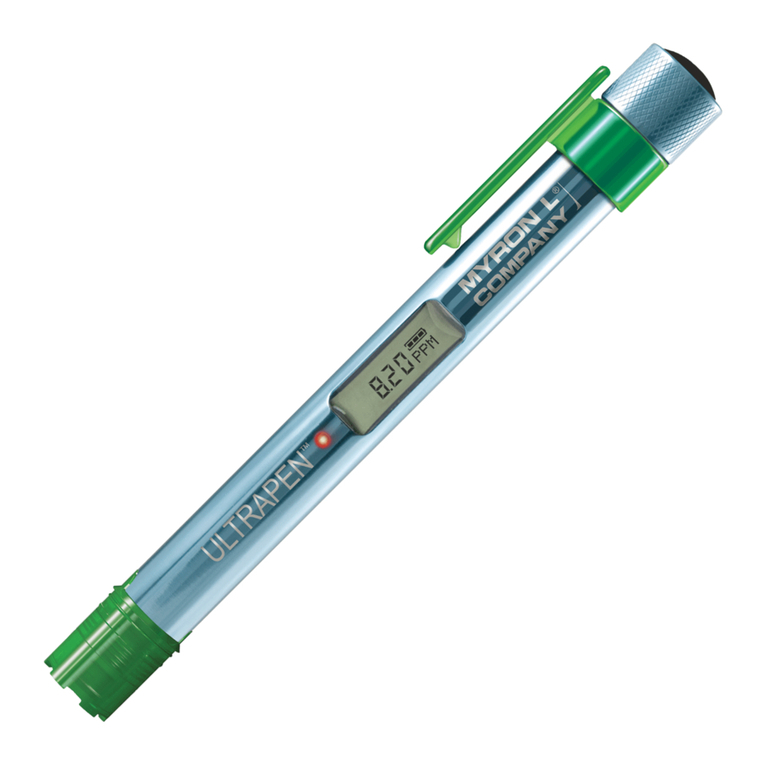
ULTRAPEN™ PTBT3 Operation Manual
ORP and Temperature Pen for Use with your Mo ile Device
CALIBRATION
The Myron L® Company recommends calibrating twice a month, depending on usage However, you should check the calibration whenever
measurements are not as expected The PTBT3 has automatic temperature compensation in calibration mode from 15°C to 30°C To verify
calibration while in measurement mode, you must manually correct for temperature variations For more information, visit www myronl com
NOTE: If the measurement is NOT within calibration limits for any reason, “Error” will display Check to make sure you are using a proper ORP
reference solution If the solution is correct, clean the sensor as described in the Routine Maintenance section
NOTE: Small bubbles trapped in the sensor may give a false calibration After calibration is completed, measure the ORP reference solution
again to verify correct calibration Remember, in measurement mode you must manually correct for temperature variance from 25ºC Example:
At 25ºC, ORP2602OZ reference solution will read 260mV; however, at 20 0ºC ORP2602OZ will read 265mV
NOTE: If at any point during calibration, you do not submerge the sensor in solution before the flashing slows, allow the PTBT3 to turn OFF and
start over
I. CALIBRATION PREPARATION
1. For maximum accuracy, pour a small amount of the calibration solution into a separate container to rinse the sensor in prior to calibration If
this is not possible, rinse the sensor in clean water prior to calibration
2. Ensure the ORP sensor is clean and free of debris
II. PERFORMING CALIBRATION
Use Myron L® Company 80mV Quinhydrone, 260mV Quinhydrone, or 470mV Myron L® Company’s Light’s ORP reference solution
1. Rinse the sensor as described above
2. Tap the CAL button in the Feature Navigation Bar The App screen will appear and say, "Paired Ultrapen is Offline”
3. Grasp the PTBT3 near the battery cap to avoid sample contamination
4. Remove PTBT3 from the rinse solution
5. Press and release the push button The screen will display, "Press and hold the button on the Ultrapen to enter CAL mode,"
6. Press and hold the push button The LED will go to solid ON and the App's Cali ration screen will appear
7. Tap the green CAL button on the Calibration screen
8. When the PTBT3's LED flashes rapidly, immediately dip the PTBT3 in the ORP reference solution so that the sensor is
completely submerged The Calibration screen will display "Calibrating ORP "
9. When the LED flashes slowly, swirl the PTBT3 around to remove bubbles, keeping the sensor submerged The PTBT3 will
automatically recognize the reference solution being used and display the value on the App display EXAMPLE: “Calibration
80 0 mV ORP ”
10. When the LED light goes solid ON, the calibration is complete and the App display will state that the calibration values have
been saved EXAMPLE:
“80 0 mV ORP CAL SAVED”
11. Tap the DONE button to end the calibration process
III. FACTORY CALIBRATION
When ORP reference solutions are not available, the PTBT3 can be returned to factory default calibration using the FAC CAL function This will
erase stored wet calibration constants NOTE: default factory calibration resets the electronics only and does NOT take the condition of the
sensor into consideration
1. Inside the App tap the CAL button in the Feature Navigation Bar. The App screen will say, "Paired Ultrapen is Offline "
2. Press and release the PTBT3’s push button The screen will display, "Press and hold the button on the Ultrapen to enter CAL
mode"
3. Press and hold the push button the LED will go to solid ON and the App's Cali ration screen will appear
4. Tap the red FAC CAL button A warning dialogue box will appear
5. Tap the OK button in the dialogue box The App's Cali ration screen will display, "FAC CAL Reset"
MAINTENANCE
I. BATTERY REPLACEMENT
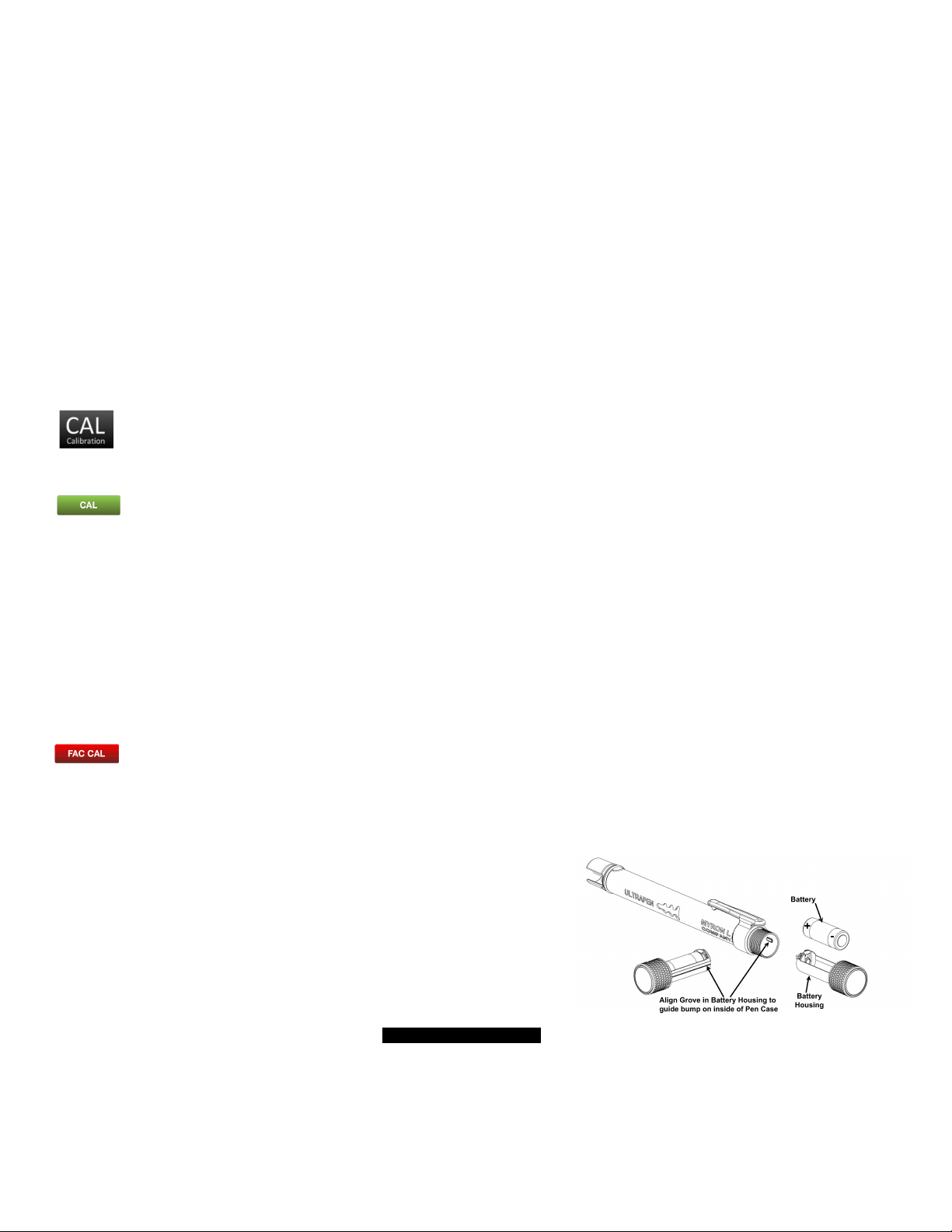
The PTBT3 App display has an indicator that depicts the PTBT3 battery's charge level
When the charge level falls below 25%, the indicator will flash red Immediately replace
the battery with an new N type battery
1. In a CLEAN DRY place unscrew the pen cap in a counter-clockwise motion
2. Slide the cap and battery housing out of the PTBT3
3Remove the depleted battery from its housing
4Insert a new battery into the battery housing oriented with the negative end
touching the spring
5. Align the groove along the battery housing with the guide bump inside the PTBT3
enclosure and slide the battery housing back in
6. Screw the pen cap back on in a clockwise direction DO NOT OVER TIGHTEN!
II. ROUTINE MAINTENANCE
•ALWAYS rinse the ORP sensor with clean water after each use
•ALWAYS replace the soaker cap half filled with ORP sensor storage solution to prevent the sensor from drying out after each use
•Do not drop, throw or otherwise strike the PTBT3 This voids the warranty
•Do not store the PTBT3 in a location where the ambient temperatures exceed its specified Operating/Storage Temperature limits
PTBT3OM 05-15 3