Myron L®Company –ULTRAPEN™ PT5 –Operation Manual
Dissolved Oxygen (DO) and Temperature Pen
PT5OM 08-17 4
CALIBRATION
•It is recommended that the PT5 be calibrated before each series of tests.
•Verify calibration if readings are not as expected. If the expected measurement is < 3 ppm, ZERO point calibration is
particularly important.
ACCURACY AFTER CALIBRATION:
•ZERO Calibration + AIR Calibration @ 25°C:
oSaturation: 0-100%: ±45 counts; >100%: ± 4.5% of the reading (>5°C to ≤55°C)
oConcentration: ±0.45 ppm or ± 4.5 % of the reading, whichever is greater (up to 40˚C).
•ZERO Calibration + WATER Calibration @ 25°C:
oSaturation: 0-100%: ± 35 counts; >100%: ± 3.5% of the reading (>5°C to ≤55°C)
oConcentration: ±0.35 pm or ± 3.5 % of the reading, whichever is greater (up to 40˚C).
•TEMPERATURE CONTROLLED, FULL Calibration @ >5°C to ≤55°C:
oSaturation: 0-100.0%: ± 20 counts; >100%: ± 2% of the reading (>5°C to ≤55°C)
oConcentration: ±0.2ppm or ±2% of the reading, whichever is greater (up to 40˚C).
I. ZERO CALIBRATION
1. Prepare the PT5 for calibration by dipping the sensor in clean water (preferably DI, RO, or purified water).
2. Carefully blot the sensor membrane with a soft, clean, lint-free cloth or tissue to remove any water drops.
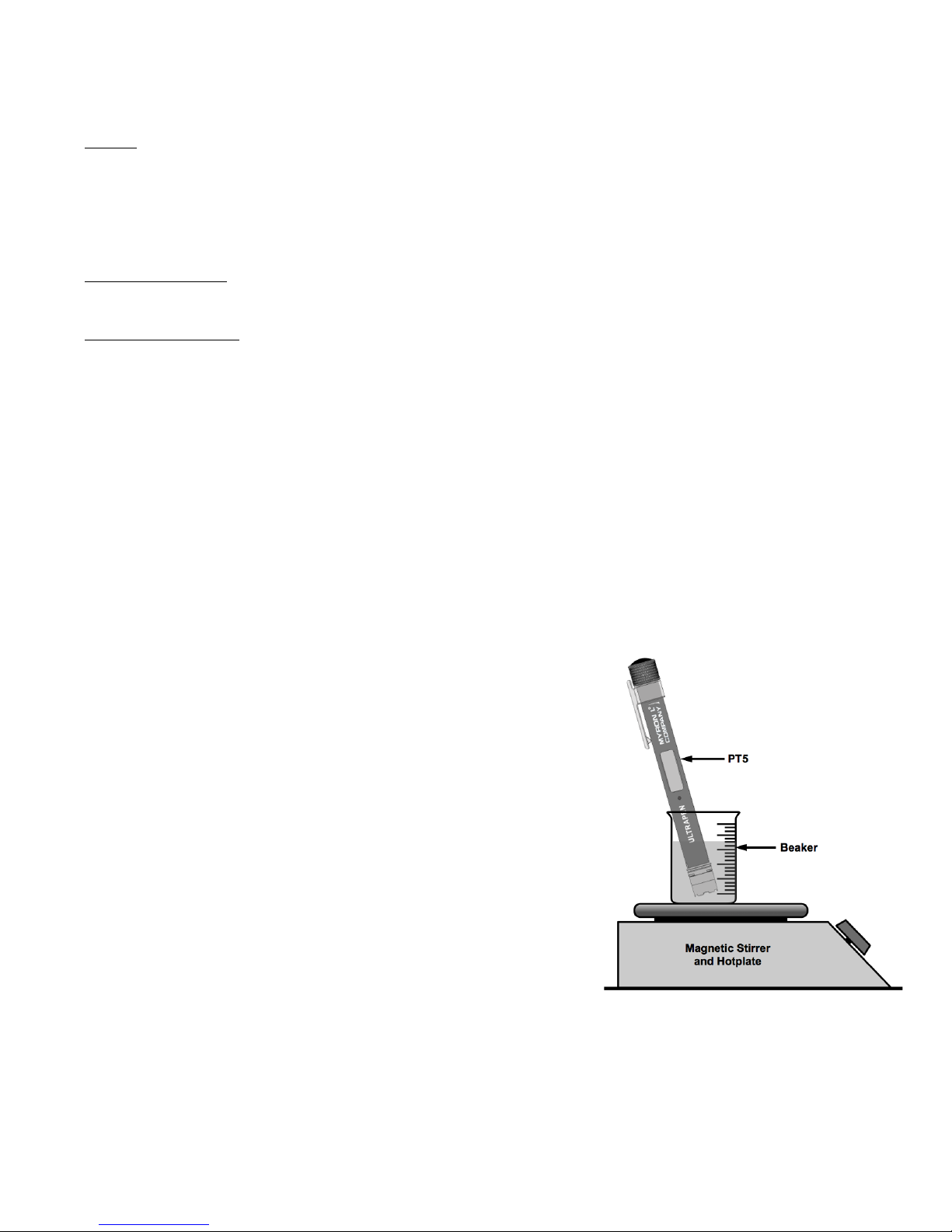
3. Pour the DO zero calibration solution, part # DOSOL, into a beaker or cup.
4. Completely submerge the sensor in zero calibration solution for 5 minutes.
5. Keeping the sensor submerged in the zero calibration solution, press and release the push button to turn the PT5 ON.
6. Press and hold the push button. Release the push button while “CAL” is displayed.
7. Press and hold the push button. The display will alternate between the following:
•“0 CAL”; “Air CAL”; “H2O CAL”; “ESC”.
8. Release the push button when “0 CAL” is displayed.
9. The PT5 will perform the calibration, then display “SAVEd”, and turn OFF.
10. Verify the calibration by taking a measurement of the zero calibration solution.
•The result should be 0 ppm.
II. AIR CALIBRATION (WATER-SATURATED AIR)
1. Prepare the PT5 for calibration by dipping the sensor in clean water (preferably DI, RO, or purified water).
2. Carefully blot the sensor membrane with a soft, clean, lint-free cloth or tissue to remove any water drops.
3. Make sure the hydration cap is filled with enough DI, RO, or distilled water to soak the sponge inside.
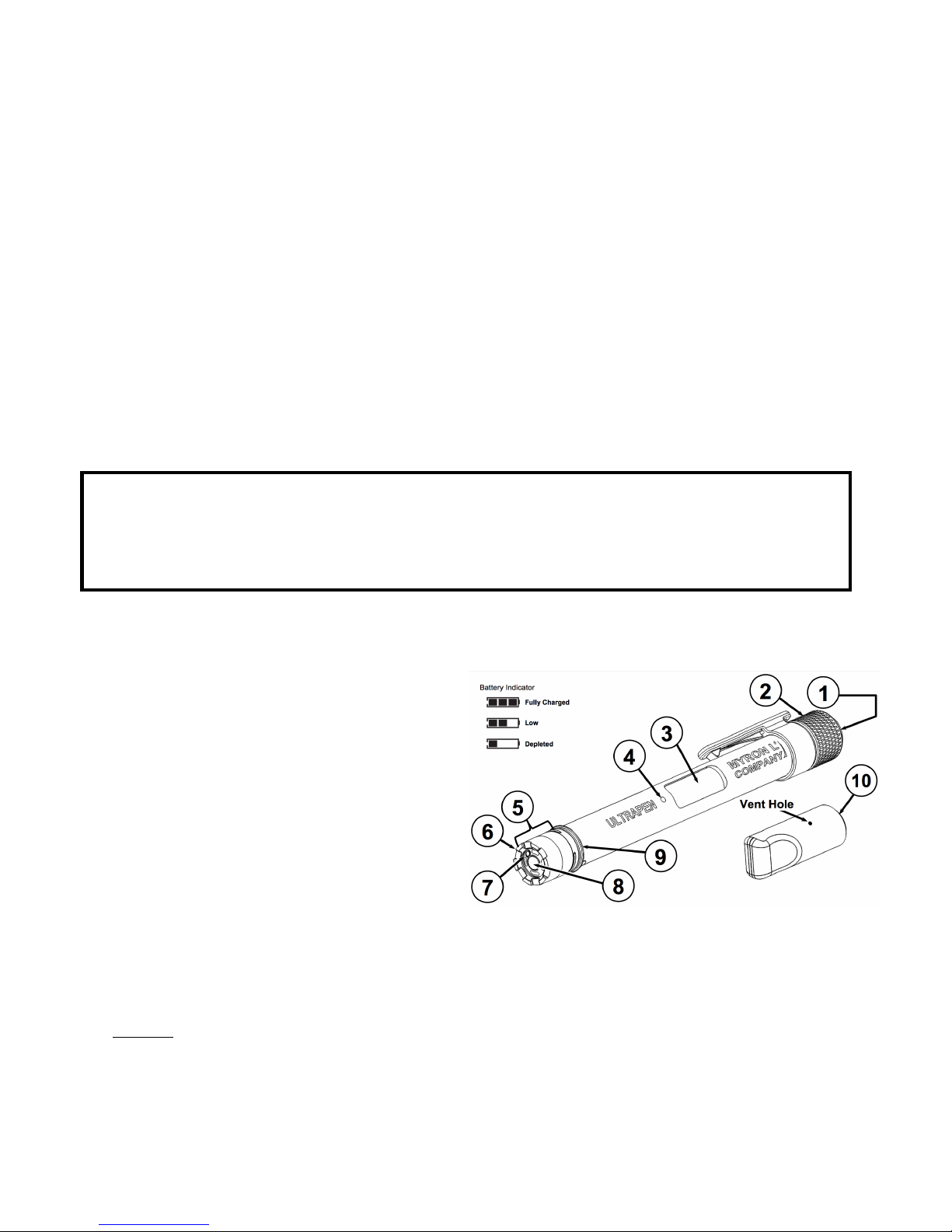
4. Hold the PT5 upright with the DO sensor down and insert the sensor into the hydration cap (this will create a water-
saturated Air environment).
•ONLY insert the sensor into the hydration cap until the lip of the cap is located halfway up the sensor body, just
enough to create a good seal. DO NOT obscure the vent hole in the hydration cap.
5. Continuing to hold the PT5 upright, press and release the push button to turn the PT5 ON.
6. Press and hold the push button. Release the push button while “CAL” is displayed.
7. Press and hold the push button. The display will alternate between the following:
•“0 CAL”; “Air CAL”; “H2O CAL”; “ESC”.
8. Release the push button when “Air CAL” is displayed.
9. The PT5 will perform the calibration, then display “SAVEd”, and turn OFF.
10. Verify the calibration by performing a Saturation measurement with the hydration cap still in place.
•The result should be 104% ±2%.
III. WATER CALIBRATION (AIR-SATURATED WATER)
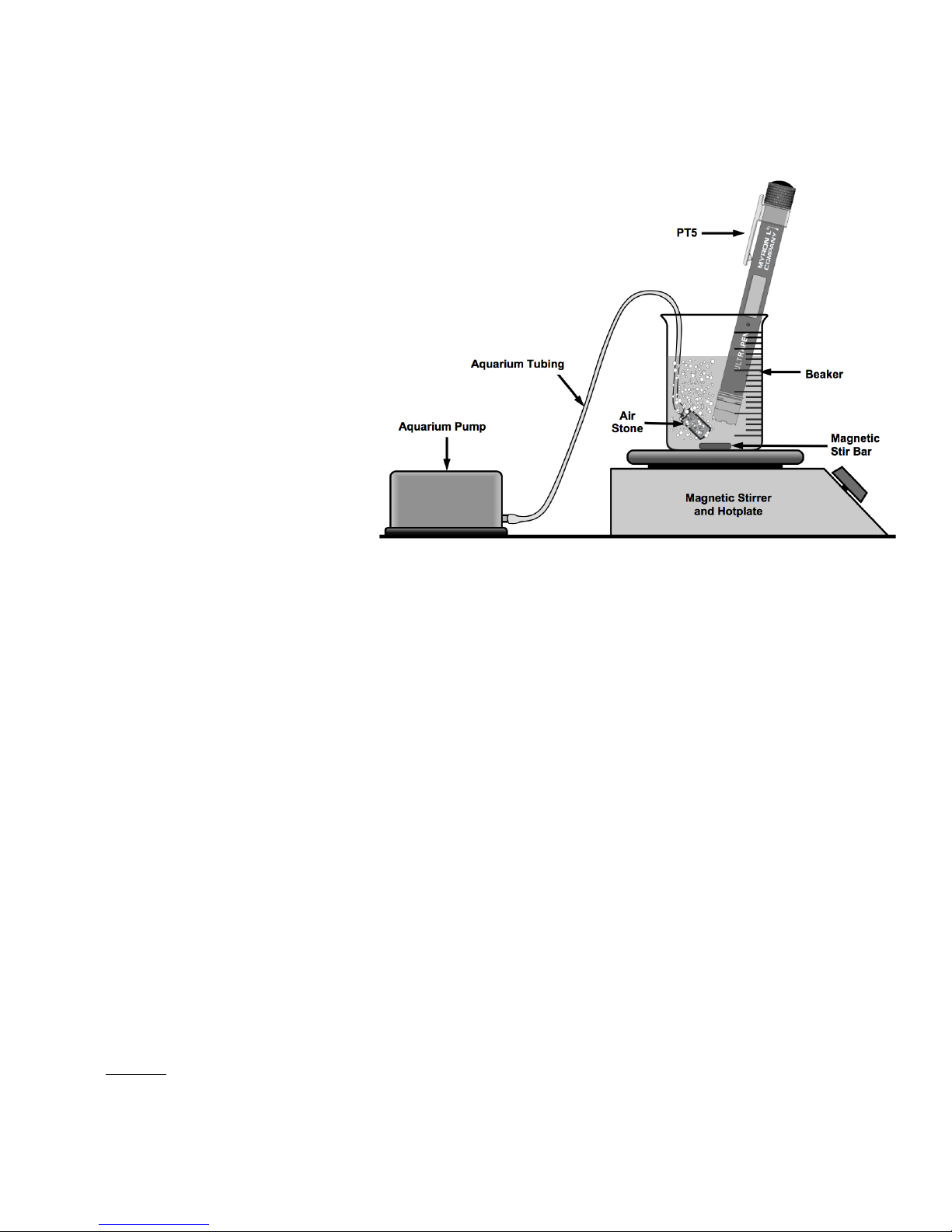
1. Prepare an air-saturated water solution by bubbling air through DI, RO, or distilled water for a minimum of 30 minutes.
•Continue bubbling air through the water during the entire calibration.
2. Keeping the sensor submerged in the oxygenated water, press and release the push button to turn the PT5 ON.
3. Press and hold the push button. Release the push button while “CAL” is displayed.
4. Press and hold the push button. The display will alternate between the following:
•“0 CAL”; “Air CAL”; “H2O CAL”; “ESC”.
5. Release the push button when “H2O CAL” is displayed.
6. When the LED begins flashing rapidly, completely submerge the PT5’s DO sensor in the water (away from the bubble
stream) and swirl around in the water to dislodge any bubbles that may collect on the sensor.
7. The PT5 will perform the calibration, then display “SAVEd”, and turn OFF.
8. Verify the calibration by performing Saturation measurement of the air-saturated water.The result should be 100%
saturation.