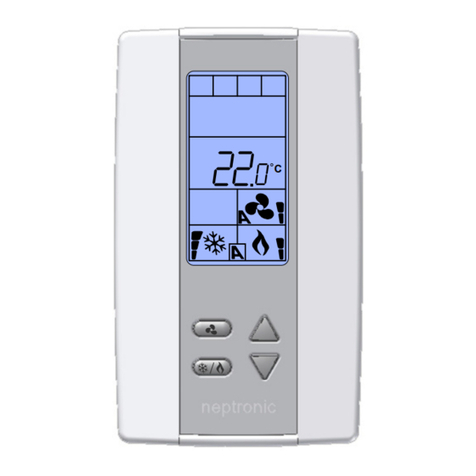
t - Hu %RH °C (temperature, humidity), StP %RH °C (temperature, humidity setpoint), OFF (no display),
t - Hu %RH °C (temperature, humidity, and cooling heating demand),
StP %RH °C (temperature, humidity setpoint, and cooling heating demand)
Select the desired information to appear on the display.
Heat Pump Settings
9. "Heat Pump Option"
Default:
Range:
OFF (Disable)
ON (Enable), OFF (Disable)
Enable or disable the heat pump option.
If you select OFF:
Heat Pump options (Steps 10 to 12 and 29) will not be available.
Binary Output ramps (Steps 30, 35, 40, 45, 50 and 55) will be available.
If you select ON:
Heat Pump options (Steps 10 to 12 and 29) will be available.
Binary Output ramps (Steps 30, 35, 40, 45, 50 and 55) will not be available.
10. "Revers Valve O/B"
Default:
Range:
o
o, b
This option appears only if you have selected ON at Step 9, "Heat Pump Option". Set the mode in which the reversing valve is
energized; cooling mode (o) or heating mode (b). The cooling symbol is displayed if you select o and heating symbol is
displayed if you select b.
11. "EMH Output"
Default:
Range:
dIS (Disable)
dIS (Disable), ENA (Enable)
This option appears only if you have selected ON at Step 9, "Heat Pump Option". Select ENA to enable emergency heat
(EMH) outputs W1 and W2, and the EMH option via the Control Mode (see page 27). Select dIS to disable EMH availability.
The heating symbol is also displayed.
If you select dIS, Step 12 "EMH Auto Mode" will not be available.
If you select ENA, Step 12 "EMH Auto Mode" will be available.
12. "EMH Auto Mode"
Default:
Range:
NO (Disable)
YES (Enable), NO (Disable)
This option appears only if you have selected ENA at Step 11, "EMH Output". If you select YES, the emergency heat (EMH)
will be operational in Automatic mode. If you select NO, the EMH will not be operational in Automatic mode. The heating
symbol is also displayed.
Analog Output 1 (AO1)
13. "AO1 Ramp"
Default:
Range:
Cr1 (Cooling Ramp 1)
Cr1, Cr2, Hr1, Hr2 (heat with fan), Hr2 (heat without fan), CH1, HU, CO2, OFF, COr
Select the desired signal from the available options.
Cr1 (Cooling Ramp 1) or Cr2 (Cooling Ramp 2). The Cr1 and Cr2 ramps are used for cooling. If selected, the controller
performs cooling based on the cooling proportional, integral, and dead band values.
Hr1, Hr2 (heat with fan), or Hr2 (heat without fan). The Hr1 and Hr2 ramps are used for heating. If selected, the
controller performs heating based on the heating proportional, integral, and dead band values.
CH1 (Cooling and Heating). If selected, the controller performs cooling regularly. If another output is set to heat, it
performs heating regularly.
HU (Humidify). If selected, the controller modulates the output based on the humidify demand.
CO2 (Carbon dioxide). If selected, the controller will activate or deactivate the output based on carbon dioxide levels.