manuals.online logo
Brands
  1. Home
  2. •
  3. Brands
  4. •
  5. Nokia
  6. •
  7. Touch Terminal
  8. •
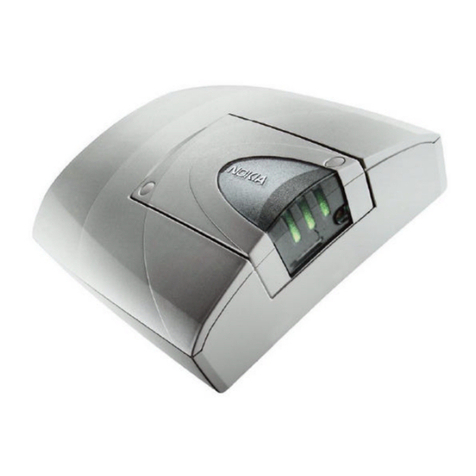
  9. Nokia SERIES 30 User manual

Nokia SERIES 30 User manual

Other manuals for SERIES 30

2

Other Nokia Touch Terminal manuals

Nokia 32 User manual

Nokia

Nokia 32 User manual

Nokia ONT G-010S-A User manual

Nokia

Nokia ONT G-010S-A User manual

Nokia 22 User manual

Nokia

Nokia 22 User manual

Nokia 7368 ISAM ONT G-240W-C User manual

Nokia

Nokia 7368 ISAM ONT G-240W-C User manual

Nokia Mobile Phone User manual

Nokia

Nokia Mobile Phone User manual

Nokia XS-010X-Q User manual

Nokia

Nokia XS-010X-Q User manual

Nokia G-0425G-A User manual

Nokia

Nokia G-0425G-A User manual

Nokia G-010G-A User manual

Nokia

Nokia G-010G-A User manual

Nokia G-010G-T User manual

Nokia

Nokia G-010G-T User manual

Nokia 32 Specification sheet

Nokia

Nokia 32 Specification sheet

Nokia Cardphone 2.0 User manual

Nokia

Nokia Cardphone 2.0 User manual

Nokia DNT2Mi sp/mp User manual

Nokia

Nokia DNT2Mi sp/mp User manual

Nokia 30 GSM User manual

Nokia

Nokia 30 GSM User manual

Nokia 7368 User manual

Nokia

Nokia 7368 User manual

Nokia DNT2Mi-fp User manual

Nokia

Nokia DNT2Mi-fp User manual

Nokia 30 GSM Installation instructions

Nokia

Nokia 30 GSM Installation instructions

Nokia 7368 User manual

Nokia

Nokia 7368 User manual

Nokia XS-2426G-A User manual

Nokia

Nokia XS-2426G-A User manual

Popular Touch Terminal manuals by other brands

Omron NT11S Operation manual

Omron

Omron NT11S Operation manual

Partner SP-820 user manual

Partner

Partner SP-820 user manual

BBPOS WisePad 2 instruction manual

BBPOS

BBPOS WisePad 2 instruction manual

Anywire ASLINKAMP L-A1AW Series Product guide

Anywire

Anywire ASLINKAMP L-A1AW Series Product guide

Festo VIFB4 Series Brief description

Festo

Festo VIFB4 Series Brief description

Linksz CMDA FWT-8828 user manual

Linksz

Linksz CMDA FWT-8828 user manual

Heisei Electronics Q-POS 815 user guide

Heisei Electronics

Heisei Electronics Q-POS 815 user guide

ANUBIS POS50 Series quick guide

ANUBIS

ANUBIS POS50 Series quick guide

Amano MTX-15 installation guide

Amano

Amano MTX-15 installation guide

FLOWBIRD CWT Compact Touch manual

FLOWBIRD

FLOWBIRD CWT Compact Touch manual

Demco SP7 installation guide

Demco

Demco SP7 installation guide

Lathem PC600 Series user guide

Lathem

Lathem PC600 Series user guide

Partner MF-2352 user manual

Partner

Partner MF-2352 user manual

NCR RealPOS 7460-2 supplementary guide

NCR

NCR RealPOS 7460-2 supplementary guide

Simrad MS50 Manual guide

Simrad

Simrad MS50 Manual guide

Unitech MR350 MKII Software guide

Unitech

Unitech MR350 MKII Software guide

Jungheinrich WMT 210 Service manual

Jungheinrich

Jungheinrich WMT 210 Service manual

Motorola MTP850 user guide

Motorola

Motorola MTP850 user guide

manuals.online logo
manuals.online logoBrands
  • About & Mission
  • Contact us
  • Privacy Policy
  • Terms and Conditions

Copyright 2025 Manuals.Online. All Rights Reserved.

NOKIA 30
GSM CONNECTIVITY TERMINAL
GUIDE FOR USER CONTROL MODE
Copyright © Nokia Corporation 2002. All rights reserved. Issue 1.0
Contents
DEFINITI NS AND TERMIN L GY..................................................................................... 2
REFERENCES ......................................................................................................................3
1. D CUMENT SC PE..................................................................................................... 3
2. PR DUCT C NCEPT AND USAGE ............................................................................. 3
2.1 GENERAL ............................................................................................................... 3
2.2 USER C NTR L M DE......................................................................................... 3
3. SECURITY..................................................................................................................... 4
4. GETTING STARTED ..................................................................................................... 5
4.1 SECURITY SETTING .............................................................................................. 5
4.1.1 MESSAGE IDENTIFIER....................................................................................... 5
4.1.2 AUTH RIZATI N NUMBER................................................................................ 5
4.1.3 PASSW RD ........................................................................................................ 6
4.2 INPUT M DE AND INITIAL UTPUT STATE......................................................... 6
4.3 SMS CENTER NUMBER......................................................................................... 8
4.4 C NNECTING A DEVICE R A MACHINE ............................................................ 8
5. INPUT/ UTPUT PIN DESCRIPTI NS .......................................................................... 9
6. C MMAND SYNTAX................................................................................................... 10
7. C MMAND TEMPLATES ............................................................................................ 11
7.1 C MMAND LIST ................................................................................................... 11
7.2 DETAILED C MMAND INF RMATI N AND RESP NSES ................................ 12
7.2.1 CHANGE_PW RD ............................................................................................ 12
7.2.2 READING INPUTS............................................................................................. 13
7.2.3 SUBSCRIBING INPUT EVENTS........................................................................ 13
7.2.4 READING UTPUTS......................................................................................... 16
7.2.5 WRITING UTPUTS.......................................................................................... 16
7.2.6 C NTR LLING P WER SUPPLY T THE DEVICE ........................................ 18

Copyright © Nokia Corporation 2002. All rights reserved.
Reproduction, transfer, distribution or storage of part or all of the contents in this document in any form
without the prior written permission of Nokia is prohibited.
Nokia and Nokia Connecting People are registered trademarks of Nokia Corporation. ther product
and company names mentioned herein may be trademarks or tradenames of their respective owners.
Nokia operates a policy of continuous development. Nokia reserves the right to make changes and
improvements to any of the products described in this document without prior notice.
Under no circumstances shall Nokia be responsible for any loss of data or income or any special,
incidental, consequential or indirect damages howsoever caused.
The contents of this doc ment are provided "as is". Except as req ired by applicable law, no
warranties of any kind, either express or implied, incl ding, b t not limited to, the implied
warranties of merchantability and fitness for a partic lar p rpose, are made in relation to the
acc racy, reliability or contents of this doc ment. Nokia reserves the right to revise this
doc ment or withdraw it at any time witho t prior notice
The availability of particular products may vary by region. Please check with the Nokia dealer nearest
to you.
2/18
DEFINITIONS AND TERMINOLOGY
ASCII American Standard Code for Information Interchange
AT Attention
C RBA Common bject Request Broker Architecture
CSD Circuit Switched Data
GSM Group Special Mobile, Global System for Mobile communications
GPRS General Packet Radio Service
I/ Input/output
M2M Machine-to-Machine, Man-to-Machine, Machine-to-Man
SM Short Message, text message
SMS Short Message Service
SW Software
3/18
REFERENCES
1. Nokia 30 GSM Connectivity Terminal Product Guide
2. Nokia 30 GSM Connectivity Terminal Technical Specification
3. M2M System Connector Electrical Specification for Nokia 30 GSM Connectivity
Terminal
1. DOCUMENT SCOPE
This document describes how the Nokia 30 GSM Connectivity Terminal can be used in User
control mode. The ways of controlling the terminal in this operation mode is described as well
as how this can be done in a more secure way.
For more detailed information about the Nokia 30 GSM Connectivity Terminal, other Nokia
M2M products and application development for M2M, please visit Forum Nokia and M2M
links at http://www.forum.nokia.com.
2. PRODUCT CONCEPT AND USAGE
2.1 GENERAL
Nokia 30 is a GSM Connectivity Terminal for EGSM 900/GSM 1800 networks. It includes a
GSM transceiver with built-in data capabilities, a SIM card reader, an internal antenna, an
external antenna connector, and an M2M system connector.
The Nokia 30 GSM Connectivity Terminal has three different operation modes:
§ User control mode
§ AT command mode and
§ M2M system mode
In AT command mode the Nokia 30 GSM Connectivity Terminal is used as a GSM data
modem using AT commands. In M2M system mode the Nokia 30 is used as a part of Nokia
M2M Platform using C RBA messaging.
2.2 USER CONTROL MODE
In the user control mode the Nokia 30 GSM Connectivity Terminal is controlled with e.g. a
mobile handset. Text message (short message service = SM) templates that are sent from
the mobile to the Nokia 30 instruct the terminal, which in turn controls a device or machine,
attached to it through the M2M system connector.
4/18
The Nokia 30 processes the SM and sends a response back to the command originator.
Finally, a received and recognized command will be deleted by the service. Unrecognised
commands would be stored to terminal or SIM as normal messages.
The control or monitoring is through general-purpose inputs and outputs of the M2M System
Connector. Thus, there are three general-purpose inputs and five general-purpose outputs
on the M2M system connector of the Nokia 30 GSM Connectivity Terminal. The inputs can
be used in either digital (on/off) or analog (continuous signal) mode. The outputs can be used
in digital mode only (set something on/off).
3. SECURITY
There are three levels of access control for User control mode: message identifier, password
and authorization number. A message identifier has to be used i.e. the terminal has to be
named in order to be able to use the User control mode of the Nokia 30 GSM Connectivity
Terminal. The identifier initiates every text message template aimed to control the Nokia 30
GSM Connectivity Terminal and the application attached to it.
The identifier is entered with the Nokia 30 Configurator software when the terminal is used
for the first time.
A user specified password could be used to further secure the communication between the
handset and the terminal. The password is entered whenever a text message template is
sent to the Nokia 30. The password is activated and/or changed with the Nokia 30
Configurator software or a text message (SM).
Access can be secured by specifying from which phone number the requests for control are
allowed, thus determining an authorization number. The number specification is done with
Nokia 30 Configurator software. nly one number can be specified as authorization number.
5/18
4. GETTING STARTED
4.1 SECURITY SETTING
The following settings must be made first before the User Controlled I/ service can be used.
All settings can be made with Nokia 30 Configurator software by opening menu option
Remote I/ Control -> User control mode (see Figure 1).
4.1.1 Message identifier
Message identifier is a mandatory parameter that has to be set in order to use the service. If
this parameter is not set (i.e. its empty), the service is switched off and commands cannot be
executed by the service. The parameter accepts 0-8 characters (ASCII character range
0x20-0x7E) e.g. Nokia30. A command always starts with the Identifier. Note that the Identifier
parameter is case sensitive (see Figure 1).
4.1.2 A thorization n mber
Authorized Number is an optional parameter that could be used if a user wants to secure the
system e.g. in case commands will be accepted only from one phone number. The most
secure system will be achieved if both, the Authorized Number and the Password, optional
properties are activated. The parameter accepts numbers 0-9 and ‘+’ character (ASCII range
0x30-0x39 and 0x2B) e.g. +1234567890 and the maximum length of it 32 (see Figure 1).
If Authorized Number property is activated and a terminal receives a command from some
other phone number, it will send a following indication message to the Authorized Number:
Invalid Originator:
N mber: X
Command: Y
Where X refers to an invalid command originator phone number, and Y refers to a
"command". The command may or may not be a valid command. If a command length is too
long to be shown in one message, the Y refers to a text "Too Long". In this case, the
indication message looks like this (X as described above):
Invalid Originator:
N mber: X
Command: Too Long
6/18
4.1.3 Password
Password is an optional parameter that could be used if a user wants to secure system e.g.
in case that commands will be accepted from several phone numbers. The parameter
accepts 0-8 characters (ASCII character range 0x20-0x7E) e.g. password. The password is
case sensitive (see Figure 1).
Figure 1 User Control mode dialog in the Nokia 30 Configurator.
4.2 INPUT MODE AND INITIAL OUTPUT STATE
Input modes and initial output states can be configured with the Nokia 30 Configurator by
opening menu option Remote I/ control -> General.
Each of the inputs can be configured as digital or analog depending on the nature of the
device being monitored. If the information available from the device is on-off information, the
input should be configured as digital. If in turn the information is of a continuous nature, the
input should be analog. (See Figure 4 for a view of the Nokia 30 Configurator for Input
settings).
It is possible to subscribe events as alarms to a specific phone number. In the case of digital
input an alarm can be triggered when the state of the digital input changes. In the case of
analog input low and high limits and a period for checking the input state can be set. For
more information about subscribing input events, see chapter 7.2.3.
7/18
The initial state of each output pin and thus the device being controlled can also be set using
the Nokia 30 Configurator. See Figure 2 for a view of the Nokia 30 Configurator for setting
initial output states.
Figure 2 Setting initial output values with the Nokia 30 Configurator.
8/18
4.3 SMS CENTER NUMBER
SMS Centre Number must be set. If it is not set, the service is in off mode. The SMS Centre
number can be set with the Nokia 30 Configurator software by opening menu option GSM
Settings -> Advanced -> Short messages (see Figure 3):
Figure 3 Setting SMS entre number with the Nokia 30 Configurator
Note that it is recommended that the terminal should be switched off and on every time
parameters are changed.
4.4 CONNECTING A DEVICE OR A MACHINE
A device to be controlled with the Use control mode of the Nokia 30 is connected physically
to it through the M2M System Connector. The general-purpose inputs and outputs of the
M2M System Connector described in Chapter 5 are connected to the device.
For more information about how to connect a device electrically to the Nokia 30, please see
reference 3. For information about the mechanical characteristics and recommended
connector types for the M2M System Connector, please see Reference 1.