manuals.online logo
Brands
  1. Home
  2. •
  3. Brands
  4. •
  5. Olevia
  6. •
  7. LCD TV
  8. •
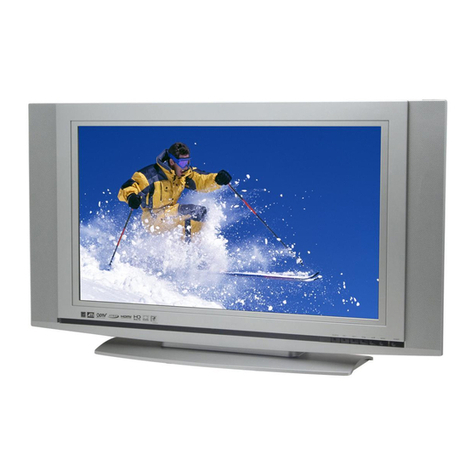
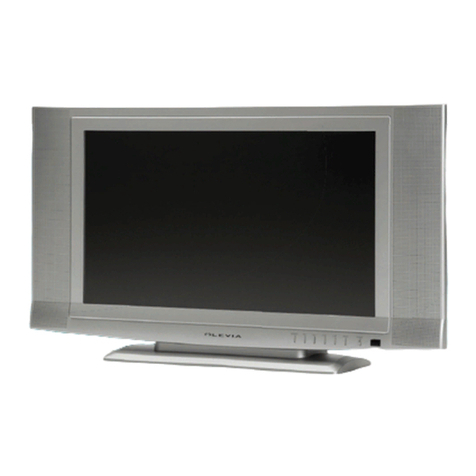
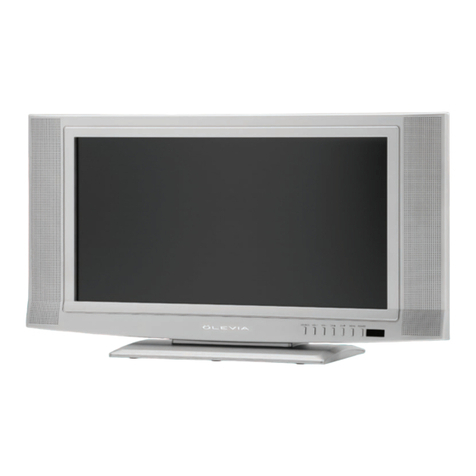
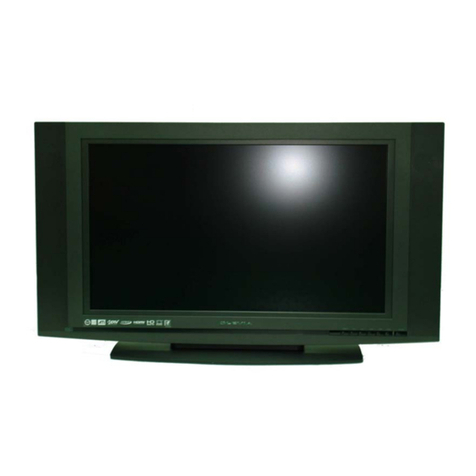
  9. Olevia LT20S User manual

Olevia LT20S User manual

Other Olevia LCD TV manuals

Olevia 2 Series User manual

Olevia

Olevia 2 Series User manual

Olevia 237V User manual

Olevia

Olevia 237V User manual

Olevia 527V User manual

Olevia

Olevia 527V User manual

Olevia 4-Series User manual

Olevia

Olevia 4-Series User manual

Olevia 427V User manual

Olevia

Olevia 427V User manual

Olevia 3 series User manual

Olevia

Olevia 3 series User manual

Olevia 432V User manual

Olevia

Olevia 432V User manual

Olevia 527V User manual

Olevia

Olevia 527V User manual

Olevia 237T User manual

Olevia

Olevia 237T User manual

Olevia 219H User manual

Olevia

Olevia 219H User manual

Olevia 227V User manual

Olevia

Olevia 227V User manual

Olevia 323V User manual

Olevia

Olevia 323V User manual

Olevia 742i User manual

Olevia

Olevia 742i User manual

Olevia 242T FHD User manual

Olevia

Olevia 242T FHD User manual

Olevia 323V User manual

Olevia

Olevia 323V User manual

Olevia SMT-320TD User manual

Olevia

Olevia SMT-320TD User manual

Olevia 232-S12 User manual

Olevia

Olevia 232-S12 User manual

Olevia 532H User manual

Olevia

Olevia 532H User manual

Olevia 2 Series User manual

Olevia

Olevia 2 Series User manual

Olevia 537H User manual

Olevia

Olevia 537H User manual

Olevia 2-Series User manual

Olevia

Olevia 2-Series User manual

Olevia 237T User manual

Olevia

Olevia 237T User manual

Olevia 542i User manual

Olevia

Olevia 542i User manual

Olevia 540 User manual

Olevia

Olevia 540 User manual

Popular LCD TV manuals by other brands

Samsung LA32E420 E-manual

Samsung

Samsung LA32E420 E-manual

ViewSonic VS12119-1M user guide

ViewSonic

ViewSonic VS12119-1M user guide

iLO CIWL3706 owner's manual

iLO

iLO CIWL3706 owner's manual

LG 32LT560C Quick reference guide

LG

LG 32LT560C Quick reference guide

Sony WEGA KLV-27HR3 operating instructions

Sony

Sony WEGA KLV-27HR3 operating instructions

Zenith Z32LC2D Specifications

Zenith

Zenith Z32LC2D Specifications

Sony KDL-32S3000R - 32" Class Bravia S-series Digital Lcd... Specifications

Sony

Sony KDL-32S3000R - 32" Class Bravia S-series Digital Lcd... Specifications

Medion MEDION LIFE X14330 quick start guide

Medion

Medion MEDION LIFE X14330 quick start guide

Vizio HDTV30A VW32L Service manual

Vizio

Vizio HDTV30A VW32L Service manual

Sharp LC-24DV250K Operation manual

Sharp

Sharp LC-24DV250K Operation manual

SOYO Dymond DYLT032A user manual

SOYO

SOYO Dymond DYLT032A user manual

Kalley K-LED40FHDST2 Service manual

Kalley

Kalley K-LED40FHDST2 Service manual

Dynex DX-L40-10A Guide de l'utilisateur

Dynex

Dynex DX-L40-10A Guide de l'utilisateur

Hisense M3300 user manual

Hisense

Hisense M3300 user manual

Toshiba 42XV600A owner's manual

Toshiba

Toshiba 42XV600A owner's manual

Panasonic TX-26LX1A operating instructions

Panasonic

Panasonic TX-26LX1A operating instructions

HP LT3200 Illustrated parts & service map

HP

HP LT3200 Illustrated parts & service map

Sharp LC-32GA8 Service manual

Sharp

Sharp LC-32GA8 Service manual

manuals.online logo
manuals.online logoBrands
  • About & Mission
  • Contact us
  • Privacy Policy
  • Terms and Conditions

Copyright 2025 Manuals.Online. All Rights Reserved.

LCD TV
LT20S
Englis h
Table of Contents
Important Safety Instructions
Important Safety Precautions
FCC Statement
Accessories
Installation And Connection Guide
Identifying Front and Rear Panels
Descriptions of Connector Input Types
Connecting the TV power cord
Adjusting the TV Viewing Angle
Installation
Connecting to an Antenna or Video Equipment with Antenna outlet
Connecting to a VCR
Connecting to a DVD player with A/V or S-Video Cables
Connecting to a DVD player with Component Cables
Connecting to a Satellite Receiver or Cable Box with A/V Cables
Connecting to a Satellite Receiver or Cable Box with Component Connectors
Connecting to a PC with VGA Connector / Other Connections
Remote Control Guide
Key Function and Descriptions
Hotkeys Tutorial
Adjusting the On Screen Display (OSD)
Introduction: To Operate in the OSD
Adjusting Picture Quality
To Reset Factory Settings
Adjusting Sound Quality
To Select Stereo or Bilingual Programs
Adjusting Personal TV Settings
Setting the Channels
Editing the Channels: Add/Delete Channels
Channel Source
Closed Caption
Parental Control
Sleep
Languages
Adjusting TV Source
Adjusting TV Source under PC (VGA) Mode
Screen Adjustments
Picture Adjustments
Audio Adjustments
OSD Adjustments
Troubleshooting
Specifications
Timing Mode for VGA
Wall Mount Kit
Pixels Policy
01
02
05
06
08
10
11
12
14
15
16
17
18
19
20
21
22
24
25
25
26
26
27
28
28
29
29
29
32
32
33
33
33
34
35
35
36
37
38
39
40
Important Safety Instructions
The lightning flash with arrowhead symbol. Within an equilateral triangle. is intended to alert
the presence of uninsulated "dangerous voltage" within the product's enclosure that may be of
a sufficient magnitude to constitute a risk of electric shock to persons.
The exclamation point within an equilateral triangle. is intended to alert the user to the
presence of important operating and maintenance (servicing) instructions in the literature
accompanying the appliance.
To reduce the risk of electronic shock, do not remove cover (or back).
No user-serviceable parts inside.
Refer service to qualified Repair Technician or Repair Center.
01
Risk of electronic shock
Do not open
Caution
Caution
18. WARNING: To prevent injury, this apparatus must be securely attached to the floor/wall in accordance
with the installation instructions.
0
0
0
0
0
0
0
0
0
1. Read these instructions.
2. Keep these instructions.
3. Heed all warnings.
4. Follow all instructions.
5. Do not use this apparatus near water.
6. Clean only with a dry cloth.
. Do not block any ventilation openings. Install in accordance with the manufacturer's instructions.
. Do not install near any heat source such as radiators, heat registers, stoves or other apparatus that
produce heat.
. Do not defeat the safety purpose of the polarized or grounding type plug. A polarized plug has type
blades with one wide than the other. A grounding - type plug has two blades and a third grounding
prong. The wide blade or third prong are provide for your safety.
When the provide plug does not fit into your outlet, consult an electrician for replacement of the
obsolete outlet.
10. Protect the power cord from being walked on or pinched particularly at plugs, convenience
receptacles, and the point where they exit from the apparatus.
11. Only use attachment/accessories specified by the manufacturer.
12. Use only with a cart, stand, tripod, bracket or table specified by the manufacturer,
or sold with the apparatus. When a cart is used, use caution when moving the
cart/apparatus combination to avoid injury from tip-over.
13. Unplug this apparatus during lightning storms or when unused for long periods
of time.
14. Refer all servicing to qualified service personal. Servicing is required when the
apparatus has been damaged in
any way, such as power supply cord or plug is damaged, liquid has been spilled or objects have fallen
into the apparatus, the apparatus has been exposed to rain or moisture, does not operate normally, or
have been dropped.
15. WARNING: To reduce to the risk of fire or electric shock, do not expose this apparatus to rain or moisture.
16. Apparatus shall not be exposed to dripping or splashing and no objects filled with liquids, such as vases,
shall be placed on the apparatus.
16. Unplug the unit and inform the service center in case of abnormalities seen with regards to the operation
of the unit.
17. CAUTION:Danger of explosion if battery is incorrectly replaced. Replace only with the same or
equivalent type.
Caution
These servicing instructions are for use by qualified service personnel only. To reduce the risk of electric
shock, do not perform any servicing other than that contained in the operating instructions unless you are
qualified to do so.
7
8
9

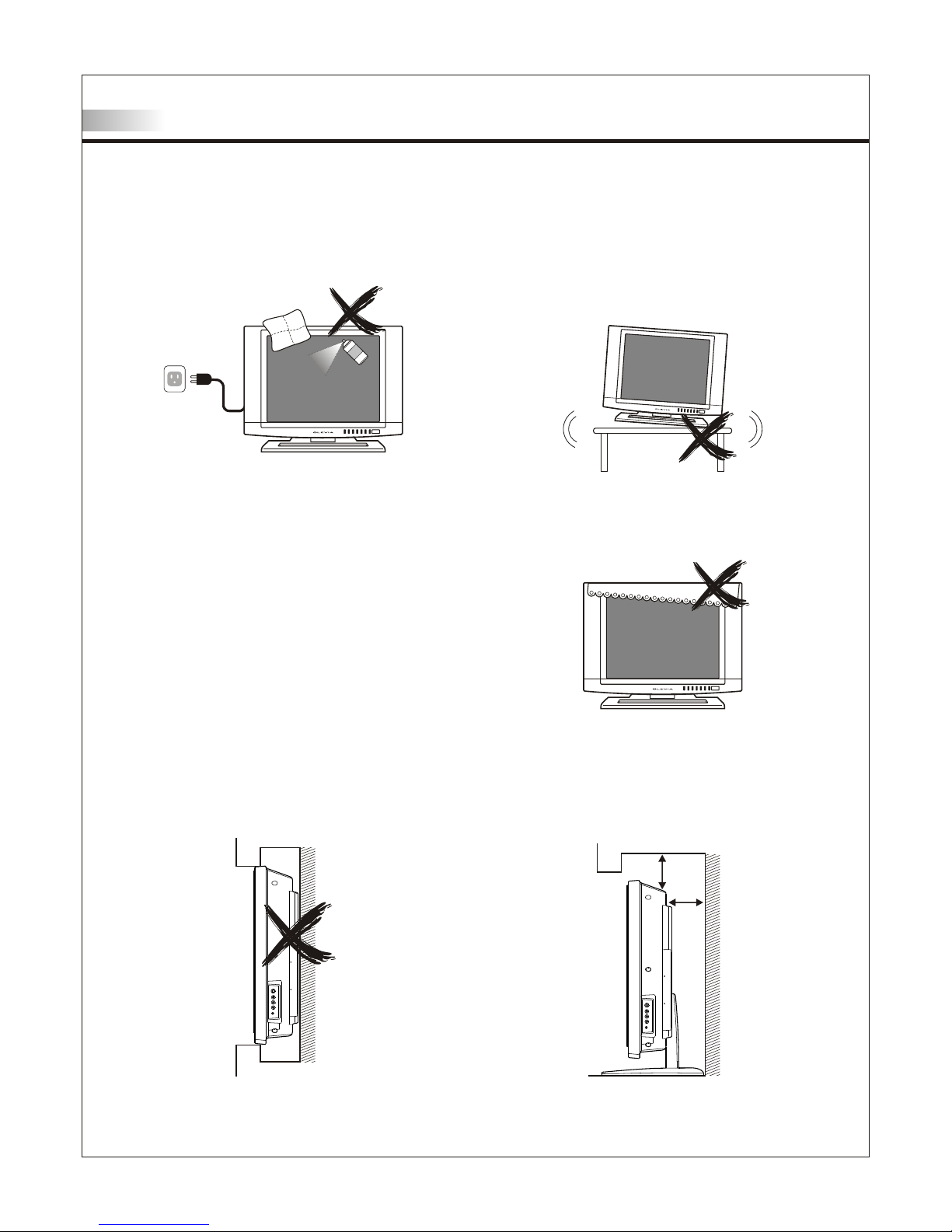
Cleaning
Remember to unplug the AC cord from the AC outlet
before cleaning the display unit. And do not use
liquid cleaners or aerosol cleaners to clean the
display.
Stand
Do not place the display unit on an unstable place.
The TV may fall resulting in serious personal
injuries to nearby people as well as damage to the
display unit.
Ventilation
Do not cover or block these vents and openings
located on the top and back of the display. Inadequate
ventilation may cause overheating and shorten the
life span of the display.
Do not place in an enclosed area such as a built-in
shelf, unless proper ventilation is provided or the
manufacturer's instructions are followed. Keep the
distance of 10cm minimum between the display unit
and wall. Never install the display unit as indicated in
the picture below.
Air circulation is blocked
10cm
10cm
Air circulation is not blocked
Important Safety Precautions
02
Never insert objects or spill liquid
into the display unit
Never insert any object into the display unit through
openings or spill liquid on the display unit. High
voltage flows in the display unit, and inserting an
object can cause electric shock and/or short internal
parts.
Keep away from water and moisture
Do not place the display in areas where moisture is
present or where the unit may get wet such as bath-
rooms, kitchen, pool area or in a wet basement.
AC cord protection
The AC cords must be routed properly to prevent
people from stepping on them or objects from resting
on them. Check the cords at the plugs and product.
Keep away from heat sources
Keep the display unit away from heat sources such
as radiators, heaters, stoves and other
heat-generating products.
The liquid crystal panel used in this
product is made of glass
Do not hit the panel. Be careful to prevent from
getting hurt by broken glass pieces in case the panel
breaks.
Follow operating instructions
All operating instructions must be followed.
Precautions when transporting the
display
Carrying the display requires two or more people.
Attachments
Do not use attachments not recommended by the
manufacturer. Use of inadequate attachments may
result in accidents to nearby people or to the unit.
Power source
This product must operate on a power source
specified on the specification label. If you are not
sure of the type of power supply used in your home,
consult your dealer or local power company. For
units designed to operate on batteries or another
power source, refer to the operating instructions.
Overloading
Do not overload AC outlets or extension cords. It
may result in electric shock or start a fire.
Wall mounting
Be sure to install the display unit according to the
method recommended by the manufacturer. Use
only the mounting hardware recommended by the
manufacturer.
Servicing
Do not attempt to service the display unit yourself.
Removing covers expose you to high voltage and
other dangerous conditions. Request a qualified
service technician to perform the service.
Important Safety Precautions
03
Replacement parts
In case the display unit needs replacement parts, make sure that the service technician uses
replacement parts specified by the manufacturer, or those with the same characteristics and
performance as the original parts. Use of unauthorized parts can result in fire, electric shock
and/or other danger.
Safety checks
Upon completion of service or maintenance, request the service technician to perform safety
checks to ensure that the display unit is in proper operating condition.
Repair
When the display unit displays an abnormal condition, any noticeable abnormality in the display
unit indicates that the display unit needs servicing.
If any of the following conditions occurs, unplug the AC cord from the AC outlet, and request a
qualified service person to perform repairs.
1.A liquid was spilled on the display unit or objects have fallen into the display unit.
2.The display unit has been exposed to rain or water.
3.The display unit has been dropped or damaged.
Environment
O O
The display unit only operates within the temperature 0 C to 40 C.Operation outside of the
recommended may cause damage to your product.
Important Safety Precautions
04
Caution
This product satisfies FCC regulations when shielded cables and connectors are used to
connect the unit to other equipment.
Prevent electromagnetic interference from electrical appliances such as radios and televisions.
Please use shielded cables and connectors for connections.
Warning
FCC Regulations state that any unauthorized changes or modifications to this equipment
not expressly approved by the manufacturer could void the user's authority to operate this
equipment.
FCC notice
This equipment has been tested and found to comply with the limits for a Class B digital device,
pursuant to part 15 of the FCC Rules. These limits are designed to provide reasonable protection
against harmful interference in a residential installation. This equipment generates, uses and can
radiate radio frequency energy and, if not installed and used in accordance with the instructions,
may cause harmful interference to radio communications. However, there is no guarantee that
interference will not occur in a particular installation. If this equipment does cause harmful
interference to radio or television reception, which can be determined by turning the equipment off
and on, the user is encouraged to try to correct the interference by one or more of the following
measures:
1.Reorient or relocate the receiving antenna.
2.Increase the separation between the equipment and receiver.
3.Connect the equipment into an outlet on a circuit different from that to which the receiver is
connected.
4.Consult the dealer or an experienced radio/TV technician for help.
Modifications not expressly approved by the manufacturer could void the user's authority to
operated the equipment under FCC rules. This device complies with part 15 of the FCC Rules.
Operation is subject to the following two conditions:
1.This device may not cause harmful interference.
2.This device must accept any interference received, including interference that may cause
undesired operation.
For Canadian model
This Class B digital apparatus complies with Canadian ICES-003.
FCC Statement
Approval
05
LISTED
I.T.E.
E247591
Also Listed
as AV Product
Accessories
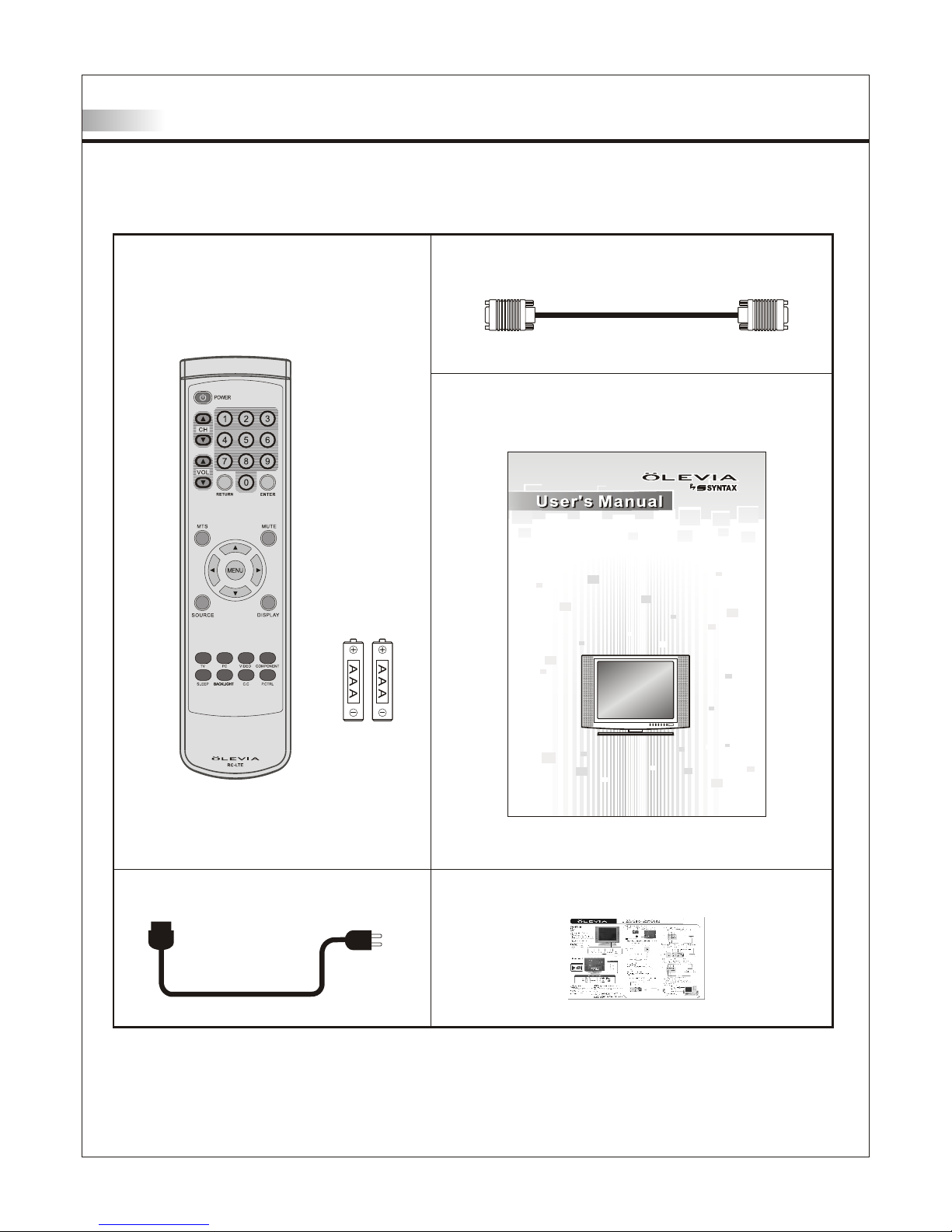
Supplied accessories
Remote control & batteries (AAA x 2)
Power cord x 1
VGA cable (D-Sub 15 male) x 1
User manual booklet x 1
LCD Multi-Media Display
LT20S
Quick start guide x 1
06
Accessories
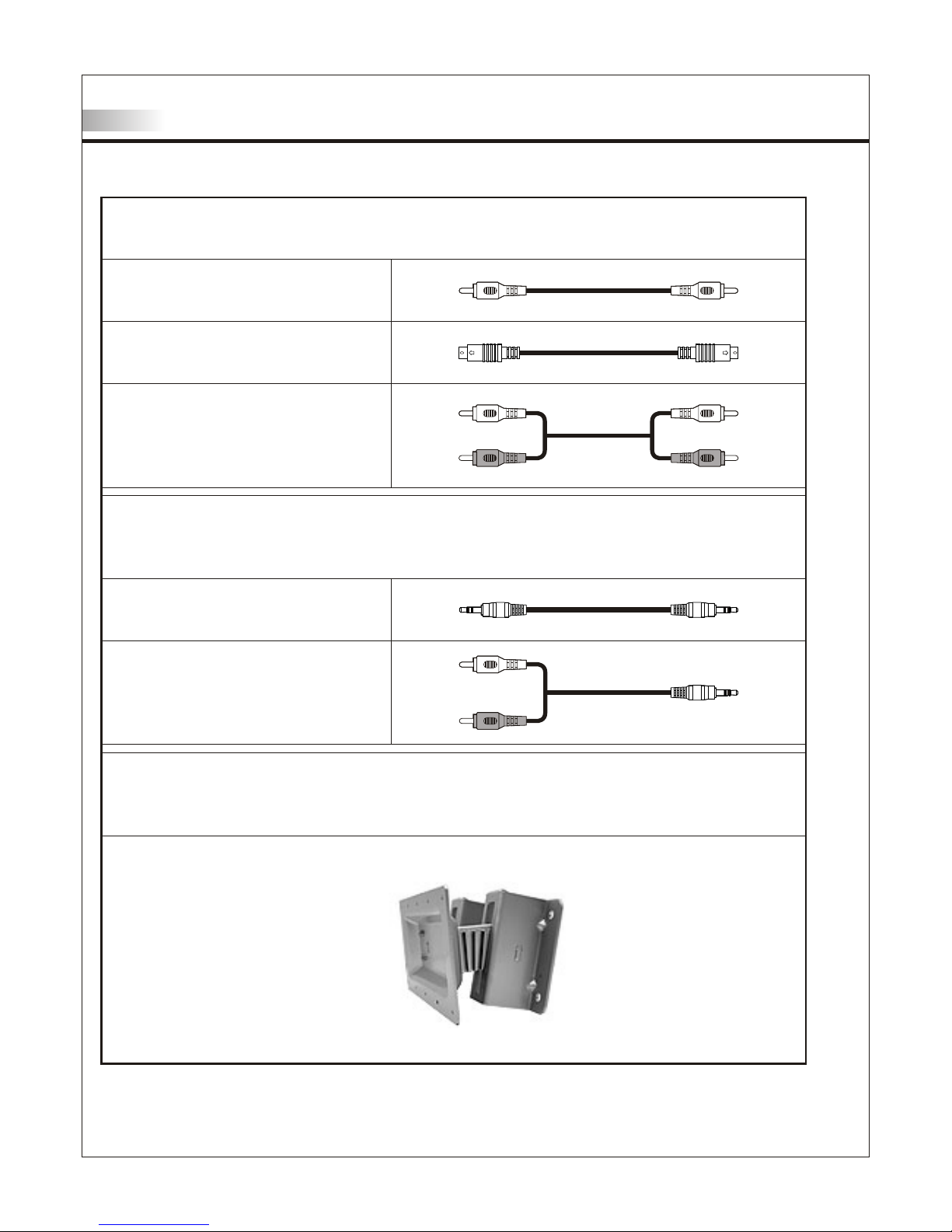
Optional accessories
Audio cable with stereo mini jack
Use the proper cable for the device.
Stereo mini jack cable
Stereo mini jack to RCA cable
AV cable with RCA connector
S-Video cable
Audio cable with RCA connector
Wall mount set
07
Use VESA 100 standard wall monut.
WM15D
TV Installation and Connection Guide
Identifying Front and Rear Panels
Front Panel
POWER
Turns display On/Off.
MENU
Displays the On Screen Display(OSD) menu. In the OSD menu, press to return to pre-phase .
CH / CH
Adjusts channel programming up or down.
In the OSD menu, both keys are used to navigate within menu.
VOL+ / VOL-
Adjusts volume. In OSD menu, both keys are used to navigate within menu.
VOL+ is used to select the highlighted option.
SOURCE
Press to switch the input sources.
IR SENSOR
Contains Infra-red (IR) light sensor for digital data transmission by the remote control .
Please point remote control at IR Sensor for function.
IR Sensor
08