PN:888-45-254-W-01 revF 05/15 9 of 25
STEP 1 - Placement of Arm on the Wall
INSTRUCTIONS
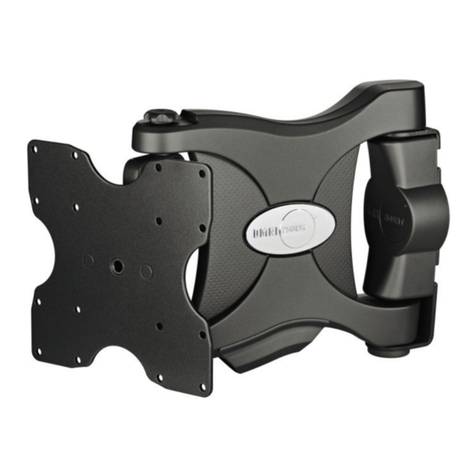
RANGE OF MOTION
SPACE REQUIREMENTS
front
front
front
side
top top
Horizontal Studs
Distance from the Wall
If there is no available stud for
desired TV location, you may
want to insert horizontal studs
into your wall at the desired
mounting location.
28.8” (731 mm) +
Thickness of TV
25.2” (640 mm) + Thickness
of TV
Horizontal Space Requirements
40.49” (1028 mm) + Width of TV*
Vertical Space
Requirements
20.49” (520 mm) + Height
of TV*
*Space requirement dimensions assume mounting holes are centered on the TV.
1. MOUNTING CONSIDERATIONS:
• Wall Mount Bracket MUST be attached to a stud or solid concrete. DO NOT attach this product to hollow wall or any other conguration.
• Make sure Arm will have desired unobstructed range of motion: up-down, side-to-side, in-out (see section RANGE OF MOTION).
• Make sure cables will reach their destinations with enough remaining slack to allow Arm full range of motion.
• Use the RANGE OF MOTION section to familiarize yourself with the movements of this product. Take into account that the TV will change
location from Side-to-Side when pulled out from the wall.
• Use the SPACE REQUIREMENTS section for maximum measurements of this products full range of motion.
• If there is no available stud for desired TV location, you may want to insert horizontal studs into your wall at the desired mounting
location (see “Horizontal Studs”image below).
2. CHOOSE YOUR DESIRED TV LOCATIONS:
Choose your desired TV locations when stowed and extended. Note the TV will move side-to-side when pushing it into and pulling it
out from the wall as well as lifting it up and lowering it down. This step requires an understanding of this products Range of Motion (see
section RANGE OF MOTION).
19.16”
(487mm)
20.4”
(518mm)
16.83”
(428mm)
20.13”
(511mm)
.98”
(25mm)
1.38”
(35mm)
10.63”
(270mm)
Front view with arm pushed back against the wall.
Top view showing range of motion when pulled out from
the wall.