manuals.online logo
Brands
  1. Home
  2. •
  3. Brands
  4. •
  5. Ovislink
  6. •
  7. Headset
  8. •
  9. Ovislink OVHS084-NEC User manual

Ovislink OVHS084-NEC User manual

Other Ovislink Headset manuals
Ovislink OVHS072-NEC User manual

Ovislink

Ovislink OVHS072-NEC User manual

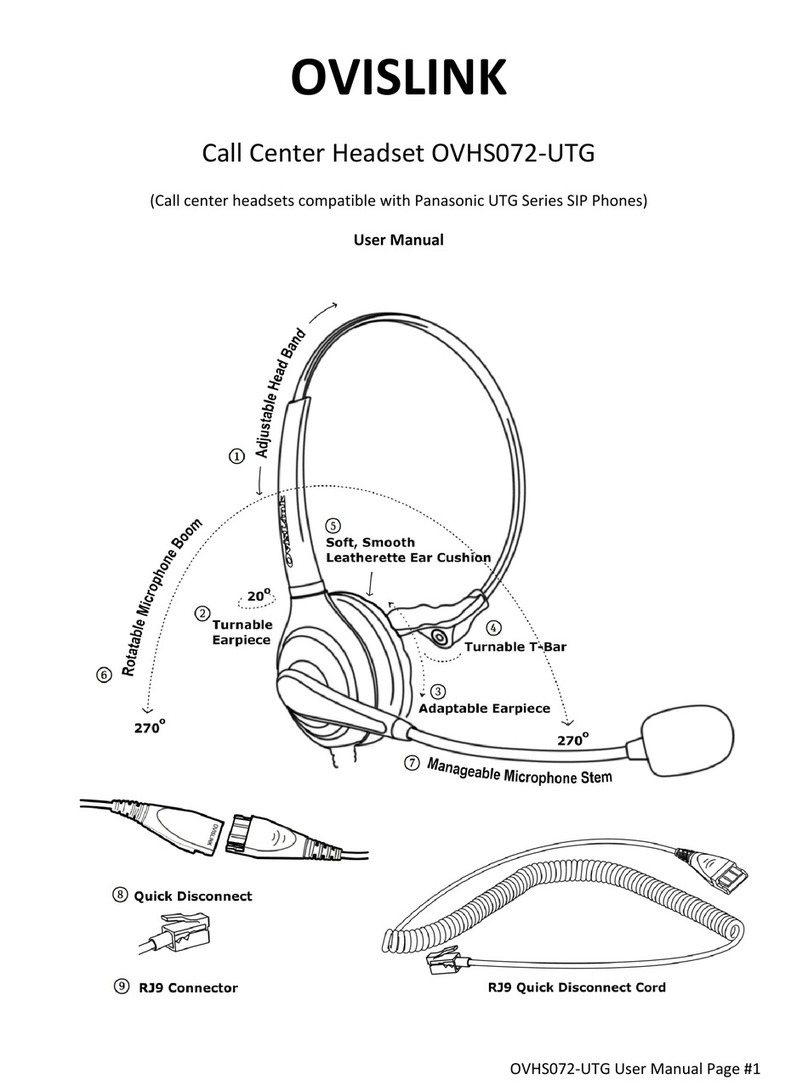
Ovislink OVHS072-UTG User manual

Ovislink

Ovislink OVHS072-UTG User manual

Ovislink OVHS084-SYN User manual

Ovislink

Ovislink OVHS084-SYN User manual

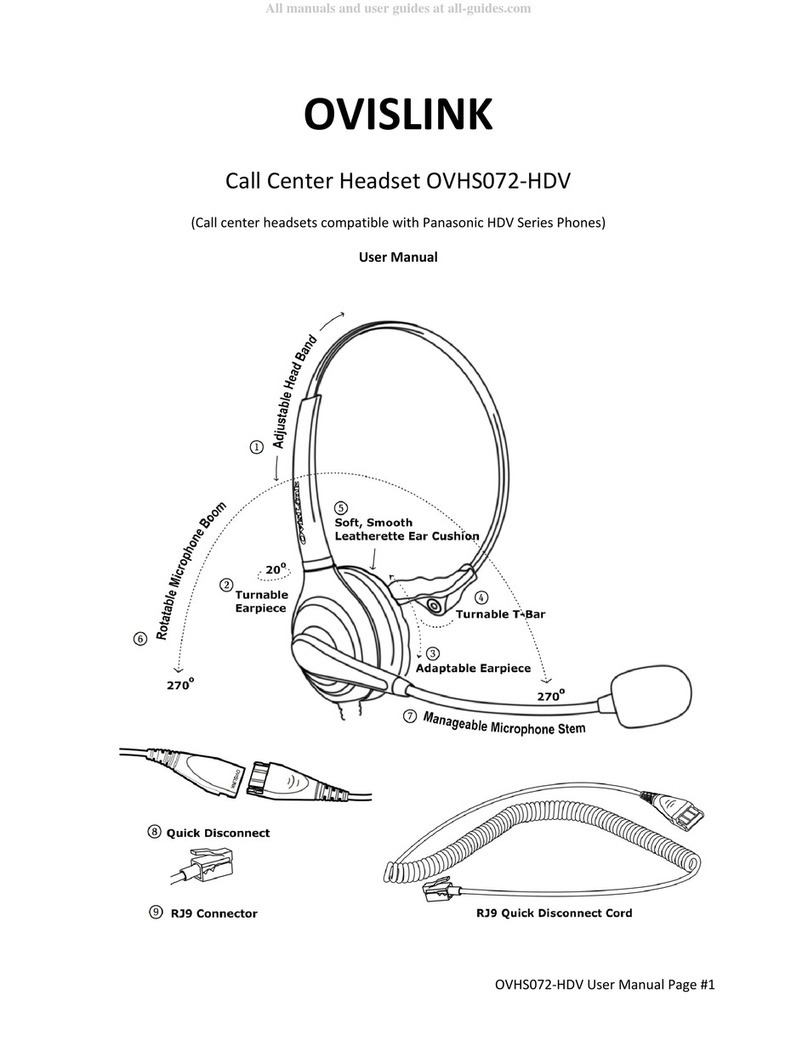
Ovislink OVHS072-HDV User manual

Ovislink

Ovislink OVHS072-HDV User manual

Ovislink OVHS084-PSP User manual

Ovislink

Ovislink OVHS084-PSP User manual

Ovislink OVHS072-PS2 User manual

Ovislink

Ovislink OVHS072-PS2 User manual

Ovislink OVHS072-A96 User manual

Ovislink

Ovislink OVHS072-A96 User manual

Ovislink OVHS072-GXP User manual

Ovislink

Ovislink OVHS072-GXP User manual

Ovislink OVHS072-PSR User manual

Ovislink

Ovislink OVHS072-PSR User manual

Ovislink OVHS072-25 User manual

Ovislink

Ovislink OVHS072-25 User manual

Ovislink OVHS072-OSD User manual

Ovislink

Ovislink OVHS072-OSD User manual

Ovislink OVHS084-PSR User manual

Ovislink

Ovislink OVHS084-PSR User manual

Ovislink OVHS072-MTL User manual

Ovislink

Ovislink OVHS072-MTL User manual

Ovislink OVHS072-CUF User manual

Ovislink

Ovislink OVHS072-CUF User manual

Ovislink OVHS084-USB User manual

Ovislink

Ovislink OVHS084-USB User manual

Ovislink OVHS084-CSP User manual

Ovislink

Ovislink OVHS084-CSP User manual

Ovislink OVHS084-SPA User manual

Ovislink

Ovislink OVHS084-SPA User manual

Ovislink OVHS072-A96 User manual

Ovislink

Ovislink OVHS072-A96 User manual

Ovislink OVHS072-P1 User manual

Ovislink

Ovislink OVHS072-P1 User manual
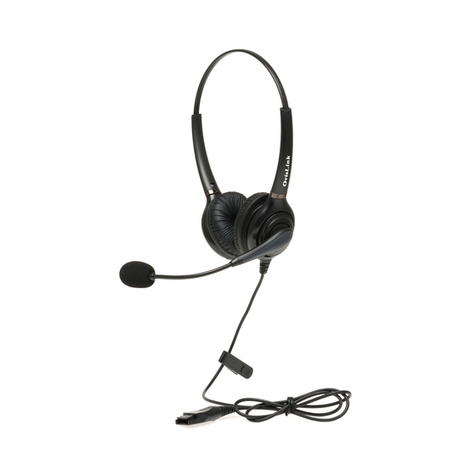
Ovislink OVHS084-GXP User manual

Ovislink

Ovislink OVHS084-GXP User manual

Ovislink OVHS084-AVY User manual

Ovislink

Ovislink OVHS084-AVY User manual
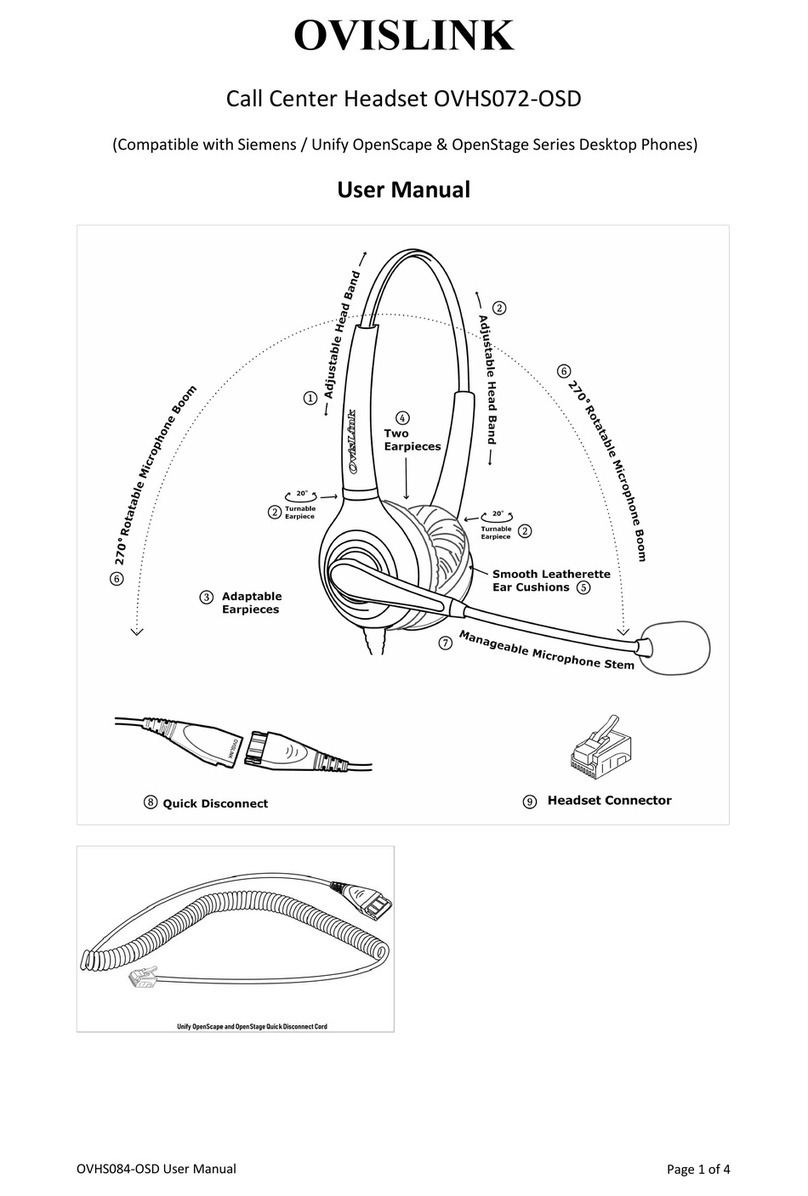
Ovislink OVHS084-MTL User manual

Ovislink

Ovislink OVHS084-MTL User manual

Ovislink OVHS072-SYN User manual

Ovislink

Ovislink OVHS072-SYN User manual

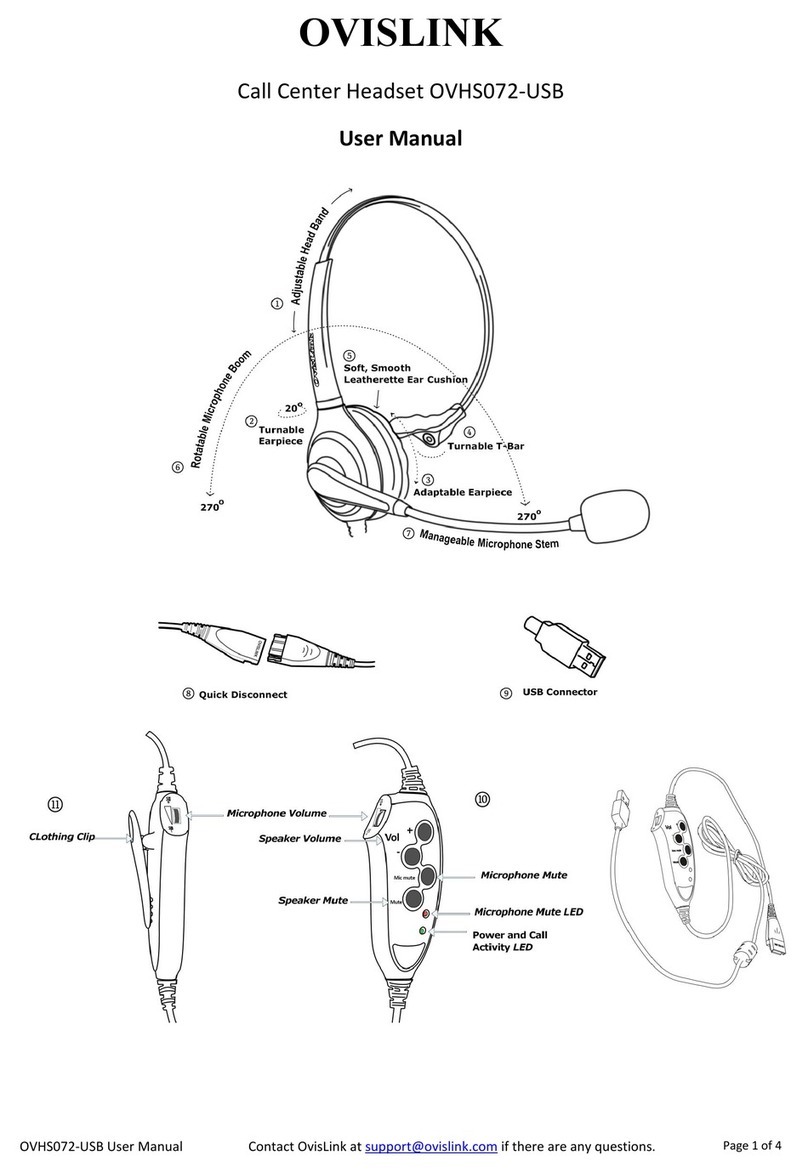
Ovislink OVHS072-USB User manual

Ovislink

Ovislink OVHS072-USB User manual
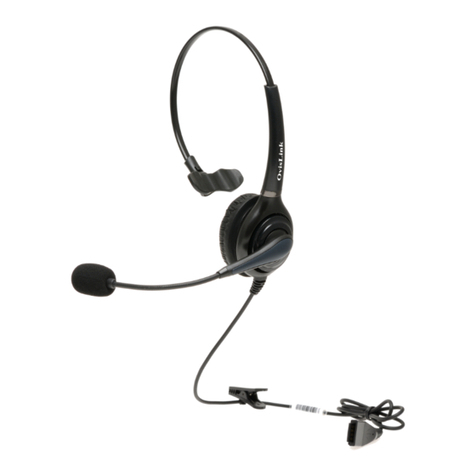
Popular Headset manuals by other brands

Sony WI-SP510 Help guide

Sony

Sony WI-SP510 Help guide

LYSAR INDUSTRIES EQ1 manual

LYSAR INDUSTRIES

LYSAR INDUSTRIES EQ1 manual

Nacon RIG 500 PRO Series user guide

Nacon

Nacon RIG 500 PRO Series user guide

HUHD HW-933M instruction manual

HUHD

HUHD HW-933M instruction manual

H2O Audio Natalie Coughlin Signature Series iSH2-5A1 user guide

H2O Audio

H2O Audio Natalie Coughlin Signature Series iSH2-5A1 user guide

Bose IN-EAR HEADPHONES owner's guide

Bose

Bose IN-EAR HEADPHONES owner's guide

Intaride S-3 manual

Intaride

Intaride S-3 manual

Jabra Elite 7 Pro How do

Jabra

Jabra Elite 7 Pro How do

Sena SMH10 quick start guide

Sena

Sena SMH10 quick start guide

IASUS Stealth  IA-NT4-BASIC-BT manual

IASUS

IASUS Stealth IA-NT4-BASIC-BT manual

Sennheiser EPOS ADAPT 230 user guide

Sennheiser

Sennheiser EPOS ADAPT 230 user guide

Anycom PAROS-10 user manual

Anycom

Anycom PAROS-10 user manual

GE 98971 datasheet

GE

GE 98971 datasheet

Jabra PRO 9460 - PRO 9460-DUO user manual

Jabra

Jabra PRO 9460 - PRO 9460-DUO user manual

Hama 00184070 quick start guide

Hama

Hama 00184070 quick start guide

Plantronics Blackwire 3200 Series user guide

Plantronics

Plantronics Blackwire 3200 Series user guide

Blue Tiger Advantage PLUS user manual

Blue Tiger

Blue Tiger Advantage PLUS user manual

Jabra FR 20 user guide

Jabra

Jabra FR 20 user guide

manuals.online logo
manuals.online logoBrands
  • About & Mission
  • Contact us
  • Privacy Policy
  • Terms and Conditions

Copyright 2025 Manuals.Online. All Rights Reserved.

OVHS084‐NEC1

OVISLINK
CallCenterHeadsetmodelsOVHS084‐NEC
(CompatiblewithNECPhones)
UserManual

OVHS084‐NEC2

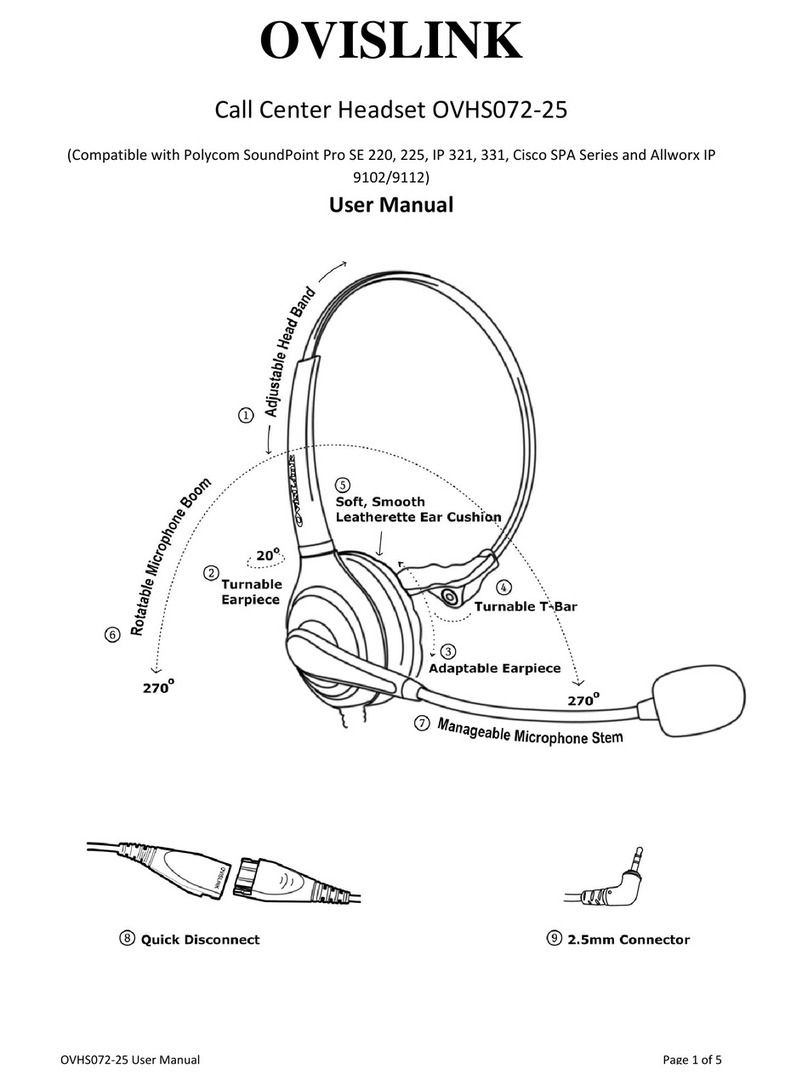
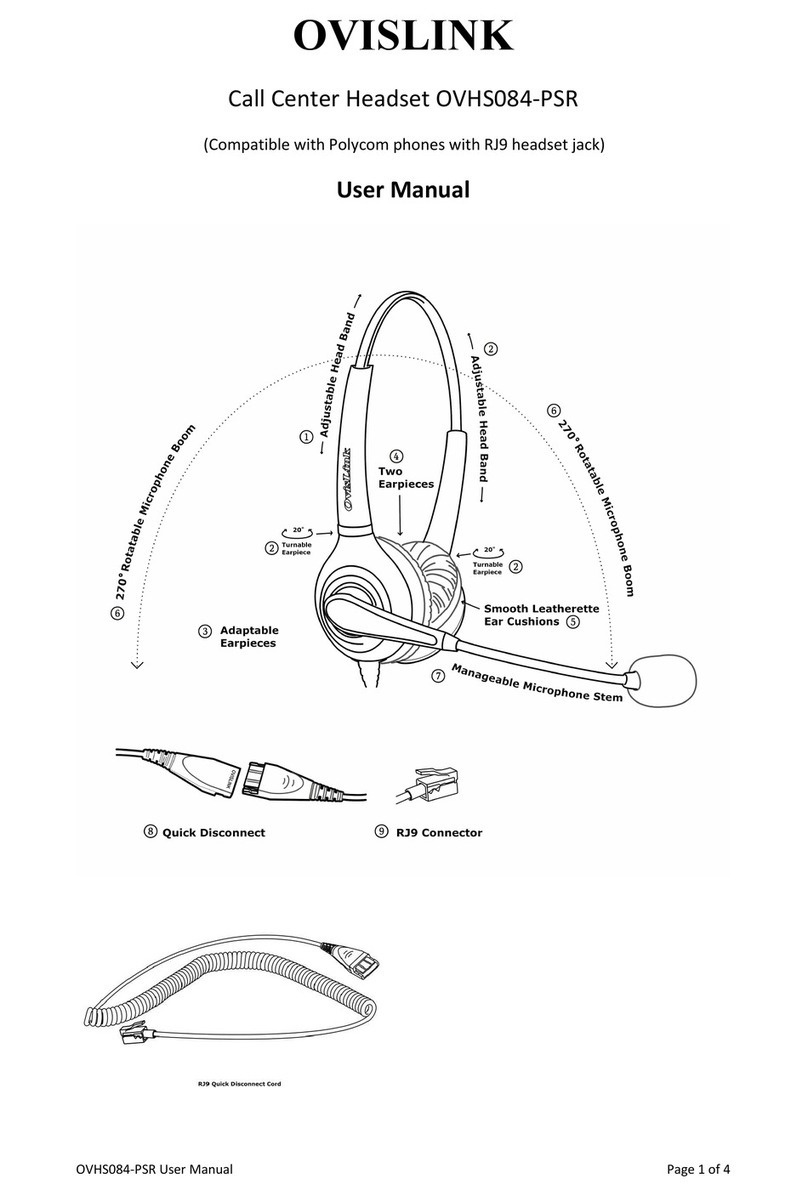
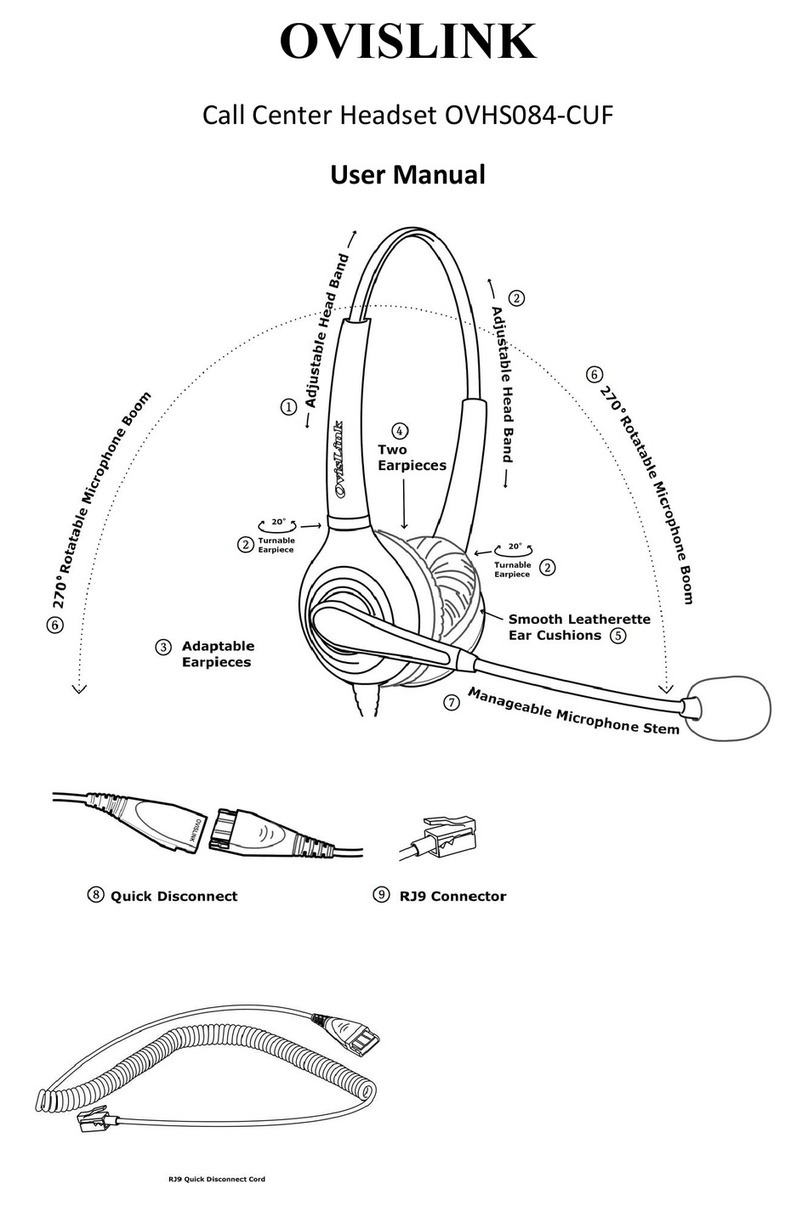
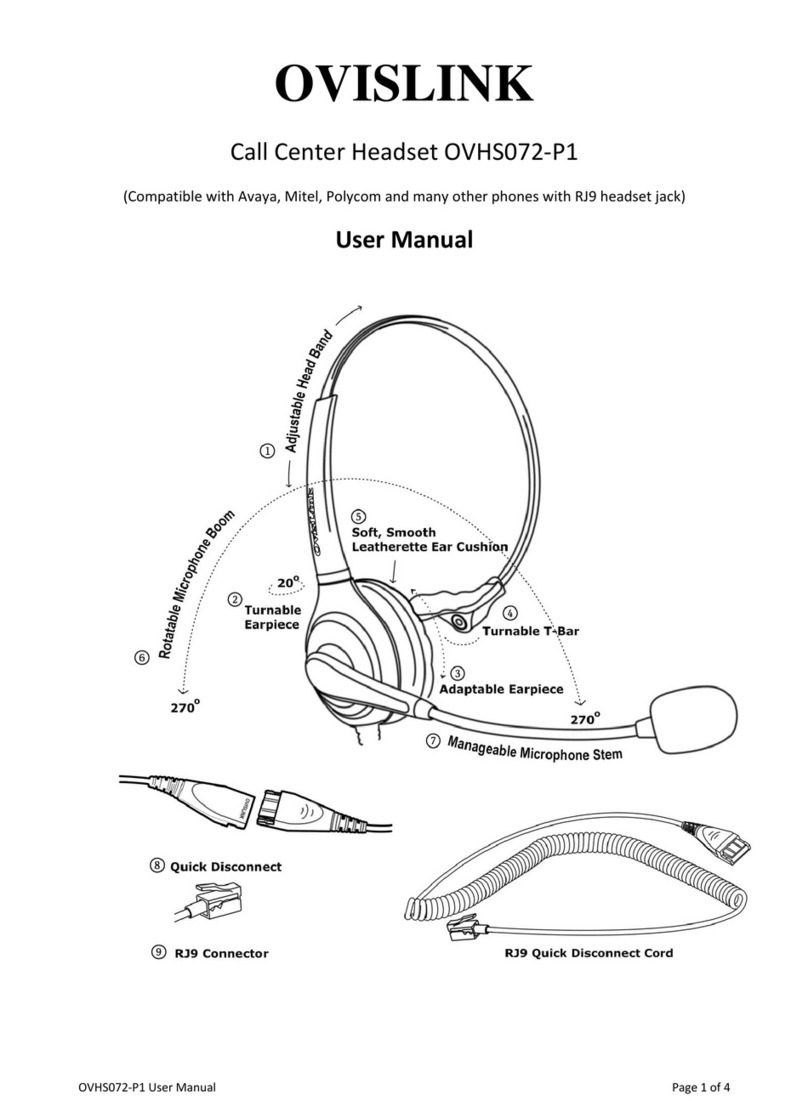
PackageContents:
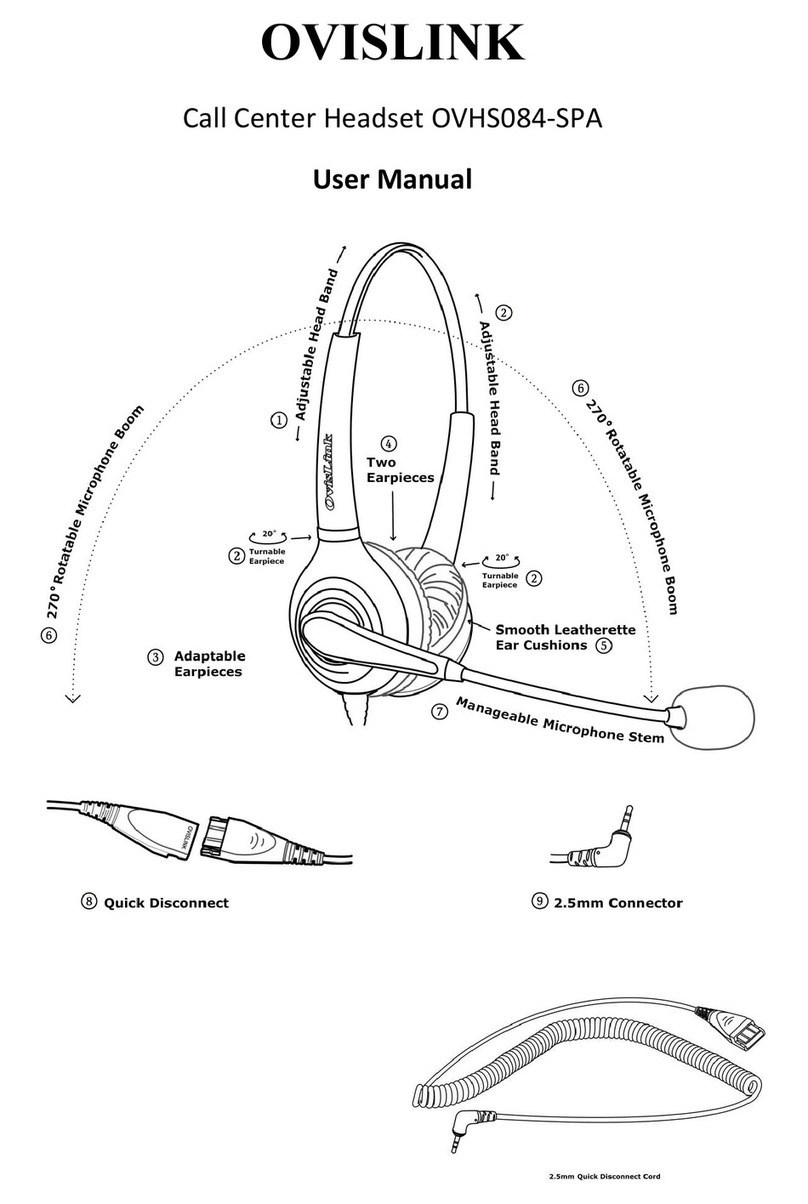
1UnitofOvisLinkDualEarHeadset
1UnitofOvisLinkRJ9QuickDisconnectCord
Features:
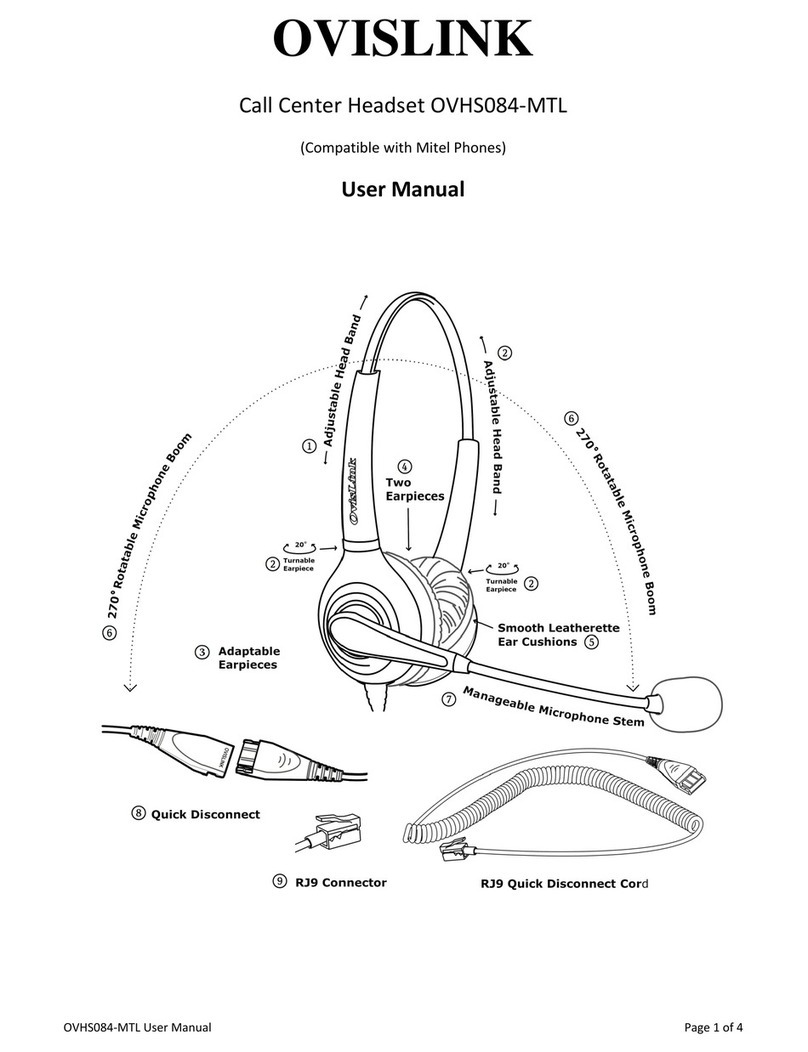
1) AdjustableHeadband‐Headbandadjuststothedesiredlengthandstaysin
position.
2) TurnableEarpiece‐Earpieceandbeturnedwithin20tofitwithuser’sear.
3) AdaptableEarpiece–Earpieceadaptstotheuser’searmovingupanddown
toalignwithuser’sheadandearstructureforcomfort.
4) TwoEarpieces‐Twoearpiecesonuser’sbothearshelpuserfocusonphone
conversation.
5) LeatheretteEarcushion‐Verysmoothleatheretteearcushionletsuserfeel
comfortableforlongperiodsoftime.
6) RotatableMicrophoneBoom‐Microphoneboomcanberotated270,user
mayplacetheheadsetspeakerontheleftorrightearanytimeashe/shewants.
7) Microphonestem‐Microphonestemismanageable.Usermayadjustthe
microphonetothedesiredspotanditwillstayinplace.
8) QuickDisconnect‐Theheadsetcordcanbedisconnectedatthemiddle,just
simplyunplugit.Unpluggingonandoffwillnotdropthecall.
9) RJ9Connector‐OneQuickDisconnectcordwithRJ9thatconnectsthe
headsetdirectlytoDesktopTelephoneUT880,DesktopIPTerminalDT830,
DT830DG,DT830CG,DT750,DT730,DT770G,DesktopDigital‐‐DT430,DT330,
NECDTERMSeriesDTR‐8D/DTR‐16D/DTR‐32D,
NECAspirePhones22‐Button/34‐Button,NECDSXBusinessPhoneDSX22B/DSX
34Band
NECSL1100DigitalPhone/NECSL1100IPPhone(IP4WW).
OVHS084‐
N

10) Clo
t
theclo
t
11) Tan
ifusing
12) Lon
g
longan
Instruc
t
1. Con
n
headse
t
**
*
thesec
a
willbe
simplyl
i
onthe
h
2. Adju
s
headse
t
3. Rota
t
4. Too
p
either
d
whited
5. Atta
c
positio
n
N
EC
t
hingClip
–
t
hingclip.
gle‐lessh
e
forlongp
e
g
headset
dcanbes
t
t
ion:
n
ecttheRJ
t
portass
h
*
SomeNEC
a
sesyoum
a
disconnect
e
i
ftthehand
s
h
oodlikea
n
s
tthelen
g
t
fitscomf
o
t
ethemic
r
p
timizeth
e
d
irections
o
otatthe
m
c
htheclot
n
edandfr
e

–
Usercan
e
adsetcor
d
e
riodsoft
cord‐Up
p
t
retchedt
o
9QuickD
i
h
ownont
h
modelsdo
n
a
yconnectt
h
e
dbutyou
s
s
etandans
w
n
ormalpho
n
g
thofthe
h
o
rtably.
r
ophoneb
e
position
o
o
themicr
o
m
icrophon
hingclipa
t
e
eformth

cliptheh
e
d
‐Thehe
a
ime.
p
ercord+
o
7ft.
i
sconnect
C
h
enextpi
c
n
othavea
h
h
eheadset
j
s
tillneedto
w
erwithth
e
n
ecall,duri
n
timestoth
h
eadband
a
oomtop
u
o
fthemic
o
phoneis
eshould
b
t
acomfo
r
ecord’s
w

e
adsetcor
a
dsetcord
CoiledQu
i
C
ordtoth
c
ture:
h
eadsetpor
t
j
acktothe
N
puttheha
n
e
headset;t
n
gthistime
ehandset
p
a
ndturnt
h
u
tthemic
r
rophone,
a
closetot
h
b
efacingt
o
r
tableleve
w
eight.
3
dtohis/h
e
istangle‐l
i
ckDiscon
n
ebackof
t

t
,ifyouwis
h
N
ECphone'
s
n
dsetonho
o
ohangup
a
theheadse
t
p
ort.***
h
eearpie
c
r
ophonein
a
djustthe
h
ecorner
o
o
yourmo
u
ltokeept
e
rshirtfor
ess,willn
o
n
ectcordi
t
heNECp
h
h
tostillus
e
s
handsetp
o
o
d.Topick
u
a
callplacet
t
shouldbe
c
esslightly
frontoft
h
micropho
n
o
fyourm
o
u
th.
heheadse
stability
u
o
ttwiste
v
sabout5
f
h
oneinth
e
e
theheads
e
o
rt,thehan
d
u
paphone
hehandset
connected
a
untilthe
h
emouth.
n
estemin
o
uthandt
h
tproperly
u
sing
v
en
f
t
e

e
tin
d
set
call
back
a
tall

h
e
OVHS084‐
N

6. Pres
s
answer
Lo
c
Th
e
**Most
Youn
e
yourN
How to
i
(To sho
w
To inst
a
1
2
t
e
To set
u
1
2
3
4
To turn
t
1
-
h
-
To use
y
1
-
-
-
2
c
N
EC
s
thehead
s
anincomi
c
ationoft
h
e
pictures
b
oftheNEC
e
edtoprog
r
ECphone's
i
nstall cord
e
w
the softwa
r
a
ll an corde
d
. Plug the
h
2
. The hea
d
e
lephone b
a
u
p a heads
e
. Push Me
n
2
. Push Sel
e
3
. Push Sel
e
4
. Push Ba
c
t
he heads
e
. Press yo
u
The head
s
h
andset mo
d
You can o
p
y
our heads
. While in t
h
Press a lin
Press INT
E
While on
a
2
. Keeping
t
onvenienc
e

s
etkeyon
ngcallan
d
h
eheadse
t
b
elowsho
w
DesktopBu
r
amafeatu
r
userguide
o
e
d headse
t
r
e level on y
o
d
headset:
h
eadset co
r
d
set cord ro
a
se.
e
t Feature
K
n
u+ Dial 5
1
e
ct then >
>
e
ct to choo
s
c
k+ Exit to
e
e
t mode on
u
r Headset
s
et key is o
n
d
e.
p
tionally p
u
et:
h
e headse
t
e key to pl
a
E
RCOM to
a
call, pres
s
t
he above t
h
e
of a hea
d

thetelep
h
d
disconn
e
t
keyonN
E
w
thehea
d
m
sinesspho
n
r
ekeyonth
o
rcontacty
o
t
on NEC
D
o
ur display:
r
d into the
h
utes throu
g
K
ey:
1
+ Press F
e
>
repeatedl
y
s
e the Hea
e
xit.
and off:
Feature K
e
n
while in t
h
u
sh Menu a
t
mode, yo
u
a
ce or ans
w
dial a co-
w
s
SPEAKE
R
h
ree thing
s
d
set.

h
onekeyp
a
e
ctcall.
E
CBusine
s
d
setkeyl
o
m
odels:
n
emodelsd
o
eNECphon
o
urphone
d
D
SX Multib
u
Press INT
E
h
eadset ja
c
g
h the upp
e
e
ature Ke
y
y
to scroll t
o
dset assig
n
e
y.
h
e headset
nd dial 91.
u
can do th
e
w
er an out
s
w
orker on t
h
R
to hang u
p
s
in mind, p
4
a
dtoget
d
s
sphone
m
o
cationon
o
nothave
p
easahead
s
d
ealertopr
o
u
tton Telep
h
E
RCOM +
D
c
k on the b
o
e
r channel
o
y
.
o
Headset.
n
ment.
mode; off
w
e
following
:
s
ide call.
h
e Interco
m
p
.
rocess call
s
d
ialtonet
o
m
odelsma
y
different
N
p
redefined
h
s
etbutton.
P
o
gramtheh
h
one (Vers
i
D
ial #*#*.)
o
ttom of th
e
o
n the righ
t
w
hile in th
e
:
m
.
s
normally
o
thehead
y
bediffer
e
N
ECphon
e
h
eadsetbu
t
P
leaserefe
r
eadsetbut
t
i
on 3).
e
telephon
e
t
side of th
e
e
normal
using the
set,
e
nt.
e

t
ton.
r
to
t
on.
e
.
e
OVHS084‐
N

7. For
y
justpul
discon
n
backto

***Ovi
phones
questio
N
EC
y
ourconve
ltheQuic
k
n
ect.Itwill
continue
t
sLinkhea
d
.Pleasec
o
ns.

nience;if
y
k
Disconn
e
notdrop
t
t
heconve
r
d
setmode
o
ntactOvi
s

y
ouneed
t
e
ctconnec
t
t
hecallev
e
r
sation.
lsOVHS08
s
Linkatsu
p

t
odisconn
e
t
oratthe
m
e
nifyou’r


4‐NECare
p
port@ov
i
5
e
ctthehe
a
m
iddleof
t
einapho
n
specially
d
i
slink.com
a
dsetfro
m
t
heheads
e
n
econver
s

d
esignedf
o
foradditi
o
m
thepho
n
e
tcordto
s
ation.Plu
g
o
rNEC
o
nal
n
e,
g
it