manuals.online logo
Brands
  1. Home
  2. •
  3. Brands
  4. •
  5. Panasonic
  6. •
  7. All In One Printer
  8. •
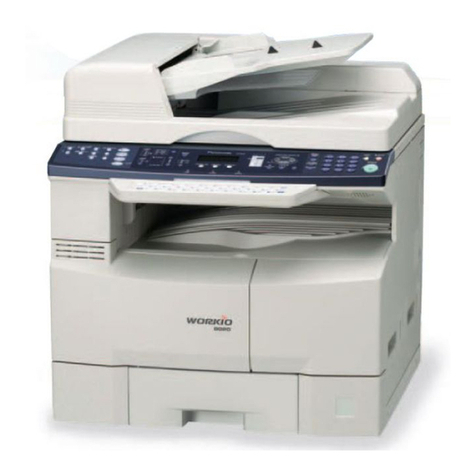
  9. Panasonic WORKIO DP-150 User manual

Panasonic WORKIO DP-150 User manual

Other manuals for WORKIO DP-150

2

This manual suits for next models

3

Other Panasonic All In One Printer manuals

Panasonic KX-MB3020 - Laser Multi-Function Printer Instruction Manual

Panasonic

Panasonic KX-MB3020 - Laser Multi-Function Printer Instruction Manual

Panasonic Workio DP-3030 User manual

Panasonic

Panasonic Workio DP-3030 User manual

Panasonic KX-MC6260 User manual

Panasonic

Panasonic KX-MC6260 User manual

Panasonic DP-8025 User manual

Panasonic

Panasonic DP-8025 User manual

Panasonic KX-MB263HX User manual

Panasonic

Panasonic KX-MB263HX User manual

Panasonic Workio DP-6010 User manual

Panasonic

Panasonic Workio DP-6010 User manual

Panasonic DP-C406 User manual

Panasonic

Panasonic DP-C406 User manual

Panasonic DP-C266 User manual

Panasonic

Panasonic DP-C266 User manual

Panasonic KX-PS8100 User manual

Panasonic

Panasonic KX-PS8100 User manual

Panasonic KX-MC6020C User manual

Panasonic

Panasonic KX-MC6020C User manual

Panasonic WORKIO DP-150PA Installation guide

Panasonic

Panasonic WORKIO DP-150PA Installation guide

Panasonic Workio DP-4510 User manual

Panasonic

Panasonic Workio DP-4510 User manual

Panasonic Workio DP-3030 User manual

Panasonic

Panasonic Workio DP-3030 User manual

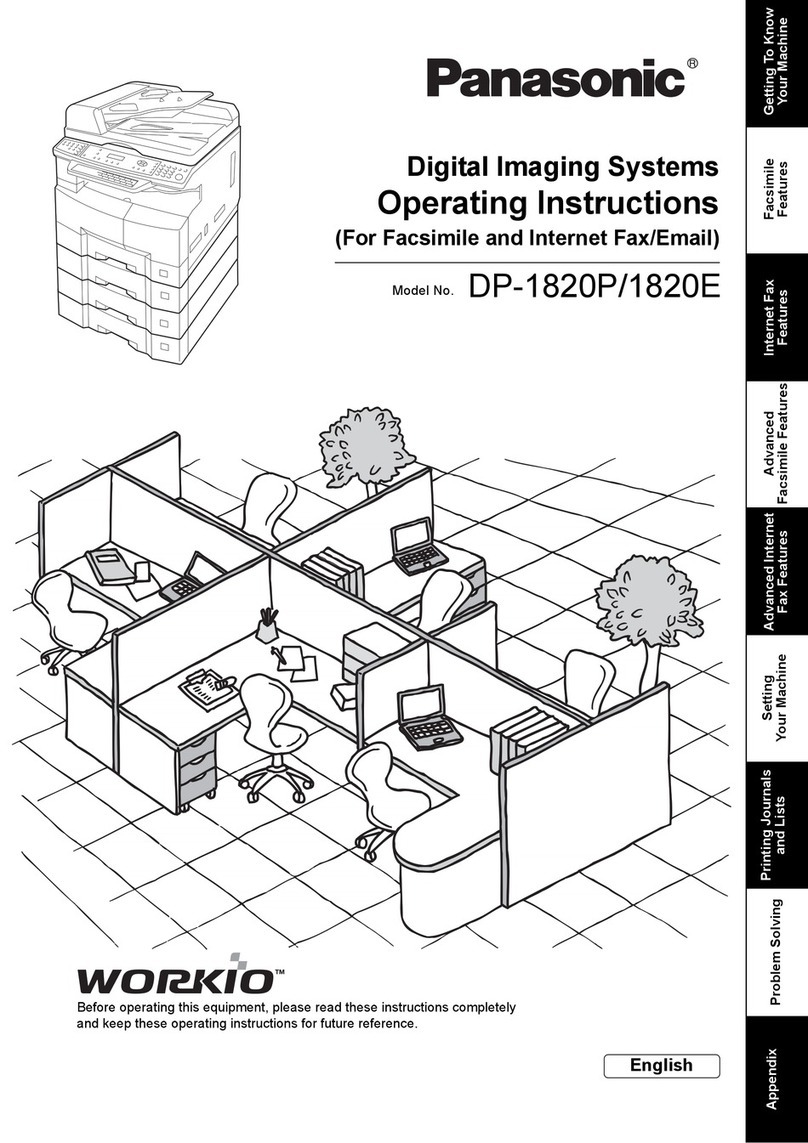
Panasonic Workio DP-1820P User manual

Panasonic

Panasonic Workio DP-1820P User manual

Panasonic DP-1810P User manual

Panasonic

Panasonic DP-1810P User manual

Panasonic Workio DP-C265 User manual

Panasonic

Panasonic Workio DP-C265 User manual

Panasonic DP-8130 User manual

Panasonic

Panasonic DP-8130 User manual

Panasonic WORKIO DP-C106 User manual

Panasonic

Panasonic WORKIO DP-C106 User manual

Panasonic Workio DP-2310 User manual

Panasonic

Panasonic Workio DP-2310 User manual

Panasonic DP-2310/3010 How to use

Panasonic

Panasonic DP-2310/3010 How to use

Panasonic WORKIO DP-8060 User manual

Panasonic

Panasonic WORKIO DP-8060 User manual

Panasonic DP-2330 User manual

Panasonic

Panasonic DP-2330 User manual

Panasonic KX-MC6040 - Color Laser Multi-Function... User manual

Panasonic

Panasonic KX-MC6040 - Color Laser Multi-Function... User manual

Panasonic KX-MB2025HK User manual

Panasonic

Panasonic KX-MB2025HK User manual

Popular All In One Printer manuals by other brands

Brother MFC-J220 Basic user's guide

Brother

Brother MFC-J220 Basic user's guide

Brother MFC-8510DN Basic user's guide

Brother

Brother MFC-8510DN Basic user's guide

Ricoh Aficio FX200 Service training

Ricoh

Ricoh Aficio FX200 Service training

Olivetti d-Copia 16W Operation manual

Olivetti

Olivetti d-Copia 16W Operation manual

Konica Minolta bizhub C3850FS user guide

Konica Minolta

Konica Minolta bizhub C3850FS user guide

Konica Minolta bizhub 758 manual

Konica Minolta

Konica Minolta bizhub 758 manual

Lexmark MX310 Series Service manual

Lexmark

Lexmark MX310 Series Service manual

Ricoh Aficio 3224C operating instructions

Ricoh

Ricoh Aficio 3224C operating instructions

Sagem MF 3625 user manual

Sagem

Sagem MF 3625 user manual

Epson Epson Stylus NX530 quick guide

Epson

Epson Epson Stylus NX530 quick guide

Brother MFC9800 - MFC 9800 B/W Laser owner's manual

Brother

Brother MFC9800 - MFC 9800 B/W Laser owner's manual

Konica Minolta 7033 instruction manual

Konica Minolta

Konica Minolta 7033 instruction manual

Ricoh Aficio MP 161F operating instructions

Ricoh

Ricoh Aficio MP 161F operating instructions

Epson WorkForce WF-2510 Basic guide

Epson

Epson WorkForce WF-2510 Basic guide

Epson Stylus Scan 2000 Product information guide

Epson

Epson Stylus Scan 2000 Product information guide

Epson PictureMate Snap PM 240 Start here

Epson

Epson PictureMate Snap PM 240 Start here

Brother MFC-J430w user guide

Brother

Brother MFC-J430w user guide

Konica Minolta BIZHUB 558 Quick reference guide

Konica Minolta

Konica Minolta BIZHUB 558 Quick reference guide

manuals.online logo
manuals.online logoBrands
  • About & Mission
  • Contact us
  • Privacy Policy
  • Terms and Conditions

Copyright 2025 Manuals.Online. All Rights Reserved.

Panasonic Document Imaging Company
A Division of Matsushita Electric Corporation of America
Two Panasonic Way, Secaucus, NJ 07094
For a local dealer, please call 1-800-742-8086.
http://www.panasonic.com/office
®
Copier
Copy/Print Process Laser/Electrostatic Photographic Method
Process Ultra MagnefineTM Toner
Warm-Up Time Approx. 20 Seconds (68°F)
First Copy Speed 8.1 Seconds (DP-150), 8.3 Seconds (DP-150A)
Resolution 600 x 600 dpi (Interpolated)
Gray Scale 256 Levels
Multi Copy Speed 15 cpm (Letter Size)
Maximum Original Size 8.5" x 14" (Legal Size)
Maximum Copy Size Letter
Copy Size Legal–Invoice Via Paper Tray
Legal–Invoice Via Sheet Bypass
Reduction Ratios Preset: 79%, 65%, 61%
Variable: 99%–50% in 1% Increments
Enlargement Ratios Preset:129%
Variable: 101%–200% in 1% Increments
Paper Feed
Exposure Control Automatic/Manual Plus Photo Mode
General
Type Desktop
Electrical Requirements AC 120V, 60Hz
Dimensions (W x D x H) 19.5" x 17.2" x 10.7" (DP-150)
19.5" x 18.6" x 15.1" (DP-150A)
41 lbs (DP-150)
49 lbs (DP-150A)
Weight
DP-150, DP-150A
Copier
Copy/Print Process Laser/Electrostatic Photographic Method
Process Ultra MagnefineTM Toner
Warm-Up Time Approx. 20 Seconds (68°F)
DP-150PA
Copier
Copy/Print Process Laser/Electrostatic Photographic Method
Process Ultra MagnefineTM Toner
Warm-Up Time Approx. 25 Seconds (68°F)
8.3 Seconds
Resolution 600 x 600 dpi (Interpolated)
DP-150FX
SPECIFICATIONS
TM
DP-150
DP-150A
DP-150PA
DP-150FX
Centralized
Document Management Solution
Centralized
Document Management Solution
• PDMS (Panasonic Document
Management System) Software
• Lightweight, Space-Saving Desktop Size
• Fast 15 ppm/cpm Speed
• 600 x 600 dpi Copying/Printing Resolution
250-Sheet Paper Tray Plus 50-Sheet Bypass
Max. 300 Sheets (DP-150)
Max. 550 Sheets with Optional 250-Sheet
Paper Cassette (DP-150A)
Gray Scale 256 Levels
Multi Copy Speed 15 cpm (Letter Size)
Maximum Original Size 8.5" x 14" (Legal Size)
Maximum Copy Size Letter
Copy Size
Reduction Ratios Preset: 79%, 65%, 61%
Variable: 99%–50% in 1% Increments
Enlargement Ratios Preset: 129%
Variable: 101%–200% in 1% Increments
Paper Feed
Exposure Control Automatic/Manual Plus Photo Mode
Compatibility ITU-T Group 3 (V.34, V8), ECM
Document Size 10.0" x 39.3" Max.
Type Desktop
Electrical Requirements AC 120V, 60Hz
Weight 49.7 lbs
Dimensions (W x D x H) 19.5" x 19.2" x 15.1"
Resolution 400 x 400 dpi
Transmission Speed Approx. 3 Seconds/Page
Coding Scheme
Modem Speed
MH, MR, MMR
33600/31200/28800/26400/24000/21600/
19200/16800/14400/12000/9600/7200/4800/
2400bps with Automatic Fallback
Printer
General
Fax
Print Resolution 600 dpi/300 dpi
Print Speed 15 ppm
Emulation Windows GDI
Interface Bi-Directional Parallel (IEEE 1284, ECP Mode)
Legal–Invoice Via Paper Tray
Legal–Invoice Via Sheet Bypass
250-Sheet Paper Tray Plus 50-Sheet Bypass
Max. 550 Sheets with Optional 250-Sheet
Paper Cassette
Resolution 600 x 600 dpi (Interpolated)
Gray Scale 256 Levels
Multi Copy Speed 15 cpm (Letter Size)
Maximum Original Size 8.5" x 14" (Legal Size)
Maximum Copy Size Letter
Copy Size
Reduction Ratios Preset: 79%, 65%, 61%
Variable: 99%–50% in 1% Increments
Enlargement Ratios Preset: 129%
Variable: 101%–200% in 1% Increments
Paper Feed
Exposure Control Automatic/Manual Plus Photo Mode
Type Desktop
Electrical Requirements AC 120V, 60Hz
Weight 49 lbs
Dimensions (W x D x H) 19.5" x 18.6" x 15.1"
Printer
General
DQ-UG15A
Toner Cartridge
Print Resolution 600 dpi/300 dpi
Print Speed 15 ppm
Emulation Windows GDI
Interface Bi-Directional Parallel (IEEE 1284, ECP Mode)
DA-DS150
Optional 250-Sheet Paper Cassette
Legal–Invoice Via Paper Tray
Legal–Invoice Via Sheet Bypass
250-Sheet Paper Tray Plus 50-Sheet Bypass
Max. 550 Sheets with Optional 250-Sheet
Paper Cassette
Options
Consumables
UE-403171
Handset (for DP-150FX)
DQ-UH32A
Drum Unit
First Copy Speed
First Copy Speed
Dimensions
19.5" 17.2"/18.6"/19.2"
10.7" 15.1"
8.3 Seconds
Operating Systems
Windows 95/98, Windows NT 4.0, Windows 2000
Operating Systems
Windows 95/98, Windows NT 4.0, Windows 2000
High Image Quality
The WORKiO 150 Series boasts 600 dpi copying and printing
resolution for crisp, high contrast digital quality images.
Easy to Use
All WORKiO 150 models are amazingly easy to use, with
ergonomic front panels that put complete control of their
advanced functions at your fingertips.
Simple Maintenance
Reliability is built in, so you can count on trouble-free operation.
Maintenance is amazingly simple and, if a problem should occur,
fax-equipped WORKiO 150 models contact a Panasonic service
expert all by themselves.
Space Saving
Because WORKiO 150 lets you replace multiple stand-alone office
machines, including copiers, printers, scanners and faxes, with
a single compact system, you save office space. All models feature a
unique wingless design to fit into the most cramped circumstances.
Cost Effective
Functioning as all-in-one document processing centers, WORKiO
150 systems ensure maximum cost effectiveness. They’re also
designed to help you save on your electric bill and toner costs.
Earth Friendly
WORKiO 150 systems save energy, helping to protect the
environment. In addition, their engines have been specially
designed to prevent harmful ozone emissions.
Superior Performance,
Rugged Reliability, Maximum Efficiency
All You Need toLaunch Your Office
into the Digital Age
Dimensions and weight are approximate. Specifications are subject to change.
Microsoft
®
, Windows
®
and Windows NT
®
are registered trademarks of Microsoft Corporation.
WORKiO is a trademark of Matsushita Graphic Communication Systems, Inc.
All product names are trademarks of their respective holders.
Image Memory Capacity Approx. 60 Pages
(Plus Approx. 120/240* Pages
w/ Optional Memory Card)
UE-410046 and UE-410047
2Mb and 4Mb Memory Cards (for DP-150FX)
P
anasonic is ushering in the millennium with a
revolutionary concept in document processing.
Introducing WORKiO 150
—
a series of new-generation
imaging systems born from the convergence of
cutting-edge digital technologies, combined with the
unrivaled manufacturing expertise and vast accu-
mulated experience of an electronics leader.
WORKiO 150 systems centralize office imaging
tasks, acting as interfaces between hard documents
and transmittable, storable electronic data. Depend-
ing on the specific WORKiO 150 model you choose,
it can integrate the functions of a digital
copier with the communications capa-
bilities of a state-of-the-art Super G3 fax. Hooked up
to your personal computer, it becomes a professional-
quality laser printer, plus a high-resolution scanner.
And to control all these advanced functions, top-of-
the-line WORKiO 150 systems come bundled with
PDMS (Panasonic Document Management System)
software for easy editing and annotation.
*Based on ITU-T image No. 1 scanned in Standard mode.
PPC-DP150S-BR
With a complete line of WORKiO models to choose from, you can select
just the features you need—from the basic essentials to advanced enterprise capabilities.
Choice
DP-150 Digital Copier
• Compact, Lightweight Design
• Fast 8.1-Second First Copy, 15 Copies-Per-Minute Speed
• 600 x 600 dpi Copying Resolution, 256-Level Gray Scale
• PHOTO, PHOTO/TEXT Mode Selection
• TONER SAVE Mode
• ENERGY SAVER Mode
DP-150A Digital Copier with ADF
• Compact, Lightweight Design
• Fast 8.3-Second First Copy, 15 Copies-Per-Minute Speed
• 600 x 600 dpi Copying Resolution, 256-Level Gray Scale
• PHOTO, PHOTO/TEXT Mode Selection
• Digital Sky Shot
• Electronic Sorting Output
• 30-Sheet Automatic Document Feeder
• TONER SAVE Mode
• ENERGY SAVER Mode
• Optional 250-Sheet Paper Cassette Available
DP-150PA Digital Copier with ADF/
Scanner/Printer
• Compact, Lightweight Design
• 15 Pages/Copies-Per-Minute Speed
• 600 x 600 dpi Copying/Printing Resolution, 256-Level Gray Scale
• PHOTO, PHOTO/TEXT Mode Selection
• Digital Sky Shot
• Electronic Sorting Output
• 30-Sheet Automatic Document Feeder
• PDMS (Panasonic Document Management System) Software
• TWAIN Compatible Scanner Driver
• TONER SAVE Mode
• ENERGY SAVER Mode
• Optional 250-Sheet Paper Cassette Available
DP-150FX Digital Copier with ADF/
Scanner/Printer/Fax
• Compact, Lightweight Design
• 15 Pages/Copies-Per-Minute Speed
• 600 x 600 dpi Copying/Printing Resolution, 256-Level Gray Scale
• PHOTO, PHOTO/TEXT Mode Selection
• 2-Sided Copying and Printing
• Digital Sky Shot
• Electronic Sorting Output
• 30-Sheet Automatic Document Feeder
• 33.6kbps Super G3 Transmission, 3 Seconds-Per-Page*4Transmission Speed
• Super-Fine Resolution
• 100-Station Autodialer
• Remote Diagnostics System
• PDMS (Panasonic Document Management System) Software
• TWAIN Compatible Scanner Driver
• Check & Call Function
• TONER SAVE Mode
• ENERGY SAVER Mode
• Optional 250-Sheet Paper Cassette Available
The Compact, All-In-One Document Processing Solution
WORKiO 150 Series products proudly display the
Energy Star label, the symbol for energy efficiency.
Easy, Space Saving and
Environmentally Friendly
Panasonic Document
Management System
Bundled PDMS (Panasonic Document Management System)
software1lets you view scanned documents in thumbnail type
displays, and allows easy edit
ing and annotation. When you
scan a document from the
DP-150PA or DP-150FX into
your PC, PDMS converts it into
image data (compatible with
TIFF, JPEG, BMP
and PNG formats).
You can then drag-
and-drop the icons
for editing or an
notation. You can
also drag-and-drop
the icons to buttons on the toolbar which allow you to link to
printing or other applications.
15 Copies-Per-Minute Speed
Thanks to a high-speed digital image processing system
and newly designed shorter paper feed path, WORKiO
150 models can produce up to 15 copies per minute.
Clear 600 x 600 dpi Resolution, 256-Level Gray Scale
Using full digital processing and a laser-beam diode to
maintain high-stability image reproduction, as well as
quick exposure operation, WORKiO 150 models deliver
600 dpi printout resolution for extremely sharp, crisp
copies. Even halftone photo originals can be reproduced
with maximum clarity thanks to 256-level halftone digital
gray scale circuitry.
2-IN-1 Paper Saving Function
This unique function helps reduce paper usage by allowing
you to automatically fit two reduced-size originals on a
single copy page.
2-Sided Copying
To further eliminate paper waste and cut down on document
volume, the DP-150FX lets you copy on both sides of a letter-
size page.
Digital Sky Shot
Panasonic’s unique Digital Sky
Shot, available on the DP-150A,
DP-150PA and DP-150FX, al
lows you to make copies of small
or odd-shaped originals with the
platen cover open, without creat
ing a surrounding black background.
Electronic Sorting Output
Electronic sorting allows easy collating and sorting without
adding an extra multi-bin sorter unit.
30-Sheet Automatic Document Feeder
You can load an ADF-
equipped WORKiO with
legal-size or letter-size
documents up to 30 pages
long for automatic feeding
and scanning.
600 dpi High Scanning Resolution
Scanning resolution is selectable among 6002, 400, 300, 200
and 100 dpi. You can use 100 or 200 dpi scanning when you
want to lighten your image data load, and high resolution
600 dpi scanning when you want your ultimate printout to be
as sharp and detailed as possible.
TWAIN Compatible Driver
The scanner driver incorporated into the DP-150PA and
DP-150FX is TWAIN compatible to ensure easy connection to
your existing PC and its applications.
1Recommended PC requirements for PDMS software: PC—IBM PC/AT compatible, faster than Pentium II; RAM—more than
64MB (Windows 95/98), more than 128MB (Windows NT 4.0, Windows 2000).
2Interpolated resolution.
3Super G3 is the classification given to a type of facsimile that conforms to the 33.6kbps transmission method standardized in accordance
with the ITU-T V.34 recommendation.
4Transmission time applies to memory transmission of text data using ITU-T Image No. 1 between the same models at modem speeds over
26.4kbps. Transmission time may vary in actual usage.
5This service is not available in some areas.
Easy-to-replace toner cartridges boast a long service life
of approximately 5,000 pages.
Professional-Quality 600 x 600 dpi Print Resolution
In the printer mode, the DP-150PA and DP-150FX deliver
high-resolution 600 x 600 dpi laser printing—assuring
smooth, clean, high-quality documents that make your busi
ness look its best.
2-Sided Printing
The DP-150FX can be set to print on both sides of a letter-size
page to conserve paper and reduce document bulk.
Status Monitor
A status monitor appears on
the screen of a connected PC
to notify user when the toner
cartridge needs replacement,
or the paper cassette is empty.

33.6kbps Super G3 Transmission,
3 Seconds-Per-Page Transmission Speed
The DP-150FX’s Super G33fax modem uses ITU-T V.34 com
pliant technology to transfer a high-quality image in as few as
three seconds4.
Super-Fine Resolution
During fax communications, the DP-150FX has a scanning
resolution equivalent to 400 x 400 dpi, allowing you not only to
receive documents transmitted in the Super Fine mode, but to
send Super Fine transmissions as well.
Dual Access Operation
With the DP-150FX, you can receive fax documents even when
the machine is already engaged in a copying job.
100-Station Autodialer
You can s tore up to 100 numbers in the DP-
150FX’s telephone directory for rapid access.
Remote Diagnostics System
If a problem should occur, the fax-equipped DP-
150FX immediately sends an error message via
phone lines to a Panasonic service center for
quick diagnosis and troubleshooting, minimizing
downtime5.
Check & Call Function
Developed in order to ensure a quicker service response, this
unique function automatically reports low toner status and
certain mechanical problems to a service center5.
Compact, Wingless Design
WORKiO 150 models are amaz
ingly compact and lightweight,
sitting easily on the corner of a
desk. All feature a unique wing
less design that enables docu
ments to collect inside an inter
nal opening, rather than onto a
protruding external tray. An easy-to-access front-loading cas

sette makes replacement of paper simple and quick.

TONER SAVE Mode
TONER SAVE mode maximizes toner yield and minimizes
waste, ensuring extremely stable copy quality over an extended
period, while minimizing toner consumption.
ENERGY SAVER Mode
Thanks to a Super Power Saver function, WORKiO 150 models’
power consumption is dramatically reduced in the sleep mode.
A front-loading 250-sheet paper
cassette is standard, and an
additional 250-sheet cassette is
optionally available to expand
total paper capacity.