manuals.online logo
Brands
  1. Home
  2. •
  3. Brands
  4. •
  5. Panasonic
  6. •
  7. DVD Player
  8. •
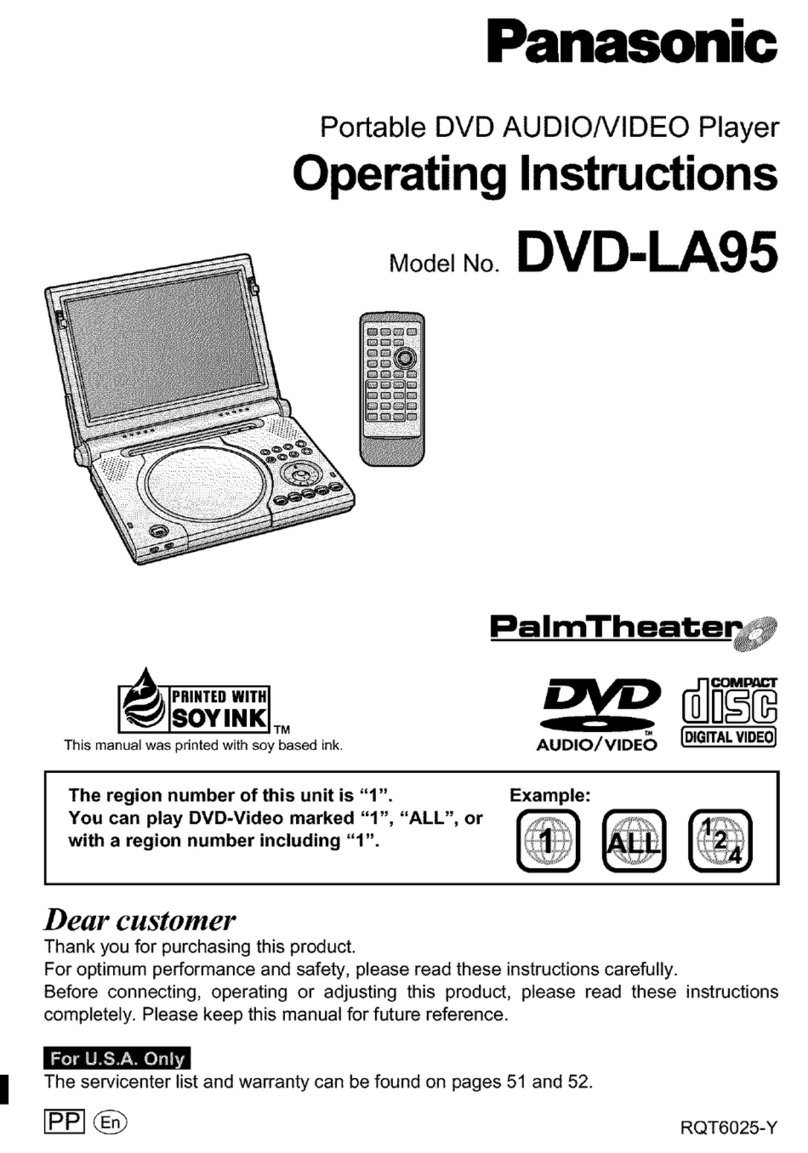
  9. Panasonic DVDRP82 - DIG. VIDEO DISC PLAY User manual

Panasonic DVDRP82 - DIG. VIDEO DISC PLAY User manual

Other manuals for DVDRP82 - DIG. VIDEO DISC PLAY

1

Other Panasonic DVD Player manuals

Panasonic DVD-S35GD User manual

Panasonic

Panasonic DVD-S35GD User manual

Panasonic DVD-RP62P User manual

Panasonic

Panasonic DVD-RP62P User manual

Panasonic DVD-S33 User manual

Panasonic

Panasonic DVD-S33 User manual

Panasonic DVD-S32EB User manual

Panasonic

Panasonic DVD-S32EB User manual

Panasonic DVD-A115U User manual

Panasonic

Panasonic DVD-A115U User manual

Panasonic DMP-BDT700 Technical specifications

Panasonic

Panasonic DMP-BDT700 Technical specifications

Panasonic DVD-S52 User manual

Panasonic

Panasonic DVD-S52 User manual

Panasonic DVDXP50 - DIG. VIDEO DISC PLAY User manual

Panasonic

Panasonic DVDXP50 - DIG. VIDEO DISC PLAY User manual

Panasonic SA-PM91DEE User manual

Panasonic

Panasonic SA-PM91DEE User manual

Panasonic DVD-K32GCS User manual

Panasonic

Panasonic DVD-K32GCS User manual

Panasonic DVD-S47S User manual

Panasonic

Panasonic DVD-S47S User manual

Panasonic DVD-RV31K Operating User manual

Panasonic

Panasonic DVD-RV31K Operating User manual

Panasonic DVD-XV10 User manual

Panasonic

Panasonic DVD-XV10 User manual

Panasonic DVD-S48 User manual

Panasonic

Panasonic DVD-S48 User manual

Panasonic DVD-S35E User manual

Panasonic

Panasonic DVD-S35E User manual

Panasonic PVD4735S - DVD/VCR DECK User manual

Panasonic

Panasonic PVD4735S - DVD/VCR DECK User manual

Panasonic DVD-LS91PP User manual

Panasonic

Panasonic DVD-LS91PP User manual

Panasonic DVDS1 - PORTABLE DVD PLAYER User manual

Panasonic

Panasonic DVDS1 - PORTABLE DVD PLAYER User manual

Panasonic DVD-S700EG-K User manual

Panasonic

Panasonic DVD-S700EG-K User manual

Panasonic DVD-S511 User manual

Panasonic

Panasonic DVD-S511 User manual

Panasonic DVDS43 - DIGITAL STILL CAMERA User manual

Panasonic

Panasonic DVDS43 - DIGITAL STILL CAMERA User manual

Panasonic PalmTheater DVD-LV60 User manual

Panasonic

Panasonic PalmTheater DVD-LV60 User manual

Panasonic DVD-S33EE User manual

Panasonic

Panasonic DVD-S33EE User manual

Panasonic DVD-CP67K Operating User manual

Panasonic

Panasonic DVD-CP67K Operating User manual

Popular DVD Player manuals by other brands

Yamaha DVD S540 - Progressive Scan DVD Player Service manual

Yamaha

Yamaha DVD S540 - Progressive Scan DVD Player Service manual

Yamakawa DVD-MP12i user manual

Yamakawa

Yamakawa DVD-MP12i user manual

Philips DVP3042/12 user manual

Philips

Philips DVP3042/12 user manual

Philips DVP5900/37B Quick use guide

Philips

Philips DVP5900/37B Quick use guide

Roadstar DVD-2020H Service manual

Roadstar

Roadstar DVD-2020H Service manual

Beko DVD 2006 user manual

Beko

Beko DVD 2006 user manual

Atak DVDA2015 instruction manual

Atak

Atak DVDA2015 instruction manual

LG DV257K owner's manual

LG

LG DV257K owner's manual

auna 10005069 manual

auna

auna 10005069 manual

Philips MCD700/61 user manual

Philips

Philips MCD700/61 user manual

Sony DVP-F11 Service manual

Sony

Sony DVP-F11 Service manual

Toshiba SD-2300U owner's manual

Toshiba

Toshiba SD-2300U owner's manual

LENCO DVP-740 X2 user manual

LENCO

LENCO DVP-740 X2 user manual

Tevion 44330 user guide

Tevion

Tevion 44330 user guide

Aiwa XD-DV370 operating instructions

Aiwa

Aiwa XD-DV370 operating instructions

Sony DVP S530D operating instructions

Sony

Sony DVP S530D operating instructions

Denon DVM-1805 - DVD Changer operating instructions

Denon

Denon DVM-1805 - DVD Changer operating instructions

Toshiba SD-3815 owner's manual

Toshiba

Toshiba SD-3815 owner's manual

manuals.online logo
manuals.online logoBrands
  • About & Mission
  • Contact us
  • Privacy Policy
  • Terms and Conditions

Copyright 2025 Manuals.Online. All Rights Reserved.

The iilustration shows Ihe unit for U.S.A. and Canada.
As an Eix!ERGY STAAR~Partner,
Panasonic has determined thai
this product meets the &%3XGY %AAR”
guidelines for energy efficiency.
adel No.
@The region number of this player is “1”.
aThe player will play DVD-Video marked with
labels containing “1” or “ALL”.
~~arn~~e:
*The region number of this player is “3”.
The player will play DVD-Video marked with
labels containing “3;’ or ‘~~~~,
example:
The region number of this player is “4”.
The player will play DVD-Video marked witt
labels containing ‘4” or “ALL”.
Thank you for purchasing this product. For optimum performance and
Please check and identify the supplied
accessories
Use numbers indicated in parentheses
when asking for replacement parts.
0 1 ~~rnote ~a~~~~~
(N2QAJB000061)
(N2QAJB000062)
2 2 ~~~tsries
for remote control
0 1 Audlo/vlde~ cable
(VJA0788)
The included AC power supply cord is for use with this unit
only. Do not use it with other equipment
ser memo:
The model number and serial number of this product can be found on
either the back or the bottom of the unit.
Pleaso note them in the space provided below and keep for future
reference.
MODEL NUMBER -.. DVD-+iP82 --...-..^~
SEHIAL NUMBER -...-.-
66ess~r~~s...............................................................................
s ...................................
......................................4
aide .......................................................................
...................................................................
sion ....................................................................
yiny more powerful sound ..................................
taide ..........................................................
..................................................................
Iay ............................................................................ .~“10
When a menu screen appears on the television ................................ 10
Skipping items .................................................................................... 10
Fast forward and rewind-SEARCH .................................................. IO
Slow-motion play ................................................................................ 10
Frame-by-frame viewing.. ................................................................... 10
Replaying a scene-QUICK REPLAY ............................................... 11
Starting play from a selected item ...................................................... 11
Setting the unit to ?um off.-SLEEP timer.. ......................................... 11
Resume function ................................................................................ 11
Selecting groups to play ..................................................................... 12
Selecting still pictures-Page Skip .................................................... 12
Improving CD sound---BE-MASTER ................................................. I%
To enjoy even higher quality sound-AUDIO ONLY ......................... 12
Using rmenus to play WMAMPS discs and CD text ........................... 13
~~~venie~t ~e~~~r~s .............................................................. 1
Repeat play ........................................................................................ 14
A-B repeat play ................................................................................... 14
Program play/All group play ............................................................... 14
Random play ...................................................................................... 14
M ..................................... 15
Selecting a program to play-DIAECT NAVIGATOR ........................ 15
Using the play list menu ..................................................................... 15
owles ................................. $6
CINEMA ............................................................................................. IS
DIALOGUE ENHANCER .................................................................... I6
ADVANCED SURROUND .................................................................. 16
4:3 TV ZOOM function ....................................................................... 17
Changing soundtracks, subtitles and angles ...................................... 17
... 16~~s ............................................... 1
Common procedures .......................................................................... 18
Disc information .................................................................................. 18
Unit information .................................................................................. 12
Progress indicator .............................................................................. 20
s ..................................................................
Common procedures .......................................................................... 22
Entering a password (Ratings) ........................................................... 22
Digital output ...................................................................................... 23
Speaker setting ,,I,.,,, ......................................................................... 23
- ._ “._____
Far Asia
TI-IIS UNIT IS I
CLIMATES.
This product ma’
mobile telephone
parent, please in
and the mobile te
-“.---“.e
This equipment has been tested and found to comply
with the limits for a Class B digital device, pursuant to
Part 15 of the FCC Rules.
These limits are designed to provide reasonable protec-
tion against harmful interference in a residential installa-
tion. This equipmetnt generates, uses and can radiate
radio frequency energy and, if not installed and used in
accordance with the instructions, may cause harmful in-
terference to radio communications. However, there is no
guarantee that interference will not occur in a particular
installation. If this equipment does cause harmful interfer-
ence to radio or television reception, which can be deter-
mined by turning the equipment off and on, the user is
encouraged to try to correct the interference by one or
more of the following measures:
Reorient or relocate the receiving antenna.
Increase the separation between the equipment and re-
ceiver.
Connect the equipment into an outlet on a circuit differ-
ent from that to which the receiver is connected.
Consult the dealer or an experienced radio/TV techni-
cian for help.
Any unauthorized changes or modifications to this equip-
tment would void the user’s authority to operate this de-
vice.
This device complies with Part 15 of the FCC Rules. Qp-
eration is subject to the following two conditions:
(1) This device may not cause harmful interference, and
(2) this device must accept any interference received, in-
cluding interference that may cause undesired operation.
...........................
..I 4
.................................
14
.................................
14
.................................
14
.................................
14
............................. 15
TOR ........................ 15
................................. 15
............................. 16
................................. 16
.................................
16
.................................
16
................................. 17
................................. 17
............................. ii
................................. '18
................................. 18
................................. 19
................................. 20
........................... ..~ .
.................................
22
.................................
22
.................................
23
.................................
23
T A
CAUTION: TO REDUCE THE RISK OF ELECTRIC
SHOCK, DO NOT REMOVE SCREWS.
NO USER-SERVICEABLE PARTS
INSIDE.
REFER SERVICING TO QUALIFIED
SERVICE PERSONNEL.
IT IS INTENDED FOR USE IN 7
TWIS UNIT IS INTENDED FOR USE IN MODERATE
The lightning flash with arrowhead symbol,
within an equilateral triangle, is intended to alert
the user to the presence of uninsulated
“dangerous voltage” within the product’s
enclosure that may be of sufficient magnitude
to constitute a risk of electric shock to persons.
The exclamation point within an equilateral
triangle is intended to alert the user to the
presence of important operating and
maintenance (servicing) instructions in the
literature accompanying the appliance.
-.~.^ “-.. -- .“,,.L
t may receive radio interference cau
mobile telephones during use. If such interference is ap-
parent, please increase separation between the product
and the mobile telephone.
_, _
The laser product label has not been attached to productsfor U.S.A. and
Canada.
(Insideol pro,
cluct)

Read these operating instructions carefully before using the unit. Follow the safety instructions on the unit and the safety precautions listed below.
Keep these operating instructions handy for future reference
1. Power source--Connect the unit to a power source of the type de-
scribed in these instructions or as marked on the unit.
2. ~ofari~atiom-The unit is equipped with a polarized power plug
where one blade is wider than the other. This safety feature ensures
that the plug fits into your household AC outlei only one way. If the
plug doesn’t fit one way, try reversing it. If the plug stilt doesn’t fit.
contact an electrician to replace the obsolete outlet. Do snotattempt to
defeat the safety purpose of the plug.
3. dower cord ~r~tecti~~-Route the AC power supply cc& so that it
will not be walked on or pinched by items placed on or against it.
Never take hold of the plug or cord with wet hands. Always grasp the
plug body firmly when connecting and disconnecting it.
4. ~ve~oadin~-When connecting the AC power supply cord, be care
ful not to overload the household AC outlet, extension cord, or outlet
from any other device as this can result in lire or electric shock.
5. Nonuse periods-Turn the unit off when it IS not in use. Unpluy the
unit from the household AC outlet if it is not to be used for a long
time, Unplug the unit during lightning storms.
6. ~~~~chrn~n~e and a~~ees~riee-Use only the attachments and ac-
cessories recommended in these operating instructions.
”-...............-1
1. Ventilation-Situate the unit so that it receives proper ventilation. Do
not install in a confined space such as a bookcase or cabinet. Allow
at least IO cm (4 inches) clearance from the rear of the unit. To pre-
vent the risk of electric shock or fire due to overheating ensure cur-
tains and other materials do not obstruct the unit’s ventilation.
2. Foreign material-Ensure objects and liquids do not get into the
unit. Avoid exposing the unit to excessive smoke, dust, mechanical
vibration, and shock.
3. ~~~~~~i~rn-§~tuate the unit away from equipment and devices that
generate strong magnetic fields.
4. S~ackf~g-Do not place heavy objects on top of this unit.
5. Surface-Place the unit owna Hat, level surface.
6. Car& and stands--lJse the unit only with carts and
stands recommended by the manufacturer. Move
carts with care. Sudden stops, excessive force, and
uneven surfaces can cause carts to overturn.
3. melt and ceiling mounding-Do not mount the unit
on walls or ceilings unless specified in the instruc-
1. Wafer and m~ia~~~~e--.Do not use the unit near water, such as near
a bathtub or swimming pool. Avaid damp basements.
2. Heel-Situate the Ifnit away from heat sources. such as
radiators.
Do not situate where temperatures fall below 5°C (4l’F) or rise above
35°C (95’F).
(See below for details.)
Unplug the unit from the household AC outlet before cleaning.
Clean with a damp cloth.
Do not use abrasive pads, scouring powders, or solvents.
‘i. carnage respiring service-The unit should be setviccd by quali-
fied service personnel if:
(a) The AC power supply cord or the plug has beon damaged; or
(b) Objects or liquids have gotten into the unit; or
(c) The unit has been exposed to rain; or
(d) The unit does not operate normally or exhibits a marked change
in performance; 01
(e) The unit has been dropped or the cabinet damaged,
2, Se~v~~i~~-Do not attempt to service the unit beyond that described
in these operating instructions. Refer all other servicing to authorized
servicing personnel.
3. ~~p~e~ern~~~ ~~r~e-When parts need replacing ensure the servicer
uses parts specified by the manufacturer or parts that have the same
characteristics as the original parts. Unauthorized substitutes rnay rc-
suit in fire; electric shock, or other hazards.
4. Safety check--After repairs or selyice, ask the servicer to perform
safety checks to confirm that the unit is in proper working condition.
Item 2 in “Safety” applies only in the U.S.A. and Canada
tions. )\_ ,,,
To clean this unit, wipe with a
soft,
damp cloth.
3 @Never use alcohol, paint thinner or benzine to clean this unit.
p @Before using chemically treated cloth, read the inslructions that came with the cloth carefully.
8
DVD-RAM
Da/D-Audio
.~-
DVD-Video
----.
DVD-R
Video CD
CD
Do not use irregularly
damage the unit.
CD-ROivl,CDV,CD-G,
Discs and Photo CD.
xFor IJ.S.A. and Canada
The producer of these c
not always be able tc
instructions. Read the d
“1
n
@This unit can play PA
system used on the di
@PAL discs cannot be c
@This unit can convert
television (-, page 21,
@When playing PAL dis
_i
This unit can play CD,
(digital audio) or video (
cs
Panasonic DVD-R reco
recorder are played as
A process that allows
DVD-RAM discs must meet the following conditions for this unit to be able
to play them.
cameras, personal computers, etc., using Version 1.I of
@Remove TYPE 2 and 4 discs frorn their cartridges before use, then return
them when you are finished. Read the instructions for the disc carefully.
Disc
DVU
?ar water, such as near
,ments
Shown 3s “ND-VR” 01c
disolav
it sources, such as DVD
j°C (41°F) or rise above
Ire cleaning.
--
Vide OCD
d he serviced by quali- CD
; been darnaged; or
:; or Including CD-R/RW
.hibits a marked change @Some parts of the disc, for example where one program ends and
another begins, may noi play smoothly.
damaged.
it beyond thai described
r servicing to authorized not be possible to play CD-R, CD-RW, DVD-R and DVD-RAM in all
cases due to the type of disc or condition of the recording.
cing ensure the servicer
rarts that have the same
jzed substitutes may re-
ecorded with L
@For U.S.A. and Cana rVMA
da only
_ _ _. -. - - -
the servicer to perform
per working condition. Discs recorded with MI
-.l-.--.-___ 33
~V~~AMdi~, ~V~~Vi~e~, Video CD, CD
Wipe with a damp cloth and then wipe dry.
Y------
Do not use irregularly shaped discs (e.g. heart-shaped), as these can
damage the unit.
iz3scs t ~~~~
PAL discs (the audio on DV o can be played)“, DVD-ROM,
CD-ROM, CDV, CD-G, +RW, DVD-RW, CVD, SVCU, SACD, Divx Video
Discs and Photo CD.
*For U.S.A. and Canada only
Canada
@Clean only with the DVD-RAMIPD disc cleaner available as an optional
accessory (part number LLF-K200DCAI).
@Never use cloths or cleaners for CDs etc.
You can play discs with these symbols.
The producer oi these discs can control how they are played so you tnay
not always be able to control play as described in these operating
instructions. Read the disc’s instructions carefully.
an ns
@Do not write on the label side with a ball-point pen or other writing
instrument.
@Do not use record cleanmg sprays, benzine, thinner, static electricity
prevention liquids or any other solvent.
@Donot attach labels or stickers to discs. (Do not use discs with exposed
adhesive from tape or left over peeled-off stickers.)
@Donot use scratch-proof protectors or covers.
@Donot use discs printed with label printers available on the market.
@This unit can play PAL and N’I‘SC, but your televisiorl Imust match the
system used on the disc.
BPAL discs cannot be correctly viewed on an NTSC television.
@This unit can convert NTSC signals to PAL 60 for viewing on a PAL
television (’ page 21, Video-MTSC Disc Output).
@When playing PAL discs, the output will automatically be interlace (5761).
isca
CD-RW if they are formatted as CD-DA
(digital audio) or video CD and finalized“.
Panasonic DVD-R recorded and finalized” on a Panasonic DVD video
recorder are played as DVD-Video on this unit.
‘A process that allows play on compatible equipment
This page explains how to connect the unit to a television and set it up so you hear the audio through the television’s speakers. To get the full benefit from
the powerful multi-channel audio found on DVDs, you should connect an amplifier and speakers (* page 7).
@Disconnect the AC power supply cord.
@Refer to the television’s operating instructions
AUDIO VIDEO
red white yellow
~~~~flsc~ your unit ~~~~ctly to your ~~~~~~~~0~~
Do not connect the unit through your vi&o cassette recorder when
~..-
setting up your home entertainment system, because lhe picture may
not be played correctly due to the copy guard.
lit consumes a small amount of power, even when it is turned
: approx. 4 W
power when the unit is not to be used for a long time, unplug it
c
These terminals can be used for either interlace or progressive output and provide
apurer picture than the S VIDEO OUT terminal. Connection using these terminals
outputs the color difference signals (PBIPH)and luminance signal (Y) separately in
order to achieve high fidelity in reproducing colors.
@Thedescription of the component video input terminals depends on the television
or monitor (e.g. Y/Ps/Pa, Y/B-Y/R-Y, Y/G/G). Connect to terminals of the same
color.
&After making this connection, change the black level for a better picture.
(=+page 21, Video-Black Level Control)
S video cable
(not included)
. .I .*zq----
sVI ~~r~~i~al
The S video terminal achieves a more vrvid picture
than the VIDEO OUT terminal by separating the
chrominance (C) and luminance (Y) signals. (Actual
results depend on the television.)
#hen making this connection, ensure you connect the audio cables to the corresponding audio input terminals on the television.
___^_~~~~~~)_~__,-~~~~“.~~~~~~~-~
Enjoy the powerful movil
There are two types of c
Digital.----Connect an
enjoy surround sounc
You can also
enjr
frequencies of 88.2 a
the equipment you
cc
ipment connec
al equipment
unless otherwise indics
@Before connection,
tu
appropriate operating
it
@Ifyou don’t connect a !
(UP) capable of prod1
You cannot use DTS K
) get the full benefit from
vision.
ssette recorder when
:ause the picture may
sven when it is turned
r a long time, unplug it
more vivid picture
by separating the
(Y) signals. (Actual
-~-~----“,~__..- -.-..-.-.
Enjoy the powerful movie theater and hall-like sound available with multiple channel audio found on DVDs by connecting an amplifier and speakers.
There are two types of connection, digital and analog.
~i~~~el-Connect an amplifier with Dolby Digital and DTS decoders lo Analog-Connect an amplifier with multi-channel audio input terminals
enjoy surround sound. to enjoy surround sound
You can also enjoy high-quality stereo sound with sampling This unit can decode Dolby Digital and DTS and there are no limitations
frequencies 0198.2 and 96 kl-iz if th,e material isn’t copy-protected and on sampling frequency with this kind of connection.
the equipment you connect is comaatible with these signals. --.--- -- -8
quipment connections described are examples.
@Peripheral equipment and optional cables sold separat
unless otherwise indicated.
@Before connection, turn off all equipment and read
appropriate operating instructions.
Connect cables
have connected.
I COAXIAL OPTICAL I 1CENTER SUB-
Connect three or more speakers for surround sound.
@Ifyou don’t connect a subwoofer, it is advisable to connect front speakers
(L/R) capable of producing bass of less than 100 Hz.
@Youcannot use DTS Digital Surround decoders not suited to DVD-Video.
~~~~~ (= Connection
ecord the digital signal direct1 ove)
gital recording equipment.
DVD, the following conditions must be met: @ the disc doesn’t
have protection preventing digital recording, and @ the recording
Equipment can handle signals with a sampling frequency of 48 kHz.
@Youcannot record WMAIMP3.
When recording DVDs, make the foliowing settings.
-ADVANCED SURROUND: OFF (e page 16)
-.-Digital Audio Output: On (R&MASTER Off) (-p page 21)
- PCM Down Conversion: Yes
Dolby RigltaliDTS Digital SurroundiMPEG? PCM
(- paw 23)
“MPEG: for Australia and N.Z. only
(m Connection above)
You can record to a cassette deck or other recording equipment.
There are no limitations on recording analog signals as there are with
digital signals.
@Buttons such as function the same as ihe buttons on the remote
control.
@Theactual marking of the standby/on switch depends on the area.
illustrations in these operating instructions use the markings shown in
the above illustration.
Insert so the poles (--t-and -) match those in the remote control
@DOnot use rechargeable type batteries.
t.
d and new batteries,
@usedifferent types at the same time.
@heat or expose to flame.
@takeapart or short circuit.
@attempt to recharge alkaline or manganese battories.
@usebatteries if the covering has been peeled off.
Mishandling of batteries can cause electrolyte leakage which can damage
items the fluid contacts and may cause a fire.
Remove if the remote control is not going to be used for a long period of
time. Store in a cool, dark place.
e
Aim at the sensor (w above, Control reference guide), avoiding obstacles,
at a maximum range of 7 m (23 feet) directly in front of the unit.
time after purchase and
access this screen again
SETUP).
on the television
television to suit the con
e.g. for U.S.P
*Audio Language
@Subtitle Langua(
@TVAspect (* ri(.
@Progressive Out
@Speaker Setting
Page
................. 9
................ ‘10
............... .I0
/.~~. .......... ..I 0
.............. -lo,15
(~~T~~) ........ .9

................ .I8
............... ..t 7
................ .-f-r
............... ..I 4
.............. ...14
................. 14
................ .I4
............... ..4 2
................. I6
............... ..-I 2
................ .-I2
............... ..I 2
............... ..I f
.............. .9,22
............... ..4 0
ECU) .......... .10
................ .10
............ .10,95
.................. 9
............... ..I 7
............... ..? 3
............... ..-I 0
............... ..I 6
W) ............ .-I1
............... ..I 7
.................. 9
mode or vice versa. In
lall amount of power.
................ .10
................. IO
apply, this indicator lights
nit is turned on.
. . . . . . . . . . . . . . . ..I7
. . . . . . . . . . . . . . . ..I2
. . . . ~I..._~ . . . . . . 12
~~$fV~~~~) . . ...40
cries.
1.
rkage which can damage
used for a long period of
ride), avoiding obstacles,
ont of tlhe unit.
The catch ~~~~~ screen appears when you press [SETUP] the first
time after purchase and assists you to make necessary settings. You can
access this screen again later if you need to ( = page 21,Others-QUICK
SETUP).
Turn on the television and select the appropriate video input on ihe
television to suit the connections for the player.
e.g. for 1J.S.A. and Canada
guage (* page 2 1)
QSubtitle Language (= page 21)
BTV Aspect (- right)
*Progressive Out (e page 21)
eipeaker Setting (e page 21)
Select “4:3” (regular) or “469” (widescreen) to suit your television.
If you have a regular 4:3 television, you can also select how video on some
discs is shown (e page 21, Video-TV Aspect).
@4:3 ~~n~~~~~ (Factory preset) I-
Widescreen software is expanded to fill the r
screen of a 4:3 aspect television (unless I
prohibited by the producer of the disc). I_
ai ~@tterbox
Widescreen software is shown in the letterbox
style on a 4:3 aspect television.
‘I69 aspect pictures are shown correctly, but 4:3 aspect pictures are
stretched horizontally to fill the screen.
Gf your ~~l~vi§i~~ can ~~~~~~ the aspecf when input is ~~~~~~~~i~~
Use the television to change the aspect to the correct one.
@If your television ~a~~fl~t ~~a~~e the aspect when input is
~~og~eesive
Press [PROGRESSIVE OUT] so the indicator goes out. Output will now
be interlace and 43 aspect picture is shown in the middle of the screen.
Turn on the television and select the appropriate video input on the
television to suit the connections for the player.
it.
VE OUT] so the indicator lights.
*Remove TYPE 2 and 4 discs from their cartridges before use.
@Label-up (With double-sided discs, load
so the label for the side vou want to olav ym
_
ses and play begins.
Group and track names are displayed on the
television. Press [SUBTITLE] to turn the display on or off.
Tostop play
] (- page 11, Resume function).
lo pause play
Press [IIII].
] (PLAY) to restart play.
” appears on the teievi~i~~
The operation is prohibited by the unit or disc.
o rotate while menus are displayed even after playing an
when you finish to preserve the unit’s motor and your
@Volume may be lower when playing DVDs than when playing other discs
or during television broadcasts. Reduce the volume before playing other
sources so that a sudden increase in output does not occur.
@Progressive output is not possible if the “Progressive Out” setting is left
as “Disable” in the QUICK SETUP menus.
g elf the unit is connected to the TV through VIDEO OUT or S VIDEO OUT,
5 or playing PAL discs, output will be interlace only (even when
“Progressive Oul“ enabled in the QUICK SETUP menu and the
progressive out indicator lights up when pressed.)
@When progressive output is on. closed captions will not be displayed.
To select a ~-~ig~t ~~~~~~
e.y. 23: @lOI e 121r* [3].
@‘&hen playing DVDs, you can also use [A, V, b-] to select items.
Press [ENTER] to confirm your selection.
Play of the selected item now begins.
Other Buddha used to overate menus
the disc’s instr-uctions for further details about operation.
: Shows the next menu.
: Shaws tho previous menu.
RETURN]: Shows the menu screen. $$$I*%
TOP MENU]: Shows the first menu screen.
You can skip chapters on DVD-Video, tracks on DVD-Audio, CDs and
Video CDs, and on DVD-RAM you can skip to the start of a program, scene
in a play list, or to a marker.
ed
I"
Each press increases the number of skips.
-,,*-w-u-
@Turn the shuttle dial [ ] on the rnain unit and refer to the on-
screen progress indicator (* page 20) lo check your position. Play starts
again when you release the shuttle dial.
~YOU may erase sound during search (- page 21, Audio----Audio during
Search).
.-mu,
Turn the shuttle dial ( ] on the main unit, The picture stills again
when you release the shuttle dial.
While paused
a*
The frame changes each time you press the button.
m-m-,“-
el”he frames change in succession if you press and hold the button
@Pressing [I I] also activates forward frame-by-frame.
--. -. ..-_____
Notes \g
*The speed of search and stow-motion increases up to 5 sleps.
@Press [B-j (PLAY) to restart play.
@You cannot move backwards with Video CD during slow-motion
and frame-by-frame.
@Slow-motion and frame-by-frame only work on the moving picture
parts of DVD-Audio.
~Whef¶ ~f~~ing Vi~e~ CDs with ~~~~baok ~~~~tr~~
Turning the shuttle dial or pressing buttons lo perform skip, search
or stow-motion may take you to a menu screen.
-.-“.” - _““...”._ _- .-.......
Skip back a few secon&
5uri~g play
This feature may not wo
some discs.
To select a P-digit num
___ -~~
‘WMWijlWP3/
Press [ENTER] after pre
press [>10].)
Plav starts from the sele
works only when I
When playing DVD-At
different group, select’
Each time you press the
Or *AUTO +60 min
*The unit turns off 5 I
finishes.
‘I
To cancel the $~~Ep I
Press [SLEEP] to select
To confirm the remain
Press [SLEEP].
0 also works with
AUTO does not work
activated again when
@AUTO does not work
after playing Video CI
The unit switches to s
mode, irrespective of th