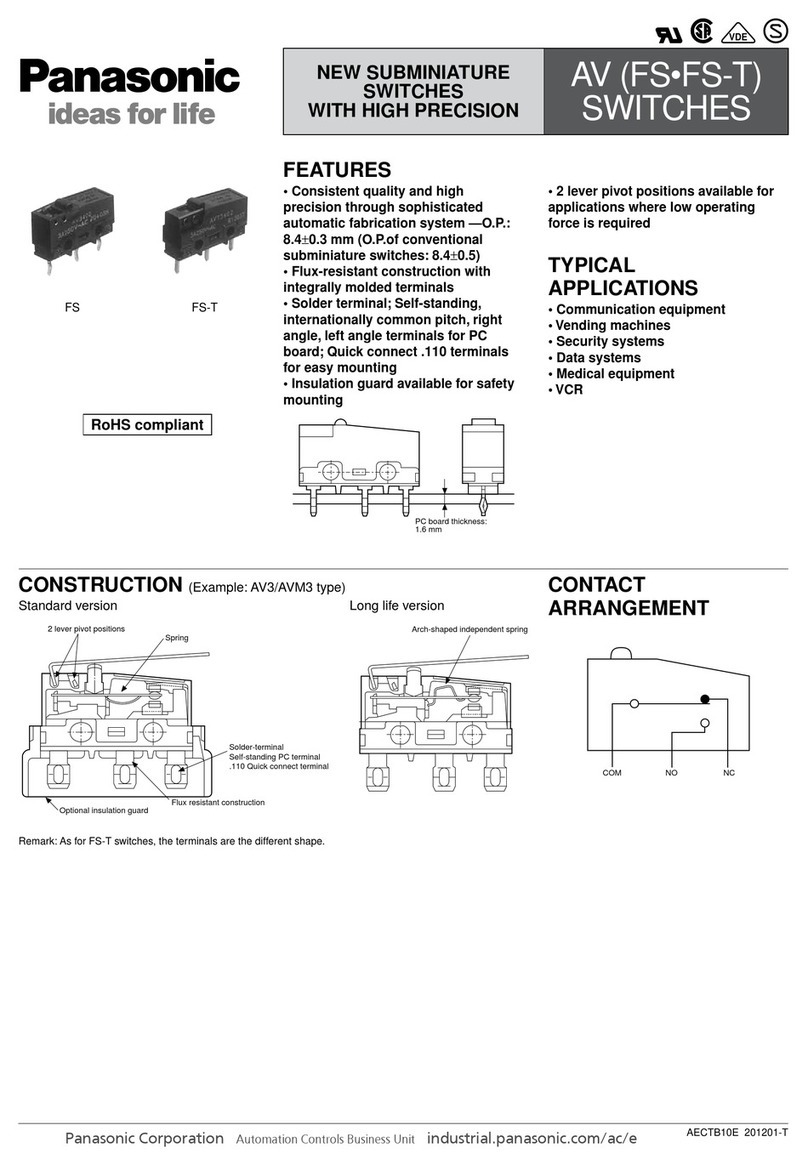
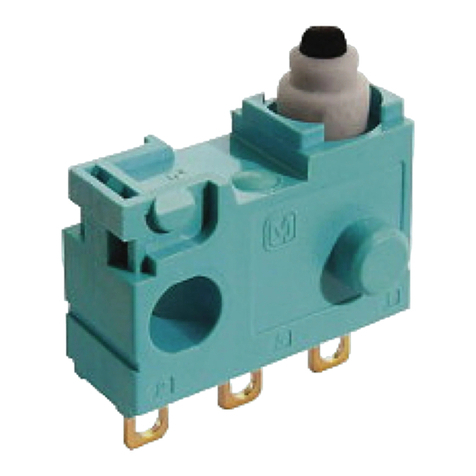
Optical Touch Switch
SW-200 Series
SPECIFICATIONS
5
WARNING
MOUNTING AND NAMES OF COMPONENTS
3
Enclosure
Base
Model SW-211
Output
Output operation
Short-circuit protection
Response time
Switchable either Light-ON or Dark-ON
Incorporated (Automatic reset)
100ms or less when an object is detected, 50ms or less when an object is not detected
Operation indicator
1. Orange LED (lights up when the output is ON) 2. Orange LED flashes abnormally (when there are objects being detected for a long time)
Power indicator
Cable
Ambient temperature
Ambient humidity
Material Enclosure: PC Protection Cover: nylon (PA66) Base: PBT
0.2mm2, 5-core cabtyre cable, standard length: 2m
Infrared LED (modulated) Emission wavelength: 950nm
500m/s2acceleration (50G approx.) in X, Y and Z directions for three times each (deenergized)
20MΩ, or more, with 500V DC megger between all supply terminals connected together and enclosure
1,000V AC for one min. between all supply terminals connected together and enclosure
IP65(IEC)
Green LED (lights up when the power is ON)
Supply voltage
Current consumption
10V to 30V DC ± 10% / Ripple (P-P) 10% or less
40mA or less
Semiconductor photo-MOS output
●Maximum load current: 100mA or less
●Applied voltage: 30V DC or less
●Residual voltage: 1.5V or less (at 100mA load current)
Protection
Ambient illuminance
Voltage withstandability
Insulation resistance
Vibration resistance
Shock resistance
Environmental resistoince
-25°C to +55°C (no dew condensation or icing allowed), Storage: -30°C to +70°C
35%RH to 85%RH, Storage: 35%RH to 85%RH
10Hz to 500Hz frequency, 3mm double amplitude (MAX.20G) in X, Y and Z directions for 2 hours each (deenergized)
Emitting element
Net weight: 200g approx. Gross weight: 250g approx.
Cable extension
Weight
Extension up to total 100m is possible with 0.3mm2, or more, cable
Accessories rubber gasket: 1pcs, positioning washer: 1pcs, lock washer: 1pcs, mounting nut: 1pcs, protection cover: 1pcs
OPERATION DESCRIPTION
6
Operation indicator
(orange LED)
Output operation
Lights off
Lights on
OFF
ON
Dark On
Light On
Mode A t≥3 min
t<3 min
Mode B
Light On
Dark On
ON
OFF
Lights on
Lights off
Output operation
Operation indicator
(orange LED)
t<3 min t≥3 min
4I/O CIRCUIT DIAGRAM
Mode Status
Output operation
Operation indicator
Mode A
Light On ON Always ON
Dark On (t<3 min)
Dark On (t≥3 min)
Return to Light On
OFF Lights off
ON Flashes
ON Always ON
Mode Status
Output operation
Operation indicator
Mode B
Light On OFF Lights off
Dark On (t<3 min)
Dark On (t≥3 min)
Return to Light On
ON Always ON
OFF Flashes
OFF Lights off
30.5+0.5
0
17.5+0.5
0
INSTRUCTION
MANUAL
●
Never use this product as a sensing device for personnel protection.
●
In case of using sensing devices for personnel protection, use
products which meet standards, such as OSHA, ANSI or IEC etc.,
for personnel protection applicable in each region or country.
Common cathode circuit diagram
(Note): The pink line hanging in the air indicates model A, the pink line connecting with 0V indicates model B.
[Black] OUT1
100mA max.
10V to 30V DC
±10%
Internal circuit
Load
[Brown] +V
[Blue] 0V
[Pink] A/B switching
External input circuit
External input
ZD: Surge absorption zener diode
ZD
ZD
[White] OUT2
Main circuit
(Note): The pink line hanging in the air indicates model A, the pink line connecting with 0V indicates model B.
Common anode circuit diagram
[Black] OUT1
10V to 30V DC
±10%
[Brown] +V
[White] OUT2
[Pink] A/B switching
[Blue] 0V
External input circuit
External input
ZD: Surge absorption zener diode
ZD
ZD
Internal circuit
Load
100mA max.
Main circuit
Thank you very much for purchasing Panasonic products.
Please read this Instruction Manual carefully and thoroughly for
the correct and optimum use of this product.
Kindly keep this manual in a convenient place for quick reference.
OPERATION INDICATOR
2
Operation indicator (orange)
Power indicator
(green)
● The orange LED lights up when
output is ON
● The orange LED flashes when
there are objects being detected
for a long time
CAUTIONS
1
This product has been developed/produced for industrial use only.
Make sure to carry out wiring in the power supply off condition.
Take care that wrong wiring will damage the sensor.
Verify that the supply voltage variation is within the rating.
If power is supplied from a commercial switching regulator, ensure that
the frame ground (F.G.) terminal of the equipment is connected to an
actual ground. F. G.
In case noise generating equipment (switching regulator, inverter
motor, etc.) is used in the vicinity of this product, connect the frame
ground (F.G.) terminal of the equipment to an actual ground.
Do not run the wires together with high-voltage lines or power lines
or put them in the same raceway. This can cause malfunction due
to induction.
Do not use during the initial transient time (150ms) after the power
supply is switched on.
Take care that the sensor is not directly exposed to fluorescent
light from a rapid-starter lamp or a high-frequency light device or
sunlight etc., as it may affect the sensing performance.
Extension up to total 100m is possible with 0.3mm2, or more, cable.
Make sure that the stress by forcible bend or pulling is not applied
directly to the sensor cable joint.
This sensor is suitable for indoor use only.
Do not use this product in places having excessive vapor, dust,
dirt, etc. or where it may come in direct contact with water, or
corrosive gas.
Take care that the product does not come in contact with water, oil,
grease, or organic solvents, such as thinner, etc.
When the match cable is connected with the sensor, the tightening
torque should be 0.5N·m or less.
M30 male thread and
NPSM1/2" female thread
Rubber gasket
(accessory)
Lock washer
(accessory)
Protection cover
(accessory)
Mounting nut
(accessory) Positioning washer
(accessory)
(Note):
● The positioning washer and lock washer can be used interchangeably
● The tightening torque should be 180N·m or less
● When the positioning washer is not used, the diameter of the
mounting hole is φ30.5 mm
●
When the positioning washer is used, the dimension of the process hole for
the mounting plate (more than 2mm thick) is shown as below (unit: mm)
+0.5
0
5+0.2
0
Incandescent light: 3,000 x at the light-receiving face Sunlight: 120,000 x at the light-receiving face
7
INTENDED PRODUCTS FOR CE MARKING
The models listed under “ SPECIFICATIONS ”
come with CE Marking.
As for all other models, please contact our office.
5
Panasonic Marketing Europe GmbH Panasonic Testing Center
Winsbergring 15 , 22525 Hamburg , Germany
<Importer>
Panasonic Electric Works Europe AG
Rudolf-Diesel-Ring 2, D-83607 Holzkirchen, Germany
<Contact for CE>
<Manufacturer>
97, Huoju Road, Suzhou New District, Jiangsu, China
+86-512-6843-2580
Above information is applied only when Panasonic Industrial
Devices SUNX Suzhou Co., Ltd. exports this product to EU.
Economic operators’ information in EU is as follows:
© Panasonic Industrial Devices SUNX Suzhou Co., Ltd. 2016
PRINTED IN CHINA
About our sale network, please visit our website.
97, Huoju Road, Suzhou New District, Jiangsu, China
Phone: +86-512-6843-2580
http://device.panasonic.cn/ac/c
Color code
Color code
User’ circuit
User’ circuit