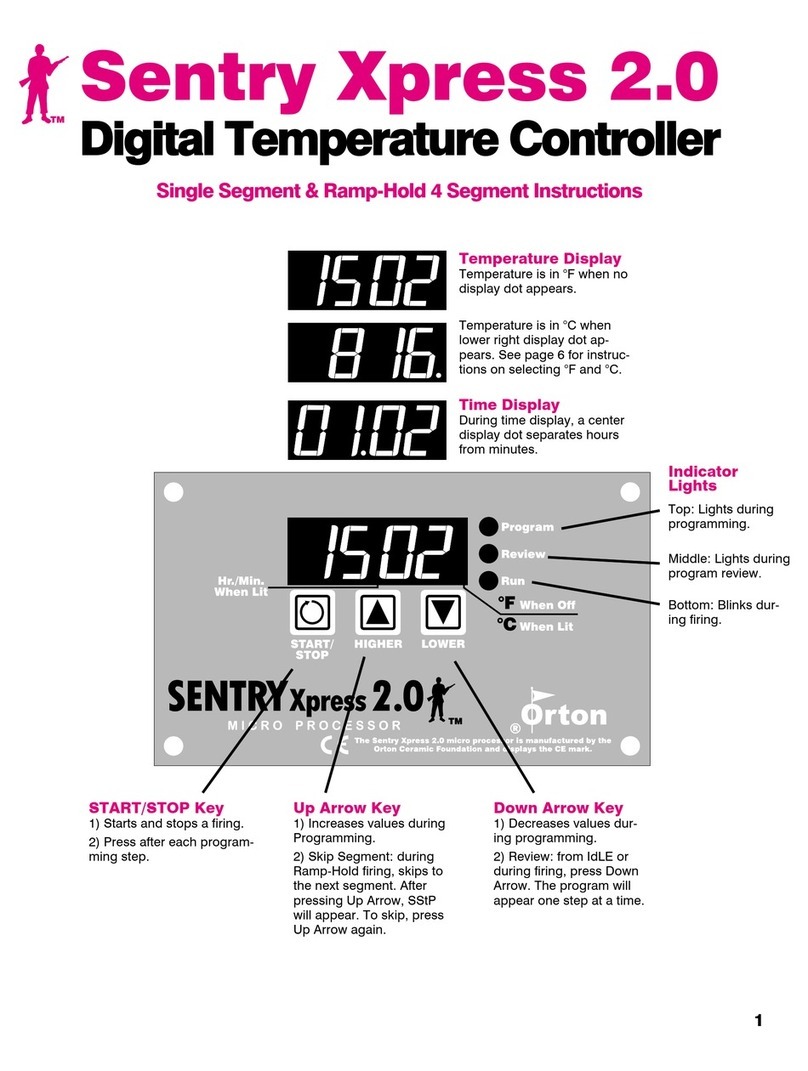
Paragon Sentry Xpress Quick Start Guide
Please read the instruction manual for more detailed information. For a copy, go to www.paragonweb.com or call
972-288-7557. Press START/STOP at any time to stop a firing. To return to IdLE after the firing is completed, press START.
Single-Speed Instructions
Fires to a temperature, holds temperature if needed, then shuts
off.
1From IdLE, press START.
2To select a firing speed, press the Up Arrow key repeatedly
until the desired firing speed appears.
SPd1 = 200°F or 111°C rate per hour
SPd2 = 500°F or 277°C rate per hour
SPd3 = 1000°F or 555°C rate per hour
SPd4 = 1500°F or 833°C rate per hour
SPd5 = Full Power
Then press START.
3Use the arrow keys to enter the temperature you are firing to.
Press START.
4Use arrow keys to enter the hold time (hours.minutes). (If not
needed, enter 00.00.) Press START.Strt will appear.
5Press START again. -On- will appear. The kiln is firing.
Ramp-Hold Instructions
Fires up to 8 speeds and temperatures (segments). Controls
heating and cooling.
1From IdLE, press START.
2Press the Up Arrow key. Select PrO1,PrO2,PrO3,orPrO4.
Press START.
3rA1will appear. Use the arrow keys to enter firing rate
(temperature change per hour) for segment 1. (1° = slowest
rate. 1799°F/999°C = full power.) Press START.
4°F 1or °C 1 will appear. Use the arrow keys to enter the
temperature you are firing to. Press START.
5 HLd 1 will appear. Use the arrow keys to enter the hold time
(hours.minutes). (If not needed, enter 00.00.) Press START.
6Continue entering values for the segments needed. When rA
appears for the next segment that you don’t need, select 0000.
(This will zero out any remaining unused segments.) Then
press START.Strt will appear.
7Press START again. -On- will appear. The kiln is firing.
L-108/7-07
Glass, Silver and Enameling Kilns: SC,
Xpress-E & Q, and Fusion series