Contents.................................................................................................................... 2
Installation................................................................................................................. 4
Before you begin ..................................................................................................................................... 4
Checking the car configuration...................................................................................................... 4
Caution.......................................................................................................................................... 4
Removing the car stereo............................................................................................................... 4
Installing the kit........................................................................................................................................ 5
Car stereo with ISO connectors .................................................................................................... 5
Car stereo with line-in.................................................................................................................... 6
Installing the electronic box........................................................................................................... 6
Installing the kit‟s power cable ...................................................................................................... 6
Checking the wiring....................................................................................................................... 7
Installing the audio connectors...................................................................................................... 7
Installing the individual components........................................................................................................ 8
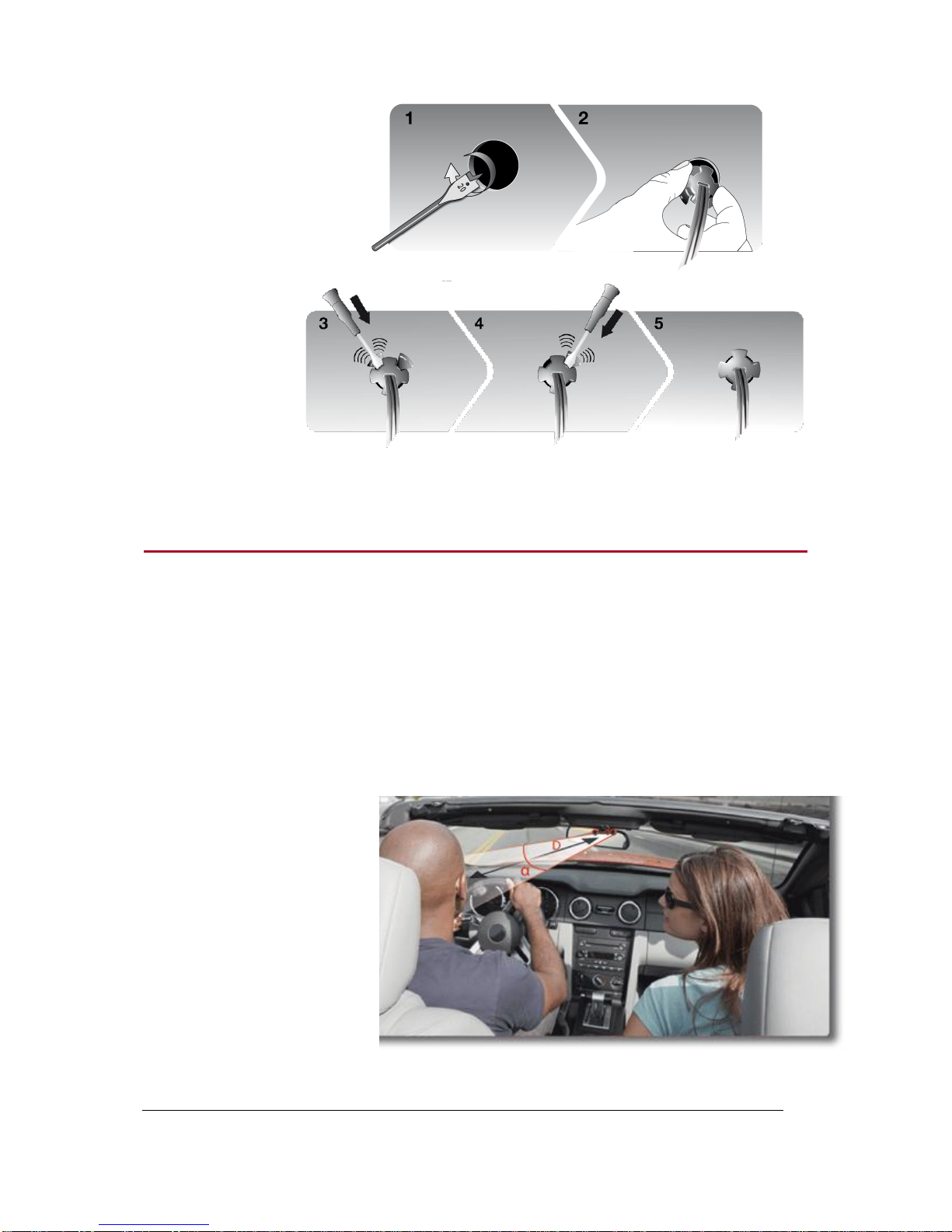
Installing the double microphone .................................................................................................. 8
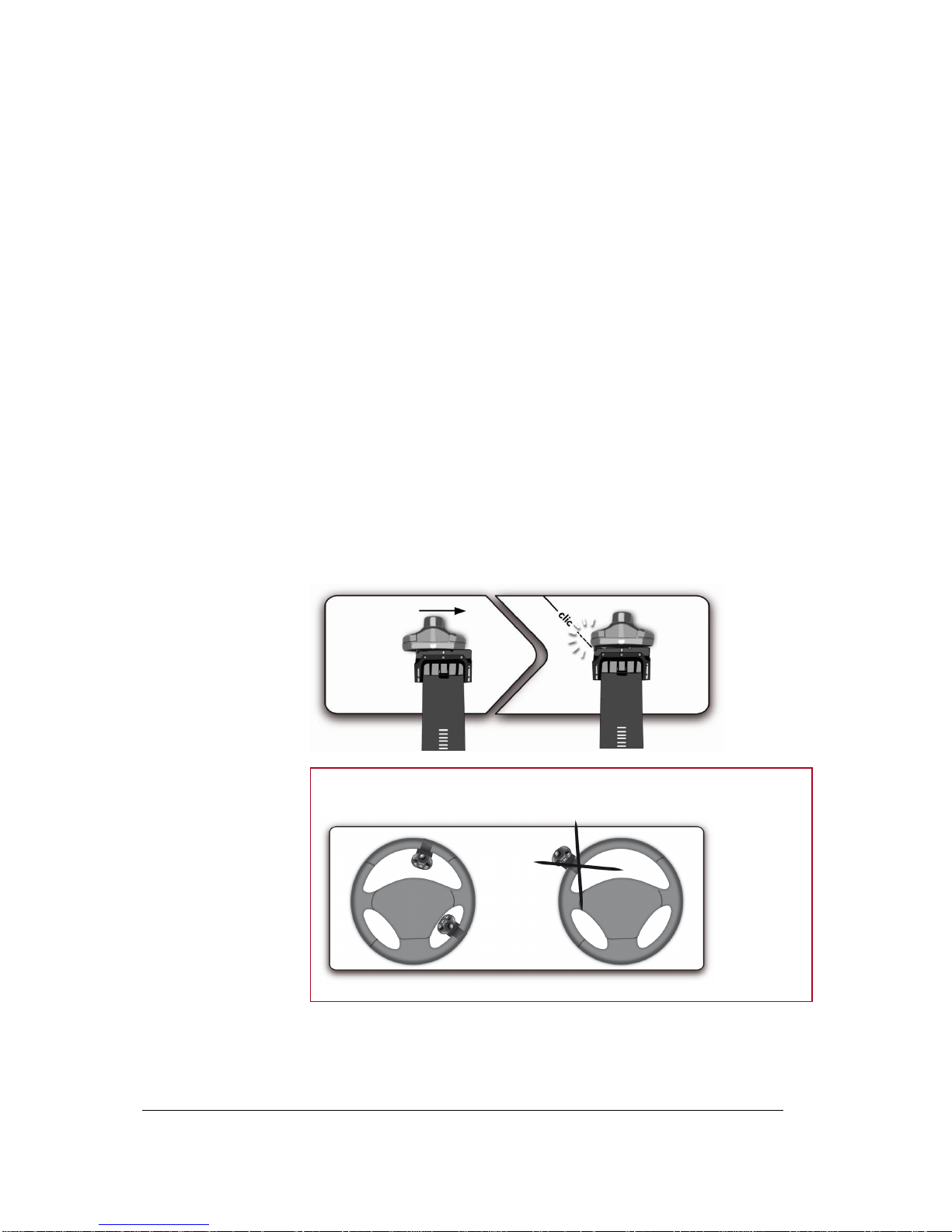
Installing the remote control.......................................................................................................... 9
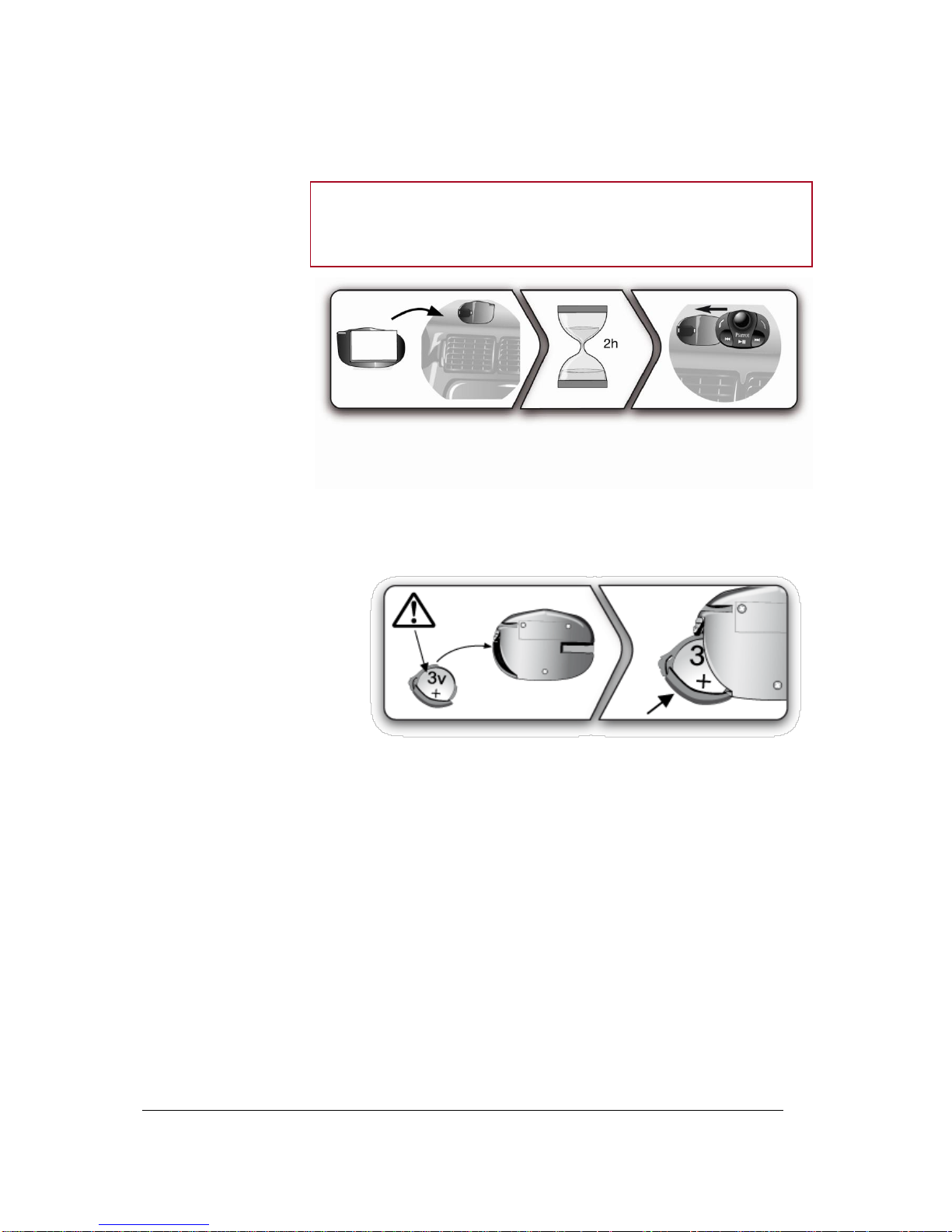
Installing the screen .................................................................................................................... 10
Getting started........................................................................................................ 12
Navigating through the menus............................................................................................................... 12
Associating the remote control to the electronic box .................................................................. 12
Commands.................................................................................................................................. 12
Using the vocal menus................................................................................................................ 13
Establishing a Bluetooth connection with a phone................................................................................ 13
Using a phone with the Parrot MKi9200 for the first time............................................................ 13
Managing Bluetooth devices....................................................................................................... 14
Synchronizing the phonebook ............................................................................................................... 15
Display parameters................................................................................................................................ 16
Modifying the display parameters ............................................................................................... 16
Changing the wallpaper............................................................................................................... 16
Phone....................................................................................................................... 18
Making and receiving calls .................................................................................................................... 18
Making a call ............................................................................................................................... 18
Receiving a call........................................................................................................................... 19
Using the Parrot MKi9200 while on a call ................................................................................... 19
Using voice recognition ......................................................................................................................... 21
Receiving a call via voice recognition ......................................................................................... 21
Making a call via voice recognition.............................................................................................. 21
Settings.................................................................................................................................................. 22
Ringtone...................................................................................................................................... 22
Phonebook .................................................................................................................................. 22
Call .............................................................................................................................................. 23
Activating the external noise elimination..................................................................................... 23