manuals.online logo
Brands
  1. Home
  2. •
  3. Brands
  4. •
  5. Parrot
  6. •
  7. Digital Photo Frame
  8. •
  9. Parrot DIA Nodesign Owner's manual

Parrot DIA Nodesign Owner's manual

Other Parrot Digital Photo Frame manuals

Parrot 7 User manual

Parrot

Parrot 7 User manual

Parrot Szekely Owner's manual

Parrot

Parrot Szekely Owner's manual

Parrot DF7700 User manual

Parrot

Parrot DF7700 User manual

Parrot 7 User manual

Parrot

Parrot 7 User manual

Parrot PHOTO VIEWER 7 inch User manual

Parrot

Parrot PHOTO VIEWER 7 inch User manual

Parrot PHOTO VIEWER 7" User manual

Parrot

Parrot PHOTO VIEWER 7" User manual

Parrot PHOTO VIEWER 7" User manual

Parrot

Parrot PHOTO VIEWER 7" User manual

Parrot DF7220 User manual

Parrot

Parrot DF7220 User manual

Parrot PHOTO VIEWER 7" User manual

Parrot

Parrot PHOTO VIEWER 7" User manual

Parrot DF7630 User manual

Parrot

Parrot DF7630 User manual

Parrot Andree Putman User manual

Parrot

Parrot Andree Putman User manual

Parrot DF3120 User manual

Parrot

Parrot DF3120 User manual

Parrot DIA User manual

Parrot

Parrot DIA User manual

Parrot Specchio Owner's manual

Parrot

Parrot Specchio Owner's manual

Parrot PUTMAN User manual

Parrot

Parrot PUTMAN User manual

Parrot Martin Szekely Specchio User manual

Parrot

Parrot Martin Szekely Specchio User manual

Parrot DF3120 User manual

Parrot

Parrot DF3120 User manual

Popular Digital Photo Frame manuals by other brands

Alpina FlipUp FF-RP instructions

Alpina

Alpina FlipUp FF-RP instructions

Audiovox DPF701 owner's manual

Audiovox

Audiovox DPF701 owner's manual

LENCO DF-830 user manual

LENCO

LENCO DF-830 user manual

texet DPF-830 Instructions for use & care

texet

texet DPF-830 Instructions for use & care

Philips SPF2017 Specifications

Philips

Philips SPF2017 Specifications

Philips SPF1327 Specifications

Philips

Philips SPF1327 Specifications

Philips SPF7010/10 quick guide

Philips

Philips SPF7010/10 quick guide

Digital Spectrum MemoryVue MV-1500 user manual

Digital Spectrum

Digital Spectrum MemoryVue MV-1500 user manual

ViewSonic VFM1042-52 Specifications

ViewSonic

ViewSonic VFM1042-52 Specifications

YURAKU YUR.PHOTO 7B4C brochure

YURAKU

YURAKU YUR.PHOTO 7B4C brochure

Denver PFF-710WHITE MK2 user manual

Denver

Denver PFF-710WHITE MK2 user manual

Pandigital PAN8000DWPCF1 user guide

Pandigital

Pandigital PAN8000DWPCF1 user guide

Nokia SU-4 user guide

Nokia

Nokia SU-4 user guide

Philips 10FF3CDW null

Philips

Philips 10FF3CDW null

Rekam Deja View HD-850 user manual

Rekam

Rekam Deja View HD-850 user manual

Majestic DF 918HD MP3 user manual

Majestic

Majestic DF 918HD MP3 user manual

Digital Foci Image Moments IMT-063 user guide

Digital Foci

Digital Foci Image Moments IMT-063 user guide

Kodak W1020 - GUIA COMPLETO DO USUÁRIO FOR FIRMWARE VERSIONS EARLIER THAN... manual

Kodak

Kodak W1020 - GUIA COMPLETO DO USUÁRIO FOR FIRMWARE VERSIONS EARLIER THAN... manual

manuals.online logo
manuals.online logoBrands
  • About & Mission
  • Contact us
  • Privacy Policy
  • Terms and Conditions

Copyright 2025 Manuals.Online. All Rights Reserved.

DIGITAL PHOTO FRAME
« designed by NoDesign » ?!
NoDesign has emerged from the fusion of two talents, constantly pushing
the technological boundaries of design to their limits: Jean Louis Fréchin
and Uros Petrevski. Their collaboration has culminated in the creation of
the first digital design agency. When Parrot and NoDesign got together, this
was an opportunity that they could not pass up. The match-up in terms
of the concepts devised by a digital design expert combined with Parrot's
tried-and-tested innovative expertise seemed glaringly obvious. After several
months of discussions, exchanges and joint developments, Parrot is proud
to present to you the latest addition to its Design By range: the Dia digital
photo frame.
Combining the past and purity
of innovative design
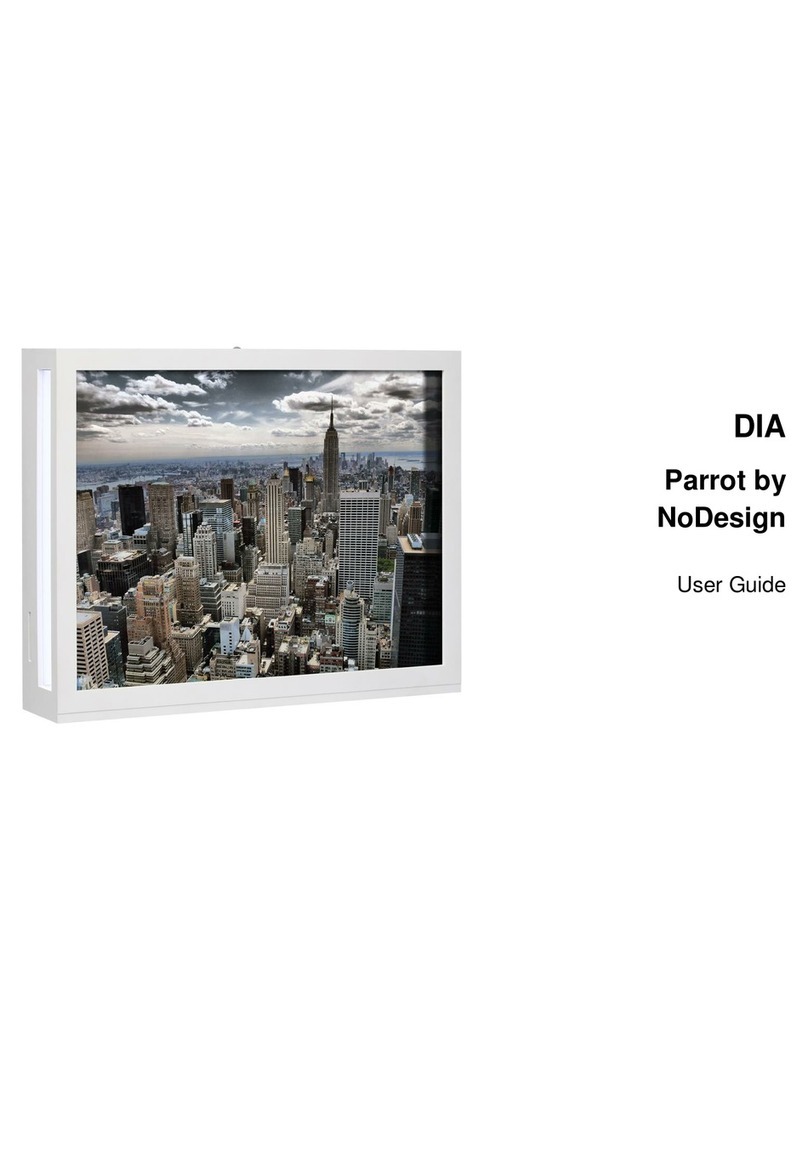
The magic of an amazing screen, the purity of Arctic whiteness and
memories of slides from days gone by: these are the thoughts that Dia will
inspire in you. You will notice the frame’s originality straightaway, with its
screen and light arranged in two separate places. The screen displaying the
images is translucent, giving it the quality of a digital Ektachrome®picture.
Similar to a cinema screen that the picture from the projector shines on, Dia
was designed to project your favourite snaps. Its contradictory design will
remind you of your first visits to the cinema, while also blending in perfectly
with a modern decor. Its shape means that you can place it wherever you
see fit, with complete stability assured.
Totally original applications
A year ago, Parrot was launching a frame with an application completely
ahead of its time: Holidays. This application allowed you to take a
photographic journey along beaches around the world, frame by frame. This
time the developers have gone even further, offering you tours throughout
the world. You will be able to take in the Seven Wonders of the World via
Route 66, not to mention the sights of Paris, all thanks to Holidays 2.0. This
application will give you the impression that you are looking at your own
holiday snaps or will make you want to be there taking these pictures yourself.
What is more, while connected to your Wi-Fi network, RSS feeds give you
weather, news, or the results from your favourite sports team!
Photo +Technology =
Photographic innovation
Parrot continues its dynamic innovation so that it can offer you applications
that have never been seen before on a digital photo frame. Smartphones,
multimedia phones with GPS and digital cameras are an increasingly common
feature of everyday life. This is why Parrot has developed an application
allowing you now to send your location-based photos directly. You will then
be able to see your latest holiday snaps in the form of an itinerary, stage by
stage, snap by snap, reminding you of all your wonderful moments, in just a few
minutes. In addition, you can now use your iPhone®to send your geotagged
photos to the frame by simply sliding your finger, thanks to the Mover®
application. All done as if by magic…
Parrot by NoDesign
Wi-Fi and Bluetooth®
digital photo frame
PARROT S.A.
174 quai de jemmapes
75010 paris
Tel +33 (0)1 48 03 60 60
Fax +33 (0)1 48 03 06 66
Wi-Fi
Wi-Fi is a wireless computer
network technology that lets you
operate an indoor broadband
network with a range spanning
dozens of metres. It can be used
to connect communicating objects
and exchange data securely for
the guaranteed protection of your
private data.
Bluetooth
The Bluetooth wireless technology
enables data (such as photos)
to be sent via a short distance
radio link. It connects a wide
range of electronic equipment
without requiring additional
cables. Furthermore, it extends
the communication possibilities for
mobile phones and a large number
of devices.
Wireless technology Technical and commercial specifications
Final product may differ from actual visuals and specifications. The Bluetooth trademark and associated logos are the property of the Bluetooth SIG, Inc. and are used under licence by Parrot. All rights
reserved. The Parrot brands featured in this document are the exclusive property of Parrot S.A. All other brands are the property of their respective owners. 07/2011 . Mac is a registered trademark of Apple
Inc., registered in the U.S. and other countries. Wi-Fi CERTIFIED™ is a mark of the Wi-Fi Alliance. The Wi-Fi CERTIFIED logo is a certification mark of the Wi-Fi Alliance. Mover is a trademark of Infinite Labs.
Parrot SA - RCS PARIS 394 149 496
PARROT digital photo frame
Parrot 10.4” digital photo frame Parrot By NoDesign
Specifications
LCD colour 4:3 screen with a high resolution of
800x600
Displays photos in 24-bit colour
Connections:
• Wi-Fi b/g with a simplied connection via an SES/
WPS virtual button: photos received via a dedicated
email address via RSS (photo sharing site), through
sharing the photos directory with a PC or Mac®
• Mover application for easy photo transfer
• Bluetooth v2.1 + EDR: for transferring photos
from a Bluetooth mobile phone, a PC, a Mac®etc.
• USB type A, 2 ports: USB ash drive, iPhone, mouse
and keyboard
• SD/MMC card slot: for transferring photos
• Android OS
• Integrated online services: MobileMe, Picasa and Flick'r
Automatic update via Wi-Fi
(backup possible via SD card or USB ash drive)
Photo format: JPEG
Alarm feature
Internal memory: 200 MB
Can store up to 1,500 photos using Parrot’s optimized
compression feature
Option to expand internal memory using an SD card,
USB ash drive or hard drive
Default option: automatically adjusts the size of the
photo to the screen
Brightness adjustment
Automatically rotates the photo (portrait/landscape)
Standby mode (manual or automatic) compliant with
European Low Consumption
Wi-Fi b/g
Data protection by WEP, WPA and WPA2 key
Simplified configuration by SES/WPS button
Wi-Fi range: up to 100 metres in line-of-sight
Operation with access point or standalone
(ad-hoc mode)
Bluetooth
Bluetooth v2.1 + EDR
Profiles supported:
FTP (File Transfert Profile)
OPP (Object Push Prole)
BIP (Basic Image Profile)
Bluetooth range: 10 metres
Pairing (optional) : by PIN code 0000
Memory cards
SD/MMC memory cards supported, compatible HC/HS
Dimensions
Width: 233 mm Height: 185 mm
Depth: 46 mm Weight: 1 kg
Power cable : 2 m
Kit contents
1 Digital frame
1 Quick start guide
1 universal mains adapter (5 plugs)
1 cleaning cloth
Documentation
Quick start guide included. For more information,
visit our website www.parrot.com