7
Setting your wake-up prole
Indstilling af vækkeprol
lhr Weckprol einstellen
First use - placing the Wake-up light
Første anvendelse - placering af Wake-up Light
ErsteVerwendung - dasWake-up Light aufstellen
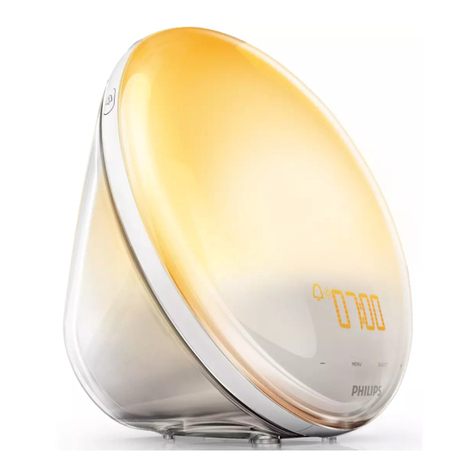
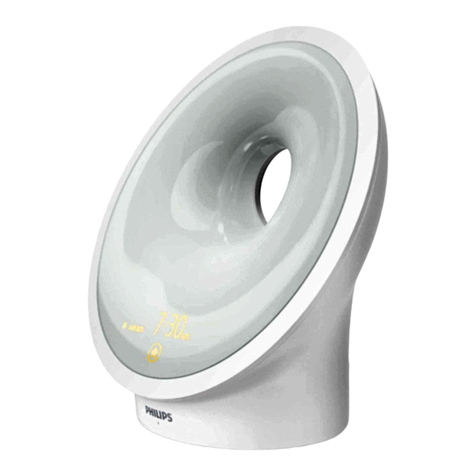
When you set your wake-up prole, you set the wake-up time (steps 1 – 6), the light intensity
(steps 7 and 8) and the sound level (steps 9 and 10). For each prole, you can set the time,
dawn duration (see Adjusting the dawn duration time) and the type of sound.You can set two different
wake-up proles (alarms). For example if you want to wake up at a different time in the weekend than
on weekdays. To set the wake-up prole for alarm 1 or 2, select the corresponding alarm at step 2.
To activate or deactivate an alarm, press alarm button 1 or 2 on the appliance (see ‘Overview’).
Når du indstiller vækkeprolen, indstiller du vækningstidspunktet (trin 1 – 6), lysintensiteten (trin 7 og
8) og lydniveauet (trin 9 og 10). For hver prol kan du indstille klokkeslæt, solopgangens varighed (se
“Justering af solopgangens varighed”) og type vækkelyd. Du kan indstille to forskellige vækkeproler
(alarmer). Hvis du f.eks. gerne vil vækkes på et andet tidspunkt i weekenden end på hverdage. Hvis du
vil indstille vækkeprolen for alarm 1 eller 2, skal du vælge alarmen i trin 2. Hvis du vil aktivere eller
deaktivere en alarm, skal du trykke på alarmknap 1 eller 2 på apparatet (se “Oversigt”).
Wenn Sie Ihr Weckprol einstellen, stellen Sie die Weckzeit (Schritte 1 bis 6), die Lichtintensität (Schritte
7 und 8) und den Geräuschpegel (Schritte 9 und 10) ein. Sie können für jedes Prol die Uhrzeit, die
Sonnenaufgangszeit (siehe „Die Sonnenaufgangszeit einstellen“) und die Art desTons einstellen.
Sie können zwei verschiedene Weckprole (Alarme) einstellen, wenn Sie z. B. am Wochenende zu einer
anderen Zeit als an Werktagen aufwachen möchten. Um das Weckprol für Alarm 1 oder 2 einzustellen,
wählen Sie in Schritt 2 den entsprechendenWeckton aus. Um einen Alarm zu aktivieren oder zu
deaktivieren,drücken Sie dieAlarm-Taste 1 oder 2 auf dem Gerät (siehe „Überblick“).