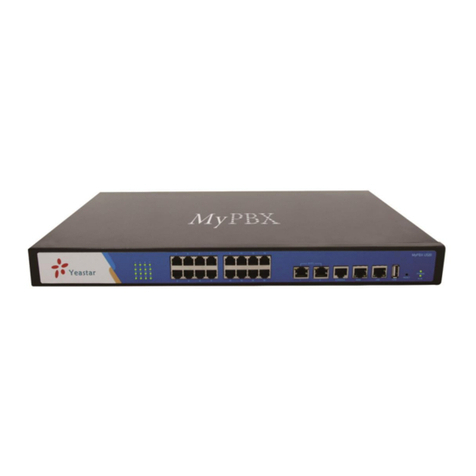
Planet Networking & Communication IPX-2000 User manual

PLANETIPX-2000 user smanual
1of 51
InternetTelephonyPBXSystem
IPX-2000
User s Manual

PLANETIPX-2000 user smanual
2of 51
FCC Notice
Thisequipmenthasbeen tested and found tocomplywiththe limitsforaClass Adigitaldevice, pursuant
toPart15 ofFCC Rules. Theselimitsaredesigned toprovide reasonableprotection against harmful
interferencewhen the equipmentisoperated inacommercialenvironment.Thisequipment generates,
uses, and can radiateradiofrequency energyand,if notinstalled inaccordancewiththe instruction
manual,maycauseharmful interferencetoradiocommunication.Operationofthisequipmentina
residential area islikelytocauseharmfulinterferencein whichcasethe userwillbe required tocorrect
the interferenceatthe user sownexpense.
Disclaimer
PLANETTechnologydoesnot warrant thatthe hardwarewillwork properlyinallenvironmentsand
applications, and makesno warrantyand representation, eitherimplied orexpressed,withrespect tothe
quality, performance,merchantability, orfitness foraparticularpurpose.
PLANET hasmade every efforttoensurethat thisUser sManualisaccurate;PLANETdisclaimsliability
foranyinaccuraciesoromissionsthatmayhaveoccurred.
Information inthisUser sManualissubject tochange without noticeand doesnot represent a
commitmenton the partofPLANET. PLANETassumesno responsibilityforanyinaccuraciesthatmaybe
contained inthisUser sManual. PLANETmakesno commitmenttoupdateorkeep currentthe
information inthisUser sManual, and reservesthe right tomakeimprovementstothisUser sManual
and/ortothe productsdescribed inthisUser sManual,at anytimewithout notice.If you findinformation
inthismanualthatisincorrect, misleading, orincomplete, wewouldappreciateyourcommentsand
suggestions.
CEDeclarationofconformity
Thisequipmentcomplieswiththe requirementsrelatingtoelectromagneticcompatibility, EN55022 class
AforITEand EN50082-1. Thismeetsthe essentialprotectionrequirementsofthe European Council
Directive89/336/EECon the approximation ofthe lawsof the MemberStatesrelating toelectromagnetic
compatibility.
Trademarks
Allbrand,companyand product namesaretrademarksorregistered trademarksof theirrespective
companies.
WEEE Warning
Toavoidthe potentialeffectson the environmentand human healthasaresult of thepresence
of hazardoussubstancesinelectricaland electronicequipment,end usersofelectrical and
electronicequipment shouldunderstand the meaning of the crossed-out wheeled binsymbol.
Do not disposeofWEEEasunsorted municipalwasteand havetocollect suchWEEE
separately.
Revision
PLAENTIPX-2000 User sManual
Revision: 1.1(Jan. 2006)
Part No.EM-IPX2000V1_1

PLANETIPX-2000 user smanual
3of 51
TABLE OFCONTENTS
1INTRODUCTION.......................................................................................................................................5
1.1 OVERVIEW ...........................................................................................................................................5
1.2 INSTALLATION......................................................................................................................................5
2SYSTEM CONFIGURATION...................................................................................................................7
2.1 TIMESETUP..........................................................................................................................................7
2.1.1 Time ZoneSetup..............................................................................................................................7
2.1.2 DateSetup.......................................................................................................................................7
2.2 WAN SETUP.........................................................................................................................................7
2.2.1 Static...............................................................................................................................................8
2.2.2 DHCP.............................................................................................................................................8
2.2.3 PPPoE............................................................................................................................................8
2.2.4 Lan only..........................................................................................................................................8
2.3 LAN SETUP ..........................................................................................................................................9
2.4 LAN ROUTING .....................................................................................................................................9
2.5 DYNDNS SETUP ...................................................................................................................................9
2.5.1 Enable DynDNS............................................................................................................................10
2.5.2 DisableDynDNS...........................................................................................................................10
2.6 QOSSETUP.........................................................................................................................................10
2.6.1 Enable QoS...................................................................................................................................10
2.6.2 DisableQoS..................................................................................................................................10
2.7 VIRTUALSERVER................................................................................................................................11
2.8 MAINTENANCE...................................................................................................................................11
2.8.1 SIPregistration status...................................................................................................................11
2.8.2 CallDetailRecord.........................................................................................................................11
2.8.3 Systemeventlog............................................................................................................................12
2.8.4 Systemstorageusage.....................................................................................................................12
2.8.5 Systemstoragebackup...................................................................................................................12
2.9 FIRMWARE UPGRADE ..........................................................................................................................12
2.10 LOGOUT .............................................................................................................................................12
2.11 SHUTDOWN ........................................................................................................................................12
3SERVICECONFIGURATION................................................................................................................13
3.1 NTPSERVICE .....................................................................................................................................13
3.1.1 Enable NTPservice.......................................................................................................................13
3.1.2 DisableNTPservice......................................................................................................................13
3.2 SNMP SERVICE ..................................................................................................................................13
3.2.1 Enable SNMPservice....................................................................................................................13
3.2.2 DisableSNMPservice...................................................................................................................13
3.3 STUN SERVICE...................................................................................................................................14
3.3.1 Enable STUNservice.....................................................................................................................14
3.3.2 DisableSTUNservice....................................................................................................................14
3.4 TFTPSERVICE....................................................................................................................................14
3.4.1 Enable TFTPservice.....................................................................................................................14
3.4.2 DisableTFTPservice....................................................................................................................15
3.5 DHCP SERVICE ..................................................................................................................................16
3.5.1 Enable DHCPservice....................................................................................................................16
3.5.2 DisableDHCPservice...................................................................................................................17
3.6 IP PBX SERVICE.................................................................................................................................17
3.6.1 IPPBXglobalparameters.............................................................................................................17
3.6.2 ReloadIPPBXconfiguration.........................................................................................................18
3.6.3 BackupIPPBXconfiguration........................................................................................................18
3.6.4 Restore IPPBXconfiguration........................................................................................................18
3.6.5 Restart IPPBXservice..................................................................................................................18
3.6.6 RevertIPPBXconfiguration..........................................................................................................18

PLANETIPX-2000 user smanual
4of 51
3.7 STACKABLE MANAGEMENT.................................................................................................................19
3.7.1 Operation modes...........................................................................................................................19
3.7.2 Consolidatedmanagement.............................................................................................................19
3.7.3 Configuration................................................................................................................................19
IPPBXCONFIGURATION..............................................................................................................................22
3.8 USERGROUP CONFIGURATION .............................................................................................................22
3.8.1 Add Usergroup..............................................................................................................................22
3.8.2 Edit Usergroup..............................................................................................................................23
3.8.3 DeleteUsergroup..........................................................................................................................23
3.9 USER CONFIGURATION .......................................................................................................................24
3.9.1 Add User.......................................................................................................................................24
3.9.2 Edit User.......................................................................................................................................24
3.9.3 DeleteUser...................................................................................................................................24
3.10 DEVICE CONFIGURATION ....................................................................................................................25
3.10.1 IPPhone...................................................................................................................................26
4.3.1.1 Add Device.........................................................................................................................................26
4.3.1.2 Edit Device.........................................................................................................................................26
4.3.1.3 DeleteDevice......................................................................................................................................26
3.10.2 AnalogPhone...........................................................................................................................29
3.11 ROUTE CONFIGURATION .....................................................................................................................30
3.11.1 Add Route.................................................................................................................................31
3.11.2 EditRoute.................................................................................................................................31
3.11.3 DeleteRoute.............................................................................................................................31
3.12 ROUTEGROUP CONFIGURATION...........................................................................................................32
3.12.1 Add Routegroup........................................................................................................................32
3.12.2 EditRoutegroup........................................................................................................................32
3.12.3 DeleteRoutegroup....................................................................................................................32
3.13 SIP TRUNK CONFIGURATION...............................................................................................................33
3.13.1 Add SIPTrunk..........................................................................................................................33
3.13.2 Edit SIPTrunk..........................................................................................................................33
3.13.3 DeleteSIPTrunk.......................................................................................................................33
3.14 PSTNTRUNK CONFIGURATION...........................................................................................................35
3.14.1 Add PSTNTrunk.......................................................................................................................36
3.14.2 Edit PSTNTrunk.......................................................................................................................36
3.14.3 DeletePSTNTrunk...................................................................................................................36
3.15 TRUNK TERMINAL ..............................................................................................................................37
3.15.1 Add TrunkTerminal..................................................................................................................38
3.15.2 Edit Trunk Terminal..................................................................................................................38
3.15.3 DeleteTrunkTerminal..............................................................................................................38
3.16 POTSSETUP.......................................................................................................................................39
3.17 FEATURE CONFIGURATION..................................................................................................................39
3.17.1 Autoattendant..........................................................................................................................40
3.17.2 Callpark..................................................................................................................................40
3.17.3 Lifeline....................................................................................................................................41
3.17.4 Meet-meconference..................................................................................................................42
3.17.5 Musiconhold...........................................................................................................................43
3.17.6 Voicemail.................................................................................................................................44
3.17.7 Auto-attendantprompts.............................................................................................................45
3.17.8 Meet-meprompts......................................................................................................................46
3.17.9 Voicemailprompts....................................................................................................................46
4EXAMPLE PROVISIONING..................................................................................................................48
4.1 INTERNAL EXTENSION CONFIGURATION ..............................................................................................48
4.2 CASE I: SINGLE-SITE CONFIGURATION ................................................................................................48
4.3 CASE II: TWO-SITE CONFIGURATION...................................................................................................49


PLANETIPX-2000 user smanual
5of 51
1Introduction
1.1 Overview
The IPPBX Administration Guide providesinstructionsfor administeringtheIPPBXsystem. IP
PBXisanembedded call-processing server communicatingwithclientstationswithSession
InitiationProtocol(SIP).Itmigratesthetelephonynetworkandthedatanetworkofasmall-to-
mediumbusiness(SMB) companyinto amanageableconverged network.IPPBXworkswith
variousIPphones(desktop, WiFi, Bluetooth, andDECT),voice-over-IP(VoIP) gateways, and
analogtelephoneadaptersto routecallsamongclientphones, analogphones, andPSTNnetwork.
Additionalvoicefeaturessuchasconferencing, auto attendant, andvoicemailareseamlessly
enabled toall phones. IPPBXalsoprovidesInternetaccess to all LANdevicesthroughNetwork
AddressTranslation(NAT).
IPPBXprovidescallcontrolandmediarelayservicestoSIPclientsandapplications. Itperforms
thefollowing primaryfunctions:
•SIPRegistrar
•SIPOutboundProxywithmediarelay
•SIPGateway(FXO)
•SIPPBXforextensioncalls
•AutoattendantIVR
•Voice mailIVR
•Meet-meconference
IPPBXhasabuilt-in suiteofvoiceapplicationsfor supplementaryservicesandthereforeno
special-purposehardwareisrequired. Thismeansthetotalcostofownershipofaconverged
networkenabled byIPPBXislower thanbuilding separated infrastructuresfor legacytelephony
networkanddatanetwork. Besides,itcomeswithaweb-browsableinterface tothedatanetwork
configurationandvoice service provisioning, whichbringsthemanageabilityofbothnetworks
togethertofacilitateadministrationlocallyor remotely.
1.2 Installation
1. ACPower
2. FXOport1
3. USBport
4. WAN
5. LAN
Slot
1
Slot
0
FXO port5

PLANETIPX-2000 user smanual
6of 51
1. ACPower110/220 Volt, 60 Hz
2. FXO ports4portsperdaughter card, numbered fromrightto theleft.
Therightmostportatslot 0isport1andtheleftmostportat
slot 1(ifinstalled)isport8.FXO portsareto beconnected
to FXS jacksonwall or analogPBXusingRJ-11 cables.
3. USBports2externalportswithcompliance toUSB1.1/2.0. Plug in a
USBharddrivefor CDR/voicemailbackup fromtheinternal
storage.
4. WANConnectto abroadbandmodemor aWANrouter.
5. LANConnectto aLANswitch.

PLANETIPX-2000 user smanual
7of 51
2SystemConfiguration
Thissectiondescribeshowtoconfiguresystemparametersused byIPPBX.Thefactorydefault
ofLANIPaddress is192.168.1.1.ConnecttoLANportandtheconfigurationWebinterface
couldbereached at https://192.168.1.1/. Once connected,thebrowser will warnaboutaccepting
acertificate. Pleaseacceptit.Then, givedefaultadministrator IDandpassword(bothareadmin)
to login for administration. Theadministratorpasswordcouldbechanged in theUser
Managementpage under user IDadmin.
2.1 Time setup
TheTimeSetup pageallowsadministratorto configuretimezoneanddateforIPPBX. Select
System->Timesetup, currentsettingoftimezone anddateisdisplayed.
2.1.1Time Zone Setup
Choosetimezonein drop-downlist,thenclick Set button.
2.1.2Date Setup
Chooseyear, month, day, hour, minute, andsec in drop-downlistsrespectively, thenclick Set
button.
2.2 WAN setup
TheWAN Setuppage allowsadministrator toconfigureWAN networkinterface for IPPBX.
Select System->WAN setup,currentsettingofWANnetworkinterface isdisplayed, e.g.type,
IPaddress etc. Unless LAN only checkboxischecked, youcanchooseoneofthethree options
foryour configuration, Static, DHCP, andPPPoE.

PLANETIPX-2000 user smanual
8of 51
2.2.1Static
YoucanchooseStaticIPin Type drop-downlist,andmanuallyconfigurethefollowing
information:
•IPaddress
•Networkmask
•DefaultgatewayIPaddress
•PrimaryandsecondaryDNS servers
And, click Save buttontosubmit.
2.2.2DHCP
Simply chooseDHCPin Type drop-downlist, andthenclick Save button.Theacquired IP
address, networkmask, anddefaultgatewayinformationwillbedisplayed whenrevisitthispage
later.
2.2.3PPPoE
ChoosePPPoE in Type drop-downlist, enter usernameandpassword,andthenclick Save
button.ThePPPoEdialing willstartrightaway. Whenthereisanactiveconnection, thepage
willshowtheacquired IPaddress, networkmask, anddefaultgatewayinformation. Therewill
alsobea Disconnect buttontodisconnectconnectionwhendesired.
2.2.4Lan only
Check Lan only to disableWANIPsettingbutallowtheconfigurationofdefaultgatewayand
primary/secondaryDNS servers.

PLANETIPX-2000 user smanual
9of 51
2.3 LAN setup
TheLANSetup page allowsadministratorto configureLANnetworkinterface for IPPBX.
Select System->LAN setup,currentsettingsofLANnetworkinterface aredisplayed. Youcan
modifythembyenteringnew IPaddress andnetworkmaskfollowed byclicking Save button.
Notethat bydefaultIPPBXgrantsIPaddressesto LANdevicesviaDHCPandtranslatesthose
addressesintoitsWANIPaddress for access beyondtheLANsubnet. Asaresult, modifying the
systemLANIPsubnet mustalsochange DHCP pool and LANRouting (ifany) accordingly.
Besides, IPPBXservice mustberestarted.
2.4 LAN Routing
ToenablestaticroutingamongLANsubnets, enter networkinfoandtheIPaddress ofthe
correspondinggatewayin IPPBX sLAN. Itisimportantto assurethat thegivengatewayIP
address sitsin theIPPBX sLAN. Eachsubnetrequiresanentryevenmultiplesubnetssharethe
samegateway, unlessmasking does thesame. ExamplesareaddingIPRouteIDs net1 and net2
withparameters192.168.128.0/255.255.255.0, 192.168.129.0/255.255.255.0, shared gateway
192.168.1.254 respectively. Or, IPRouteID net1n2 with192.168.128.0/255.255.254.0and
gateway192.168.1.254woulddothesame. Addedroutesenableroutingimmediatelyafter
clicking Save button, however, IPPBXservice needstoberestarted to regardcallsfrom
designated LANsubnetsasLANtraffic.
2.5 DynDNSsetup
DynamicWANIPaddress causesdifficultyfor inboundconnectionsfromremoteclientsor IP
PBXsystems. Apopular work-aroundistoadoptdomain namesprovided byDynDNS andruna
clientonorbehind thegatewayrouter(orIPPBX). Itisrequired toapply anaccountandcreatea
hostnamein theaccountbeforeconfiguration. SelectEnableandgive accountinfoandrefresh
intervalto activateaDynDNS client.Theclientthenuses Username and Password to access its
accountandupdatethe Hostname withthelatestWANIPaddress atDynDNS in Interval
secondsperiodically.

PLANETIPX-2000 user smanual
10 of 51
2.5.1Enable DynDNS
Select Enable radiobutton, enterthe Username, Password, Hostname, and Interval, andthen
click Save button.Typicalhostnamehasaformof <hostname>.dyndns.org. Therefreshinterval
isusuallybetween60 –600 secondsdepending onthevolatilityofWANIPassignment.
2.5.2Disable DynDNS
Select Disable radiobutton, andthenclick Save button.
2.6 QoSsetup
Toassurethebandwidthreserved fortheoutgoingVoIPtrafficover regular datatrafficfrom
LAN, QoSSetup pageoffersthree parametersto characterize theWAN link. BydefaultQoSis
disabled since theseparametersmustbecorrectly givenaccordingtotheactualWANspeed.
2.6.1EnableQoS
Select Enable radiobutton, enterthe WAN uplinkspeed, WAN downlinkspeed, and Uplink
VoIP reserved (bandwidth), andthenclick Save button. For apopular 2M/256KADSLprogram,
theWANuplink speed wouldbe256 andtheWAN downlinkspeed wouldbe2048 sincethe
unitisin kbps. TheUplink VoIPreserved couldbe, say, 192 outofthetotal256 kbpstoallow2
concurrentG.711calls.
2.6.2DisableQoS
Select Disable radiobutton, andthenclick Save button.

PLANETIPX-2000 user smanual
11 of 51
2.7 Virtual server
Toenableaccessserversin LANfromamachine beyondWAN, select System -> Virtual
server toconfigureportmappings. Service ID namestheservice. Protocol and Port specifythe
TCP/UDP portnumber onWANIPto beforwarded tothe Forwardtoport of ForwardtoIP
in LAN. Say192.168.1.5isaMailServer to beseenfromoutside, oneshouldconfigureTCP
port25 to beforwarded to192.168.1.5port25.
2.8 Maintenance
Thispage includesmaintenance functionsofIPPBX, fromstatusdisplaytostorage backup, etc.
2.8.1SIPregistration status
ThisDisplaybuttonlistsregistrationstatus ofeachclientandremoteIPPBXandtheIP/Port
fromwheretheyregister. SIPtrunkregistrations,ifany, arealsoshownin theendofthelist.
Column Dynamic standsfor whetherthelisted IPaddress isdynamicor specified. Reg.
Progress istheresponsecode andmessage ifregistrationhasbeenattempted butnot successful
sofar. Slave Registrar column isused only under thestackablemode. Itindicateswithwhich
slaveboxaSIPclientisregistered. Blankmeansaclientisregistered withthemaster box.
2.8.2CallDetailRecord
CDRdetailseachcallrecordincluding calling andcalled numbers, channel(trunkifoutbound)
in use, epochswhenthecallwasmade, answered, andended, whichyieldthetotalandbillable
durations. Thelastcolumndenotes thedispositionofacalllike answered ornot.

PLANETIPX-2000 user smanual
12 of 51
2.8.3Systemevent log
Eventlogincludesreported eventsfromfollowing systemservices:NTP, DNS,DHCP, and
PPPoE.
2.8.4Systemstorage usage
Thisdisplaysthesize andutilizationpercentage of theinternalmainsystemstorage.
2.8.5Systemstorage backup
Toback up internalmain storage,clicktheBackup buttonandfollowinstructionstoinsertthe
USBconnector ofanexternalUSBdrive. Optionsinclude whether tokeeporremoveCDR
and/or voicemailsafter backup. After aconfirmationoftheinsertion, back startsafew seconds
later iftheexternalUSBdriveisaccessibleandfoundenoughavailablespace. Onasuccessful
backup, thenameofthenew folder created ontheexternaldrive will bedisplayed. Either the
backup issuccessfulor failed, auser must remove theUSBconnector oftheexternaldrive.
2.9 Firmware upgrade
Theversionoftherunning PBXfirmwarecouldbefoundin System -> PBXfirmware. To
upgrade currentfirmware,locateareleasefileobtained fromthevendor, andclick Upgrade.
Notethat thefilenameoffirmwareshouldnotbechanged, otherwisesystemwillrefuseto
upgrade withit.
2.10Logout
Logoutadministratorandclosebrowser windows.
2.11Shutdown
Byselecting System->Shutdown, youcanshutdownorreboot themachine after clickingthe
Yes buttonin thispage. Incasesuchsoftwarereboot fails, press andreleasethehardwarereset
buttonquicklywill dothesame.

PLANETIPX-2000 user smanual
13 of 51
3ServiceConfiguration
Thissectiondescribesdetailstoconfigurevariousservicesbuiltin theIPPBX.
3.1 NTPservice
Select Service ->NTP service tospecifyaNTPserverfor networktimesynchronization. You
canenableor disableNTPserviceatanytime.
3.1.1Enable NTPservice
Select Enable radiobutton, enterthefullyqualifieddomain nameortheIPaddress ofaNTP
server, andthenclick Save button.
3.1.2Disable NTPservice
Select Disable radiobutton, andthenclick Save button.
3.2 SNMPservice
Select Service ->SNMPservice tospecifySimple NetworkManagementProtocol(SNMP)
parametersfor networkingstatusretrieval. Youcanenableor disableSNMPservice atanytime.
3.2.1Enable SNMPservice
Select Enable radiobutton, enter SystemLocation, AdministratorContact, read-only
community, andthenclick Save button.Examplesettingsare Taipei Office, John Doe
admin@foobar.com, and public forthethree fields.
3.2.2Disable SNMPservice
Select Disable radiobutton, andthenclick Save button.

PLANETIPX-2000 user smanual
14 of 51
3.3 STUN service
Select Service ->STUN service tospecifyaSimpleTraversalofUDP throughNATs(STUN)
serverfor NAT traversal. Youcanenableordisable STUN service atanytime.
3.3.1Enable STUN service
Select Enable radiobutton, enterthefullyqualifieddomain nameortheIPaddress ofaSTUN
server, andthenclick Save button. IPPBXservice needstobereloaded toreflectthechange.
3.3.2Disable STUN service
Select Disable radiobutton, enterthefullyqualifieddomain nameorthestaticIPaddress ofthe
externalWAN interface andthenclick Save button. Usuallythisaddressreferstothestatic
WANIPaddress ifthereisaNAT device between theIPPBXandtheInternet.IftheWANport
ofIPPBXdirectlyconnects toInternetor itisunused,leavetheaddress blank.
3.4 TFTPservice
Select Service ->TFTPservice,thispage indicatescurrentstatus ofTFTPservice. Youcan
enableor disableTFTPservice atanytime.
3.4.1EnableTFTPservice
Select Enable radiobutton,thenclick Save button. Afterwards, youareabletodofile
management, e.g.upload anddownload filestoandfromIPPBXthroughTFTPservice.
3.4.1.1 Change Directory
•Choosedirectoryin Directory drop-downlist.

PLANETIPX-2000 user smanual
15 of 51
Bydefault, theroot directoryis/tftpboot.Initially, youmightnotbeabletochange
directory, since thereisnofolder created under /tftpboot yet.
FCurrentdirectoryisshownin thegrayfieldontherightside,for instance, itis/tftpboot
atthebeginning.
3.4.1.2 Add Folder
•Chooseadirectoryunder whichyouwanttoaddanew folder.
•Click Add folder button.
•Enter nameofthenewfolderin thepop-up window, e.g. myfolder.
•Click OK button.
Thenewfolderisthencreated accordingly, e.g. /tftpboot/myfolder.
3.4.1.3 DeleteFolder
•Chooseadirectoryyouwouldlike todelete.
•Click Delete folder button.
Thefolderyoujustdeleted shalldisappearfromthe Directory drop-downlist.
3.4.1.4 Download File
•Chooseadirectorywhereyouwouldliketodownload afile.
•Chooseafilefromthe drop-downlist.
•Click Get button.
3.4.1.5 DeleteFile
•Chooseadirectorywhereyouwouldliketodeleteafile.
•Chooseafilefromthedrop-downlist.
•Click Delete button.
3.4.1.6 Upload File
•Chooseadirectorywhereyouwouldliketoupload afile.
•Click Browse buttonto locateafilein thelocalstorage.
•Chooseafilein the FileUpload menu.
•Click Open buttontoconfirmselection.
•Click Put button.
•Enterthedestinationfilenamein thepop-up window.
•Click OK button.
Now, thefileyoujustuploaded shouldappearincurrentdirectoryandisdisplayedin the
Download drop-downlist.
3.4.2DisableTFTPservice
Select Disable radiobutton, andthenclick Save button.

PLANETIPX-2000 user smanual
16 of 51
3.5 DHCPservice
Select Service ->DHCPservice, thispage indicatescurrentstatus ofDHCPservice. Youcan
enableor disableDHCPserviceatanytime.
3.5.1Enable DHCPservice
Select Enable radiobutton, andthenclick Save button. Afterwards, youcanconfigureDHCP
settingsin detailsin thispage.
3.5.1.1 Add DHCPRange
•Click <Add new> buttonfromtheleftpanel.
•SpecifyapoolID(musthaveanalphabetinitial)in the Name field.
•Check Singlehost ifthebinding isintended for aspecifichostonly. Thengivethe
MACaddress ofthehostrightbelowthecheckbox.
•Enter aDHCPrange ofaddressesavailableforleasein Range. Ifchecked Singlehost
theendaddress will begrayed out.
•Optionally, DHCPoptions1couldbe configured by enteringanoptioncode in Code
andtheoptionvalue in Value fieldandclick Add button.TheDHCPoptionjustadded
shall bedisplayed in the Optionslist drop-downlist.Followthesamestepsto add more
DHCPoptions. Todeleteanoption, chooseitfromthe Optionslist drop-downlistand
click Delete button.
•Click Save buttontocommitchanges.
Youshouldbe abletosee thenewlyadded DHCPpooldisplayed in the DHCPPool panel
ontheleftside.
3.5.1.2 EditDHCPRange
•Click thelink ofthepoolIDto editfromthe DHCPPool panel.
•Editsettingsshownontherightside.
•Click Save button.
3.5.1.3 DeleteDHCPRange
•Click thelink ofthepoolIDto deletefromthe DHCPPool panel.
•Click Delete button.
1RefertoRFC2132forthedetailsof availableDHCPoptions.

PLANETIPX-2000 user smanual
17 of 51
TheDHCPpoolyoujustdeleted shalldisappearfromthe DHCPPool panel.
3.5.1.4 ShowClients
Click the Show client buttonto listallleased LANIPaddressesandclientdetailsin a
separated window.
3.5.2Disable DHCPservice
Select Disable radiobutton, andthenclick Save button.
3.6 IPPBXservice
In Service->IP PBXservice,youcanspecifyIPPBXglobalparametersandreload, backup,
restore, orrevertIPPBXconfiguration. YoucanalsorestartIPPBXservicein thispage.
3.6.1IPPBX globalparameters
GlobalSIPsettings, call records, andstatus ofclientscouldbe foundin thefirsthalfofthepage.
PBXSIP port specifiestheUDP portwheretheSIPservicelistenson. RTP port range limits
theUDP portsused bytheIPPBXfor mediatransport. Max and default expiration time guard
andadvertiseSIPregistrationrespectively. PBXCallerID isthedefaultCaller IDifthatofan
incoming call isunknown. Check the Enablevideo codec checkboxiftherewillbevideoclients
registeringtothesystem. Checking Support devicesmultiplexCall-ID forcesdiscriminationof
SIPtags. Dothisonly whenthereissuchaclientdevice in thesystemandother devices

PLANETIPX-2000 user smanual
18 of 51
supportingthesame. Otherwise, onemayfind thespecialdeviceonly gotregistered withthis
optionbutother clientsor evenSIPtrunksfaildue to suchchange. Maxactive users isfor
registrationadmissioncontroltolimitthemaximumnumber ofactivelyregistered clients. Max
active calls isfor call admissioncontrolto limitthemaximumnumber ofconcurrentcalls, while
Maxwireless calls limitsthecallsmade byexplicitlyspecified wireless extensions. IPPBX
servicemustbereloaded to activatechanges.
3.6.2Reload IPPBX configuration
Byclicking Reload button,IPPBXwillreload configurationassoonaspossibleuntilthereisno
activecall. Currentactive callswillbe retained up to 3minutes. Thisisthemostfrequently used
functionin thispage since anyIPPBXconfigurationchange hastobereloaded totakeeffect.
3.6.3Backup IPPBX configuration
Byclicking Backup button,IPPBXarchivesandencryptscurrentconfigurationinto atime-
stamped backup fileunder /tftpboot.Tosecureconfigurationfiles,itissuggested todownload
themtoalocalhostthroughthe Get functionin Service ->TFTP service once awhile. Note
that thefilenameofaconfigurationfileshouldnotbechanged;otherwise,itwillberejected by
the Restore function.
3.6.4Restore IPPBX configuration
Selectaconfigurationbackup fileandclick Restore button, andIPPBXwillrestorethe
configurationascurrentsetup. Onehastochoosethe Reload functiontoactivatesettings.
3.6.5Restart IPPBX service
Click Restart button, andtheIPPBXservice willberestartedcompletely. Currentlyactivecalls
willbedisconnected immediately. Thisfunctionshouldbe rarelyrequired unless theLAN
settinghasbeenchanged ortheservice isfoundoperatingabnormallywithoutproblematic
configurationcouldbe identified.
3.6.6Revert IPPBX configuration
Click Revert button, andIPPBXwillerasecurrent IPPBXsettingsandrevertconfiguration
back tothefactorydefault. NotethereversionaffectsIPPBXservice onlybutnotrestsystem
serviceslike DHCP, TFTP, QoS, NTP,STUN, etc.Thebackup IPPBXconfigurationfilesunder
TFTPremain intactafter reversion, sothat onecanrestoreto aspecifictimeifabackup filehad
beengenerated then.
Tocompletely revertthewholesystemback tothefactorydefault, press thehardwarerestbutton
andholdfor 10secondsbeforerelease. Since thiswillwipe out everything generated bytheuser,
remember todownload configurationfilesunder /tftpboot/ to alocalhostin casetheymaybe
used later. However, all systeminterfacesandservicesmustbeconfigured fromscratchagain.

PLANETIPX-2000 user smanual
19 of 51
3.7 Stackable management
IPPBXisscalableandallowsyoutoenlarge capacitybystacking up to4IPPBXboxestoform
acluster.
3.7.1Operationmodes
Therearethree differentoperationmodesprovidedbyIPPBX. Theyarestandalonemode,
master mode, andslavemode. Thedefaultmode is standalonemode whilethereisnocluster and
IPPBXboxworksindependently. Onceacluster isformed, theremustbeonly oneboxrunning
in master mode, restofboxesrunin slavemode in thecluster. For instance, letusconsider full-
capacitycase, therewouldbeonemaster boxand3slaveboxesin acluster. Select Service ->
Stackablemanagement,youcansee currentoperationmode ofeachIPPBXbox.
3.7.2Consolidated management
Beside, Stackablemanagement page ofmaster boxnotonlyindicatesIPaddressesofcurrent
slaveboxesin acluster butalsoallowsyouto add new slave boxestocluster andremoveslave
boxesfromcluster. Youwouldfind youcanmanage acluster simplyby Stackable
management page ofmaster box.
Within acluster,anyupdateofconfigurationinformationonmaster boxwouldaffectallofslave
boxesautomatically. Asaresult, youdonot need to configureeachboxin acluster.Instead, you
shall onlyconfigurethemaster boxtotakecontroloverthewholecluster in mostcases2.
Meanwhile, allofboxesin thesamecluster sharethesameregistrationinformationandthusthey
workas onesinglebox.
3.7.3Configuration
Thefollowing examplesillustratehowtoconfigureastack.
3.7.3.1 CaseI:Stack multipleboxesatatime
•Ensureall ofboxeshavefactorydefaultsettingbeforebeingstacked.
•Ensureall ofboxeshaveTCProutingto eachother viaLANinterfacesiftheyarein
differentlocalnetworks.
•Selectoneofthemtobethemaster box. Othersareslaveboxesconsequently.
2However,forSIP andPSTN trunksandMeet-meconferences, youneedtoconfigurethem respectivelyoneach
boxinstack.Itissimilartohowyouconfigurethem instandalone mode.

PLANETIPX-2000 user smanual
20 of 51
•Goto Service ->Stackablemanagement page onmaster box. Select EnableMaster
mode checkbox, enter IPaddress andportofeachslaveboxthenclick Add slave
button,onebyonefor eachofthem.
•EnableRegistrationLoad Balance ifclientssupport305 or302 response.
•After addingallofslaveboxes, click Save button.
•Onslaveboxes, specifymaster sIPaddress.
•Finally, goto IP PBXService page, click Restart button.
Now,all ofboxesarestacked andacluster isformed. Youcanstarttoconfigureextensionsetc.
onmaster boxto make internalcallspossible. YoucanalsoconfigureSIPandPSTNtrunkson
eachboxtoenableinboundandoutboundcalls2. Pleasenotethatafter youmake anychangesof
configurationin stack, remember to click Reload buttonon IP PBXservice page ofmaster box.
Once aMeet-meconference isconfigured onanyoneboxin acluster,itcanbeshared withallof
other boxes. However, in order toshareSIPandPSTNtrunkswithother boxes,youneed to do
followingsettings. For instance, thereisaPSTNtrunk(witharoutepattern) configured onbox
Aandassigned to someusergroupsalready. Youwouldlike tosharethisPSTNtrunkwithboxB.
•OnboxB, configurearoutewithpatternequaltotheoneassociated withthisPSTN
trunk, andthenassignthisroutetotheroutegroupassociated withtheintratrunkfrom
boxBtowardboxA.
•Click Reload buttonon IP PBXservice page ofmaster box.
Toexplainstep onemoreclearly,for example, boxAis192.168.1.100 andboxBis
192.168.1.101.ThereisaPSTNtrunk “pstn1”witharoutepattern “9./1”3configured onboxA.
Inorder tosharethisPSTNtrunkamongboxAand B,onboxBwe canconfigurearoute
“BoxA-pstn1”withpattern “9./0”4andassignittotheroutegroup
“_192168001101_192168001100”whichassociateswiththeintratrunk
“_192168001101_192168001100”5.
3.7.3.2 CaseII:Stack anew boxwitharunningoldbox
Thiscasemeansthatthereisastandaloneboxup running for awhile. Nowyouwouldliketo
add anew boxtoformacluster. Therefore,theoldboxwillbecomemaster boxlater.
•Ensurethenew boxhasfactorydefaultsettingbeforebeingstacked.
•Ensurethenew boxhasTCProutingtotheoldboxviaLANinterface iftheyarein
differentlocalnetworks.
•Now,backup IPPBXconfigurationontheoldbox. Thenrestorethisconfigurationto
thenew box6.
39./1meanspattern is9.andnumberof strippeddigits is1.
4Here, please notethatwealwaysuse0fornumberof strippeddigits.
5Youprobablynotice IPaddressesoftwoboxesmeshedbyanintratrunk determine nameof the intratrunk.Inthis
case, the nameof intratrunk from boxB(192.168.1.101)towardboxA(192.168.1.100)is
_192168001101_192168001100.Meanwhile,the routegroup associatedwiththisintratrunkhasthesamename.
6Pleasealwaysensure theinitial operationmodeof newboxisstandalone afteritbeingrestoredwithIPPBX
Other manuals for IPX-2000
2
Table of contents
Other Planet Networking & Communication PBX manuals

Planet Networking & Communication
Planet Networking & Communication IPX-1980 Instruction Manual

Planet Networking & Communication
Planet Networking & Communication IPX-1100 User manual

Planet Networking & Communication
Planet Networking & Communication IPX-2000 User manual

Planet Networking & Communication
Planet Networking & Communication IPX-2000 User manual