3
1.4.Technical parameters.
Table 2.
610/100/1000 Mb/s ports (4 x PoE + 2 x UP LINK)
with connection speed auto-negotiation and MDI/MDIX Auto Cross
IEEE 802.3af/at (1÷4 ports), 52 V DC / 30 W at each port *
IEEE802.3, 802.3u, 802.3x CSMA/CD, TCP/IP
Optical indication of operation
Switch power supply;
Link/Act;
PoE Status
temperature -10°C ÷ 40°C,
relative humidity 5% - 90%, no condensation
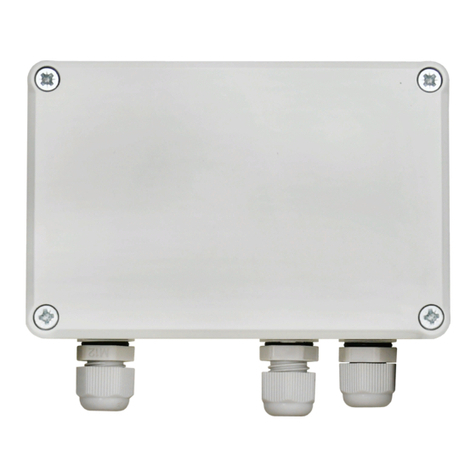
W=118, H=28, D=95 [+/- 2mm]
plate to be fixed surface
* The given value of 30 W per port is the maximum value. The total power consumption should not exceed 60 W.
2. Installation
2.1. Requirements
The unit should be mounted in confined spaces, in accordance with the 2nd environmental class, with normal relative
humidity (RH=90% maximum, without condensation) and temperature from -10°C to +40°C. Ensure the free flow of air around
the unit. The PSU shall work in a vertical position that guarantees sufficient convectional air-flow through ventilating holes of the
enclosure.
The load balance should be done before installation Switcha. Depending on application, appropriate power supply
should be selected (recommended 52 V; 1,25 A). The given value of 30 W per port is the maximum value referring to a single
output. The total power consumption should not exceed 60 W and depends on the current efficiency of the PSU, taking account
of the power intake for the own needs of the device.. The increased demand for power is particularly evident in the case of
cameras with heaters or infrared illuminators - when launching these features, the power consumption increases rapidly, which
may adversely affect the operation of the switch. The device is designed for a continuous operation and is not equipped with a
power-switch. Therefore, an appropriate overload protection in the power supply circuit should be provided. The electrical
system shall be made in accordance with applicable standards and regulations.
2.2. Installation procedure
1. Connect switch to power supply unit.
2. Connect the power supply to the 230 V socket.
3. Connect the camera wires to the RJ45 connectors (PoE connectors).
4. Check the optical indication of switch operation (see Table 3).