Page 2of 57
Delete User ................................................................................................................................28
Review Data ...................................................................................................................................29
Review Patient Results ..............................................................................................................29
Review QC Results .....................................................................................................................29
Review Calibration Results ........................................................................................................30
View Lot Status ..........................................................................................................................30
View Test Types .........................................................................................................................30
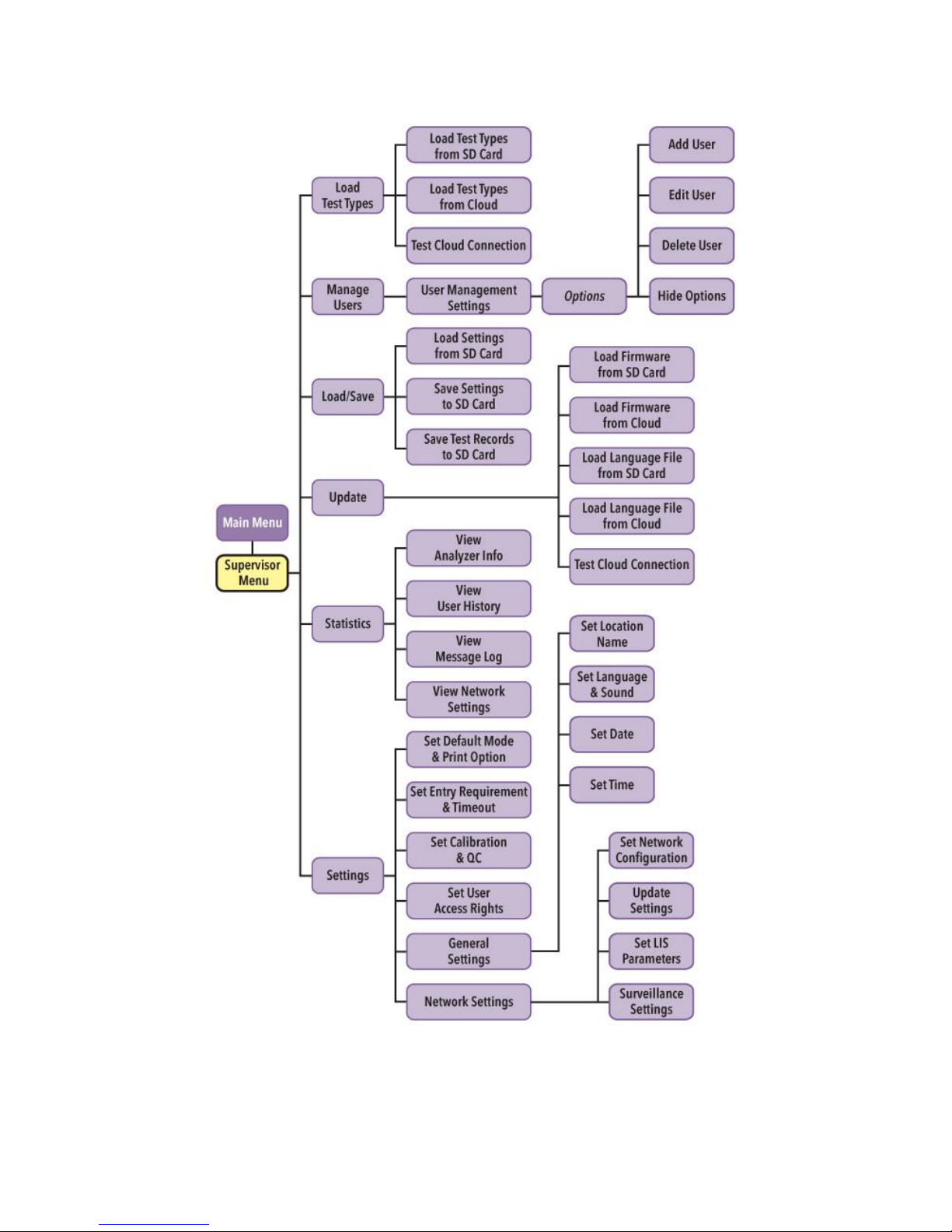
Sofia Statistics................................................................................................................................30
View Analyzer Info.....................................................................................................................31
View User History ......................................................................................................................31
View Message Log .....................................................................................................................31
Load/Save ......................................................................................................................................31
Save Settings to SD Card............................................................................................................31
Load Settings From SD Card.......................................................................................................32
Save Test Records to SD Card ....................................................................................................32
Update ...........................................................................................................................................32
Load Sofia Firmware ..................................................................................................................32
Load Firmware from SD Card.....................................................................................................33
Load Firmware from Cloud ........................................................................................................33
Test Cloud Connection...............................................................................................................33
Load Language File.....................................................................................................................33
Load Language File from SD Card ..............................................................................................34
Load Language File from Cloud .................................................................................................34
Test Cloud Connection...............................................................................................................34
Calibration Check...........................................................................................................................34
Perform Sofia Calibration Check................................................................................................35
Calibration Results.....................................................................................................................35
Run QC ...........................................................................................................................................35
QC Results..................................................................................................................................36
Run Patient Specimens ..................................................................................................................36
Change Development Mode..........................................................................................................37
Enter the User ID .......................................................................................................................37
Enter the Patient ID ...................................................................................................................37
Enter the Order #, if applicable .................................................................................................38
Test Procedure...........................................................................................................................38
Press START Test........................................................................................................................38
Patient Test Results ...................................................................................................................38
Network Configuration ..................................................................................................................39
Update Settings .............................................................................................................................40
Laboratory Information System (LIS).............................................................................................41
LIS Parameters and Settings ......................................................................................................41
Send Results to LIS.........................................................................................................................42
Surveillance Mode .........................................................................................................................42
Sofia and Virena Router Connection Installation ......................................................................43
Set Network Configuration ........................................................................................................43
Surveillance Mode Set Up..........................................................................................................43
Virena Router Connection Verification..........................................................................................44
Performing Tests in Surveillance Mode.....................................................................................46
Send Results to SURV Receiver..................................................................................................46