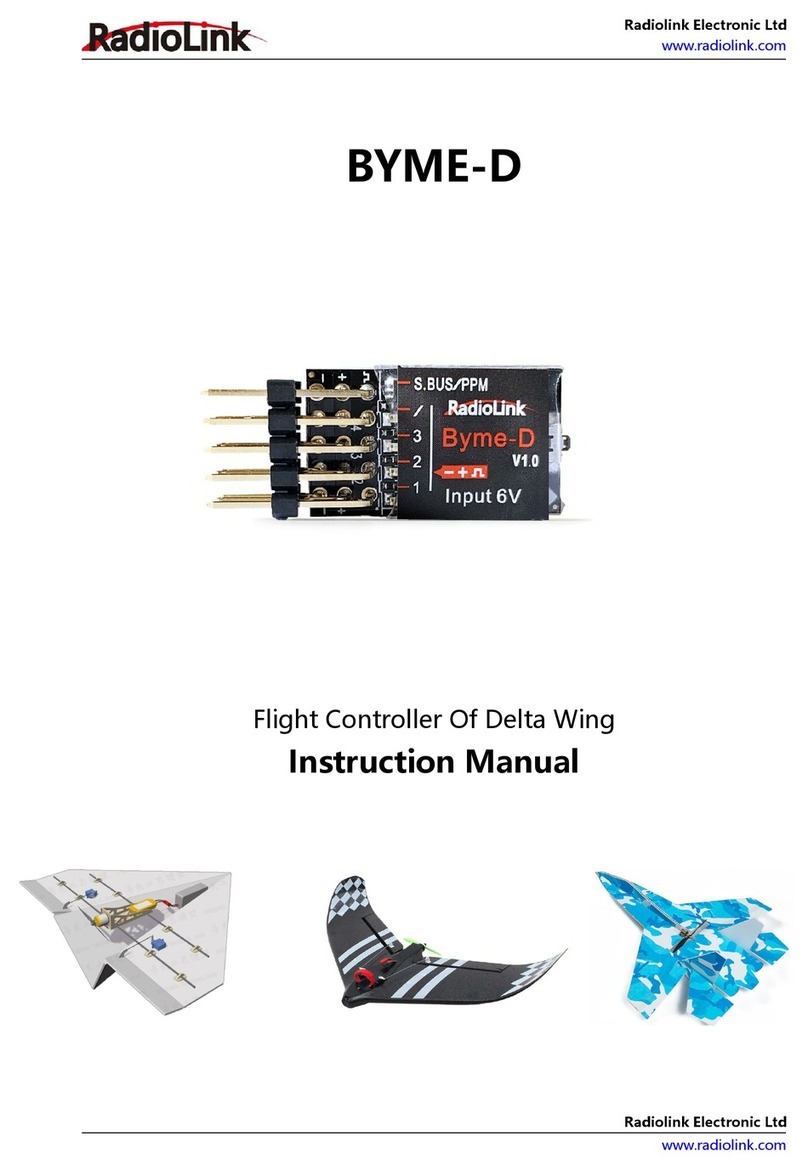
RadioLink BYME-D User manual

Radiolink Electronic Ltd
www.radiolink.com
Radiolink Electronic Ltd
www.radiolink.com
Contents
Safety Precautions--------------------------------------------------------------------------------------------------------- 3
Introduction------------------------------------------------------------------------------------------------------------------ 4
About Byme-D-------------------------------------------------------------------------------------------------------- 4
Parameters--------------------------------------------------------------------------------------------------------------5
Installation-------------------------------------------------------------------------------------------------------------------- 5
Transmitter Setup---------------------------------------------------------------------------------------------------- 6
Power-On Calibration-----------------------------------------------------------------------------------------------7
Attitude Calibration------------------------------------------------------------------------------------------------- 7
Servo Phase------------------------------------------------------------------------------------------------------------ 8
Flight Modes----------------------------------------------------------------------------------------------------------------- 9
Stabilize Mode-------------------------------------------------------------------------------------------------------- 9
Gyro Mode------------------------------------------------------------------------------------------------------------ 10
Manual Mode-------------------------------------------------------------------------------------------------------- 11
Motor Safety Lock-------------------------------------------------------------------------------------------------------- 11
Gyro Sensitivity------------------------------------------------------------------------------------------------------------ 12

Radiolink Electronic Ltd
www.radiolink.com
Radiolink Electronic Ltd
www.radiolink.com
Safety Precautions
Never operate model during adverse weather conditions. Poor visibility can cause
disorientation and loss of control of pilots’ model.
Never use this product in a crowd and illegal area.
Do not install propellers on the aircraft during installation and testing。
Thanks for purchasing RadioLink flight controller Byme-D.
To fully enjoy the benefits of this product and ensure safety, please read the introduction
carefully and set up the device as described below. If any problems found during the
operation process, please kindly refer to the manual first or send questions to
after_service@radiolink.com.cn and we will answer your question at the earliest. Due to
unforeseen changes in production procedures, the information contained in this manual
is subject to change without notice.
For more information, please check our website http://www.radiolink.com and follow
our Facebook and YouTube homepage.
WARNING: This product is not a toy and is NOT suitable for children under the age of 18.
Adults should keep the product out of the reach of children and exercise caution when
operating this product in the presence of children.

Radiolink Electronic Ltd
www.radiolink.com
Radiolink Electronic Ltd
www.radiolink.com
Introduction
About Byme-D
Byme-D is applicable to all model airplanes with mix elevator/aileron controls including
delta wing, paper plane, SU27, F22 and is SBUS and PPM signal supported. There are
three flight modes: Stabilize Mode, Acrobat Mode and Manual Mode.

Radiolink Electronic Ltd
www.radiolink.com
Radiolink Electronic Ltd
www.radiolink.com
Parameters
Size:35.5*15.5*10.5mm (1.4"*0.61"*0.41")
Weight(With wires):4.5g(0.16oz)
Channel Quantity:3
Integrated Sensor:three-axis gyroscope and three-axis acceleration sensor
Signal Supported:SBUS/PPM
Input Voltage:5-6V
Operating Current:25±2mA
Installation
Make sure the servo phase adjustment button on Byme-D points to the aircraft head,
and the pin end of Byme-D points to the tail of the aircraft. The flight controller can be
installed either face up or down with 3M glue on the aircraft body and the wires connect
to the corresponding pins. It is recommended to install Byme-D near the center of
gravity (of the aircraft). Please install Byme-D as shown below. (Note: Wrong installation
direction and position of Byme-D will lead to inaccurate correction of the flight
controller, and it is difficult to achieve the best flight effect).

Radiolink Electronic Ltd
www.radiolink.com
Radiolink Electronic Ltd
www.radiolink.com
Transmitter Setup
1. Channel 5 (three-way switch) is used to switch among 3 flight modes, and channel 7 is
used to lock/unlock the motor. Therefore, only transmitter with 7 channels or more is
available.
2. You cannot set any mixing function in the transmitter when Byme-D is mounted on
the aircraft. Because there is already the mixing function in Byme-D. The mix control will
automatically take effects according to the flight mode of the aircraft. If the mixing
function is set in the transmitter, there will be conflicts of mixing function and then affect
the flight.
3. Set the direction of the channel as below:
CH3 - Throttle: Reversed
Other channels: Normal

Radiolink Electronic Ltd
www.radiolink.com
Radiolink Electronic Ltd
www.radiolink.com
Power-On Calibration
When the aircraft is powered on, the gyro on Byme-D will calibrate with the green led
flashing. Please keep the aircraft remain still until the green light is always on.
Attitude Calibration
The flight controller needs to calibrate the attitudes/level to ensure the balanced status.
It is advised to lift the model head with a certain angle to ensure the calibration accuracy.
Push the left stick (left and down) and the right stick (right and down) as below and hold
more than 3 seconds. The green led flashes once mean the calibration completed.
Note: If you set the direction of the channel as above(CH3 - Throttle: Reversed, Other
channels: Normal), but the attitude calibration cannot be finished by pushing the left
stick (left and down) and the right stick (right and down), please enter the menu of the
transmitter to set the direction of the channel. The direction of the throttle channel still
remains reversed. But for other channels, please try the following 3 combinations to set
the channel direction and then calibrate the attitude by pushing the left stick (left and
down) and the right stick (right and down):

Radiolink Electronic Ltd
www.radiolink.com
Radiolink Electronic Ltd
www.radiolink.com
Combination 1: Channel 1- Normal, Channel 2- Reversed
Combination 2: Channel 1- Reversed, Channel 2- Normal
Combination 3: Channel 1- Reversed, Channel 2- Reversed
When the attitude calibration can be done by pushing the left stick (left and down) and
the right stick (right and down) with any one of the above combinations of the channel
direction, save it and do not make any modifications. After the attitude calibration is
finished, please check the servo direction next.
Servo Phase
Make sure the servo phases are correct before flight. Take Manual Mode and Mode 2 as
example. (Please refer to Flight Mode in the manual for mode switching)
When the movement direction of the aileron is inconsistent with the joystick, please
adjust the servo phase through the buttons on the front of Byme-D. Please do not
change any settings of servo direction on the remote control at this time.

Radiolink Electronic Ltd
www.radiolink.com
Radiolink Electronic Ltd
www.radiolink.com
Press the button at the front of Byme-D to change the servo phase:
Short press once, aileron mix control reversed, LED1 ON/OFF.
Short press twice, elevator mix control reversed, LED2 ON/OFF.
Note: Make sure attitude calibration is complete before changing the servo phases.
Byme-D will identify the installation position(above/bottom of the aircraft) to
automatically adjust the gyro direction.
Flight Modes
Flight modes can be set by CH5 (3-way switch) on transmitter.
There are three modes: Stabilize, Gyro and Manual.
Stabilize Mode
The model attitude (inclination angles) is controlled by joysticks.
The max inclination angle is 70° for rolling while that for pitching is 45°.
Other manuals for BYME-D
1
Table of contents
Other RadioLink Controllers manuals

RadioLink
RadioLink BYME-A User manual

RadioLink
RadioLink PIXHAWK User manual

RadioLink
RadioLink T8S User manual

RadioLink
RadioLink Byme-DB User manual

RadioLink
RadioLink RC3S User manual

RadioLink
RadioLink Crossflight User manual

RadioLink
RadioLink BYME-A User manual

RadioLink
RadioLink BYME-A User manual

RadioLink
RadioLink Turbo PIX User manual

RadioLink
RadioLink BYME-D User manual