8
EN
Re
c
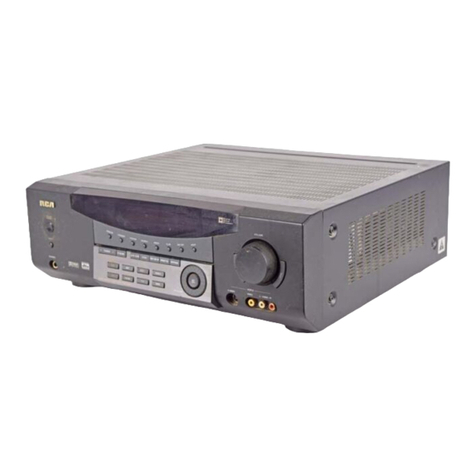
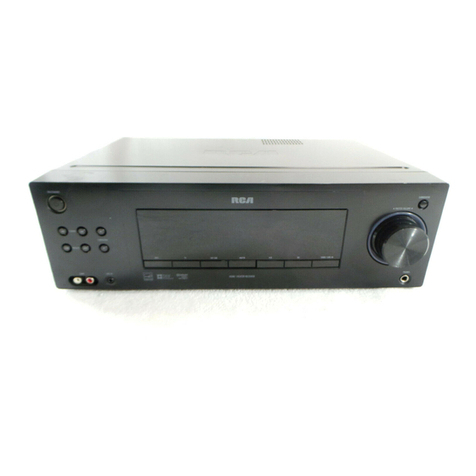
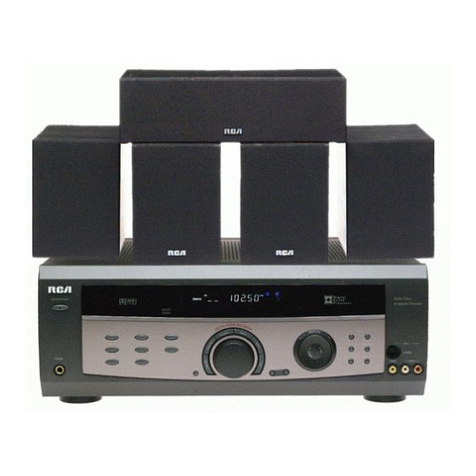
eiver Controls
1.STANDBY
To turn the unit on/off.W hen the
system isturned on,the unit will go
to the mode it wasin before pow er
off.
2.MUTE
To mute all audio outputs.
3.PHONES
Plug your headphones(not supplied)
into it for your private enjoyment.
Speakerswill be off w hen phonesare
inserted.
4.Sour
c
e Buttons
To select sound source.For example,
CD,SATetc.In standby mode,they
are also
One Touch Po w er O n
keysto
turn on the receiver directly at the
source mode you want.
5.Display
To display current statusof the receiv-
er.
6.Sound Control
Let you adjust the sound –volume,
treble,bass & balance.To change the
VOLUME,turn the large central
knob.To adjust TREBLEor BASS,
press relevant button and turn the
knob.To change the volume of indi-
vidual speaker,press LEVELbutton
repeatedly to select the speaker,then
turn the knob to adjust the level.(
refer to “The TEST/SETUPbutton ”
on page 12.)
7.DSP(Digital Sound Pro
c
essor) &
NIGHTmode
Press corresponding button to select
the mode (STADIUM/CONCERT/
THEATER/ARENA/CHURCH/CLUB/
OFF) you w ant.Press NIGHTfor your
enjoyment at night (see page 12).
8.MULTIJOG,SET/DEMO
When pressing the SET/DEMO
repeatedly,the display will toggle
among
Audio Source
(for DVD,SAT &
CD),SLEEPmode and DIM selection.
Please refer to page 12 for
Input
Signal Setting.
In SLEEPmode,you
can set the receiver to turn off after
30,60,90 or 120 minutes.In DIM
selection,you can rotate to set the
brightness of the display.Such setting
will be stored.Also use the MULTI
JOG for speakersand sub-w oofers
setup and preset radio stationsselec-
tion.
9.TUNING
Press to select the tuner frequencies
manually.
10.P.SCAN (Preset S
c
an)
Press for about 2 secondsand tuner
station presetswill be started auto-
matically.
11.SURR.MODE
Press repeatedly to select the sur-
round mode you want.( refer to
“ A dva nced Sound Control” on page
11.)
12.6 CH(6 Channels)
Press to select the input connected to
an external 6-Channel decoder.Press
again to return to the most recently
selected source mode.(see “5.1ch
Input for Dobly Digital” on page 11).
13.TEST/SETUP
When pressing it briefly,a short noise
(test tone) will be generated in the
speakersone by one so that you can
adjust the volume of individual
speaker.When keep pressing for two
seconds,it will enter setup mode for
speakersand subwoofers.Rotate the
MULTIJOG to choose the options.
(refer to “The TEST/SETUPbutton”
on page 12.)
14.PRESETEQ
Press repeatedly to select the desir-
able EQ mode (musicstyle) –CLAS-
SIC,POP,ROCK,JAZZ,VOCALor
FLAT.Your choice will be saved auto-
matically.
15.BYPASS
Press to cut sound output from cen-
ter,surround speakers.
16.VCR2
For convenient use of your digital
camera,family game machines,
second VCR,etc.
Note:If your video component has
S-Video output,you can enjoy
enhanced video quality by connect-
ing it to the S-Video jack on receiver
using a S-Video cable (not included).
1
2
3
4
67
129 11
Operating your Re
c
eiver
10
5
13 14
15
8
16