manuals.online logo
Brands
  1. Home
  2. •
  3. Brands
  4. •
  5. RIB
  6. •
  7. Accessories
  8. •
  9. RIB VERTIGO Wi-Fi 8 User manual

RIB VERTIGO Wi-Fi 8 User manual

This manual suits for next models

3

Other RIB Accessories manuals

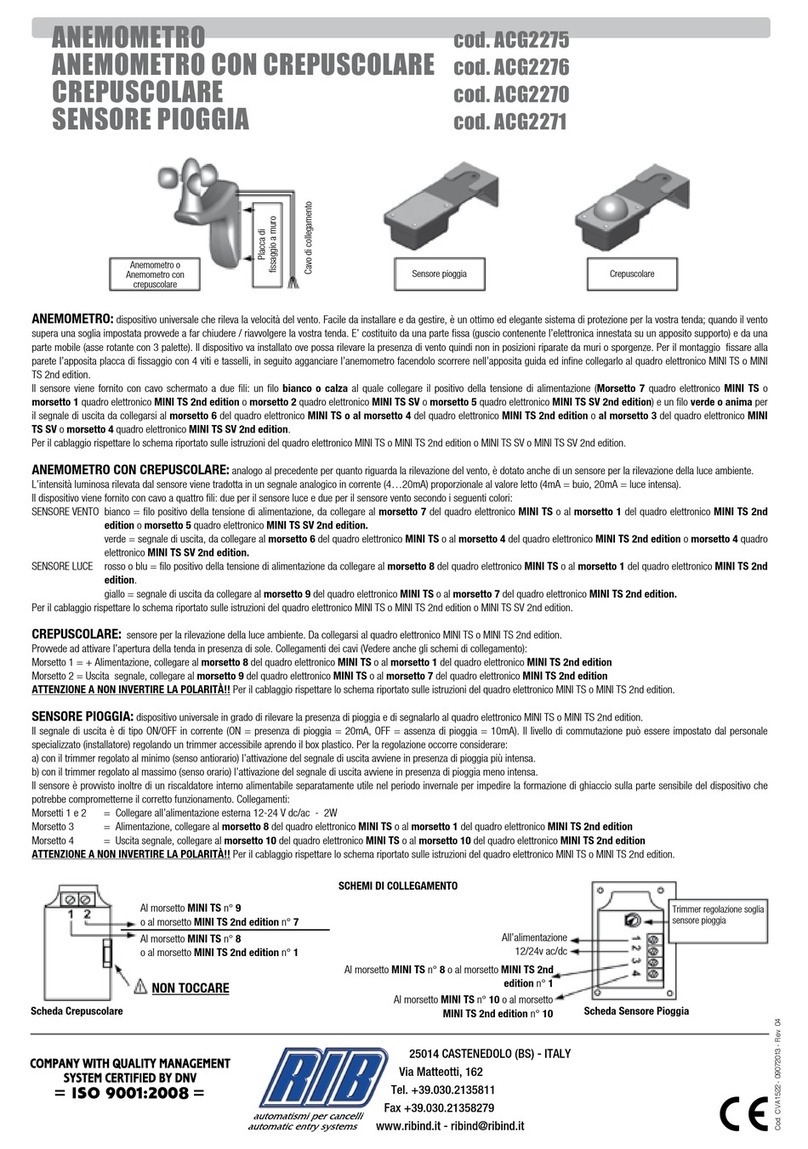
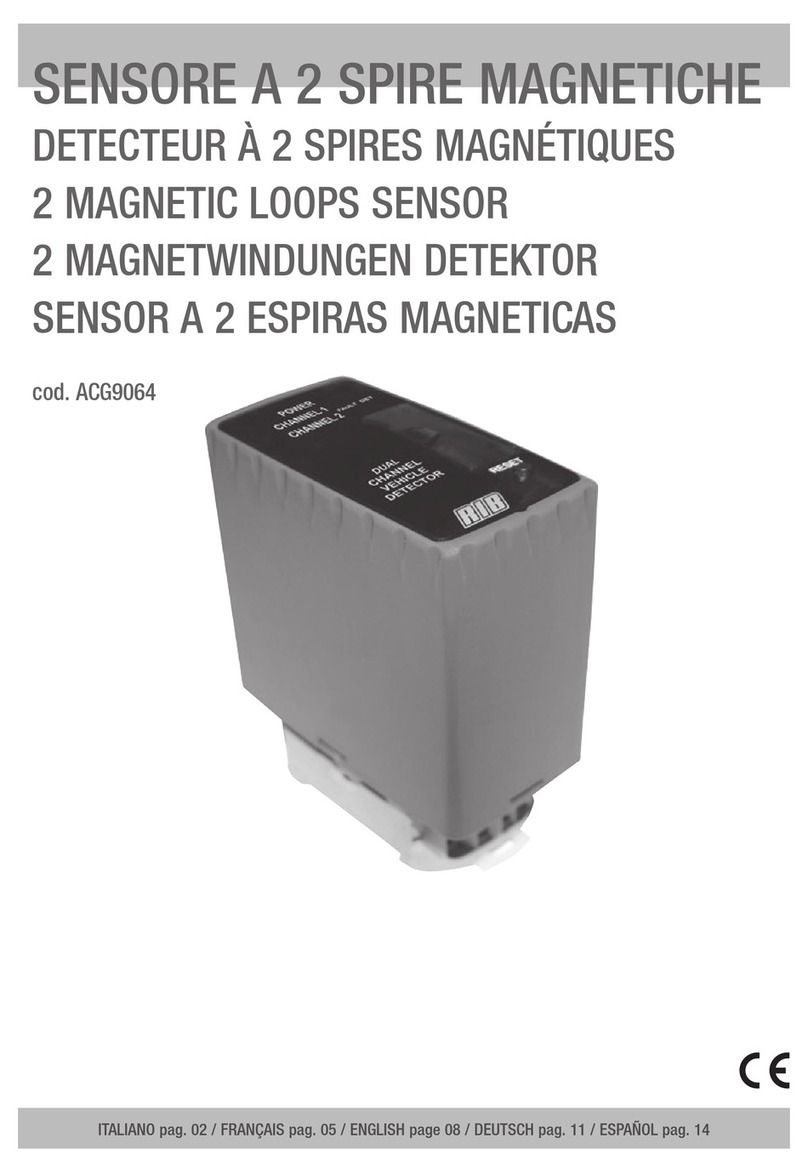
RIB ACG9064 User manual

RIB

RIB ACG9064 User manual

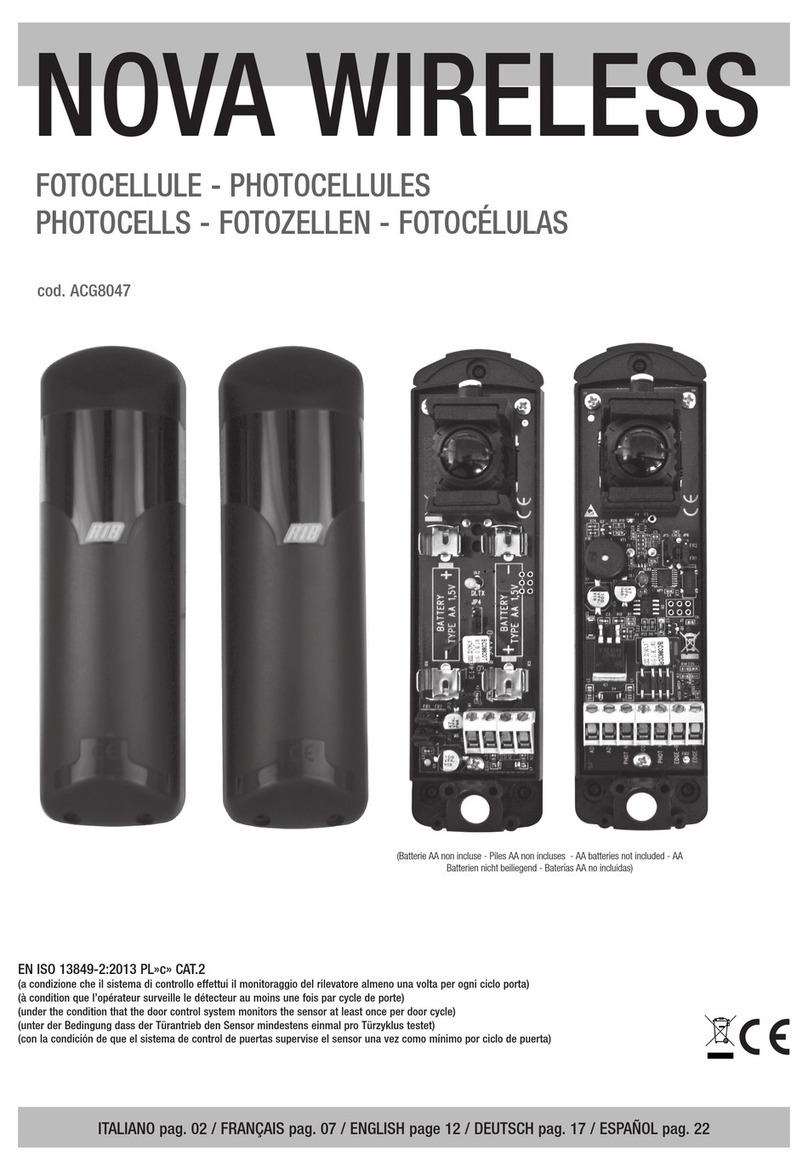
RIB NOVA WIRELESS User manual

RIB

RIB NOVA WIRELESS User manual

RIB WDWS-EN3 User manual

RIB

RIB WDWS-EN3 User manual

RIB ACG2275 User manual

RIB

RIB ACG2275 User manual

RIB Slider Radar ACG9459 User manual

RIB

RIB Slider Radar ACG9459 User manual

Popular Accessories manuals by other brands

Quincy lab 140AE-1 operating manual

Quincy lab

Quincy lab 140AE-1 operating manual

HomePro ZIR000 user manual

HomePro

HomePro ZIR000 user manual

DOL 20SCR Technical user guide

DOL

DOL 20SCR Technical user guide

RAB Smart Task installation manual

RAB

RAB Smart Task installation manual

Kemppi KMS 300 quick guide

Kemppi

Kemppi KMS 300 quick guide

Stearns 57,500 Series Installation and service instructions

Stearns

Stearns 57,500 Series Installation and service instructions

iGuzzini TWILIGHT COPENAGHEN manual

iGuzzini

iGuzzini TWILIGHT COPENAGHEN manual

Adelaide Annexe & Canvas Avan Deluxe installation guide

Adelaide Annexe & Canvas

Adelaide Annexe & Canvas Avan Deluxe installation guide

OHAUS 5000 instruction manual

OHAUS

OHAUS 5000 instruction manual

HOME8 WLS1300 quick start guide

HOME8

HOME8 WLS1300 quick start guide

MAXBOTIX MaxSonar quick start guide

MAXBOTIX

MAXBOTIX MaxSonar quick start guide

ioSmart iSmart56 Installation and user guide

ioSmart

ioSmart iSmart56 Installation and user guide

Focusrite Scarlett 18i8 user guide

Focusrite

Focusrite Scarlett 18i8 user guide

Velleman ED38105 user manual

Velleman

Velleman ED38105 user manual

JumpSport SkyBounce user manual

JumpSport

JumpSport SkyBounce user manual

Prima-Temp PRIYA Instructions for use

Prima-Temp

Prima-Temp PRIYA Instructions for use

Tefcold BC85I-BC85I W user manual

Tefcold

Tefcold BC85I-BC85I W user manual

Vaisala WMS302 user guide

Vaisala

Vaisala WMS302 user guide

manuals.online logo
manuals.online logoBrands
  • About & Mission
  • Contact us
  • Privacy Policy
  • Terms and Conditions

Copyright 2025 Manuals.Online. All Rights Reserved.

VERTIGO Wi-Fi
ITALIANO pag. 05 / FRANÇAIS pag. 10 / ENGLISH page 15 /
DEUTSCH pag. 20 /
ESPAÑOL pag. 25
Brevettato - Patent EP10711742 - EP2347398 - VR2012U000024
SI - OUI - YES - JA !
MASTER Wi-Fi
NO - NEIN !
MASTER Wi-Fi
RX
TX
FOTOCELLULE VERTICALI SENZA FILI
NON POSIZIONARE MASTER Wi-Fi DIETRO A MURI, PANNELLI METALLICI
O ALTRI TIPI DI OSTACOLI CHE POSSANO IMPEDIRE LA COMUNICAZIONE
RADIO CON VERTIGO Wi-Fi.
PHOTOCELLULES VERTICALES SANS FIL
NE PAS POSITIONNEZ MASTER Wi-Fi DERRIÈRE DES MURS, PANNEAUX
MÉTALLIQUES, OU AUTRES TYPES D’OBSTACLES QUI POURRAIENT
COMPROMETTRE LA TRANSMISSION RADIO AVEC VERTIGO Wi-Fi.
WIRELESS VERTICAL PHOTOCELLS
DO NOT INSTALL MASTER Wi-Fi CARD BEHIND WALLS, METAL FRAMES
OR PANELS, OR OTHER KIND OF OBSTACLES THAT COULD PREVENT
THE PROPER RADIO COMMUNICATION WITH VERTIGO Wi-Fi.
KABELLOSE VERTIKALE FOTOZELLE
NICHT INSTALLIEREN MASTER Wi-Fi KARTE HINTER MAUERN,
METALLPLATTEN ODER ANDERE ARTEN VON HINDERNISSEN, DIE DEN
FUNKVERKEHR MIT VERTIGO Wi-Fi BEEINTRÄCHTIGEN KÖNNEN.
FOTOCÉLULAS VERTICALES SIN
NO INSTALAR MASTER Wi-Fi EN UN LUGAR DETRÁS DE LAS PAREDES,
DE PANELES DE METAL O DE OTRO TIPO DE OBSTÁCULOS QUE PUEDAN
IMPEDIR LA COMUNICACIÓN POR RADIO CON VERTIGO Wi-Fi.
I
F
G
B
E
S
D
VERTIGO Wi-Fi 8 code ACG8042
VERTIGO Wi-Fi 10 code ACG8043
Batterie AA non incluse - Piles AA non incluses - AA batteries not included
AA Batterien nicht beiliegend - Baterías AA no incluidas
È possibile ruotare di 90° in 90° il gruppo soffietto in modo da
orientare il raggio d’uscita infrarosso come desiderato.
On peut faire pivoter de 90° à 90° l’ensemble soufflet afin de diriger
le faisceau de sortie infrarouge comme souhaité.
The bellows assembly which includes the lens, can be rotated by 90°
in 90° so to adjust the direction of the ray as per installation need.
Sie können um 90° in 90° zu drehen die Balgbaugruppe, um den
Strahl von Infrarot-Licht zu lenken, wie gewünscht.
Se puede girar de 90° en 90° el conjunto de fuelle con el fin de dirigir
el rayo de salida de luz infrarroja como se desee.
15
15
G
B
VERTIGO Wi-Fi in combination with the electronic device MASTER Wi-Fi
conforms to standard EN13849-2 (2008) and when used with a RIB
electronic control panel it is a Class 2 protection device for protecting
persons/things from collisions caused by mechanical moving parts such
as automatic gates or doors.
The obstacle is detected for the whole distance between the infrared
transmitter and receiver which constitute the VERTIGO Wi-Fi product.
VERTIGO Wi-Fi can be positioned anywhere without needing to use
electrical wire.
The Wi-Fi system (made up of a VERTIGO Wi-Fi and MASTER Wi-Fi)
operate at a frequency of 868,3 MHz.
The MASTER Wi-Fi board communicates constantly with VERTIGO Wi-Fi
and always indicates interruptions of the infrared signal between the TX
transmitter and the RX receiver or any type of malfunctioning.
Each VERTIGO Wi-Fi has its own internal ID code that distinguishes it from
the other devices.
The Wi-Fi system is an active security system because it constantly verifies
proper functioning of the VERTIGO Wi-Fi devices and battery condition.
When using RIB electronic control panels you can run auto-tests on the
system.
With RIB actuators, RIB electronic control panels having the auto-test
function and RIB safety devices you can create an installation that
conforms to the European Directives and Norms in force.
After completing the system, you must make sure it conforms to standard
EN13241-1.
RIB shall not be liable for any damages caused by improper, incorrect or
unreasonable use of the product.
REFERENCE TO STANDARDS FOR AUTOMATIC GATES
AND DOORS
RIB MAY NOT BE HELD RESPONSIBLE FOR DAMAGES CAUSED BY
IMPROPER, WRONG OR UNREASONABLE USE.
Usage restrictions: The VERTIGO Wi-Fi photocells cannot be used on
devices excluded by the application of the EN12978, such as:
- Protection devices for the installation on doors used for a different
purpose to those ones used for pedestrian or veheicle access, covered
by the norm which principal intent is that of allowing a safe access to
industrial, commercial, public and commercial sites. Some examples of
excluded accesses can be: sluice gates, dams, lift doors, vehicles’ doors,
doors used mainly to restrain animals, theatre curtains, railways barriers,
barriers used only for vehicles.
- Devices used only fo the standard control and for the stopping, including
the emergency stopping, of motorized doors.
- Safety systems and safety devices used on machineries different from
doors.
ATTENTION: Any possible modification of the device, or of the configuration
of the same cannot be carried out without the clear authorization by the
manufacturer or, by the local authorized dealer.
The installer of the safety device must make sure that the end user know
the following:
- That the safety devices must be made known to all appropriate people.
- That the passages to reach the devices must be kept clear from any
obtsacle.
- About the procedures for cleaning so to avoid the dangerous building up
of material.
- The possible details for a restart of the system after an emergency or
accidental stop caused by the control system.
Any modification of the project or, of the configuration of the device, without
discussing it first with the manufacturer or with the local autorized dealer
can cause dangerous situations.
VERTIGO Wi-Fi PHOTOCELLS ARE ONLY ON DURING DOOR
OPERATION. THANKS TO THE SLEEP MODE. WHEN THE DOOR IS
NOT MOVING THE PHOTOCELLS ARE OFF TO ALLOW FOR LONGER
BATTERY LIFE.
VERTIGO Wi-Fi are produced in wall-type versions:
- VERTIGO Wi-Fi 8 code ACG8042
- VERTIGO Wi-Fi 10 code ACG8043
to be fasten to the primary and/or
secondary borders (mobile or fixed)
made of iron or other smooth material.
It is possibile, if necesary, to rotate
by 90° in 90° only the ray direction
in respect to the main structure
that contains the circuit (see picture
here aside).
APPLICATION
MAX
GATE
WEIGHT
MAX
DISPLACEMENT
SPEED
8150 kg
300 kg
13 m/min.
10 m/min.
10 500 kg
1000 kg
13 m/min.
10 m/min.
RX
TX
50
35 **
*
REGULATORY LIMIT
MOUNTING
VERY IMPORTANT!
When installing the VERTIGO
Wi-Fi photocell, besides following
the instructions in the chapter
“APPLICATION”, verify that when
using a NOT RIB control panel, this
one must be complying with the
reaction time (inversion) requested
by the Norm EN12453 (requirements
of safety devices used on motorized
gates/doors).
PLACE THE RECEIVER OF THE
PHOTOCELL ON THE TOP OF THE
LEAF AND THE COLUMNS OF THE
GATE AND IN FULL VIEW OF THE
Wi-Fi MASTER BOARD.
THE VERTIGO Wi-Fi TRANSMITTER
MUST BE APPLIED TO THE BOTTOM
OF THE LEAF AND THE COLUMNS
OF THE GATE.
NO OBSTACLES SUCH AS WALLS,
PILLARS OR METAL CABINETS
MUST BE PRESENT BETWEEN THE
RECEIVER OF THE VERTIGO Wi-Fi
PHOTOCELLS AND THE MASTER
Wi-Fi BOARD.
If it is not possible to avoid that
because the obstacles cannot be
removed, please install an 868
MHz aerial (code ACG5451) on the
MASTER Wi-Fi and position it so
to guarantee a good quality radio
communication between the parts.
This solution also prevents the
quick discharge of the batteries on
the VERTIGO Wi-Fi.
* Before fastening the base of the
RECEIVER to the upper part of the leaf,
check for possible obstructions due
to potential stops and/or conveying
systems.
** Available space for potential mechanical
stop.
Measurements in mm
16
16
16
16
G
B
2
6
1
5
4
3
DLTX
SWTX
J1
BAT
1
2 4
+
-
3
INFRARED SIGNAL TRANSMITTER - TX
TX
TRANSMITTER
SETTINGS AND
CONNECTIONS
DLTX Green LED function
indicator
SWTX Micro-switches for
coordination and
identification
BAT Alkaline batteries
2 x AA 1,5V
J1 Connector
for connecting the
transmitter diode
TX
TRANSMITTER IDENTIFICATION
Every pair of VERTIGO Wi-Fi photocells is supplied with the micro-switches
in the OFF position.
Every pair of VERTIGO Wi-Fi photocells must OBLIGATORILY be
unequivocally identified by placing only one of the 6 different micro-switches
(SWTX) on the card into the ON position.
Example: set micro-switch 1 to ON on the MASTER Wi-Fi and micro-switch 1
to ON on the VERTIGO Wi-Fi transmitter.
ASSEMBLY OF THE INFRARED TRANSMITTER
- Separate the cover with the rubber support (1) from the base (2) and remove
the electronic board (3) (Fig. 2).
- Place the base (2) on the lower border of the leaf of the gate and fasten it
immediately using 2 self-tapping screws TCCR3,5X16 supplied (4).
- Check that the gasket is present and it is intact within the cover (1).
- If necessary, rotate the bellows assembly which includes the lens by 90°, so
to direct the infrared ray as per need (VERTIGO Wi-Fi comes with the infrared
ray set as per Fig. 2). It is possible to direct the ray according to the needs:
- Insert the electronic board (3) already mentioned, linked to the cover with
the bellow, in the special rails on the base (2).
- Insert the batteries paying attention to the polarity (Fig. 4).
- When the batteries are inserted into the transmitter the DLTX green led (Fig.
1) lights on for 10 seconds, indicating the proper functioning.
The led then switches off to avoid consuming the batteries energy, but the
transmission of the infrared signal remains active.
- Assemble the cover (1) attaching it to the base (2) on the top part using the
special tooth and then close the cover.
- Once the cover is closed, check that it is parallel to the base. Otherwise,
open it again and check that the circuit and the connection wires are
correctly fitted in their seats.
- Fasten the cover (1) to the base (2) with the 4 self-tapping screws
TCCR2,9X9,5 supplied (5).
17
17
17
17
G
B
12
1
7
11
9
10
8
DLRX
S3
SWRX
J2
BAT
5
6 8
+
-
7
INFRARED SIGNAL RECEIVER - RX
RX
RECEIVER
SETTINGS AND
CONNECTIONS
J2 Connector
for connecting the
receiver diode
BAT Alkaline batteries
2 x AA 1,5V
SWRX Micro-switches for
coordination and
identification
DLRX
Red LED indicating
correct power and
infrared signal
alignment
S3 PROG Push-button for
memorization and
alignment
RX
RECEIVER IDENTIFICATION
Every pair of VERTIGO Wi-Fi photocells is supplied with the micro-switches
in the OFF position.
Every pair of VERTIGO Wi-Fi photocells must OBLIGATORILY be
unequivocally identified by placing only one of the 6 different micro-switches
(SWRX) on the card into the ON position.
Example: set micro-switch 1 to ON on the MASTER Wi-Fi and micro-switch
1 to ON on the VERTIGO Wi-Fi receiver (the same DIP set on the
transmitter).
ASSEMBLY OF THE INFRARED RECEIVER
- Separate the cover with the rubber support (7) from the base (8) and remove
the electronic board (9) (Fig. 6).
- Place the base (8) on the upper border of the leaf of the gate (at a maximum
distance of 3 metres from the transmitter).
- Fasten it immediately using 2 self-tapping screws TCCR3,5X16 supplied
(10).
- Check that the gasket is present and it is intact within the cover (7).
- If necessary, rotate the bellows assembly which includes the lens by 90°, so
to direct the infrared ray as per need (VERTIGO Wi-Fi comes with the infrared
ray set as per Fig. 6). It is possible to direct the ray according to the needs:
- Insert the electronic board already mentioned, linked to the cover with the
bellow, in the special rails on the base.
- Insert the batteries paying attention to the polarity (Fig. 8).
- When the batteries are inserted into the receiver the DLRX red led (Fig. 5)
lights on for 3 seconds, indicating the proper functioning.
CARRY OUT THE STORAGE PROCEDURE
AS SPECIFIED IN THE PARAGRAPH “STORAGE”
(see next page)
18
18
G
B
18
18
MEMORIZATION
- Set the micro-switch 1 on the MASTER Wi-Fi board on “ON” position to enable
the pair of VERTIGO Wi-Fi photocells to store.
To perform memorization use the following procedure:
- Push the button PROG RX found on the MASTER Wi-Fi card => the dual-colored
LED EDGE PHOT 1 will flash red for 1 minute (the time necessary to perform
memorization).
- Push the button S3 PROG on the VERTIGO Wi-Fi receiver (Fig. 5) with micro-
switch 1 set to ON => on the MASTER Wi-Fi the dual-colored LED EDGE PHOT
1 flashing red will turn green and a buzzer will signal that memorization of the
photocell has been done correctly. At the same time on MASTER Wi-Fi the
dual-colored LED EDGE PHOT 2 will begin flashing red for 1 minute (the time
necessary to perform memorization*).
If there are no other photocells to be memorized let a minute pass or push the
button PROG. RX 4 times to complete the memorization procedure (the LED
EDGE PHOT 2 shuts off) => all of the LEDs EDGE PHOT should be off during
normal operation.
- Assemble the cover (7) attaching it to the base (8) on the bottom part using the
special tooth, and then close the cover (Fig. 6).
- Once the cover is closed, check that it is parallel to the base. Otherwise, open
it again and check that the circuit and the connection wires are correctly fitted
in their seats.
- Fasten the cover (7) to the base (8) with the 4 self-tapping screws TCCR2,9X9,5
supplied (11) (Fig. 6).
ATTACH THE YELLOW LABEL WITH THE IDENTITY NUMBER TO THE
COVER (supplied in the MASTER Wi-Fi packaging).
* TO MEMORIZE OTHER VERTIGO Wi-Fi PHOTOCELLS:
- Push the button S3 PROG on the VERTIGO Wi-Fi receiver with micro-switch
2 set to ON => on the MASTER Wi-Fi the dual-colored LED EDGE PHOT 2
flashing red will turn green and a buzzer will signal that memorization of the
photocell has been done correctly.
NOTE: at the end of the memorization procedure and after having enabled the
micro-switches for the safety devices memorized on the MASTER Wi-Fi, run a
scan on the dual-colored LED EDGE PHOT pushing the button PROG. RX 6
times.
- If, after closing the cover with the RX bellow, the led should remain on, this
means that the photocells are already correctly aligned. The led will remain on
for 5 minutes, in order to carry out functional checks.
- If the red led remains switched off after closing the protective cover, for no more
than 5 minutes, check for correct alignment (as in the illustration)and for any
deformation of the bellows; after the checks, the red led should light on.
SYSTEM CHECK
After finishing the mounting procedure, check the correct working order between
the VERTIGO Wi-Fi photocells and the MASTER Wi-Fi by doing the following:
- Check that the red led on the infrared receiver RX VERTIGO Wi-Fi is on.
Otherwise, press the pushbutton S3 PROG to light on the red led for 5 minutes.
- Place an object between them and check that the red LED turns off and that at
the same time on the MASTER Wi-Fi the corresponding LED EDGE PHOT is on
and green while the object is present.
- The LED DL2 of the MASTER Wi-Fi should also turn off indicating the correct
exchange of dedicated contact with the EDGE entry on the motor control panel.
- Repeat the process on the other VERTIGO Wi-Fi photocells installed.
- Then perform a system check of all the photocells installed by activating the
movement of the automation and checking that when an object is present the
automation stops/reverses when closing, or stops/continues to open when
opening.
CLOSING THE VERTIGO CONTAINERS
Lastly, place the screw cover caps (6) (12) both on the TX and on the RX of the
VERTIGO Wi-Fi (Fig. 2-6), by inserting them into the 4 holes so that they are
perfectly attached.
ANTENNA
The radio antenna is already connected to all of the VERTIGO Wi-Fi receivers.
DO NOT TOUCH IT !!!
WARNING
(notice about replacing the batteries, indicated by MASTER Wi-Fi)
The WARNING tells the user of the immediate need to replace the batteries.
When battery power reaches 2,3V, the photocell receiver signals the MASTER
Wi-Fi via radio of the low battery status and activates the BUZZER of the MASTER
Wi-Fi with a sound every 3 seconds for 1 minute.
The warning is renewed for 1 minute if a command is given to the door.
The dual-colored LED on the MASTER Wi-Fi of the photocell with the low batteries
emits a constant red light.
The system is still operational during these signals, but it is advantageous to
replace the batteries as soon as possible in order to avoid a full stop of the door
operation which happens when the batteries reach 2,0 V.
ATTENTION: The SPARK Wi-Fi flashing light changes flash modes during the
warning status; flashing 2 times in quick succession followed by a 2 second pause.
ALARM STATUS (indicated by MASTER WI-Fi)
The alarm activates when the batteries have been exhausted (2,0 V) or when a
photocell is not working.
On the MASTER Wi-Fi LEDs DL2 and DL3 turn off, stopping the automation due
to the fact that one of the photocells installed is not working properly.
On the MASTER Wi-Fi the LED of the photocell with the low or exhausted battery,
alternates red to green and the buzzer emits an intermittent sound for 1 minute to
alert the user that the batteries or the photocell need attention.
The alarm is renewed for 1 minute if a command is given to the door.
IN ORDER TO REMOVE THE SINGLE PHOTOCELL FROM THE Wi-Fi SYSTEM
READ THE MASTER Wi-Fi CARD MANUAL.
CHANGING THE BATTERIES
The duration of the batteries used for VERTIGO Wi-Fi photocells is about 3 years.
- Identify which photocell has the exhausted batteries by looking at the LED
EDGE-PHOT on the MASTER Wi-Fi card.
- Identify through the use of the number of the pair of photocells with the
exhausted batteries on the side of the dual-colored LED that:
- alternately flash red to green (if the alarm is on)
- has a constant red light (if the warning is on)
- has a constant green light (if the VERTIGO Wi-Fi transmitter batteries are
exhausted)
- Locate the adhesive strip with the corresponding identity number of the
photocells on the outside of the container.
- Replace the batteries of both the transmitter and receiver checking that the
polarity is correct.
- Push the button S3 PROG of the photocell receiver to reactivate the MASTER
Wi-Fi. The buzzer on the edge of the MASTER Wi-Fi card turns off and the LED
DL2- DL3 (if the alarm is on) turn on and the dual-colored LED of the photocell
with the replaced batteries turns off.
The automation is now ready to begin safe operation once more.
ATTENTION: Please remember that batteries must be disposed of properly
according to current standards. In case of disposal of the photocells please
remember to remove and dispose of the batteries properly.
REMOVAL PROCEDURE FOR A SINGLE VERTIGO Wi-Fi FOR BREAKDOWN
OR SUBSTITUTION
In order to remove a single memorized VERTIGO on the MASTER Wi-Fi, use the
following procedure:
- Push the button PROG. RX one or more times to select the dual-color LED
EDGE PHOT which begins flashing green, corresponding to VERTIGO to be
eliminated.
- After selecting the photocell, push and hold the button PROG. RX for 10
seconds.
- After 10 seconds the dual-color LED EDGE PHOT flashes alternately red and
green 6 times, indicating successful removal.
WARNING: Turn the micro-switch for the eliminated VERTIGO on “OFF” position
and press the PROG. RX pushbutton 6 times to carry out the
scanning of the two-coloured leds.
12/24V ac/dc
PROG RXDL2 DUAL-COLORED LED EDGE PHOT
INFRARED SIGNAL RECEIVER - RX

19
19
19
19
G
B
TECHNICAL SPECIFICATIONS
VERTIGO Wi-Fi RECEIVER
- POWER alkaline batteries 2 x AA 1,5V(>2,7Ah)
- ABSORPTION AT REST 5 µA
- MAXIMUM ABSORPTION 25 mA
- MODULATION TYPE FSK
- BATTERIE LIFE about 3 years
- OPERATING TEMPERATURE
-20°C ÷ +60°C
- MAXIMUN TIME OF REACTION OF THE VERTIGO Wi-Fi PHOTOCELL
SYSTEM (WHEN BEAM IS CUT) WITH MASTER Wi-Fi 90 ms
When installing the VERTIGO Wi-Fi photocell, besides following the instructions in the
chapter “APPLICATION”, verify that when using a NOT RIB control panel, this one must be
complying with the reaction time (inversion) requested by the Norm EN12453 (requirements
of safety devices used on motorized gates/doors)
- COVER in polycarbonate
- BASE in ABS
- BELLOW
in
silicon
- PROTECTION LEVEL
IP55
-
WEIGHT
0,135 kg
RX
RADIO FREQUENCY SIGNAL TECHNICAL DETAILS
- RANGE 20 m in open spaces without antenna
-
FREQUENCY
868,3 MHz
-
SENSITIVITY
-108 dBm
- EMISSION POWER
<25 mW
VERTIGO Wi-Fi TRANSMITTER
- POWER alkaline batteries 2 x AA 1,5V(>2,7Ah)
- POWER ABSORBED 3 µA
- MODULATION TYPE FSK
- BATTERY LIFE about 3 years
- OPERATING TEMPERATURE
-20°C ÷ +60°C
- COVER in polycarbonate
- BASE in ABS
- BELLOW
in
silicon
- PROTECTION LEVEL
IP55
-
WEIGHT
0,130 kg
TX
INFRARED SIGNAL TECHNICAL DETAILS
-
RANGE
3 m
-
WAVELENGTH
850 nm
- DIMENSION OF THE DETECTION AREA
diametre
20 mm
APPLICATION
MAX GATE
WEIGHT
MAX DISPLACEMENT
SPEED
VERTIGO Wi-Fi 8 150 kg
300 kg
13 m/min.
10 m/min.
VERTIGO Wi-Fi 10 500 kg
1000 kg
13 m/min.
10 m/min.
TROUBLESHOOTING
PROBLEM CHECK
The green LED DLTX of the transmitter does not come on when the
battery is inserted.
-
Check that the polarity of the batteries is correct, OR
-
Replace exhausted batteries
The red LED DLRX of the receiver does not come on when the battery is
inserted.
-
Check that the polarity of the batteries is correct, OR
-
Replace exhausted batteries
The MASTER Wi-Fi buzzer emits a sound every 3 seconds for 1 minute
and the gate continues to function.
Replace the batteries of the photocell(s) as they are low.
The MASTER Wi-Fi buzzer emits an intermittent sound for 1 minute, and
the gate does not move.
Replace the batteries of the photocell(s) as they are low.
The gate does not open. VERTIGO is not aligned, stuck or the transmitter has exhausted batteries
The gate does not open, the buzzer emits an intermittent sound and one
of the dual-colored LED turns on alternating red to green.
The VERTIGO receiver batteries are exhausted.
0
1
2
3
4
20 40 60 80 100
Years
Daily cycles
alkaline batteries life
VERTIGO Wi-Fi
lithio batteries life
ACCESSORIES
AA ALKALINE BATTERIES
4 X 1,5V
battery life with VERTIGO Wi-Fi 3 years.
code ACG9519
AA LITHIO BATTERIES
2 X 1,5V - (buy 2 pieces)
battery life with VERTIGO Wi-Fi 4 years.
For extreme temperatures -40÷+60°C.
code ACG9509
VERTIGO Wi-Fi
Cod. CVA2063 - 15102012 - Rev. 01
Questo prodotto è stato completamente progettato e costruito in Italia · Ce produit a été complètement développé et fabriqué en Italie · This product has been completely
developed and built in Italy · Dieses Produkt wurde komplett in Italien entwickelt und hergestellt · Artìculo totalmente proyectado y producido en Italia
25014 CASTENEDOLO (BS) - ITALY
Via Matteotti, 162
Tel. +39.030.2135811
Fax +39.030.21358279
www.ribind.it - [email protected]
CPL1342
CPL1344CPL1343CVA2052
BA08042R (H80)
BA08042T (H80) BA08043T (H100)
BA08043R (H100)
DAC29X95
DAC35X16 BC00420
CPL1342
CPL1344CPL1377CVA2052
BA03511 (H80)
BA03513 (H100)
BA03510 (H80)
BA03512 (H100)
DAC29X95
BC00421
DAC35X16 CPL1348
CPL1348
BA03510 Gruppo diodo TX VERTIGO Wi-Fi 8
BA03512 Gruppo diodo TX VERTIGO Wi-Fi 10
BA08042T TX VERTIGO Wi-Fi 8
BA08043T TX VERTIGO Wi-Fi 10
BC00420 Frutto TX
CPL1342 Base
CPL1343 Coperchio TX
CPL1344 Tappi per viti
CPL1348 Guida cavi
CVA2052 Guarnizione interna
DAC29X95 Vite aut. TC.CR. 2,9x9,5 zincata
DAC35X16 Vite aut. TC.CR. 3,5x16 DIN7981
CODICE DENOMINAZIONE PARTICOLARE
TRASMETTITORE VERTIGO Wi-Fi
BA03511 Gruppo lente RX VERTIGO Wi-Fi 8
BA03513 Gruppo lente RX VERTIGO Wi-Fi 10
BA08042R RX VERTIGO Wi-Fi 8
BA08043R RX VERTIGO Wi-Fi 10
BC00421 Frutto RX
CPL1342 Base
CPL1377 Coperchio RX
CPL1344 Tappi per viti
CPL1348 Guida cavi
CVA2052 Guarnizione interna
DAC29X95 Vite aut. TC.CR. 2,9x9,5 zincata
DAC35X16 Vite aut. TC.CR. 3,5x16 DIN7981
CODICE DENOMINAZIONE PARTICOLARE
RICEVITORE VERTIGO Wi-Fi
TX
RX