system guarantees proper communication in a distance of up to 1200 meters as well as high
resistance to interferences.
3.6 Input and output lines
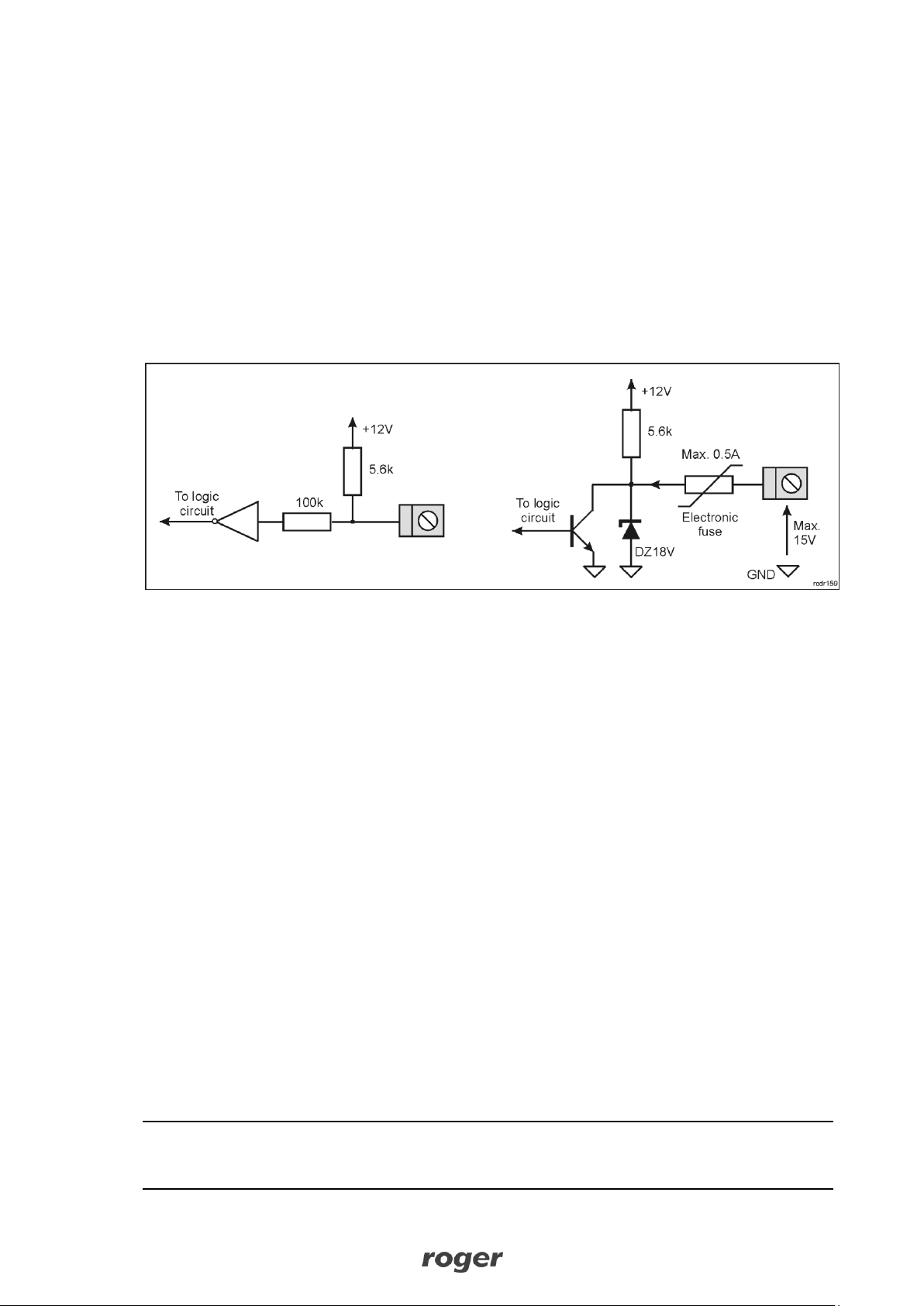
UT-4DR is equipped with four IO1..IO4 general purpose lines which can be configured individually
as independent inputs or outputs. Each line can work with maximal voltage of 15VDC (in reference
to device’s power supply ground) both when operated as input or output. Input lines are triggered
by shorting them to ground (NO lines). Output lines in normal state represent high impedance while
in triggered state they short to ground. Maximal current switched by output lines is limited to 0.5A.
If this value is exceed, an internal overload protection is activated and then all output lines are
switched off until the overload problem is resolved. In overload state UT-4DR stops its normal
operation.
Fig.3 Electrical structure of UT-4DR input (left) and output (right)
3.7 Installation guidelines
•Install devices in such way as to ensure easy access to screw terminals, jumpers and RST
button of the interface.
•All electric connections must be made with power supply switched off.
•All devices connected to the same communication bus (RS485) should be connected to the
same negative potential (GND). Therefore all GND terminals from various power supply units
used in the system should be connected with each other.
4. CONFIGURATION
4.1 Configuration with web browser
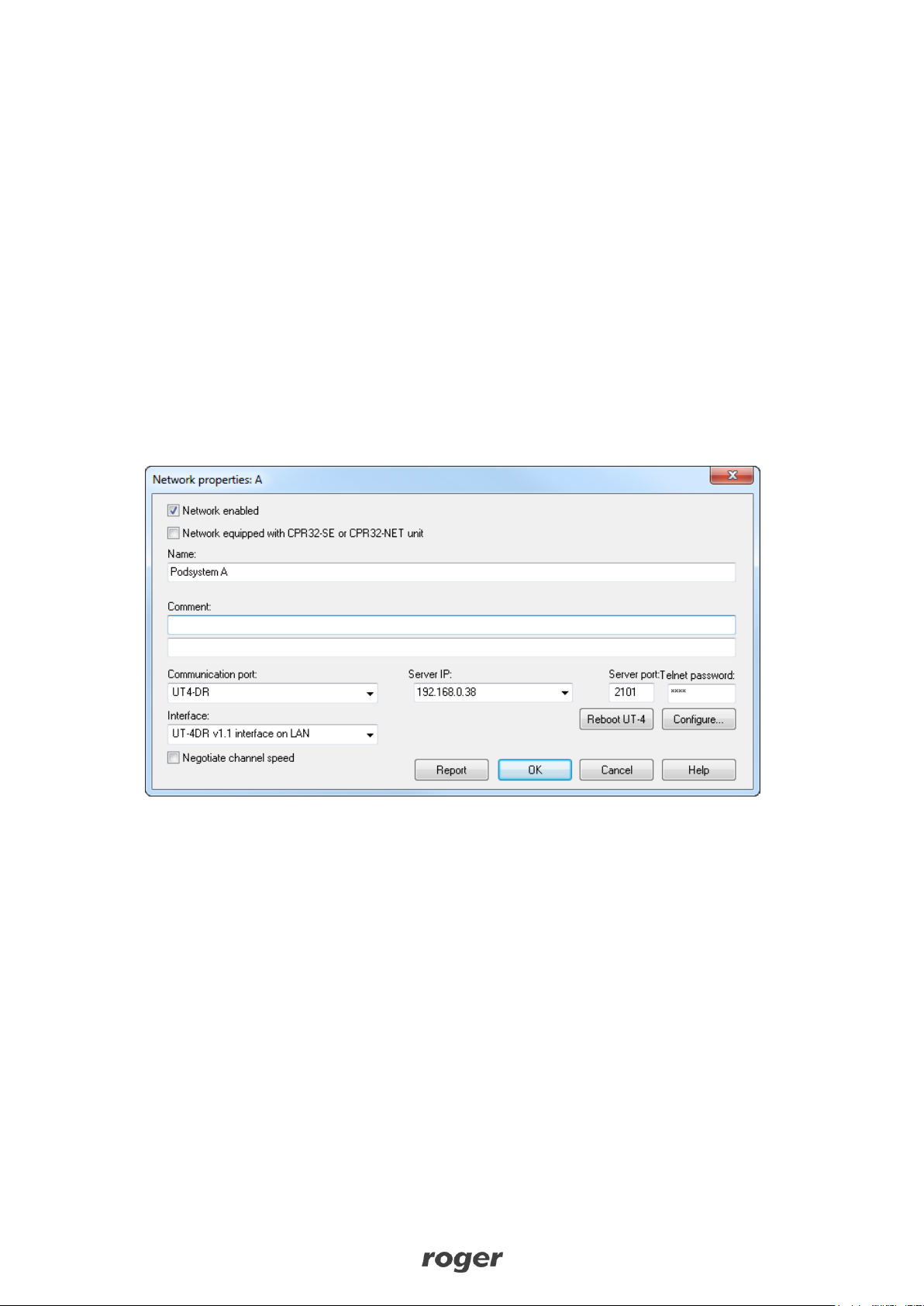
In order to communicate with UT-4DR interface it is necessary to know its IP address and port.
Default parameters of the interface are as follows:
IP address=192.168.0.38
Subnet mask=255.255.255.0
Default gateway=192.168.0.1
Administrator login: root
Administrator password: dbps
TCP port = 2101
It is assumed that mentioned above parameters will be changed in particular access control
installation, specifically IP address and administrator password. These parameters can be modified
by means of UT-4DR webpage opened with web browser.
Note: In order to connect with UT-4DR in local area network (LAN), the computer must be in the
same subnet. In case of UT-4DR with default IP address, the IP address of computer should be
192.168.0.xxx.