Technical Data Sheet
Customer Services: Roper Rhodes Ltd | Brassmill Lane Trading Estate | Bath | BA1 3JF
Tel: 01225 303 900 | Fax: 01225 448 877 | Email: sales@roperrhodes.co.uk | Web: www.roperrhodes.co.uk Page 2 of 2
Touch Sensor Dual Flush Plate - TR9016
FAQs
The touch sensor is not working?
Check that 100% new batteries are inserted correctly into the battery
compartment. Ensure that the battery compartment is correctly
aligned so that the spring contacts align with the terminals on
the top of the battery pack.
Please check the FAQs related to the cistern/frame that is installed.
You will need to touch with at least 3 fingers to make a conscious
signal to the sensor.
How will I know that the batteries are running low?
What is the expected battery life?
Approxmately 12 months using battaries of a good quality.
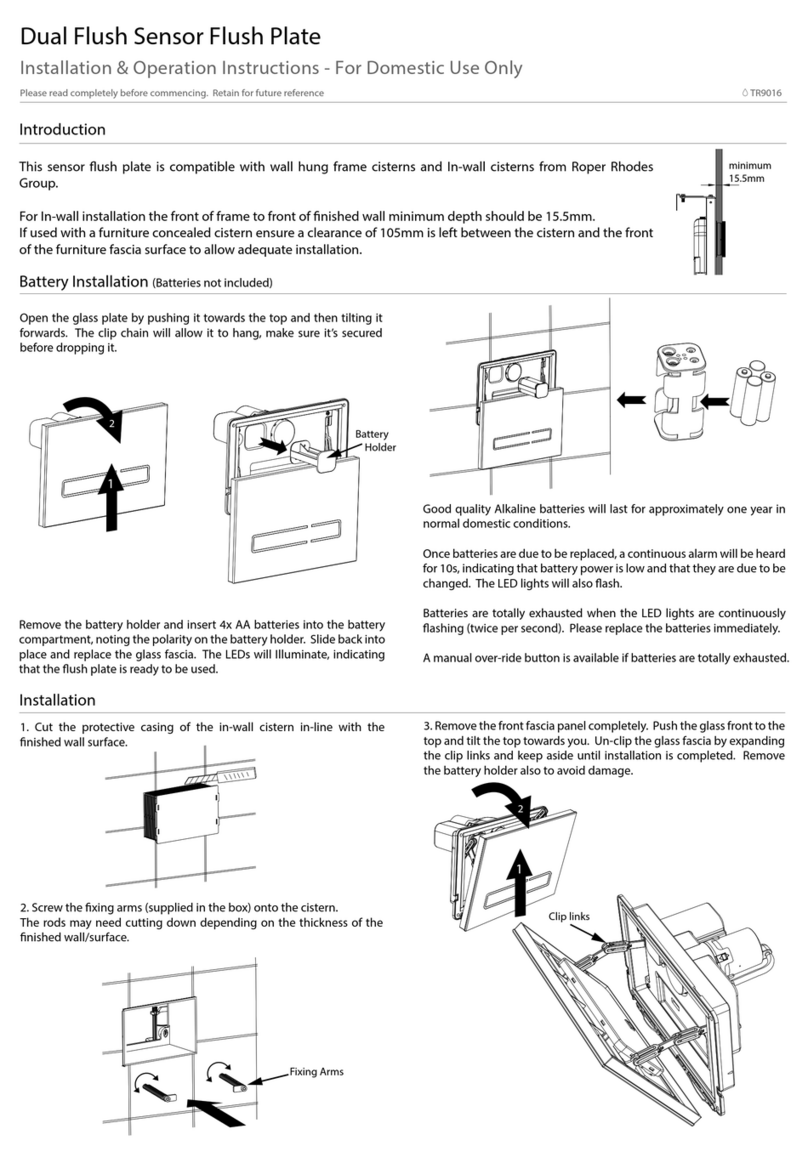
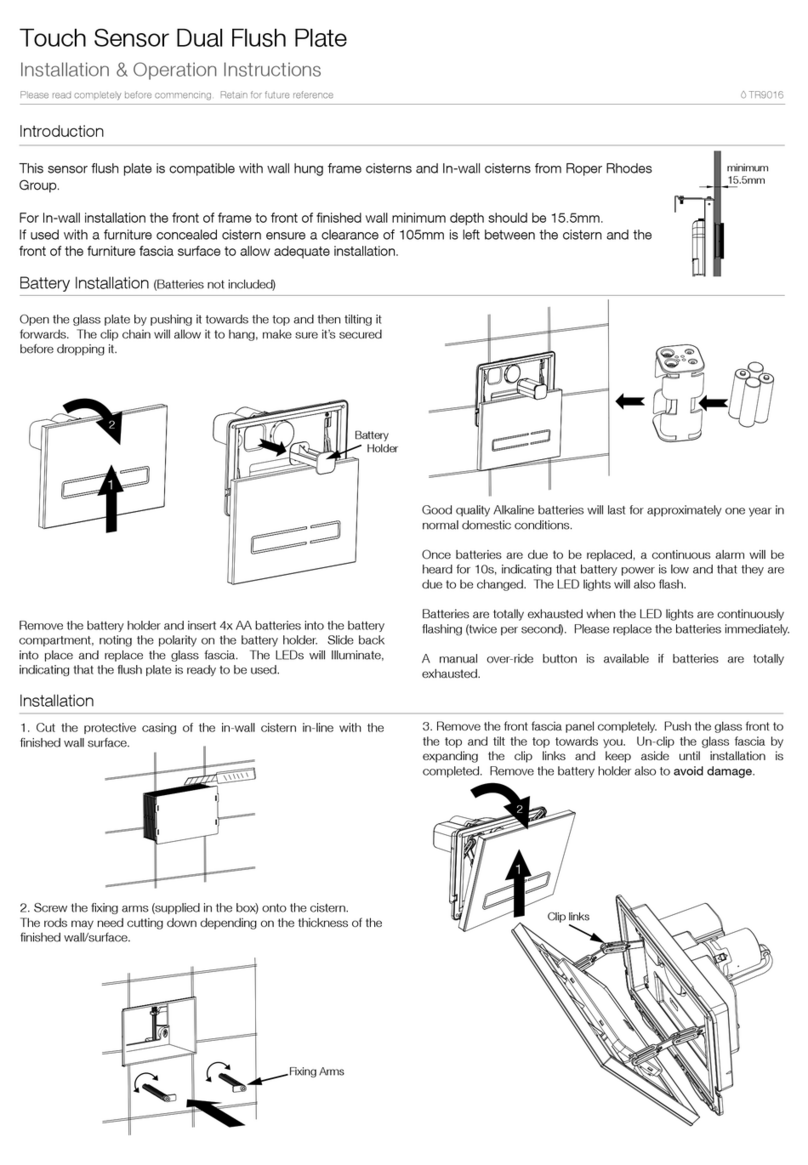
Please refer to instructions
How do I access the unit to change the batteries?
Please refer to instructions
concealed cistern?
Yes, but only on standard depth furniture.
On slim depth furniture, the flush plate body depth would be
prohibitive, so use the CSFK sensor kit, instead.
2s
Full Flush: Touch the longer decal
side with three fingers for two
seconds to activate the flush. The
LED lights will Illuminate.
Three Finger Activation: Use a
minimum of three fingers touching
the sensor for two seconds to
activate.
Reduced Flush: Touch the shorter
decal side with three fingers for two
seconds to activate the flush. The
LED lights will Illuminate.