EnglishDeutsch
 logo
Brands
  1. Home
  2. •
  3. Brands
  4. •
  5. Samsung
  6. •
  7. Air Conditioner
  8. •
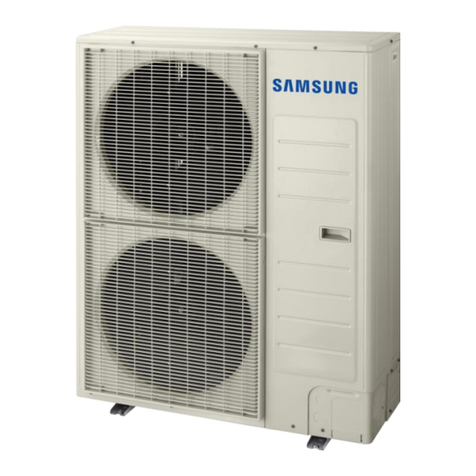
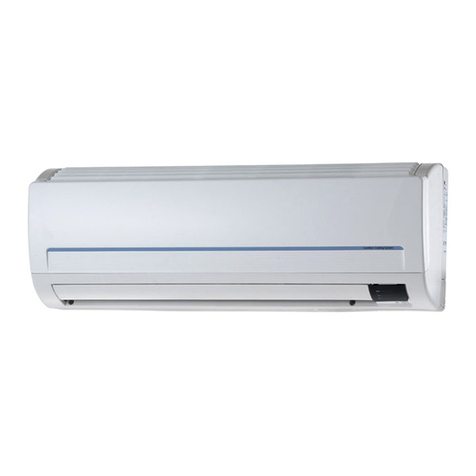
  9. Samsung APH450PG User manual

Samsung APH450PG User manual

Other manuals for APH450PG

2

This manual suits for next models

6

Other Samsung Air Conditioner manuals

Samsung AM NJD Series User manual

Samsung

Samsung AM NJD Series User manual

Samsung AR7000 User manual

Samsung

Samsung AR7000 User manual

Samsung AS070VE User manual

Samsung

Samsung AS070VE User manual

Samsung SH12VCD User manual

Samsung

Samsung SH12VCD User manual

Samsung AC***JXADCH Series User manual

Samsung

Samsung AC***JXADCH Series User manual

Samsung MH026FNCA User manual

Samsung

Samsung MH026FNCA User manual

Samsung AW0801B User manual

Samsung

Samsung AW0801B User manual

Samsung EH052EAMC User manual

Samsung

Samsung EH052EAMC User manual

Samsung AC035JNMCEH User manual

Samsung

Samsung AC035JNMCEH User manual

Samsung CH094EAM User manual

Samsung

Samsung CH094EAM User manual

Samsung AVXWNH022EE User manual

Samsung

Samsung AVXWNH022EE User manual

Samsung ECO HP User manual

Samsung

Samsung ECO HP User manual

Samsung AQ12FAN User manual

Samsung

Samsung AQ12FAN User manual

Samsung AM BN4PCH Series User manual

Samsung

Samsung AM BN4PCH Series User manual

Samsung SH12YA1 User manual

Samsung

Samsung SH12YA1 User manual

Samsung AQV12F2VE User manual

Samsung

Samsung AQV12F2VE User manual

Samsung SH07APGD User manual

Samsung

Samsung SH07APGD User manual

Samsung PC4SUSMB User manual

Samsung

Samsung PC4SUSMB User manual

Samsung AJ NCJ2EG Series User manual

Samsung

Samsung AJ NCJ2EG Series User manual

Samsung AR**MXWS Series User manual

Samsung

Samsung AR**MXWS Series User manual

Samsung AC TXQL C Series User manual

Samsung

Samsung AC TXQL C Series User manual

Samsung MH18VP2-09 User manual

Samsung

Samsung MH18VP2-09 User manual

Samsung AM AN1PCH Series User manual

Samsung

Samsung AM AN1PCH Series User manual

Samsung AM056FN2DEH Series User manual

Samsung

Samsung AM056FN2DEH Series User manual

Popular Air Conditioner manuals by other brands

Panasonic CS-E12HKEW operating instructions

Panasonic

Panasonic CS-E12HKEW operating instructions

Mitsubishi Electric MSZ-GE60VA null

Mitsubishi Electric

Mitsubishi Electric MSZ-GE60VA null

Haier HSU-09H03/R null

Haier

Haier HSU-09H03/R null

Haier HSU-24C03 null

Haier

Haier HSU-24C03 null

Mitsubishi Electric MSZ-GE22VA null

Mitsubishi Electric

Mitsubishi Electric MSZ-GE22VA null

nedis ACMB1WT7 quick start guide

nedis

nedis ACMB1WT7 quick start guide

Daikin FCFV50A Operation manual

Daikin

Daikin FCFV50A Operation manual

Fujitsu Inverter ASBA30JFC operating manual

Fujitsu

Fujitsu Inverter ASBA30JFC operating manual

Toshiba RAS-M10SMUV-E installation manual

Toshiba

Toshiba RAS-M10SMUV-E installation manual

Daikin FXLQ20MAVE Operation manual

Daikin

Daikin FXLQ20MAVE Operation manual

CIAT Magister 2 Series Installation, Operation, Commissioning, Maintenance

CIAT

CIAT Magister 2 Series Installation, Operation, Commissioning, Maintenance

Bestron AAC6000 instruction manual

Bestron

Bestron AAC6000 instruction manual

Frigidaire FFRE0533S1E0 Use & care guide

Frigidaire

Frigidaire FFRE0533S1E0 Use & care guide

Frigidaire CRA073PU11 use & care

Frigidaire

Frigidaire CRA073PU11 use & care

Soleus Air GB-PAC-08E4 operating instructions

Soleus Air

Soleus Air GB-PAC-08E4 operating instructions

McQuay MCK020A Technical manual

McQuay

McQuay MCK020A Technical manual

Webasto Frigo Top 25 DS Instructions for use

Webasto

Webasto Frigo Top 25 DS Instructions for use

Frigidaire FAZ12ES2A installation instructions

Frigidaire

Frigidaire FAZ12ES2A installation instructions

https://manuals.online logo
https://manuals.online logoBrands
  • About & Mission
  • Contact us
  • Privacy Policy
  • Terms and Conditions

Copyright 2026 Manuals.Online. All Rights Reserved.

OWNER’S INSTRUCTIONS
MANUAL DE INSTRUCCIONES
MANUEL D’UTILISATION
SPLIT-TYPE PACKAGED AIR CONDITIONER (Cool and Heat)
ACONDICIONDOR DE AIRE COMPACTO SISTEMA SPLIT (Refrigeración y Calefacción)
CLIMATISEUR EMBALLÉDE TYPE SÉPARÉ(Refroidissement et Chauffage)
DB68-00078A(2)ESF
APH450PG
PH45ZV
ENGLISH
FRANÇAIS
Safety Precautions
E-2
The following safety precautions must be taken when using your air conditioner.
Make sure that the indoor unit is correctly ventilated at all times;
do N T place clothing or other materials over it.
1
NEVER spill liquids of any kind into the indoor unit.
Should this happen, turn the power switch off and contact your installation specialist.
2
Do N T insert anything between the air outlet blades as the inner fan may be damaged
and you may be hurt. Particularly, keep children away from the indoor unit.
3
Do N T overload wall sockets or extension cables.
4
If the remote control will not be used for a long time, remove the batteries,
and keep in remote control case.
5
Users of this product are cautioned not to attempt repair of this product at their own
discretion. Instead, they are requested to directly contact a designated service center
or the outlet at which the product was purchased.
6
If the supply cord is damaged, it must be replaced by a special cord or assembly
available from the manufacturer or its service agent.
7
Contents
◆ PREPARING YO R AIR CONDITIONER
■Safety Precautions ............................................................................................. 2
■View of the Indoor unit & utdoor unit ............................................................... 4
■Remote Control - Buttons .................................................................................. 5
■Control Panel ..................................................................................................... 5
■Getting Started ................................................................................................... 6
■Inserting the Remote Control Batteries ............................................................. 7
■Keeping the Remote control .............................................................................. 7
■Setting the Time ................................................................................................. 8
◆ OPERATING YO R AIR CONDITIONER
■perating Preparation ........................................................................................ 9
■Using the Control Panel on the Indoor unit ........................................................ 9
■Using the Remote Control .................................................................................. 9
■Selecting the Automatic perating Mode ........................................................... 10
■Cooling Your Room ............................................................................................ 11
■Heating You Room ............................................................................................. 12
■Changing the Room Temperature Quickly ......................................................... 13
■Airing Your Room ............................................................................................... 14
■Adjusting the Air Flow Direction Horizontally ...................................................... 15
■Adjusting the Air Flow Direction Vertically .......................................................... 15
◆ PROGRAMMING YO R AIR CONDITIONER
■Setting the ff Timer .......................................................................................... 16
■Cancelling the ff Timer ..................................................................................... 16
◆ RECOMMENDATIONS FOR SE
■perating Recommendations ............................................................................. 17
■Temperature and Humidity Ranges .................................................................... 18
■Cleaning Your Air Conditioner ............................................................................ 18
■Solving Common Problems ................................................................................ 19
E-3
ENGLISH

View of the Indoor unit and Outdoor unit
AIR FL W (DIRECTI N) ADJUSTING BLADE
AIR UTLET
ELECTRIC HEATER ( ption)
(The electric heater is located inside)
C NTR L PANEL
AIR FILTER
REM TE C NTR L CASE
AIR INLET GRILLE
To disassemble
the air inlet grille
●Hold the upper part of the
air inlet grille, and then
pull it lightly forward.
AIR INLET
ELECTRIC PARTS B X
AIR UTLET
C NNECTI N VALVE
E-4
Remote Control - Buttons
Control Panel
perating mode selection
- C L
- HEAT
- TURB
- FAN
Air flow swing button
Temperature adjustment
buttons
Fan speed adjustment
buttons
Fan Speed
adjustment
Fan Speed
display Time/Temperature
display perating Light Remote control
Sensor n/ ff( ) Button
Time/Temperature
Selection Time or Temperature
adjustment perating
Mode Selection
Timer
adjustment
Auxiliary Heater
Switch (option)
Power Light
n/ ff ( ) button
E-5
ENGLISH
E-6
Getting Started
You have just purchased a packaged air conditioner and it has been installed
by your installation specialist.
Your Owner's Instructions contain much valuable information on using your air conditioner.
Please take the time to read them as they will help you take full advantage of the unit's features.
The booklet is organized as follows:
◆The following figures are shown on page 4 and page 5
- Remote control (buttons )
- Indoor unit
- Outdoor unit
They will help you find the buttons and understand the symbols displayed.
◆In the main part of the document, you will find a series of step-by-step
procedures for each function available.
The illustrations in the step-by-step procedures use three different symbols:
PRESS PUSH HOLD DOWN
Inserting the Remote Control Batteries
Keeping the Remote Control
TEST
ACL
TEST
ACL
Use two LR03(AAA) 1.5V batteries. Do not use old batteries,
or different kinds of batteries together.
Batteries may be completely discharged after 12 months,
even if they have not actually been used.
Note
Insert the two batteries, taking care to respect the polarities:
◆+ on the battery with + on the remote control
◆- on the battery with - on the remote control
1
2
Close the cover by sliding it back until it clicks into place.
3
Push the battery cover on the rear of the remote control with your
thumb in the direction of the arrow and remove it.
Put the remote control into the case.
1
2
Hold the upper part of the air inlet grille, and then pull it lightly forward.
E-7
You must insert or replace the remote control batteries when:
◆ You purchase the air conditioner
◆ The remote control does not work correctly
Keep the remote control in remote control case of the indoor unit
when it is not being used.
ENGLISH

Setting the Time
Press the TIME/TEMP. SELECT button.
Result: The TIME indicator flashes.
To set the current time, press the TIME/TEMP. ▲or ▼buttons.
To...
Increase the time in one-minute intervals
Increase the time in ten-minute intervals
Decrease the time in one-minute intervals
Decrease the time in ten-minute intervals
Result: ◆ AM or PM are displayed to indicate whether the setting
corresponds to a time before or after midday.
◆ The clock is started after three seconds.
then...
Press the (▲) button.
Hold down the (▲) button.
Press the (▼) button.
Hold down the (▼) button.
1
2
Be sure to reset the time when you change clocks from standard
todaylight saving time and vice versa.
You can set the time when you purchas the air conditioner.
E-8
Note
E-9
Operating Preparation
ON
Look around the indoor and outdoor units.
Confirm if any obstacles that may prevent the air flow are present
near the air conditioner.
1
Turn the power switch on.
2
You must operate the timer function with indoor unit.
To operate the unit, the power switch is fitted to the
wall must be set to N.
IMPORTANTE
Remove a protective cover of the outdoor unit.
sing the Control Panel on the Indoor unit
You can operate with indoor unit when you do not wish to or cannot
operate the air conditioner with the remote control.
Remote control broken or lost.
Exemple :
You can : Adapt the auto operating, cooling, heating, fan and timer setting
to your specific requirements ;
See pages 10 to 16 for further details.
You must operate the turbo function with remote control.
sing the Remote Control
All air conditioner features except timer function and auto operating
can be controlled from your seat, by using the remote control.
You can : Adapt the cooling, heating, fan, turbo operating
and fan settings to your specific requirements.
Note
Note
ENGLISH

Selecting the Automatic Operating Mode
E-10
You can start the air conditioner in AUTO mode by pressing
the MODE button on the control panel.
1
If the AUT indicator is not displayed, press the M DE button one or
more times until it appears.
Result: ◆ The indoor unit beeps each time you press M DE.
◆ The air conditioner starts up in AUT mode.
◆ The standard temperature is set automatically.
2
To control the air flow direction when necessary, refer to page 15.
3
In AUT mode, the optimum fan speed is selected automatically
and cannot be changed.
◆ You can change modes at any time.
If necessary, press the N/ FF( ) button.
Result: ◆ The power indicator on the control panel comes on.
◆ The indoor unit beeps twice.
◆ The operation mode previously set is displayed.
◆ The air conditioner starts up in the mode selected
when the unit was last used.
The air conditioner is fitted with a protection mechanism
to prevent the unit from being damaged when it is started
immediately after being:
◆ Switched on
◆ Stopped
lt will start up normally after a three-minute rest period.
Note
IMPORTANTE