manuals.online logo
Brands
  1. Home
  2. •
  3. Brands
  4. •
  5. Samsung
  6. •
  7. Cell Phone
  8. •
  9. Samsung SCH-M490 User manual

Samsung SCH-M490 User manual

Other Samsung Cell Phone manuals

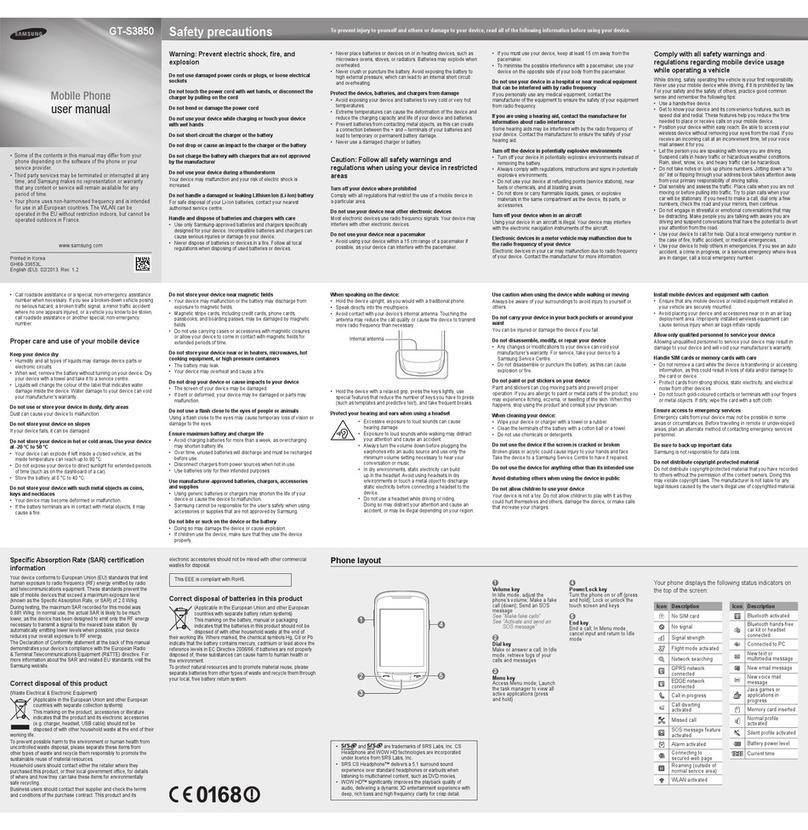
Samsung GT-S3850 User manual

Samsung

Samsung GT-S3850 User manual

Samsung SGH-S108 User manual

Samsung

Samsung SGH-S108 User manual

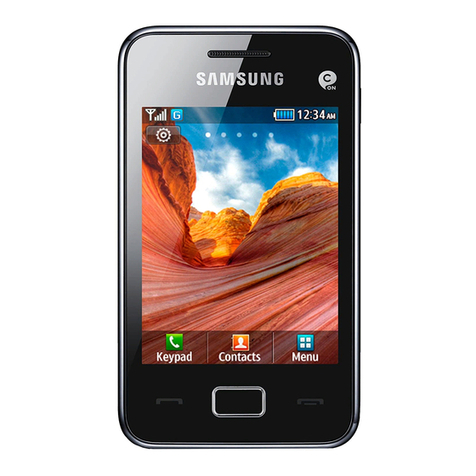
Samsung GT-S5222 User manual

Samsung

Samsung GT-S5222 User manual

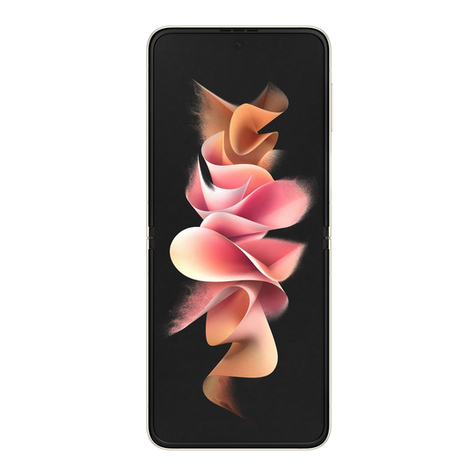
Samsung SM-F711W User manual

Samsung

Samsung SM-F711W User manual

Samsung SCH-R530RWBCRI User manual

Samsung

Samsung SCH-R530RWBCRI User manual

Samsung SGH-E810 User manual

Samsung

Samsung SGH-E810 User manual

Samsung Power Vision A920 User manual

Samsung

Samsung Power Vision A920 User manual

Samsung GALAXY S5 User manual

Samsung

Samsung GALAXY S5 User manual

Samsung SGH-Z630 User manual

Samsung

Samsung SGH-Z630 User manual

Samsung SCH-I879E User manual

Samsung

Samsung SCH-I879E User manual

Samsung SGH-2200 User manual

Samsung

Samsung SGH-2200 User manual

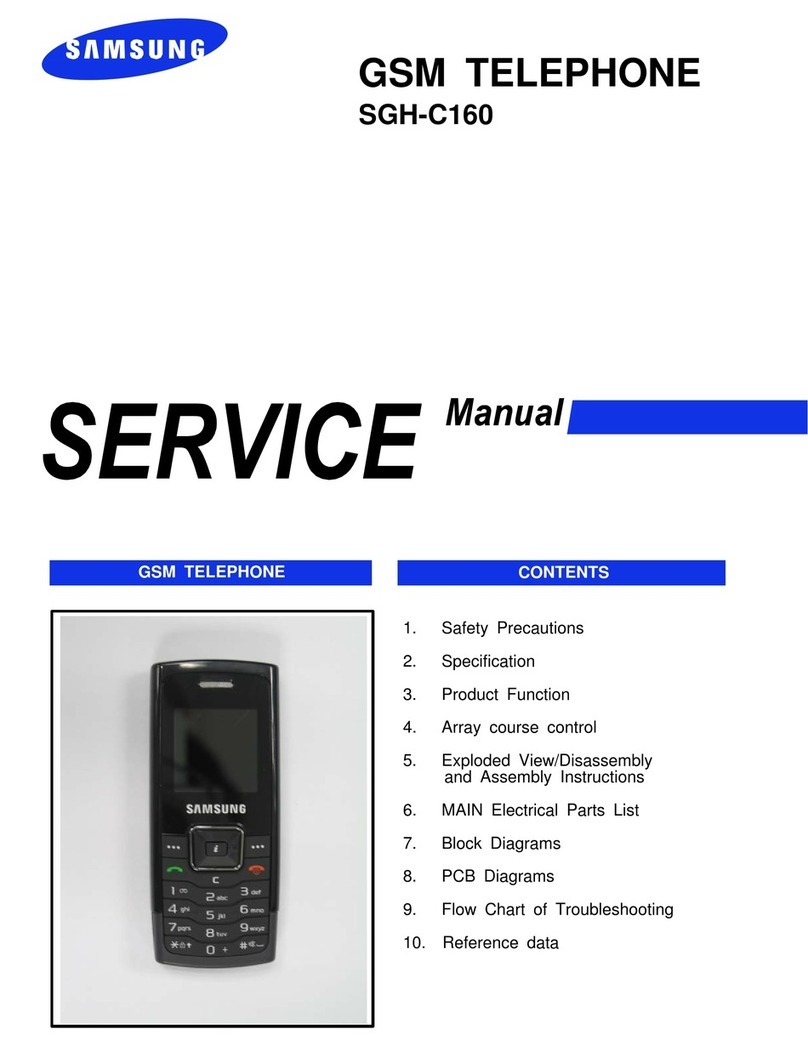
Samsung SGH-C160 User manual

Samsung

Samsung SGH-C160 User manual

Samsung GALAXY SIII User manual

Samsung

Samsung GALAXY SIII User manual

Samsung SGH-A837 Series Technical manual

Samsung

Samsung SGH-A837 Series Technical manual

Samsung SPH-A900 User manual

Samsung

Samsung SPH-A900 User manual

Samsung GT-I9023 (Owner''''s Guide) User manual

Samsung

Samsung GT-I9023 (Owner''''s Guide) User manual

Samsung SM-A146U1/DS User manual

Samsung

Samsung SM-A146U1/DS User manual

Samsung SM-J530Y/DS User manual

Samsung

Samsung SM-J530Y/DS User manual

Samsung GT-B3310 User manual

Samsung

Samsung GT-B3310 User manual

Samsung SGH X497 User manual

Samsung

Samsung SGH X497 User manual

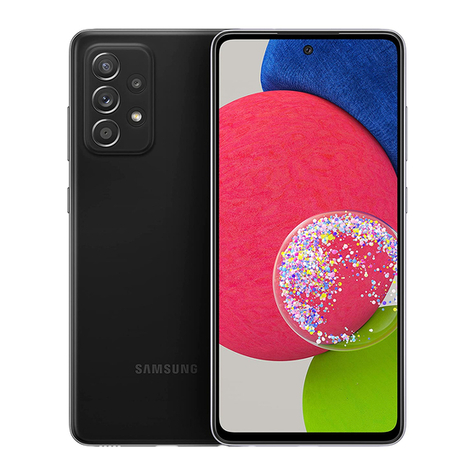
Samsung Galaxy A52s 5G User manual

Samsung

Samsung Galaxy A52s 5G User manual

Samsung Galaxy S Plus GT-I9001 User manual

Samsung

Samsung Galaxy S Plus GT-I9001 User manual

Samsung SGH-T369 User manual

Samsung

Samsung SGH-T369 User manual

Samsung GT-S5628 User manual

Samsung

Samsung GT-S5628 User manual

Popular Cell Phone manuals by other brands

Nokia 6700 classic user guide

Nokia

Nokia 6700 classic user guide

LG L34C user guide

LG

LG L34C user guide

Ericsson T60d manual

Ericsson

Ericsson T60d manual

Zte Score M user manual

Zte

Zte Score M user manual

Sony Xperia Z1 Compact Startup guide

Sony

Sony Xperia Z1 Compact Startup guide

AT AT-Q5 user manual

AT

AT AT-Q5 user manual

Vingtor ACM-M-A-V2 Installation/configuration

Vingtor

Vingtor ACM-M-A-V2 Installation/configuration

Olitech EasyFlip 2 Quick setup guide

Olitech

Olitech EasyFlip 2 Quick setup guide

Zte Atrium Z793C user manual

Zte

Zte Atrium Z793C user manual

Alcatel IDEAL manual

Alcatel

Alcatel IDEAL manual

Zte BLADE A520 quick start guide

Zte

Zte BLADE A520 quick start guide

switel M222 user manual

switel

switel M222 user manual

LG LG-P503 user guide

LG

LG LG-P503 user guide

LG F2410 user guide

LG

LG F2410 user guide

Argom E500 manual

Argom

Argom E500 manual

Hisense U30 user manual

Hisense

Hisense U30 user manual

Argom Tech E401 user manual

Argom Tech

Argom Tech E401 user manual

Nokia 3595 - Cell Phone - GSM Manual Del Usuario

Nokia

Nokia 3595 - Cell Phone - GSM Manual Del Usuario

manuals.online logo
manuals.online logoBrands
  • About & Mission
  • Contact us
  • Privacy Policy
  • Terms and Conditions

Copyright 2025 Manuals.Online. All Rights Reserved.

* Some of the contents of this manual may differ from your phone,
depending on the software installed or your service provider.
World Wide Web
http://www.anycall.com
SCH-M490
User’s Guide
1
Be aware of special regulations
Meet any special regulations in force in any area and
always switch o your phone whenever it is forbidden
to use it, or when it may cause interference or danger.
Water resistance
Your phone is not water-resistant. Keep it dry.
Sensible use
Use only in the normal position (held to your ear). Avoid
unnecessary contact with the antenna when the phone
is switched on.
Emergency calls
Key in the emergency number for your present location,
then press [ ].
Keep your phone away from small children
Keep the phone and all its parts, including accessories,
out of the reach of small children.
Accessories and batteries
Use only Samsung-approved batteries and accessories,
such as headsets and PC data cables. Use of any
unauthorised accessories could damage you or your
phone and may be dangerous.
Qualied service
Only qualied service personnel may repair your phone.
For more detailed safety information, see “Health and
safety information” on page 20.
Drive safely at all times
Do not use a hand-held phone while driving. Park your
vehicle rst.
Switch o the phone when refuelling
Do not use the phone at a refuelling point (service
station) or near fuels or chemicals.
Switch o in an aircraft
Wireless phones can cause interference. Using them in
an aircraft is both illegal and dangerous.
Switch o the phone near all medical equipment
Hospitals or health care facilities may be using
equipment that could be sensitive to external radio
frequency energy.
Follow any regulations or rules in force.
Interference
All wireless phones may be subject to interference,
which could aect their performance.
Failure to comply with the following
precautions may be dangerous or illegal.
Copyright information
Bluetooth? is a registered trademark of
the Bluetooth SIG, Inc. worldwide.
JavaTM is a trademark or registered
trademark of Sun Microsystems, Inc.
Picsel and Picsel ViewerTM are
trademarks of Picsel Technologies, Inc.
At very high volumes, prolonged listening
to a headset can damage your hearing.
Important safety precautions
• The phone could explode if the battery is replaced
with an incorrect type.
• Dispose of used batteries according to the
manufacturer’s instructions.
2
3
Contents
Make sure you have each item
• Phone
• Adapter
• Stereo headset
• Battery
• Battery travel holder
• User’s manual
You can obtain the following accessories for your phone
from your local Samsung dealer.
• Multi adapter
• Travel charger
• Car charger
• PC data cable
• Portable battery kit
• Portable PC data cable
• Music controller
• Bluetooth mono/ stereop headset kit
Unpack
Unpack .............................................................. 3
Make sure you have each item
Get started....................................................... 4
First steps to operate your phone
Solve problems .............................................. 8
Help and personal needs
Health and safety information............... 10
4
5
Power on or o
Power on
Do not turn on the phone when mobile phone use is
prohibited.
1Open the phone.
2Press and hold [ ] to turn on the phone.
3If necessary, enter the PIN and press [확인].
Power on
1Open the phone.
2Press and hold [ ].
Keys and display
Key(s) Description
Softkeys Perform the function indicated on
the bottom line of the display.
Navigation keys In Standby mode, access menu
options directly.
In Menu mode, scroll through the
menu options.
확인 key In Idle mode, enters Menu mode.
In Menu mode, selects the
highlighted menu option.
key Sends or answers a call.
In Standby mode, retrieves the last
number dialed, missed, or received.
Install and charge the phone
1Install the battery:
2Plug the adapter into the phone.
3Plug the adapter into a standard AC wall outlet.
4When the phone is completely charged (the battery
icon stops blinking), unplug the adapter from the
power outlet.
5Remove the adapter from the phone.
Low battery indicator
When the battery is low:
• a warning tone sounds,
• the battery low message displays, and
• the empty battery icon [ ] blinks.
If the battery level becomes too low, the phone
automatically turns o. Recharge your battery.
Get started
First steps to operate your phone
To remove the battery, slide the
battery catch toward the top of the
phone and hold it.
6
7
Get started
Key(s) Description
취소 key Deletes characters from the display.
In Menu mode, returns to the
previous menu level.
key Ends a call. Hold down to switch
the phone on and o.
In Menu mode, cancels input and
returns the phone to Idle mode.
Numeric keys Enter numbers, letters, and some
special characters.
*/# key Enter special characters.
Use for some special functions.
Key(s) Description
Volume keys
(on the left)
Adjusts the phone volume.
In Standby mode, with the phone
open, adjusts the master volume.
With the phone closed, hold down
to turn on the display.
In Menu mode, scrolls through the
menu options.
Camera key In Standby mode, with the phone
open, turns on the camera.With the
phone closed, hold down to turn
on the camera.
In Capture mode, takes a photo.
MEMO
8
9
To save the time and expense of an unnecessary service
call, perform the simple checks in this section before
contacting a service professional.
When you switch on your phone, the following
messages may appear:
“Insert USIM card”
• Be sure that the USIM card is correctly installed.
“Phone locked Enter password”
• The automatic locking function has been enabled. You
must enter the phone’s password before you can use
the phone.
“Enter PIN1”
• You are using your phone for the rst time. You must
enter the PIN1 supplied with the USIM card.
• The PIN1 Check feature is enabled. Every time the
phone is switched on, the PIN1 has to be entered. To
disable this feature, use the PIN check menu.
“Enter PUK”
• The PIN1 code has been entered incorrectly three times
in succession, and the phone is now blocked. Enter the
PUK1 supplied by your service provider.
“No Service,”“Network Failure,” or “Not Done”
displays
• The network connection has been lost. You may be in a
weak signal area. Move and try again.
• You are trying to access an option for which you have
no subscription with your service provider. Contact the
service provider for further details.
You have entered a number but it was not dialled
• Be sure that you have pressed [ ].
• Be sure you have accessed the right cellular network.
• Be sure that you have not set an outgoing call barring
option.
Your correspondent cannot reach you
• Be sure your phone is switched on. ( [ ] pressed for
more than one second.)
• Be sure you are accessing the correct cellular network.
• Be sure that you have not set an outgoing call barring
option.
Your correspondent cannot hear you speaking
• Be sure you have switched o the microphone.
• Be sure you are holding the phone close enough to
your mouth. The microphone is located at the bottom
of the phone.
The phone starts beeping and “LOW BATTERY“
ashes on the display
• Your battery is insuciently charged. Recharge the
battery.
The audio quality of the call is poor
• Check the signal strength indicator on the display
( ). The number of bars indicates the signal
strength from strong ( ) to weak ( ).
• Try moving the phone slightly or moving closer to a
window if you are in a building.
No number is dialled when you re-call a Contacts
entry
• Use the Contact Search feature to ensure the number
has been stored correctly.
• Re-store the number, if necessary.
If the above guidelines do not help you to solve the
problem, take note of:
• The model and serial numbers of your phone
•Your warranty details
•A clear description of the problem
Then contact your local dealer or Samsung after-sales
service.
Solve problems
Help and personal needs
10
11
Exposure to Radio Frequency(RF)Signals
Certication Information (SAR)
Your wireless phone is a radio transmitter and receiver.
It is designed and manufactured not to exceed the
exposure limits for radio frequency (RF) energy set by
the Federal Communications Commission (FCC) of the
U.S. government. These FCC exposure limits are derived
from the recommendations of two expert organizations,
the National Counsel on Radiation Protection and
Measurement (NCRP) and the Institute of Electrical
and Electronics Engineers (IEEE). In both cases, the
recommendations were developed by scientic and
engineering experts drawn from industry, government,
and academia after extensive reviews of the scientic
literature related to the biological eects of RF energy.
The exposure limit set by the FCC for wireless mobile
phones employs a unit of measurement known as the
Specic Absorption Rate (SAR). The SAR is a measure of
the rate of absorption of RF energy by the human body
expressed in units of watts per kilogram (W/kg).The FCC
requires wireless phones to comply with a safety limit
of 1.6 watts per kilogram (1.6 W/kg). The FCC exposure
limit incorporates a substantial margin of safety to give
additional protection to the public and to account for
any variations in measurements.
SAR tests are conducted using standard operating
positions accepted by the FCC with the phone
transmitting at its highest certied power level in all
testedfrequency bands.Although the SARisdetermined
at the highest certied power level, the actual SAR level
of the phone while operating can be well below the
maximum value. This is because the phone is designed
to operate at multiple power levels so as to use only the
power required to reach the network. In general, the
closer you are to a wireless base station antenna, the
lower the power output.
Before a new model phone is available for sale to the
public, it must be tested and certied to the FCC that
it does not exceed the exposure limit established by
the FCC. Tests for each model phone are performed in
positions and locations (e.g. at the ear and worn on the
body) as required by the FCC.
Health and safety information
The highest SAR values for this model phone as reported
tothe FCCare[PCS1900] Head: 0.
160
W/Kg, Body-worn:
0.
273
W/Kg [GSM850] Head: 0.128W/Kg,Body-worn:
0.356W/Kg.
For body worn operations, this model phone has been
testde and meets the FCC exposure guidelines when
used with a Samsung accessory designated for this
product or when used with an accessroy that contains
no metal and that positons the handset a minimum 1.5
cm from the body.
Non-compliance with the above restrictions may result
in violation of FCC RF exposure guidelines.
SAR information on this and other model phones can
be viewed on-line at www.fcc.gov/oet/fccid. This site
uses the phone FCC ID number A3LSCHM490.
Sometimes it may be necessary to remove the battery
pack to nd the number. Once you have the FCC ID
number for a particular phone, follow the instructions
on the website and it should provide values for typical
or maximum SAR for a particular phone. Additional
product specic SAR information can also be obtained
at www.fcc.gov/cgb/sar.
Consumer Information on
Wireless Phones
The U.S. Food and Drug Administration (FDA) has
published a series of Questions and Answers for
consumers relating to radio frequency (RF) exposure
from wireless phones. The FDA publication includes the
following information:
What kinds of phones are the subject of this
update?
The term wireless phone refers here to hand-held
wireless phones with built-in antennas, often called
“cell,” “mobile,” or “PCS” phones. These types of wireless
phones can expose the user to measurable radio
frequency energy (RF) because of the short distance
between the phone and the user’s head. These RF
exposures are limited by Federal Communications
Commission safety guidelines that were developed
with the advice of FDA and other federal health and
safety agencies. When the phone is located at greater
distances from the user, the exposure to RF is drastically
lower because a person’s RF exposure decreases rapidly
with increasing distance from the source. The so-called
12
13
“cordless phones,” which have a base unit connected to
the telephone wiring in a house, typically operate at far
lower power levels, and thus produce RF exposures well
within the FCC’s compliance limits.
Do wireless phones pose a health hazard?
The available scientic evidence does not show that
any health problems are associated with using wireless
phones. There is no proof, however, that wireless
phones are absolutely safe. Wireless phones emit low
levels of radio frequency energy (RF) in the microwave
range while being used. They also emit very low levels
of RF when in the stand-by mode. Whereas high levels
of RF can produce health eects (by heating tissue),
exposure to low level RF that does not produce heating
eects causes no known adverse health eects. Many
studies of low level RF exposures have not found any
biological eects. Some studies have suggested that
some biological eects may occur, but such ndings
have not been conrmed by additional research. In
some cases, other researchers have had diculty
in reproducing those studies, or in determining the
reasons for inconsistent results.
What is FDA’s role concerning the safety of wireless
phones?
Under the law, FDA does not review the safety of
radiation-emitting consumer products such as wireless
phones before they can be sold, as it does with new
drugs or medical devices. However, the agency has
authority to take action if wireless phones are shown
to emit radio frequency energy (RF) at a level that is
hazardous to the user. In such a case, FDA could require
the manufacturers of wireless phones to notify users
of the health hazard and to repair, replace or recall the
phones so that the hazard no longer exists.
Although the existing scientic data do not justify FDA
regulatory actions, FDA has urged the wireless phone
industry to take a number of steps, including the
following:
•“Support needed research into possible biological
eects of RF of the type emitted by wireless phones;
•“Design wireless phones in a way that minimizes any
RF exposure to the user that is not necessary for device
function; and
Health and safety information
•“Cooperate in providing users of wireless phones with
the best possible information on possible eects of
wireless phone use on human health.
FDA belongs to an interagency working group of the
federal agencies that have responsibility for dierent
aspects of RF safety to ensure coordinated eorts at
the federal level. The following agencies belong to this
working group:
•“National Institute for Occupational Safety and Health
•“Environmental Protection Agency
•“Federal Communications Commission
•“Occupational Safety and Health Administration
•“National Telecommunications and Information
Administration
The National Institutes of Health participates in some
interagency working group activities, as well.
FDA shares regulatory responsibilities for wireless
phones with the Federal Communications Commission
(FCC). All phones that are sold in the United States
must comply with FCC safety guidelines that limit RF
exposure. FCC relies on FDA and other health agencies
for safety questions about wireless phones.
FCC also regulates the base stations that the wireless
phone networks rely upon. While these base stations
operate at higher power than do the wireless phones
themselves, the RF exposures that people get from
these base stations are typically thousands of times
lower than those they can get from wireless phones.
Base stations are thus not the primary subject of the
safety questions discussed in this document.
14
15
What are the results of the research done already?
The research done thus far has produced conicting
results, and many studies have suered from aws
in their research methods. Animal experiments
investigating the eects of radio frequency energy (RF)
exposures characteristic of wireless phones have yielded
conicting results that often cannot be repeated in
other laboratories. A few animal studies, however, have
suggested that low levels of RF could accelerate the
development of cancer in laboratory animals. However,
many of the studies that showed increased tumor
development used animals that had been genetically
engineered or treated with cancer-causing chemicals
so as to be pre-disposed to develop cancer in absence
of RF exposure. Other studies exposed the animals to
RF for up to 22 hours per day. These conditions are
not similar to the conditions under which people use
wireless phones, so we don’t know with certainty what
the results of such studies mean for human health.
Three large epidemiology studies have been published
since December 2000. Between them, the studies
investigated any possible association between the use
of wireless phones and primary brain cancer, glioma,
meningioma, or acoustic neuroma, tumors of the brain
or salivary gland, leukemia, or other cancers. None of
the studies demonstrated the existence of any harmful
health eects from wireless phones RF exposures.
However, none of the studies can answer questions
about long-term exposures, since the average period of
phone use in these studies was around three years.
What research is needed to decide whether RF
exposure from wireless phones poses a health risk?
Acombinationoflaboratorystudiesandepidemiological
studies of people actually using wireless phones would
provide some of the data that are needed. Lifetime
animal exposure studies could be completed in a
few years. However, very large numbers of animals
would be needed to provide reliable proof of a cancer
promoting eect if one exists. Epidemiological studies
can provide data that is directly applicable to human
populations, but ten or more years’ follow-up may be
needed to provide answers about some health eects,
Health and safety information
such as cancer. This is because the interval between
the time of exposure to a cancer-causing agent and
the time tumors develop - if they do - may be many,
many years. The interpretation of epidemiological
studies is hampered by diculties in measuring actual
RF exposure during day-to-day use of wireless phones.
Many factors aect this measurement, such as the
angle at which the phone is held, or which model of
phone is used.
What is FDA doing to nd out more about the
possible health eects of wireless phone RF?
FDA is working with the U.S. National Toxicology
Program and with groups of investigators around the
world to ensure that high priority animal studies are
conducted to address important questions about the
eects of exposure to radio frequency energy (RF).
FDA has been a leading participant in the World Health
Organization international Electromagnetic Fields
(EMF) Project since its inception in 1996. An inuential
result of this work has been the development of a
detailed agenda of research needs that has driven the
establishment of new research programs around the
world. The Project has also helped develop a series of
public information documents on EMF issues.
FDA and Cellular Telecommunications & Internet
Association (CTIA) have a formal Cooperative
Research and Development Agreement (CRADA) to
do research on wireless phone safety. FDA provides
the scientic oversight, obtaining input from experts
in government, industry, and academic organizations.
CTIA-funded research is conducted through contracts
to independent investigators. The initial research will
include both laboratory studies and studies of wireless
phone users. The CRADA will also include a broad
assessment of additional research needs in the context
of the latest research developments around the world.

16
17
What steps can I take to reduce my exposure to radio
frequency energy from my wireless phone?
If there is a risk from these products - and at this point
we do not know that there is - it is probably very small.
But if you are concerned about avoiding even potential
risks, you can take a few simple steps to minimize your
exposure to radio frequency energy (RF). Since time is
a key factor in how much exposure a person receives,
reducing the amount of time spent using a wireless
phone will reduce RF exposure.
•“If you must conduct extended conversations by
wireless phone every day, you could place more
distance between your body and the source of the RF,
since the exposure level drops o dramatically with
distance. For example, you could use a headset and
carry the wireless phone away from your body or use a
wireless phone connected to a remote antenna.
Again, the scientic data do not demonstrate that
wireless phones are harmful. But if you are concerned
about the RF exposure from these products, you can
use measures like those described above to reduce your
RF exposure from wireless phone use.
What about children using wireless phones?
The scientic evidence does not show a danger to users
of wireless phones, including children and teenagers.
If you want to take steps to lower exposure to radio
frequency energy (RF), the measures described above
would apply to children and teenagers using wireless
phones. Reducing the time of wireless phone use and
increasing the distance between the user and the RF
source will reduce RF exposure.
Some groups sponsored by other national governments
have advised that children be discouraged from using
wireless phones at all. For example, the government in
the United Kingdom distributed leaets containing such
a recommendation in December 2000. They noted that
no evidence exists that using a wireless phone causes
brain tumors or other ill eects. Their recommendation
to limit wireless phone use by children was strictly
precautionary; it was not based on scientic evidence
that any health hazard exists.
Health and safety information
Do hands-free kits for wireless phones reduce risks
from exposure to RF emissions?
Since there are no known risks from exposure to RF
emissions from wireless phones, there is no reason to
believe that hands-free kits reduce risks. Hands-free
kits can be used with wireless phones for convenience
and comfort. These systems reduce the absorption of
RF energy in the head because the phone, which is the
source of the RF emissions, will not be placed against
the head. On the other hand, if the phone is mounted

against the waist or other part of the body during use,
then that part of the body will absorb more RF energy.
Wireless phones marketed in the U.S. are required to
meet safety requirements regardless of whether they
are used against the head or against the body. Either
conguration should result in compliance with the
safety limit.
Do wireless phone accessories that claim to shield
the head from RF radiation work?
Since there are no known risks from exposure to RF
emissions from wireless phones, there is no reason to
believe that accessories that claim to shield the head
from those emissions reduce risks. Some products that
claim to shield the user from RF absorption use special
phone cases, while others involve nothing more than
a metallic accessory attached to the phone. Studies
have shown that these products generally do not work
as advertised. Unlike “hand-free” kits, these so-called
“shields” may interfere with proper operation of the
phone. The phone may be forced to boost its power to
compensate, leading to an increase in RF absorption.
In February 2002, the Federal trade Commission (FTC)
charged two companies that sold devices that claimed
to protect wireless phone users from radiation with
making false and unsubstantiated claims. According
to FTC, these defendants lacked a reasonable basis to
substantiate their claim.