manuals.online logo
Brands
  1. Home
  2. •
  3. Brands
  4. •
  5. Samsung
  6. •
  7. Vacuum Cleaner
  8. •
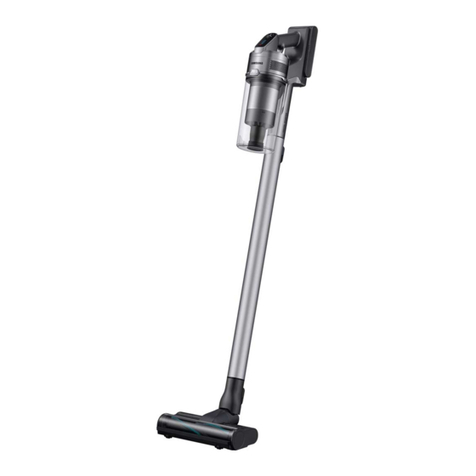
  9. Samsung VS20R9042T2 User manual

Samsung VS20R9042T2 User manual

This manual suits for next models

2

Other Samsung Vacuum Cleaner manuals

Samsung POWERbot VR AM70 Series User manual

Samsung

Samsung POWERbot VR AM70 Series User manual

Samsung POWERbot SR2AJ9250W Series User manual

Samsung

Samsung POWERbot SR2AJ9250W Series User manual

Samsung POWERbot VR20R72 Series User manual

Samsung

Samsung POWERbot VR20R72 Series User manual

Samsung SC6300 SERIES User manual

Samsung

Samsung SC6300 SERIES User manual

Samsung VAU-5863 User manual

Samsung

Samsung VAU-5863 User manual

Samsung VC-8828E User manual

Samsung

Samsung VC-8828E User manual

Samsung SC07M21 Series User manual

Samsung

Samsung SC07M21 Series User manual

Samsung SC4580 User manual

Samsung

Samsung SC4580 User manual

Samsung VC-7423 Series Instruction Manual

Samsung

Samsung VC-7423 Series Instruction Manual

Samsung SU4040 User manual

Samsung

Samsung SU4040 User manual

Samsung VS15A6032R5/EE User manual

Samsung

Samsung VS15A6032R5/EE User manual

Samsung VR20T6001M Series User manual

Samsung

Samsung VR20T6001M Series User manual

Samsung VR30T85513W/WA User manual

Samsung

Samsung VR30T85513W/WA User manual

Samsung POWERbot VR20R72 Series User manual

Samsung

Samsung POWERbot VR20R72 Series User manual

Samsung VS20A95 Series User manual

Samsung

Samsung VS20A95 Series User manual

Samsung SR1AM70 Series User manual

Samsung

Samsung SR1AM70 Series User manual

Samsung SC05M21 Series User manual

Samsung

Samsung SC05M21 Series User manual

Samsung SR8980 User manual

Samsung

Samsung SR8980 User manual

Samsung SC88 series User manual

Samsung

Samsung SC88 series User manual

Samsung POWERbot SR1 M70 Series User manual

Samsung

Samsung POWERbot SR1 M70 Series User manual

Samsung Jet Bot VR30T85 Series User manual

Samsung

Samsung Jet Bot VR30T85 Series User manual

Samsung VC-5914V User manual

Samsung

Samsung VC-5914V User manual

Samsung VC-8928EN User manual

Samsung

Samsung VC-8928EN User manual

Samsung POWERbot SR20K9350W Series User manual

Samsung

Samsung POWERbot SR20K9350W Series User manual

Popular Vacuum Cleaner manuals by other brands

Shark KD400WM owner's guide

Shark

Shark KD400WM owner's guide

Shark CORDLESS SV780_N 14 user manual

Shark CORDLESS

Shark CORDLESS SV780_N 14 user manual

Philips FC9176/08 manual

Philips

Philips FC9176/08 manual

Kenmore KW3030 user manual

Kenmore

Kenmore KW3030 user manual

AMiO YF-101 user manual

AMiO

AMiO YF-101 user manual

Beko VRT 94929 VI user manual

Beko

Beko VRT 94929 VI user manual

Shark CORDLESS SV780 Series quick start guide

Shark CORDLESS

Shark CORDLESS SV780 Series quick start guide

Lumme LU-3203 instruction manual

Lumme

Lumme LU-3203 instruction manual

Melissa 640-040/051 instruction manual

Melissa

Melissa 640-040/051 instruction manual

Makita DVC152L instruction manual

Makita

Makita DVC152L instruction manual

Bosch BSN1 instruction manual

Bosch

Bosch BSN1 instruction manual

King Canada 8560LST Service manual & parts list

King Canada

King Canada 8560LST Service manual & parts list

EUFY RoboVac 11c+ owner's manual

EUFY

EUFY RoboVac 11c+ owner's manual

Panasonic MC-E4101 Service manual

Panasonic

Panasonic MC-E4101 Service manual

Panasonic MC-V9658 operating instructions

Panasonic

Panasonic MC-V9658 operating instructions

Bosch BGB 2 Series instruction manual

Bosch

Bosch BGB 2 Series instruction manual

Hoover dog & cat TURBO manual

Hoover

Hoover dog & cat TURBO manual

FGE Far Tools NET UP 20 manual

FGE

FGE Far Tools NET UP 20 manual

manuals.online logo
manuals.online logoBrands
  • About & Mission
  • Contact us
  • Privacy Policy
  • Terms and Conditions

Copyright 2025 Manuals.Online. All Rights Reserved.

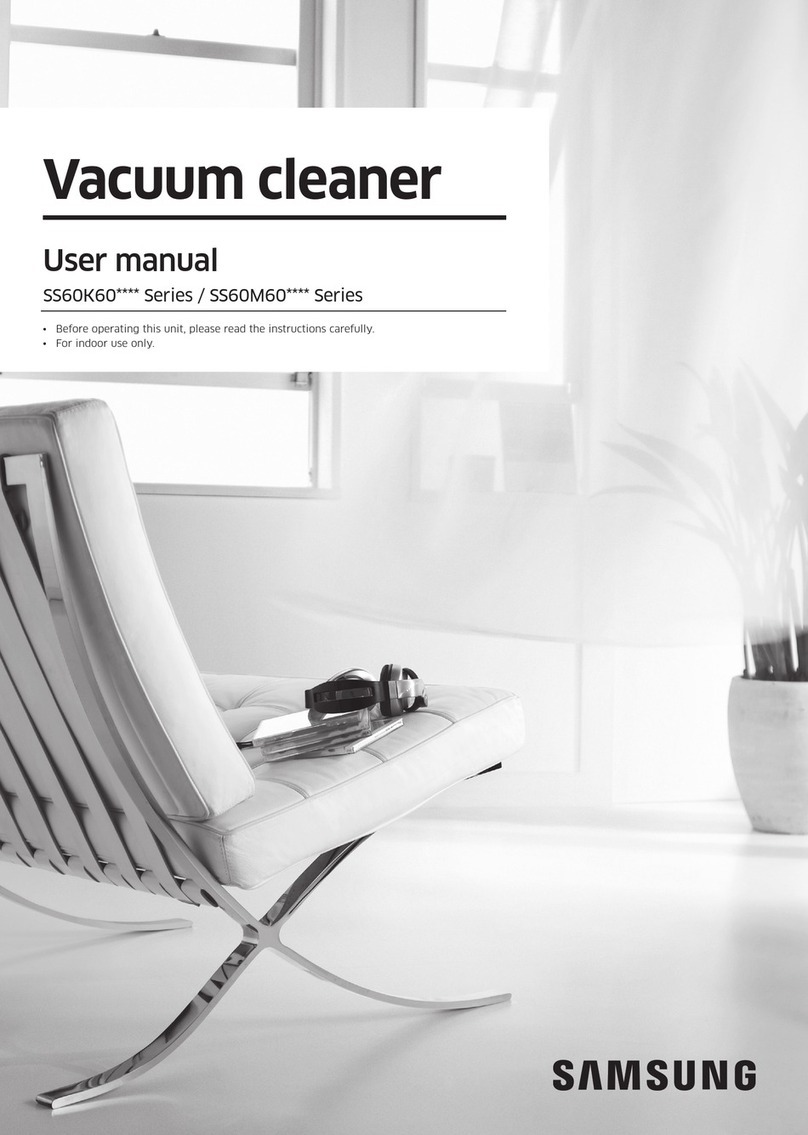
Vacuum cleaner
User manual
VS20R90**** Series / VS15R85**** Series
• Before operating this unit, please read the instructions carefully.
• For indoor use only
VS9000_EN_00821L-03_UK_A5.indd 1 2020-12-08 오후 4:12:17
Questo manuale d’istruzione è fornito da trovaprezzi.it. Scopri tutte le offerte per Samsung
VS20R9042T2 o cerca il tuo prodotto tra le migliori offerte diAspirapolvere e Pulitrici
Contents
PREPARATION
Safety information 3
INSTALLATION
Name of the parts 13
Accessories 14
Installing the charging stand 15
Installation guide 15
OPERATION
Using the vacuum cleaner 16
Using the charging stand 16
Charging the battery 17
Operating the vacuum cleaner 18
Using the accessories 19
MAINTENANCE
Maintaining the vacuum cleaner 22
When to empty the dustbin 22
Emptying the dustbin easily without causing
dust clouds 22
Emptying and cleaning the dustbin 22
Cleaning the lter 24
Cleaning the accessories 24
APPENDIX
Notes and cautions 26
Battery usage 26
Operation 27
Maintenance 29
Troubleshooting 30
Product Specication
Model VS20R90**** VS15R85****
Power 100-240 V~50-60Hz
Rated power consumption 550W 410W
Battery specication Lithium-ion 21.9 V, 2850 mAh,
6 cell
Lithium-ion 21.6 V, 1800 mAh,
6 cell
Charging time 3.5 hours
Cleaning
time
Handy
Approximately 6 minutes (MAX) /
Approximately 30 minutes (MID) /
Approximately 60 minutes (MIN)
Approximately 5 minutes (MAX) /
Approximately 20 minutes (MID) /
Approximately 40 minutes (MIN)
Soft Action
Brush
Approximately 9 minutes (MAX) /
Approximately 20 minutes (MID) /
Approximately 40 minutes (MIN)
Approximately 6 minutes (MAX) /
Approximately 20 minutes (MID) /
Approximately 30 minutes (MIN)
Turbo Action
Brush
Approximately 9 minutes (MAX) /
Approximately 20 minutes (MID) /
Approximately 35 minutes (MIN)
Approximately 5 minutes (MAX) /
Approximately 18 minutes (MID) /
Approximately 27 minutes (MIN)
 Charging and cleaning time may differ depending on the brushes and the conditions of use.
English
2
VS9000_EN_00821L-03_UK_A5.indd 2 2020-12-08 오후 4:12:18
PREPARATION
Safety information
PREPARATION
• Before operating the appliance, please read this manual thoroughly and
retain it for your reference.
• Because the following operating instructions cover various models, the
characteristics of your vacuum cleaner may differ slightly from those
described in this manual.
Caution/Warning symbols used
WARNING
Indicates that a danger of death or serious injury exists.
CAUTION
Indicates that a risk of personal injury or material damage exists.
Other symbols used
NOTE
Indicates that the following text contains additional important information.
English
3
VS9000_EN_00821L-03_UK_A5.indd 3 2020-12-08 오후 4:12:18
PREPARATION
Failure to meet these requirements could cause damage to the internal parts
of the vacuum and void your warranty.
If your appliance is tted with a nonrewireable BS 1363 plug it must not be
used unless an appropriately rated (ASTA approved to BS 1362) fuse is tted
in the carrier contained in the plug.
To determine the correct rating of the fuse refer to the marking on the plug.
General
• Read all instructions carefully. Before switching the vacuum on, make sure
that the voltage of your electricity supply is the same as that indicated on
the rating plate at the rear of the handy vacuum cleaner (battery contact
side).
• WARNING : Do not use the vacuum cleaner on a wet rug or oor.
• Close supervision is necessary when any appliance is used by or near
children. Do not allow the vacuum cleaner to be used as a toy. Do not
allow the vacuum cleaner to run unattended at any time. Use the vacuum
cleaner only for its intended purpose as described in these instructions.
• Do not use the vacuum cleaner without a dustbin.
• Empty the dustbin before it is full to maintain the highest efciency.
• Do not use the vacuum cleaner to pick up matches, live ashes or cigarette
butts. Keep the vacuum cleaner away from stoves and other heat sources.
Heat can deform and discolor the plastic parts of the unit.
• Avoid picking up hard, sharp objects with the vacuum cleaner as they may
damage the vacuum’s parts.
• Do not block the suction or the exhaust port.
English
4
VS9000_EN_00821L-03_UK_A5.indd 4 2020-12-08 오후 4:12:18
PREPARATION
• To avoid damage, remove the plug by grasping the plug, not by pulling
the cord.
• This appliance can be used by children aged from 8 years and above and
persons with reduced physical, sensory or mental capabilities or lack
of experience and knowledge if they have been given supervision or
instruction concerning use of the appliance in a safe way and understand
the hazards involved. Children should not play with the appliance.
Children should not clean or perform maintenance on the vacuum without
adult supervision.
• Children should be supervised to ensure that they do not play with the
appliance.
• The battery must be removed from the main unit before cleaning or
performing maintenance on the vacuum.
• The use of an extension cord is not recommended.
• If your vacuum cleaner is not operating correctly, switch off the power
supply and consult an authorized Samsung service agent.
• If the supply cord is damaged, it must be replaced by the manufacturer
or its service agent or a similarly qualied person to avoid any electrical
hazards.
• Do not use to suction up water.
• Do not immerse in water for cleaning.
• Please contact Samsung or a Samsung service center for a replacement if
one is needed.
• For information on Samsung’s environmental commitments and product
specic regulatory obligations e.g. REACH (WEEE, Batteries) visit:
samsung.com/uk/aboutsamsung/samsungelectronics/corporatecitizenship/
data_corner.html
English
5
VS9000_EN_00821L-03_UK_A5.indd 5 2020-12-08 오후 4:12:18
PREPARATION
Charging stand
• Do not modify the polarized plug to t a non-polarized outlet or extension
cord.
• Do not use outdoors or on wet surfaces.
• Unplug the charging stand from the outlet when not in use and before
servicing.
• Use only the charging stand supplied by the manufacturer to recharge.
• Do not use with a damaged cord or plug.
• Do not pull or carry by the cord, use the cord as a handle, close a door on
the cord, or pull the cord around sharp edges or corners. Keep the cord
away from heated surfaces.
• Do not use extension cords or outlets with inadequately rated current.
• Do not charge a non-rechargeable battery.
• Do not unplug by pulling on the cord. To unplug, grasp the plug, not the
cord.
• Do not mutilate or incinerate batteries as they will explode at high
temperatures.
• Do not attempt to open the charging stand. Repairs should be only carried
out by a qualied Samsung service center.
• Do not expose the charging stand to high temperatures or allow moisture
or humidity of any kind to come into contact with the charging stand.
English
6
VS9000_EN_00821L-03_UK_A5.indd 6 2020-12-08 오후 4:12:18
PREPARATION
Vacuum cleaner
• Do not pick up hard or sharp objects such as glass, nails, screws, coins, etc.
• Do not use without a lter in place. When servicing the unit, never put
ngers or other objects into the fan chamber in case the unit accidentally
turns on.
• Do not put any objects into openings. Do not use with any openings
blocked. Keep openings free of dust, lint, hair, and anything that may
reduce air ow.
• Do not pick up toxic materials (chlorine bleach, ammonia, drain cleaner,
etc.).
• Do not pick up anything that is burning or smoking, such as cigarettes,
matches, or hot ashes.
• Do not use the vacuum cleaner in an enclosed space lled with vapours
given off by oil based paint, paint thinner, moth proong substances,
ammable dust, or other explosive or toxic vapours.
Installation
• If you have a problem with installing the charging stand, contact a
Samsung service center.
Injury or product malfunction from not installing the charging stand may
not be compensated.
English
7
VS9000_EN_00821L-03_UK_A5.indd 7 2020-12-08 오후 4:12:18
PREPARATION
Power related
WARNING
• When installing the charging stand, do not bend the power cord with
excessive force or put heavy objects on the power cord.
– Otherwise, electric shock or re may occur.
• If there is dust, water, etc. on a pin or contact point of the power plug,
wipe them carefully.
– Otherwise, abnormal operation or electric shock may occur.
• Do not pull the cord and do not touch the plug with wet hands.
• Do not plug the charging stand into a power source with the incorrect
voltage. Do not plug the charging stand into a multi-plug outlet or power
strip. Do not leave the power cord lying on the oor. Attach the cord close
to a wall.
– Otherwise, electric shock or re may occur.
• Do not use a damaged power plug, power cord, or loose power outlet.
– Otherwise, electric shock or re may occur.
• If the power cord is damaged, have a Samsung authorized service center
replace the power cord with a new power cord.
– Otherwise, electric shock or re may occur.
Operation
WARNING
• Do not touch the charging terminal of a vacuum or charging stand with
chop sticks, metal screw drivers, forks, knives, etc.
– Otherwise, product malfunction or electric shock may occur.
• Make sure that the battery terminals of the charging stand do not come
into contact with a conductor such as a bracelet, watch, metal rod, nail, etc.
English
8
VS9000_EN_00821L-03_UK_A5.indd 8 2020-12-08 오후 4:12:18
PREPARATION
• Make sure that any liquid such as water or juice is not allowed to enter
the vacuum cleaner or the charging stand.
– Otherwise, electric shock or re may occur.
• Do not use the charging stand for other purposes.
– Otherwise, severe damage to the charging stand or re may occur.
• Do not vacuum liquid, blades, pins, embers, etc. during cleaning.
– Otherwise, abnormal operation or product damage may occur.
• Do not step on the product body or strike the product.
– Otherwise, an injury or product damage may occur.
• The brush and air outlet should not be blocked during cleaning.
– Otherwise, product malfunction or re may occur due to overheating of
the product.
• This product is intended for household use only. Do not use this product
for heavy duty cleaning, commercial cleaning, industrial cleaning, or
cleaning outdoors, especially on stone or cement. Do not use to pick up
chalk powder in and around billiard tables or in hospital aseptic rooms.
– Otherwise, abnormal operation or product damage may occur.
• Do not use the product near heating appliances such as heaters, or in
areas containing combustible sprays, or ammable materials.
– Otherwise, re or product deformation may occur.
• Before using the product, make sure that the lters are correctly inserted.
– Otherwise, dust can enter the motor inside the main body and cause
product damage. Suction force can decrease.
• If there is a gas leak or combustible spray is used, do not touch the power
outlet and open the window for ventilation.
– Otherwise, an explosion or re may occur.
• If the vacuum makes a strange sound or emits a smell or smoke, turn off
the vacuum immediately, and then contact a Samsung service center.
– Otherwise, electric shock or re may occur.
English
9
VS9000_EN_00821L-03_UK_A5.indd 9 2020-12-08 오후 4:12:18

PREPARATION
CAUTION
• Do not use the product near combustible material. Also do not use:
– In a place where a burning candle or desk lamp is placed on the oor.
– In an area where an unattended place heater is turned on or an area in
which there are unextinguished embers in a replace, in an ashtray, etc.
– In a place where there are combustible materials such as gasoline,
alcohol, thinner, ashtrays with unextinguished cigarettes, etc.
• Do not allow children to cling to or push the charging stand.
– Personal injury, product and oor damage may occur.
• When you need to store the vacuum cleaner for a short time during
cleaning, lay the vacuum on the oor.
– Otherwise, the vacuum cleaner may fall and could cause an injury or
severe product damage.
• Do not charge the product near a window, heater, toilet, bathroom, etc.
• After using the vacuum cleaner, you should store it in the charging stand
or lay it safely on the oor.
– Otherwise, the product may fall and could cause an injury or severe
product damage.
• Do not store the vacuum cleaner by leaning it against a wall or table.
• Do not use the vacuum cleaner for other than its intended purpose. (Do
not allow children to ride on or play with the product.)
– An injury or product damage may occur.
• Before plugging in or unplugging the charging stand, turn off the vacuum
and make sure that the pins of the power plug do not come into contact
with your hands.
– Otherwise, re or electric shock may occur.
English
10
VS9000_EN_00821L-03_UK_A5.indd 10 2020-12-08 오후 4:12:19