IM013
•At the end of cooking process the mode indicator located near the button goes off, and the buzzer sounds. The universal
cooker automatically switches to heating mode, and heating indicator lights.
•Disconnect the universal cooker from the mains.
"" (STEWING) PROGRAM
•This mode is used for stewing foods and preparing jelly.
•Put all the ingredients and spices into a bowl of the universal cooker according to the recipe.
•Place the bowl into the universal cooker.
•Close the lid until the click is heard.
•Connect the universal cooker to mains. Do not connect the appliance to the mains until all preparations are completed, or it
may lead to damage.
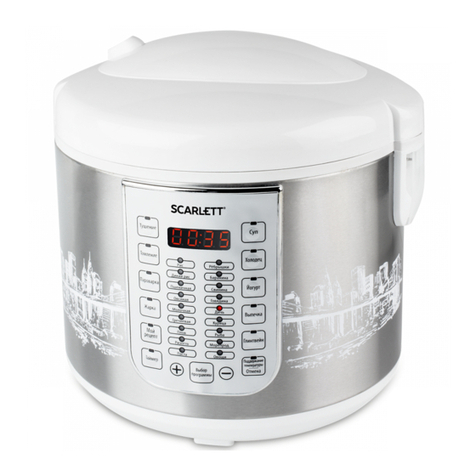
•Press the "" (STEWING) button located on the control panel. The button's LED lights. The time interval "02:00" will
be displayed. The "" (STEWING) program will start in 5 seconds.
•By default, the stewing program time is set to 22 minutes. If necessary, you can increase or decrease the time by using the
"+/-" buttons. You can select cooking time within the range of 1 - 8 hours. The setting increment is 5 minutes.
•At the end of cooking process the mode indicator goes off, and the buzzer sounds. The universal cooker automatically
switches to heating mode, and heating indicator lights.
•Disconnect the universal cooker from the mains.
"/ " (PREHEAT/CANCEL) FUNCTION
•This mode is used for switching the heating mode on, and for switching the universal cooker off.
" " (START DELAY) FUNCTION
•This function allows you to delay cooking so that it will begin at predefined time.
•Select the cooking program, press the "" (TIMER) button and use the "+/-" buttons to set the delay time within the
range of 30 minutes to 24 hours with 30 minutes increments.
•This function is not available for "Roasting" and "Baking" programs.
DEVICE TROUBLESHOOTING
•When the display shows the error information (symbols 1, E2, 4), unplug the unit from the mains and let it cool. If the error
indicator does not disappear from the display when the unit is turned on again, contact service department.
CLEANING AND MAINTENANCE
•The device needs to be cleaned regularly; remove all of the food residue from the surface of the multicooker
•Before cleaning turn off the multicooker and unplug it from the socket. Let the device cool off completely.
•Wipe the control panel, the outer and the inner surfaces of the multicooker with a wet cloth and detergent, wipe dry.
•Wash the pot in warm water with detergent and wipe dry. You should wash the pot immediately after you finished cooking.
Wash the container for collecting the condensed water and the steam outlet valve.
•Do not use aggressive substances or abrasive materials.
STORAGE
•Make sure that the device is unplugged from the socket and is completely cooled off.
•Follow all of the steps mentioned in “CLEANING AND MAINTENANCE” section.
•Store the multicooker with the cover half open in a dry and clean place.
RUS
. .
• .
• , ,
, .
! .
.
• .
.
• .
• , .
• ( ) ,
,
, .
• .
• .
• , .
• , ,
, .
• . ,
, ,
.
•, .
• , .
• . ,
.
• .
• .
• , .