• 7 •
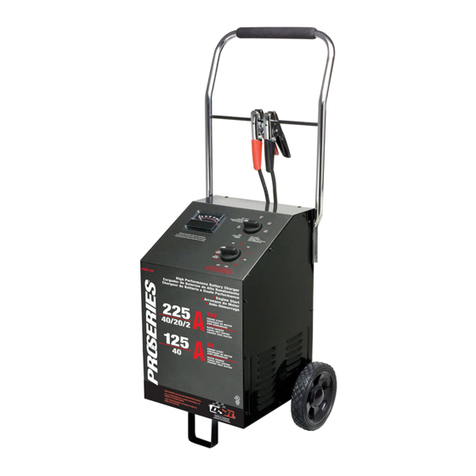
TIMER
The timer allows you to set a specied
time for charging. After the timer expires,
the charger stops charging your battery.
The main function of the timer is to
prevent overcharging, while allowing
a battery time to obtain a satisfactory
charge. To properly set the timer, you
must know the size of the battery (in
ampere hours) or reserve capacity
(in minutes) and the state of charge.
It is important that you determine the
appropriate state of charge of your battery
and set the timer accordingly.
Hold – This position defeats the timer
function, allowing for continuous
operation. Use it when you want to charge
more than 2¼ hours. Be sure to monitor
the charging progress and stop when the
battery is charged. The hold position will
overcharge a battery if it is not monitored.
This will damage your battery and may
cause property damage or personal injury.
AMMETER
The Ammeter indicates the amount of
current, measured in amps, that is being
drawn by the battery. As a battery takes
on a charge, it draws less current from
the charger. Correspondingly, the meter
will show less current being drawn by the
battery. When the current stops decreasing,
the battery is charged. The start area of the
meter indicates a high rate of current being
drawn from the charger. When cranking
an engine, the meter needle will be at the
extreme right side of the start area. The 2
amp charge rate may indicate some activity
on the meter, although the meter does not
have the resolution to display this low rate.
12. OPERATING INSTRUCTIONS
WARNING: A spark near battery may
cause an explosion.
CHARGING A BATTERY
IN THE VEHICLE
1. Turn off all the vehicle’s accessories.
2. Keep the hood open.
3. Clean the battery terminals.
4. Set the charge rate switch and the
timer to the OFF position.
5. Lay the AC/DC cables away from any
fan blades, belts, pulleys and other
moving parts that can cause injury.
6. Connect the battery, following the
precautions listed in sections 6 and 7.
7. Connect the charger to an electrical
outlet.
8. Select the desired charge rate.
9. Set the timer to the charge time.
MONITOR THE CHARGER AND
THE BATTERY.
10. When disconnecting the charger, set
the charge rate switch and the timer
to the OFF position, disconnect the
charger from the AC power, remove
the clamp from the vehicle chassis,
and then remove the clamp from the
battery terminal.
CHARGING A BATTERY
OUTSIDE OF THE VEHICLE
1. Place battery in a well-ventilated area.
2. Set the charge rate switch and the
timer to the OFF position.
3. Clean the battery terminals.
4. Connect the battery, following the
precautions listed in sections 6 and 7.
5. Connect the charger to the electrical
outlet.
6. Select the desired charge rate.
7. Set the timer to the charge time.
MONITOR THE CHARGER AND
THE BATTERY.
8. When disconnecting the charger,
set the charge rate switch and the
timer to the OFF position, disconnect
the charger from the AC power,
disconnect the negative clamp, and
nally the positive clamp.
9. A marine (boat) battery must be
removed and charged on shore.
MANUAL CHARGING MODE
When manual mode is performed, the
charger will continue to charge and will not
shut off. Monitor the charging process and
stop when the battery is fully charged. Not
doing so may damage your battery and
result in property damage or personal injury.
USING THE ENGINE START FEATURE
Your battery charger can be used to jump
start your car if the battery is low. Follow
all safety instructions and precautions for
charging your battery. Wear complete eye
protection and protective clothing.
WARNING: Using the ENGINE START
feature WITHOUT a battery installed in
the vehicle could cause damage to the
vehicle’s electrical system.
NOTE: If you have charged the battery
and it still will not start your car, do not
use the Engine Start feature, or it could
damage the vehicle’s electrical system.
Have the battery checked.