manuals.online logo
Brands
  1. Home
  2. •
  3. Brands
  4. •
  5. SEAL
  6. •
  7. Laminator
  8. •
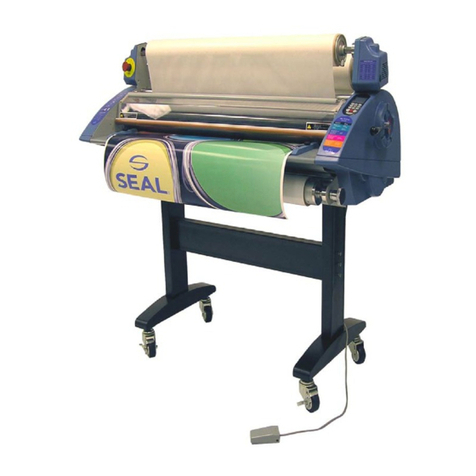
  9. SEAL PROSEAL 44 Instructions for use

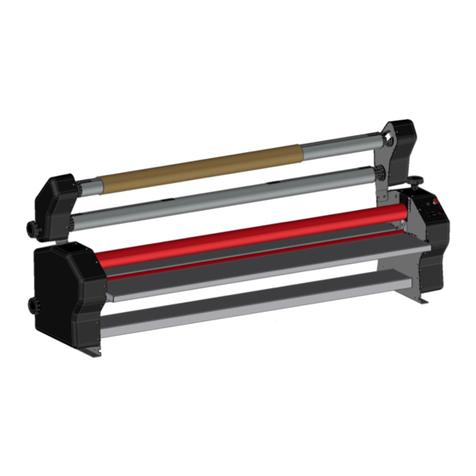
SEAL PROSEAL 44 Instructions for use

Other manuals for PROSEAL 44

2

Other SEAL Laminator manuals

SEAL AquaSEAL SW-3000 Instructions for use

SEAL

SEAL AquaSEAL SW-3000 Instructions for use

SEAL 62Base User manual

SEAL

SEAL 62Base User manual

SEAL 65ProMD User manual

SEAL

SEAL 65ProMD User manual

SEAL Image 6500 XT Instructions for use

SEAL

SEAL Image 6500 XT Instructions for use

SEAL AquaSEAL SW-5000 User manual

SEAL

SEAL AquaSEAL SW-5000 User manual

SEAL AquaSEAL SW-4000 Instructions for use

SEAL

SEAL AquaSEAL SW-4000 Instructions for use

SEAL 44 Ultra Laminator Instructions for use

SEAL

SEAL 44 Ultra Laminator Instructions for use

SEAL IMAGE 80S User manual

SEAL

SEAL IMAGE 80S User manual

SEAL Image 600-C Instructions for use

SEAL

SEAL Image 600-C Instructions for use

SEAL 62Pro User manual

SEAL

SEAL 62Pro User manual

SEAL Image 410 Instructions for use

SEAL

SEAL Image 410 Instructions for use

SEAL AquaSEAL SW-2600 Instructions for use

SEAL

SEAL AquaSEAL SW-2600 Instructions for use

SEAL 54 EL User manual

SEAL

SEAL 54 EL User manual

SEAL AquaSEAL AS-1600 Instructions for use

SEAL

SEAL AquaSEAL AS-1600 Instructions for use

SEAL 62Pro User manual

SEAL

SEAL 62Pro User manual

SEAL 54Base User manual

SEAL

SEAL 54Base User manual

SEAL EP42 User manual

SEAL

SEAL EP42 User manual

SEAL Image 400-C User manual

SEAL

SEAL Image 400-C User manual

SEAL PROSEAL 44 User manual

SEAL

SEAL PROSEAL 44 User manual

SEAL Image 6500 User manual

SEAL

SEAL Image 6500 User manual

SEAL Image 400 User manual

SEAL

SEAL Image 400 User manual

SEAL 44/62 Ultra Plus User manual

SEAL

SEAL 44/62 Ultra Plus User manual

SEAL PROSEAL 44 Instructions for use

SEAL

SEAL PROSEAL 44 Instructions for use

SEAL 80Pro User manual

SEAL

SEAL 80Pro User manual

Popular Laminator manuals by other brands

Peak PHS-330 Product instruction manual

Peak

Peak PHS-330 Product instruction manual

Royal Sovereign APL-230 owner's manual

Royal Sovereign

Royal Sovereign APL-230 owner's manual

Renz HT 330 L Operation manual

Renz

Renz HT 330 L Operation manual

PAVO FLORIDA manual

PAVO

PAVO FLORIDA manual

Hama L44B instruction manual

Hama

Hama L44B instruction manual

M-Triangel MT-102 Operating	 instruction

M-Triangel

M-Triangel MT-102 Operating instruction

Akiles PROLAM 230 instruction manual

Akiles

Akiles PROLAM 230 instruction manual

Falcon F-40 Operator's manual

Falcon

Falcon F-40 Operator's manual

LEITZ EasyLaminator A4 operating instructions

LEITZ

LEITZ EasyLaminator A4 operating instructions

LEITZ coldLAM CS9 operating instructions

LEITZ

LEITZ coldLAM CS9 operating instructions

kala Starter 1080 user manual

kala

kala Starter 1080 user manual

Lapis Lamina006 user manual

Lapis

Lapis Lamina006 user manual

Fellowes Venus A3 Instructions before use

Fellowes

Fellowes Venus A3 Instructions before use

Qomolangma FMJ-1400-WA-PLUS user manual

Qomolangma

Qomolangma FMJ-1400-WA-PLUS user manual

GBC ORCA III T Operation & maintenance manual

GBC

GBC ORCA III T Operation & maintenance manual

Fellowes Cosmic 2 A3 manual

Fellowes

Fellowes Cosmic 2 A3 manual

D&K Masterpiece 550 owner's manual

D&K

D&K Masterpiece 550 owner's manual

usi CSL2700 quick start guide

usi

usi CSL2700 quick start guide

manuals.online logo
manuals.online logoBrands
  • About & Mission
  • Contact us
  • Privacy Policy
  • Terms and Conditions

Copyright 2025 Manuals.Online. All Rights Reserved.

ProSEAL
®
44 Pouch Board Laminator
ProSEAL
®
44 Laminator
Owners
Operation
Manual
2
ProSEAL
®
44 Pouch Board Laminator
3
ProSEAL
®
44 Pouch Board Laminator
TABLE OF CONTENTS
INTRODUCTION 4
IMPORTANT SA EGUARDS 5
UNPACKING AND SET-UP 6
NIP CONTROL KNOB, REAR PANEL 7
CONTROL PANEL 8
MOUNTING USING A ProSEAL
®
MOUNTING BOARD 9
MOUNTING USING A ProSEAL
®
POUCH BOARD 10
ENCAPSULATING USING A ProSEAL
®
LEXIBLE POUCH 11
CLEANING YOUR LAMINATOR 12
TROUBLESHOOTING GUIDE 13
SPARE PARTS 14
GLOSSARY O TERMS 15
TECHNICAL SPECI ICATIONS 16
LIMITED WARRANTY 17
ProSEAL
®
CONTACT IN ORMATION 18
4
ProSEAL
®
44 Pouch Board Laminator
INTROD CTION
Thank you for purchasing a ProSEAL
laminator. We have designed the ProSEAL
Laminator to give you years of reliable
service. As you become familiar with the
ProSEAL Laminator, you will appreciate the
high quality of its production and the
excellence in its engineering design.
By following the guidelines for proper care
and use of the ProSEAL Laminator, you can
depend on many years of trouble-free
profitability from your investment.
The purpose of this manual is to outline
materials and processes. This manual will
show you how to use ProSEAL supplies
with your laminator to create signs, displays,
and flexible graphics with professional
results. The manual includes instructions of
various laminating procedures, which are
meant to give you comprehensive
information needed for the efficient use of
your laminator.
Please read and fully understand the
entire manual before proceeding to use
your laminator.
STATEMENT OF INTENDED SE
Your ProSEAL Laminator meets the standards
of UL 775 and CAN/CSA C22.2 No. 60950.
The ProSEAL Laminator has been designed to
be used with ProSEAL Pouch Boards and
ProSEAL lexible Pouches. When used with
these products, you are able to laminate and
encapsulate prints in one step. Your laminator
has not been tested with any other materials
and is not recommended for use with products
other than ProSEAL supplies.
WARNING! This laminator is designed for
mounting and laminating. Any use other
than the intended may cause damage to the
laminator or physical harm to the user.
WARNING! Any unauthorized changes or
modifications to this unit without our prior written
approval will void the user’s warranty and will
transfer health and safety obligations to the
user.
LIABILITY STATEMENT
The details given in this manual are based on
the most recent information available to us.
They may be subject to change in the future.
We retain the right to make changes to the
construction or the design of our products
without accepting any responsibility for
modifying earlier versions previously delivered.
CAUTION! Please pay attention to all passages
marked this way. This information is vital to
preventing user injury and/or damage to the
unit. ailure to follow this information could void
the user's warranties and transfer all safety
obligations to the user.
5
ProSEAL
®
44 Pouch Board Laminator
1. Read all instructions before connecting or
operating this unit.
2. Retain this Owners Manual for future
reference. or technical assistance
beyond what is covered in this manual
contact Technical Service.
3. Save your carton! ProSEAL laminators
are shipped in special cartons and should
be used in case your ProSEAL laminator
should ever require service or need to be
transported.
NOTICE! Failure to return machines
properly packed in original packaging
will impose a fifteen percent
restocking fee plus costs to repair
shipping damage. Contact Technical
Service for a return authorization (see
rear cover).
WARNING! Do not modify the plug in
any way.
IMPORTANT SAFEG ARDS
When using electrical appliances, basic
precautions should always be taken to reduce
the risk of electrical shock and injury to
persons, including the following:
NOTE: Disconnect the laminator from the
main power supply before cleaning!
6. Do not immerse any part of the
laminator in water or other liquids.
7. This unit should be situated away from heat
sources such as heat register or
stoves/ovens.
8. The laminator's location or position should
not interfere with its proper ventilation. Do
not install or place in a built-in enclosure
such as a bookcase.
9. Do not operate the laminator with a
damaged cord or plug, or after the laminator
has been dropped or damaged in any
manner. If purchased in U.S./Canada,
return the laminator to SEAL Graphics or if
purchased in Europe or Asia, return to your
ProSEAL reseller for examination, repair or
adjustment.
10. Do not let the cord hang over the edge of a
counter/bench or touch hot surfaces.
11. Always unplug the laminator when it is not
in use for a long period.
12. This unit should only be connected to a
power supply outlet of the voltage,
amperage, and frequency marked on the
rear panel. The laminator has a grounded
plug (three prongs). To reduce the risk of
electrical shock, this plug is intended to fit
only a grounded outlet of the proper
amperage, and in only one way. If it does
not fit in the outlet, contact a qualified
electrician.
4. Do not use the laminator for other
than its intended use.
5. The Laminator case may be cleaned
with a lint-free cloth, lightly
dampened with a mild soap and
water solution. Do not use spray-on
cleaners.
6
ProSEAL
®
44 Pouch Board Laminator
NPACKING AND SET- P
The ProSEAL 44 is a professional laminator
designed for ease of use. The process speed
and temperature have been preset to eliminate
operator guesswork. The factory setting will
facilitate good quality results using the
ProSEAL lexible Pouches and Pouch Boards.
The ProSEAL 44 can handle lexible Pouches
and Pouch Boards up to 44 inches (1120mm)
wide.
Please familiarize yourself with machine
operation before installation, operating the
Control Panel and the Nip Control Knob.
Installation of your ProSEAL Laminator
Please read and fully understand the entire manual
before proceeding to use your laminator.
Your ProSEAL laminator must be lifted and carried
to the place where it will be used. This should be
done by at least two people, one on each side.
Grasp the machine 8-10 inches (20cm-25cm) from
the side. It should only be placed on a sturdy,
clean, flat, level surface able to support 111 lbs.
(50kg).
Keep the area around your laminator clear with
adequate space around it so you can feed, receive
and trim mounted and/or laminated images.
npacking your Laminator
1. Open the box, and lift the machine out (at least
two persons necessary!). Grasp the machine
8"-10" (200mm-250mm) from either side, at
the bottom metal parts. Be careful! The
polyethylene bag is slippery!
2. Place the machine on the work area described
above.
3. Remove the protective expanded polystyrene
foam.
4. Remove the polyethylene bag.
5. Inspect the machine for any physical damage
(if damage does exist, report this to the reight
Company or Dealer to file a claim). Contact
Technical Service (see rear cover) to
determine if a replacement machine should be
shipped to you.
NOTICE! Retain original packaging. ailure to
return machines properly packed in original
packaging will impose a fifteen percent restocking
fee plus costs to repair shipping damage. Contact
Technical Service for Return Authorization (see
rear cover).
Setting up your Laminator
The ProSEAL laminator should be installed next
to a power/main outlet. If an extension cord is
needed, make sure the cord rating meets or
exceeds the machine rating.
The plug and the outlet must be easily
accessible. Please ensure that you plug your
laminator into a grounded, EARTHED, three-
prong outlet. Please ensure that the total load of
the other items using the same circuit breaker do
not exceed its breaking value.
The US versions of the ProSEAL machines are
provided with a fixed power cable and NEMA
5-15 plug.
se 120Vac 15A or 20A grounded outlet only.
15A or 20A
Using your ProSEAL 44
• Plug the power cable into the grounded outlet
with appropriate service as described above.
• Turn on power with main power switch. Roller
will turn continuously while power is on.
• Wait 10-15 minutes to determine if the unit
has achieved operating temperature Note:
The LED indicator will blink until the machine
is up to temperature.
• When LED indicator is constantly lit, the
ProSEAL laminator is ready for use.
CA TION! Set the Nip Control Knob to the
“Open” position when not in use.
NOTE: The laminator may emit vapors the
first few times it is used. This is normal and
will cease after several minutes of use.

7
ProSEAL
®
44 Pouch Board Laminator
NIP CONTROL KNOB
The Control Knob (see figure 1) is located on
the right hand side of the laminator and should
be operated from this side. The control knob is
used to adjust the height of the rollers.
The Nip Settings are 1/4"(6mm), 3/16" (5mm),
1/8" (3mm) and 1/16" (1.5mm) correspond to
Pouch Board thickness. There is also a fully
closed position - 0" (0mm) for future film only
applications. Select the setting that indicates
the thickness of the material you will be using.
To Operate the Nip Control Knob
1. Grasp it with your right hand and push
in approximately 1/4" (6mm).
2. Once the knob has disengaged from the
stop, it may be rotated forward or
backward (clockwise or
counterclockwise, as viewed from the
right hand side of the unit).
3. Once the arrow has reached the desired
nip setting, release the knob or gently
pull the knob out to lock it in place. See
igure 1A.
Caution! Set the Nip Control Knob to the
“Open” position when not in use.
igure 1A Nip Control Knob
REAR PANEL
Note: Always switch the power off when the
machine is not in use. The heat is always on
when the main power is on.
In case of Emergency: Turn off the main
power switch or unplug the machine
from the power outlet.
The main fuse is also located on the rear
panel. The main fuse should always be
replaced with the same type. The correct
type is identified on a label above the fuse
holder.
Caution! For continued protection
against risk of fire, replace fuse with
same type and rating.
igure 1B Rear Panel
To turn the machine on and off, use the main
power switch below in figure 1B.
“O” is off and “1” is on.
8
ProSEAL
®
44 Pouch Board Laminator
CONTROL PANEL
The Control Panel (see igure 2) is located on
the top right of the machine. A diagram of the
Control Panel is shown in igure 3.
<LED> - The LED indicator tells the
temperature status. If it is flashing slowly,
this indicates the laminator is heating up
and has not yet reached process
temperature. A steady light indicates the
unit has reached process temperature and
is ready for use.
<REVERSE> - Pressing and holding the top
button reverses the direction of the rollers.
This is used to clear jams or foreign objects,
should one be drawn into the laminator. In
case of a jam: Either stop the laminator
and/or use the Reverse eature.
<HEATING> - Pressing the button turns
the heater on and off. The LED indicator

will remain lit when the heating element
is on.
In case of Emergency: Turn off the main
power switch or unplug the machine
from the power outlet.
PANEL UNCTIONS:
igure 2 Control Panel Location
9
ProSEAL
®
44 Pouch Board Laminator
MO NTING SING A ProSEAL MO NTING BOARD
sing a ProSEAL Mounting Board
Refer to the instruction sheet packed with each
box of ProSEAL Mounting Boards for specific
information on mounting with a ProSEAL Board.
Also, refer to the instruction sheet for
information on Compatible Media, Process
Conditions and technical information.
Place the image to be mounted on the adhesive-
coated side of the mounting board (dull side of
the board).
Cover your print with the "cover sheet" as
marked (included with each box of ProSEAL
Mounting Boards). Please be sure that the
board is completely covered by this sheet.
Set the Nip knob to the correct setting that
matches the Mounting Board thickness.
Insert the board into the inlet opening. Ensure
the board will enter centered and straight. A
gentle push may be required to start the board
into the laminator.
Hold the edges of the board until it is engaged in
the unit and the laminator begins pulling it on its
own.
The board will feed through the laminator and
automatically exit at the rear of the unit.
CA TION! The board will be hot! Allow it
to lie flat while cooling.
CAUTION! USE ONLY WITH ProSEAL
MOUNTING BOARDS 1/4" (6mm) THICK OR
LESS. DO NOT USE PLYWOOD, METAL,
CARDBOARD, SHARP OR HARD BOARD
WITH RAGGED EDGES OR ANY TYPE O
PLASTIC. MAKE SURE THAT ALL MEDIA
ED INTO THE LAMINATOR IS REE O
STAPLES, PAPER CLIPS, OR OTHER HARD
OBJECTS.
oam board may be cut or trimmed using a
sharp hobby knife such as an X-ACTO Knife.
Lightly score the paper first. Several passes of
the knife may be required.
NOTE: Ragged cuts or pulling of the foam
board indicates a dull blade.
10
ProSEAL
®
44 Pouch Board Laminator
MO NTING SING A ProSEAL PO CH BOARD
Refer to the instruction sheet packed with each
box of ProSEAL Pouch Boards for specific
information on mounting/laminating with a
ProSEAL Board.
In addition, refer to the instruction sheet for
information on Compatible Media, Process
Conditions and technical information.
Carefully examine the board to determine
which edge is sealed. There is a 1/8" (3mm)
tape edge on the sealed end.
Starting at one of the corners, opposite the
sealed edge, gently lift and peel back the film.
Care should be taken not to break the sealed
hinge.
Center the image to be laminated on the board
and lay the film back over it.
Set the Control Knob to the correct setting that
matches the Pouch Board thickness.
Ensure that the unit is set to Hot Mode and that
the LED is not flashing
Slowly insert the Pouch Board into the inlet
opening. Ensure that the Pouch Board will
enter centered and straight. A gentle push
may be required to start the board into the
laminator.
Hold the edges of the Pouch Board until it is
engaged and the laminator begins pulling it
on its own.
The Pouch Board will feed through the
laminator and automatically exit at the rear of
the unit.
CA TION! The board will be hot! Allow it
to lie flat while cooling.
If there is any dirt or adhesive on the surface
of the board, it can be removed by
dampening a lint free cloth with Isopropyl
Alcohol (IPA) and wiping the surface.
CAUTION! Always use care when using
Isopropyl Alcohol (IPA)! IPA is very
flammable.
The flash point of IPA is 11ºC (51.8º ).
The self-ignition temperature is 400º
(752º ).