- 3 - 03/2023
2023, .
• Thank you for purchasing aSENCOR brand product and we hope that
you will be happy with it.
• Prior to using this appliance, please read the user’smanual
thoroughly, even in cases, when one has already familiarised
themselves with previous use of similar types of appliances. Only use
the appliance in the manner described in this user’smanual. Keep
this user’smanual in asafe place where it can be easily retrieved for
future use.
• We recommend saving the original cardboard box, packaging
material, purchase receipt and responsibility statement of the vendor
or warranty card for at least the duration of the legal liability for
unsatisfactory performance or quality. In the event of transportation,
we recommend that you pack the appliance in the original box from
the manufacturer.
. . . . . . . . . . . . . . . . . . . . . . . . . . . . . . . . . . . . . . . . . . . . . . . . . . . . . . . . . . . . . . . . . . . .
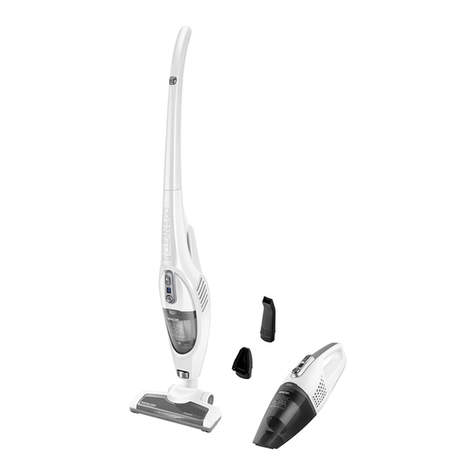
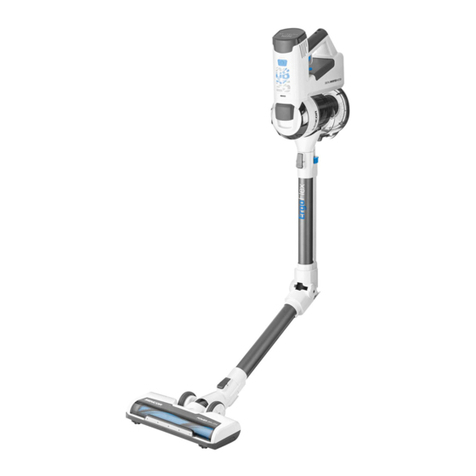
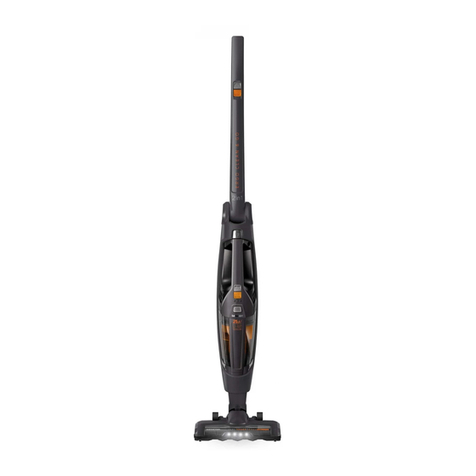
DESCRIPTION OF THE VACUUM CLEANER AND ITS ACCESSORIES
A1 Handle
A2 On/Off button of the upright
vacuum cleaner
A3 Body of the upright vacuum
cleaner
A4 Hand vacuum cleaner
A5 Floor nozzle release button
A6 Floor nozzle with an electric
rotary brush
A7 Locking screw
A8 Hand vacuum cleaner release
button
A9 Travel wheels
A10 Dust container
A11 Dust container release button
A12 Battery level indicator
A13 Suction power adjustment
button of the upright vacuum
cleaner
A14 On/Off button of the hand
vacuum cleaner
A15 Hand vacuum cleaner handle
A16 Air outlets
A17 Suction hole
A18 Washable inner HEPA type
filter.
A19 Washable outer filter
A20 Charging base
A21 Accessory storage
compartment
A22 Power adapter
A23 Brush nozzle
A24 Crevice nozzle
. . . . . . . . . . . . . . . . . . . . . . . . . . . . . . . . . . . . . . . . . . . . . . . . . . . . . . . . . . . . . . . . . . . .
BEFORE FIRST USE
• Before first use, take the appliance and its accessories out of the
packaging material and remove all promotional labels and stickers.
Check that neither the appliance nor any of its parts is damaged.
. . . . . . . . . . . . . . . . . . . . . . . . . . . . . . . . . . . . . . . . . . . . . . . . . . . . . . . . . . . . . . . . . . . .
ASSEMBLY AND DISASSEMBLY
Assembling and disassembling the hand vacuum cleaner
• When assembling the hand vacuum cleaner A4, proceed as follows:
1. Insert the inner filter A18 into the outer filter A19.
2. Insert both filters into the dust container A10 and check that they are
properly inserted.
3. Put the dust container A10 on to the motor unit of the hand vacuum
cleaner.
If you need to disassemble the hand vacuum cleaner A4, proceed as
follows:
1. Press button A11, to release the dust container A10. Take the dust
container A10 off the motor unit.
2. Out of the dust container A10, remove the outer filter A19 and the
inner filter A18.
Assembling and disassembling the upright vacuum cleaner
• For reasons of safety during transport, the upright vacuum cleaner is
supplied disassembled.
1. Attach the handle of the upright vacuum cleaner A1 to the body of
the vacuum cleaner A3 so that the handle is aligned with the hole in
the body of the vacuum cleaner. Insert the supplied screw A7 into the
hole and screw it in properly – see figure B1. Check than the handle is
correctly attached and not moving in any way.
2. Into the free space in the body of the vacuum cleaner A3, insert the
hand vacuum cleaner A4 by first inserting the suction hole A17 into the
bottom part of the body of the vacuum cleaner A3 and then carefully tilt
down the handle A15 until you hear aclick.
3. Insert the floor nozzle A6 into the suction hole A17 of the hand vacuum
cleaner – see figure B2 until you hear aclick.
4. If you need to disassemble the upright vacuum cleaner, first remove
the hand vacuum cleaner A4 from the body A3 by pressing button A8.
Then press button A5 to release the floor nozzle A6. Finally screw out
the locking screw A7 and carefully pull out the handle A1 from the body
of the vacuum cleaner A3.
Assembling the charging base
• For reasons of safety during transport, the charging base A20 is
supplied disassembled.
• Insert the vertical part of the charging base into the horizontal part –
see figure C1, until you hear aclick.
• If you need to disassemble the charging base A20, first press the
button in the bottom part of the charging base A20 – see figure C2.
Then you can slide out the vertical part.
. . . . . . . . . . . . . . . . . . . . . . . . . . . . . . . . . . . . . . . . . . . . . . . . . . . . . . . . . . . . . . . . . . . .
CHARGING THE VACUUM CLEANER
• Place the assembled charging base A20 on an even, dry and stable
surface within reach of apower socket.
• Insert the power adapter plug A22 into the socket on the underside of
the charging base A20. Plug the power adapter plug A22 into apower
socket.
• Turn off the upright vacuum cleaner and set it to the vertical parking
position. Insert it into the charging base – see figure D.
• After insertion into the charging base A20, the built-in battery will
start being charged and the battery level indicator A12 will indicate the
charging level. Afull charge requires approximately 4.5hours. The
actual charging time depends on the power level of the battery.
• When the charging process is completed, all the LEDdiodes of the
indicator A12 will be lit.
• When you finish cleaning and have cleaned out the appliance, place it
back into the stand so that the battery can recharge.
• Keep the charging adapter plugged in permanently. The electronics
in the appliance control the battery charging process and ensure that
it is always optimally charged. When the battery is fully charged,
the electronics interrupt the charging process and resume it when it
is necessary to charge the battery again. There is no need to worry
about wasting electricity.
• Disconnect the charging adapter from the power socket only in the
event of a long term absence. When you return, plug it back into the
socket so that the vacuum cleaner is again ready for use.
• The LED diodes of the battery level indicator A12 indicate the charge
level of the battery. The individual LED diodes will turn off as the
battery gradually discharges. When the battery is almost flat, the
bottom LEDdiode will start flashing. When it turns of completely, the
battery is completely flat.
Note:
Prior to starting recharging, it is important for the vacuum
cleaner to be turned off and standing in the vertical parking
position. Do not turn on the vacuum cleaner when it is being
recharged and the power adapter A22 is connected to the
power socket.
. . . . . . . . . . . . . . . . . . . . . . . . . . . . . . . . . . . . . . . . . . . . . . . . . . . . . . . . . . . . . . . . . . . .
EN 2-in-1 Upright vacuum cleaner
User'smanual