___________________________________________________________________________________________________
- 7 -
Ethernet interface RJ45 socket signal array
Pin Signal name Function Type
1 Tx+ Positive phase Ethernet data sending
differential signal line output
2 Tx- negative phase Ethernet data sending
differential signal line output
3 Rx+ Positive phase Ethernet data receiving
differential signal line input
4 Not used -
5 Not used -
6 Rx- Negative phase Ethernet data receiving
differential signal line input
7 Not used -
8 Not used -
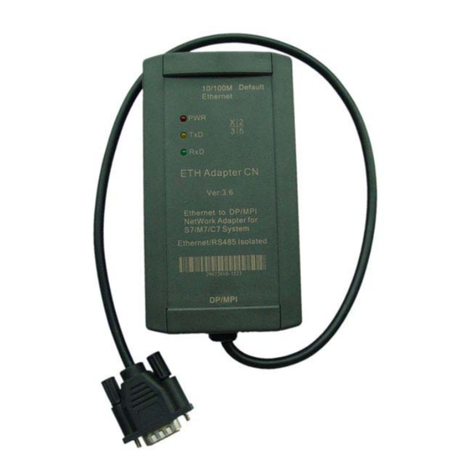
Default Button: Restore the default setted parameters. Insert the penpoint into the hole to press the
button for about 1 second, the internal Flash memory parameters will restore to factory default
parameters: IP = 192.168.0.250, Username = admin, Password = admin. When you forget the IP
address,user name or password, you can restore to the factory default parameters,and then reset
the parameters.
RS485 Interface: RS485 interface is the DB9M-pin plug which meets the Siemens S7-200 Series
PLC PPI interface technical specifications, the signal array match S7-200 series PLC PPI
interface, and has a 0.5 meter cable, you just simply plug the DB9M directly into the S7-200PLC
PPI interface outlet.
The signal array of RS485 socket(DB9M pin)
Pin No. Signal
name Description Input/output
1 NC No use -
2 M24V 24VDC power negative input
3 LTG_B RS485 signal positive input/output
4 NC No use -
5 M5V RS485 signal ground input
6 NC No use -
7 P24V 24VDC power positive input
8 LTG_A RS485 signal negative input/output
9 RTS_PG RS485 communication mode selection input
Shell Shielding Shield ground (chassis ground)
RS485 communication mode selection switch: you need to set the local connection as “modem
connection” in the STEP7 Micro/WIN software when you use the ES-ETH-PPI . At this time, you
need to choose 11-bit or 10-bit data communication mode.