Time
5 ms
Actual communication time
Frequency of the radio wave interference
Communication frequency interference (for example, Wi-Fi)
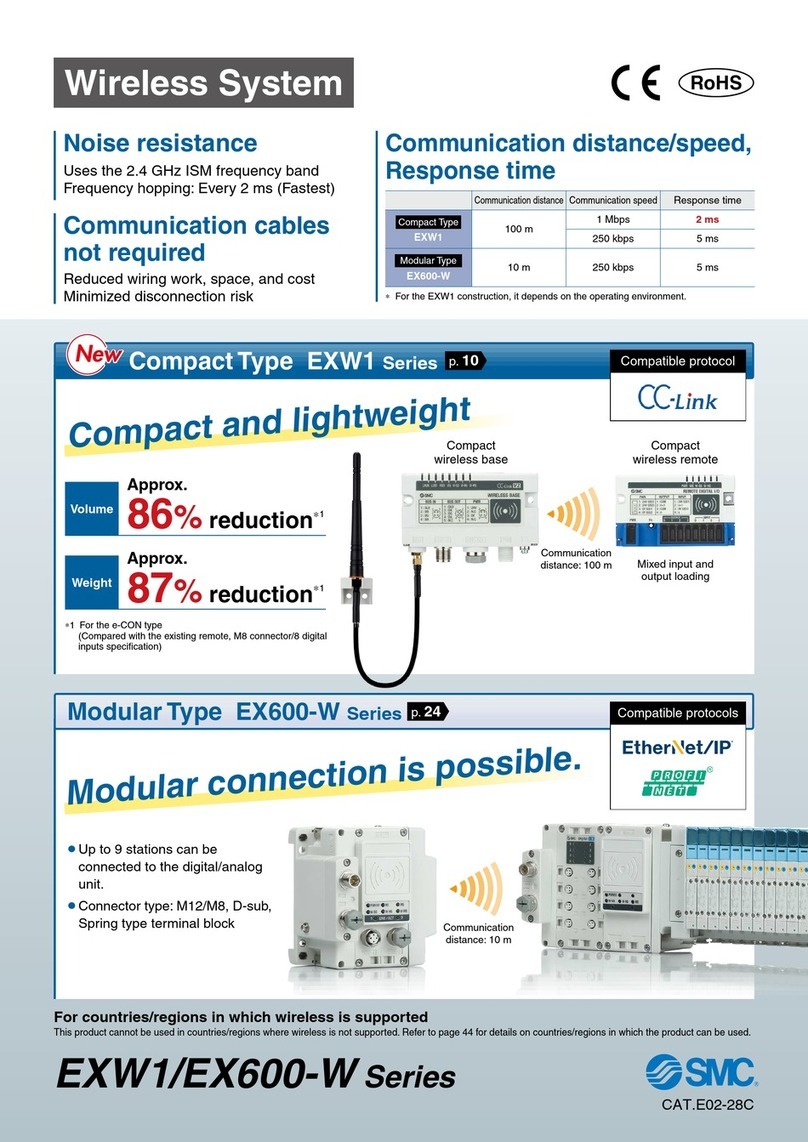
Wireless System EX600-W Series
Base
Base
Remote
Unauthorized access/
data falsification
Unauthorized
wiretapping
Removing
device
Remote 1
Remote 2 Remote 3 Remote 4
Frequency hopping: Every
5
ms
A stable wireless environment is established using an original
protocol which is not affected by interference. Interference from other
wireless equipment is prevented.
Unauthorized access from outside is prevented by using
data encryption.
High security using encryption
Point-to-Multipoint communication
Registration and communication of up to 127 remote
modules is possible.
For remote
W-SS (Radio wave receiving intensity (For communication from base to remote))
Green LED is ON. Received power level is 3.
Green LED flashes. (1 Hz)
Received power level is 2.
Green LED flashes. (2 Hz)
Received power level is 1.
Red LED flashes.
Wireless communication is not connected.
OFF Base module is not registered.
<Communication status can be downloaded by a PC>
By connecting the base to a PC, it is possible to view log files which show the number of
retries or the received radio wave intensity. Log files are accessed by using a web browser to
connect to the built-in web server. The wireless environment and installation location can be
optimized by checking the number of retries and received radio wave intensity.
Frequency Hopping
The communication technology rapidly changes frequency (hopping), to
prevent interference from other wireless equipment. When the frequency of
Wi-Fi and other wireless communications compete, or radio wave interference
is present, then other frequencies are used for communication. For details,
refer to technical data on page 23.
*A received radio wave intensity level of 1 means the intensity is weak. Add
a base so that the wave intensity becomes level 3 or 2. Alternatively
remove the obstacle between the base and remote, or reduce the distance
between the base and remote.
The log files showing the number of retries
or the received radio wave intensity, can
be downloaded in the form of a CSV file.
Web screen example PC
*1 to 15 units are recommended for simultaneous operation.
*It is possible to install multiple bases in the same area.
For Base
W-SS (Radio wave receiving intensity (For communication from remote to base))
EtherNet/IP™
PROFINET
Green LED is ON.
Received power level of all remotes is 3.
Green LED flashes. (1 Hz)
There are connected remotes with
received power level 2.
Green LED flashes. (2 Hz)
There are connected remotes with
received power level 1.
Red LED flashes. No remotes connected.
OFF Remote module is not registered.
Wireless communication status can be monitored.
<Monitoring the remote communication status>
The wireless system connection can be monitored during operation
according to the diagnostic data.
The installation location can be ascertained according to the intensity
level of the radio wave received by the unit display.
[Diagnostic data]
*When communication from the remote cannot be received
*When communication retry has exceeded the upper limit (32 times)
[Unit display]
EtherNet/IP™
Max. 127 units
PROFINET
Max. 31 units
2
「
web-kigou
レイヤー」です。
※このレイヤーは、通常は隠しておく(
web
校了時のみ表示)
「
web-kigou
レイヤー」です。
※このレイヤーは、通常は隠しておく(
web
校了時のみ表示)
A