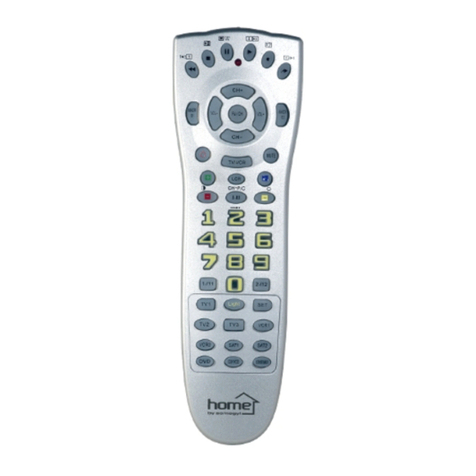
teachable universal remote control
URC 24T
EN
Before using the product for the first time, please read the instructions for use below and retain them for
later reference. The original instructions were written in the Hungarian language.
The universal remote control is an ideal solution, for replacing the original remote controls. It cannot be expected
from it to be able to control every functions aside from the basic ones. Try more codes for the given device.
Due to its learning function the important functions of the remote controls can be learned by the desired buttons.
Main functions: Manual input of the code, code search, code learning, macro, sleep timer for TV, favorite TV program function,
clock, thermometer, and calculator with 4 actions
REMOTE MENU
MANUAL INPUT OF THE CODE (SET CODE)
Press and hold the S marked button for 4 seconds. With this the REMOTE sign will appear, press OK. Using the up and down
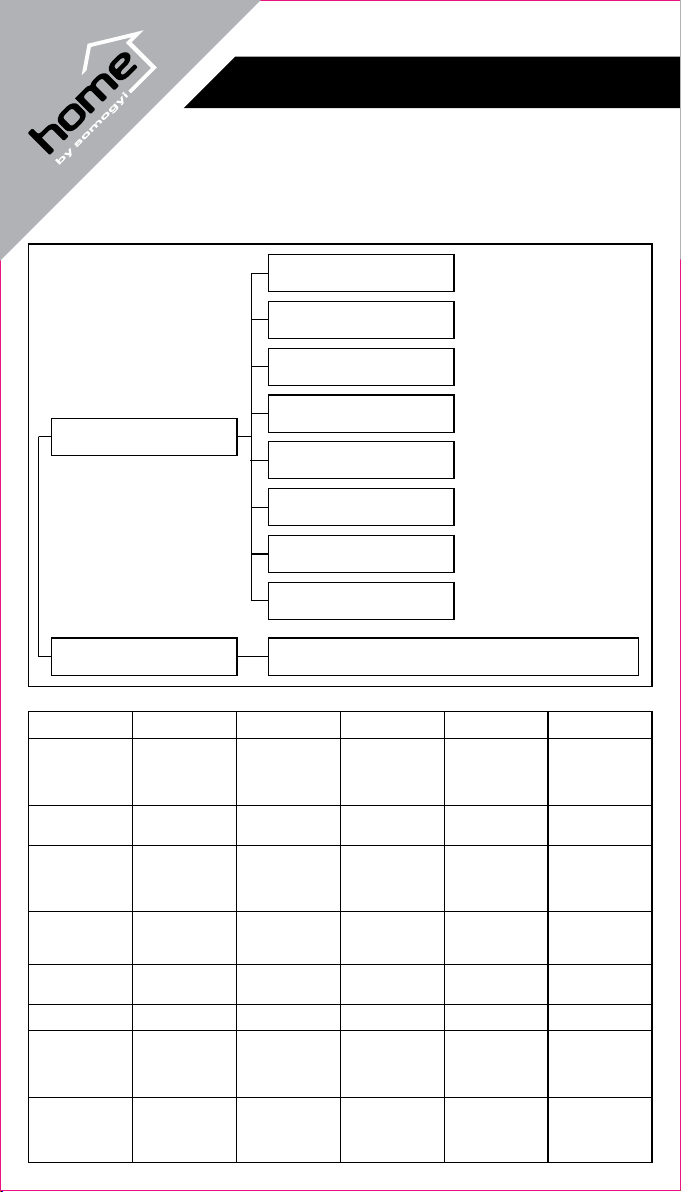
arrows and the OK button navigate in the menu map as shown in (figure 1.) to the SET CODE menu point, press OK. Choose a
device type (TV, VCR, etc.) by pressing the appropriate button. The chosen type's button will have a red light. Press OK. Now using
the included CODE LIST book choose the device appropriate code, which can be typed into the remote control digit by digit. Finish
the setup by pressing the OK button. If an invalid code is typed in, the NULL sign will be readable on the display, and the code will be
asked for again. At this time choose another code. Finally try to control the device with the chosen code. If necessary choose another
code.
CODE SEARCH (SEARCH)
Press and hold the S marked button for 4 seconds. With this the REMOTE sign will appear, press OK. Navigate to the
SEARCH menu point, and press OK. Choose a device type (TV, VCR, etc.) by pressing the appropriate button. The chosen type's
button will have a red light. Press OK. Direct the remote control towards the turned on device. The current code will blink on the
display, which can be changed by pressing the POWER button. Every press sends a new shut down code from the remote control
towards the device. If you do not press the POWER button for 3 seconds then the codes will automatically start scrolling up. When the
appropriate code is sent the device shuts down. The automatic scrolling can be stopped by pressing and holding the POWER button.
If the remote control scrolls over the appropriate code, then you can switch between codes step by step by using the CH + and –
buttons. Fixing the appropriate code is done by pressing the OK button.
CODE SEARCH BY BRAND NAME (PAGE SEARCH)
By using the PAGE SEARCH table (figure 2.) the amount of codes need to be searched trough can be lessened, and choosing the
appropriate code can be done faster. By using the devices type (TV, VCR, etc.) and its brand the range (PAGE) can be determined in
which the remote control searches fir codes. In the case of a Samsung TV for example PAGE 6, in case of a Panasonic SAT device
PAGE 2 is the right choice.
Press and hold the S marked button for 4 seconds. With this the REMOTE sign will appear, press OK. Navigate to the PAGE
SEARCH menu point, and oppress OK. Choose a device type (TV, VCR, etc.) by pressing the appropriate button. The chosen type's
button will have a red light. Press OK. Now by using the up and down arrows choose between PAGE1, PAGE2 …. PAGE8, then
press OK. Direct the remote control towards the turned on device. The current code will blink on the display, which can be changed by
pressing the POWER button. Every press sends a new shut down code from the remote control towards the device. When the
appropriate code is sent the device shuts down. The automatic scrolling can be stopped by pressing and holding the POWER button.
If the remote control scrolls over the appropriate code, then you can switch between codes step by step by using the CH + and –
buttons. Fixing the appropriate code is done by pressing the OK button.
MACRO SETUP (MACRO)
With this function you can fix sequence consisting of 8 button presses, including the button for choosing the device. Of course the
devices included in the macro must be already programed into the remote control, because now we only group actions together.
Press and hold the S marked button for 4 seconds. With this the REMOTE sign will appear, press OK. Navigate to the
MACRO menu point and press OK. Macro can only be fixed, in the MACRO1 menu point, so choose MACRO1 by pressing the OK
button. The remote control will now count the button presses, from which there can be a maximum of 8. With the first button press you
can choose the device type. If all 8 possible button presses are exhausted FULL will be displayed on the display. Fixing the macro can
be finished by pressing the OK button.
The macro fixed this way can be activated by pressing the MACRO button.
SLEEP TIMER (SLEEP TIMER)
This function can only be used to set the shutdown of the TV on a timer.
Press and hold the S marked button for 4 seconds. With this the REMOTE sign will appear, press OK. Navigate to the SLEEP
TIME menu point and press OK. To choose the TV press OK again. Now beside the displayed SLEEP give in minutes after how much
time the TV should shut down. This can be given from 1 minute to 99. The setup can be finished by pressing the OK button.
Now direct the remote control towards the TV, so after the set time is over the remote control can shut it down.
The setup is for one time only, if used again the setup process must be repeated.