manuals.online logo
Brands
  1. Home
  2. •
  3. Brands
  4. •
  5. Ssl
  6. •
  7. Car Video System
  8. •
  9. Ssl SD322B User manual

Ssl SD322B User manual

Other manuals for SD322B

1

Other Ssl Car Video System manuals

Ssl DD879MBI User manual

Ssl

Ssl DD879MBI User manual

Ssl SB9.2FI User manual

Ssl

Ssl SB9.2FI User manual

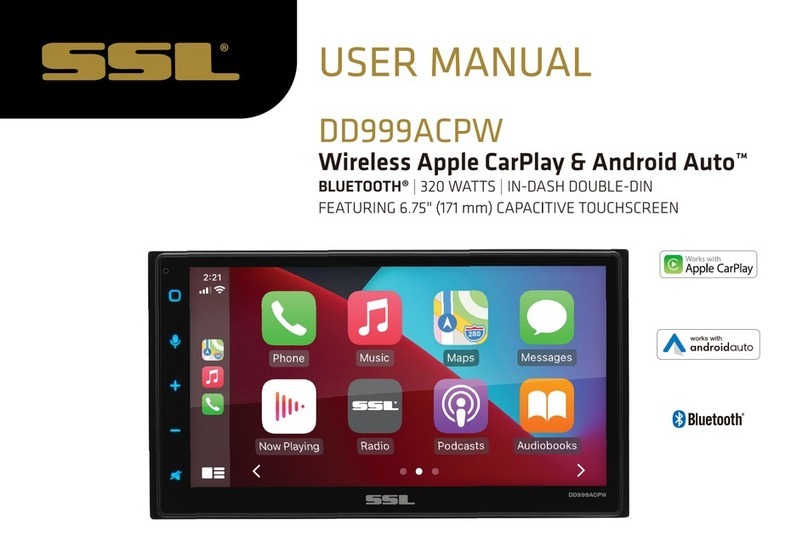
Ssl DD999ACPW User manual

Ssl

Ssl DD999ACPW User manual

Ssl SD445USA User manual

Ssl

Ssl SD445USA User manual

Ssl S9CBL User manual

Ssl

Ssl S9CBL User manual

Ssl SHR73M User manual

Ssl

Ssl SHR73M User manual

Ssl S13.3BGT User manual

Ssl

Ssl S13.3BGT User manual

Ssl DD964BNC User manual

Ssl

Ssl DD964BNC User manual

Ssl SB9FI User manual

Ssl

Ssl SB9FI User manual

Ssl S9CBL User manual

Ssl

Ssl S9CBL User manual

Popular Car Video System manuals by other brands

Stinger HEIGH10 RB10RAM13B installation manual

Stinger

Stinger HEIGH10 RB10RAM13B installation manual

Eonon E1057 instructions

Eonon

Eonon E1057 instructions

Milion D2223 user manual

Milion

Milion D2223 user manual

Metra Electronics 99-8153 installation instructions

Metra Electronics

Metra Electronics 99-8153 installation instructions

Voxx Electronics HR8MA1 owner's manual

Voxx Electronics

Voxx Electronics HR8MA1 owner's manual

Axxera AV604Bi quick start guide

Axxera

Axxera AV604Bi quick start guide

Clarion NX706E owner's manual

Clarion

Clarion NX706E owner's manual

Pyle view PLDN74BTi owner's manual

Pyle view

Pyle view PLDN74BTi owner's manual

Clarion NX602 quick start guide

Clarion

Clarion NX602 quick start guide

RCA DRC6296 - Twin 9" Mobile DVD System Manual Del Usuario

RCA

RCA DRC6296 - Twin 9" Mobile DVD System Manual Del Usuario

Kia MTXM100YPPE user manual

Kia

Kia MTXM100YPPE user manual

Lanzar SVDVD5 owner's manual

Lanzar

Lanzar SVDVD5 owner's manual

Eonon E1060 instructions

Eonon

Eonon E1060 instructions

Macrom M-AN900 user manual

Macrom

Macrom M-AN900 user manual

Hyundai BAPE-L3000N user manual

Hyundai

Hyundai BAPE-L3000N user manual

r.LiNK RL2-UCON8-SM manual

r.LiNK

r.LiNK RL2-UCON8-SM manual

Blaupunkt DVP 01C operating instructions

Blaupunkt

Blaupunkt DVP 01C operating instructions

DP Audio Video dbd807nav Operation manual

DP Audio Video

DP Audio Video dbd807nav Operation manual

manuals.online logo
manuals.online logoBrands
  • About & Mission
  • Contact us
  • Privacy Policy
  • Terms and Conditions

Copyright 2025 Manuals.Online. All Rights Reserved.

To ensure safety while driving
and to comply with laws,
drivers should not watch video or
operate the video device while driving.
Content
-1-
Safety Information.........................
Disc Note.......................................
Installation ....................................
Detaching control panel....................
Attaching control panel.....................
Electric Connection ......................
Remote Control .............................
Basic Operation.............................
Control Panel ................................
TFT Monitor Adjustment..................
Rear View Camera ........................
Audio Quality Adjustment.................
Setting Audio Mode .........................
Setting Background.........................
Animation.......................................
Reset Factory Settings.....................
Radio Operation............................
Listening to radio.............................
Storing stations in memory ...............
Automatic Memory Storing &
Program Scanning......................
Media Operation............................
Selecting Play Mode........................
On-Screen Display Function............
Digital Video Special Function......
Multi-subtitle language function.......
Multi-audio language function..........
20
20
21
21
23
24
25
26
28
29
30
31
32
33
2
3
4
5
6
7
8
11
11
14
14
14
14
15
15
15
16
16
16
17
18
18
19
20
20
20
Multi-angle function.........................
Title menu function ..........................
Media Setup Menu..........................
System Setup..................................
Language Setup ..............................
Video Setup ...................................
Digital Setup ...................................
BT Operation..................................
AUX/AV Operation..........................
USB Operation...............................
SD/MMC Card Operation................
MP3/WMA/JPEG/MPEG4 Play .........
Specification..................................
Troubleshooting.............................

SAFETY INFORMATION
-2-
This Digital Video Player Is A Class I
Laser Product. However This Digital

Video Player Uses A Visible/invisible
Laser Beam Which Could Cause .
Hazardous Radiation Exposure If
Directed.
Be Sure To Operate The Dvd Player
Correctly As Instructed.
Use Of Controls Or Adjustments Or
Performance Of Procedures Other Than
Those Specified Herein May Result In
Hazardous Radiation Exposure. do Not
Open Covers And Do Not Repair Your-
self. Refer Servicing To Qualified
Personnel.
CAUTION:
This Digital Video Player is designed
and manufactured to respond to the
Region Management Information that is
recorded on a Digital Video disc. If the
Region number described on the Digital
Video disc does not correspond to the
Region number of this Digital Video
Player, this Digital Video Player cannot
play this disc.
REGION MANAGEMENT
INFORMATION:
TO REDUCE THE RISK OF FIRE OR
ELECTRIC SHOCK, DO NOT EXPOSE
THIS EQUIPMENT TO RAIN OR
MOISTURE.
TO REDUCE THE RISK OF FIRE OR
ELECTRIC SHOCK, AND ANNOYING
INTERFERENCE, USE ONLY THE
RECOMMENDED ACCESSORIES.
THIS DEVICE IS INTENDED FOR
CONTINUOUS OPERATION.
WARNING:
DISC NOTE
Preparing New Discs with Rough
Spots
A new disc may have rough edges on
its inside and outside edges.If a disc
with rough edges is used, the proper
setting will not be performed and the
player will not play the disc.Therefore,
remove the rough edges in advance
by using a ball point pen or pencil as
shown on the right.To remove the
rough edges, press the side of t h e pen
or pencil against the inside and outside
edges of the disc.
Rough spots
on
outside edge
Ball point pen
or pencil
Rough spots
on inside
edge
Label side
up
Do not touch
the
underside
of the disc
Do not
bend
Wipe the disc from
center
toward the outside
edge
Disc Cleaning
Use a dry soft cloth to wipe the surface.
If the disc is quite dirty, use a soft cloth
slightly moistured with isopropyl
(rubbing) alcohol. Never use solvents
such as benzine, thinner or conventional
record cleaners as they may mar the
surface of the disc.
Handling and Cleaning
Dirt, dust, scratches and warping disc
will cause misoperation.
Do not place stickers or make
scratches on discs.
Do not warp discs.
A disc should always be kept in its
case when not in use to prevent from
damaging.
Do not place discs in the following
places:
1.Direct sunlight
2.Dirty, dusty and damp areas
3.Near car heaters
4.On the seats or dashboard
Discs which cannot be played
with this player
Digital Video-RAM
CDV
CD-G
Note:
A disc may become somewhat scratched
(although not enough to make it unus-
able) depending on your handling it and
conditions in the usage environment.
Note these scratches are not an indica-
tion of any problem with the player.
-3-
Disc formats supported by this
player
Digital
Video
VCD
CD
MP3
Audio and Video
Disc size 12 cm
Audio and Video
Disc size 12 cm
Audio
Disc size 12 cm
Audio
Disc size 12 cm
Digital
Video
VCD
CD
MP3
NOTES:
Choose the mounting location where the
unit will not interfere with the normal
driving function of the driver.
Before finally installing the unit, connect
the wiring temporarily and make sure it
is all connected up properly and the unit
and the system work properly.
Use only the parts included with the unit
to ensure proper installation. The use of
unauthorized parts can cause
malfunctions.
Consult with your nearest dealer if insta-
llation requires the drilling of holes or
other modifications of the vehicle.
Install the unit where it does not get in
the driver s way and cannot injure the
passenger if there is a sudden stop,
like an emergency stop.
'
30
INSTALLATION
-4-
If installation angle exceeds 30 from
horizontal, the unit might not give its
optimum performance.
Avoid installing the unit where it would
be subject to high temperature, such
as from direct sunlight, or from hot air,
from the heater, or where it would be
subject to dust, dirt or excessive
vibration.
DIN FRONT/REAR-MOUNT
This unit can be properly installed either
from "Front"(conventional DIN Front-
mount) or "Rear"(DIN Rear-mount
installation, utilizing threaded screw
holes at the sides of the unit chassis).
For details, refer to the following
illustrated installation methods.
DASH BOARD
METAL MOUNTING
STRAP
HEX NUT
SPRING WASHER
PLAIN WASHER
TAPPING SCREW
CONSOLE
SLIDE BRACKET
HOUSING
HEX BOLT
INSTALLATION
-5-
DETACHING CONTROL PANEL
1. Press the OPEN button to flip down the
front panel .
2. First slide the front panel a little to
the right, and pull it off towards you .
OPEN button
3. put it in the protective case for safe
keeping.
PROTECTIVE CASE
FRONT PANEL
KEY PLATE
PLASTIC FRAME
KEY PLATE
If you want to take CHASSIS out of the SLIDE BRACKET HOUSING , first remove
the PLASTIC FRAME of the both sides away, then insert the two KEY PLATES into
left and right sides of chassis as above illustration.
INSTALLATION
-6-
How to clean the connectors
Frequent detachment will deteriorate
the connectors.
To minimize this possibility, periodically
wipe the connectors with a clean, soft,
dry cloth only, being careful not to
damage the connectors.
Connector
ATTACHING CONTROL PANEL
1. First, insert the right side of the front
panel into the main unit.
Bulge
Hollow
Bulge
Hollow
3. Push it back to the position for playing
2. Push the right side of the front panel
until it locks firmly into the main unit, at
one time, insert the left side of the
front panel into the main unit .
-7-
ELECTRIC CONNECTION
Note:
the earth connection cable (parking brake B-) must be connected in order for
pictures to be played back to the monitor. If the cable has not been correctly
connected, the message “PARKING BRAKE” appears on the monitor.
IGNITION SWITCH
RED
WHITE
WHITE/BLACK
GREY
GREY/BLACK
GREEN
GREEN/BLACK
VIOLET
VIOLET/BLACK
YELLOW
CONSTANT 12 VOLTS
BLACK
GROUND(B-)
BLUE
AUTO ANTENNA
FRONT
Lch SPK.
REAR
Lch SPK.
FRONT
Rch SPK.
REAR
Rch SPK.
LIGHT GREEN
(B-) PARKING BRAKE
VIOLET/WHITE
RADIO ANTENNA JACK
(B+) 12V
REAR CAMERA SWITCH
REAR CAMERA INPUT
YELLOW
GREY
SUB WOOFER
AUDIO R OUT (red)
WIRE CONNECTION
FUSE
ISO CONNECTOR
AUDIO L OUT (white)
VIDEO OUTPUT (brown)
RCH IN RED
LCH IN WHITE
VIDEO IN YELLOW
AV IN
REMOTE CONTROL
-8-
1. CLK Press it briefly to show the clock
time .
2. PAIR/ Press it to use the BT
function,refer to the BT operation
3. STOP Press once to pause playback,
press PLAY/PAUSE to resume playback .
4. SETUP Press it to open the SETUP
menu.
5.MO/ST(AUDIO) In radio mode, press it
to select STEREO or MONO mode (when
a station is weak, sometimes switching
to Mono will improve sound quality ) .
In Disc playback mode, pressing it button
opens the AUDIO setup menu for making
changes to the way te soundtrack is
reproduced .
6. LO/DX(SUBTITLE) Changing of the
SUBTITLE language on multi-subtitle
language Digital Video disc. In radio mode,
Press this button for distance reception
when you are located at weak signal
location, depress it for stronger signal.
7. REDIAL/ Press this button to use
the BT function, refer to BT operation.
8.GOTO/ Press this button to begin
playback at a moment in the program you
designate. Use the number buttons to
enter the data that is needed.
In BT phone menu, it serves as the
button on your mobile handset.
15
17
19
13
14
7
2
6
22
11
18
3
16
5
20
1
21
24
9
12
10
48
26
23
25