9
Increase the pick-up width
By turning the lens by 180°, the
pick-up width is extended from
5m to appr.9m in the event of a
mounting height of 1.40m.
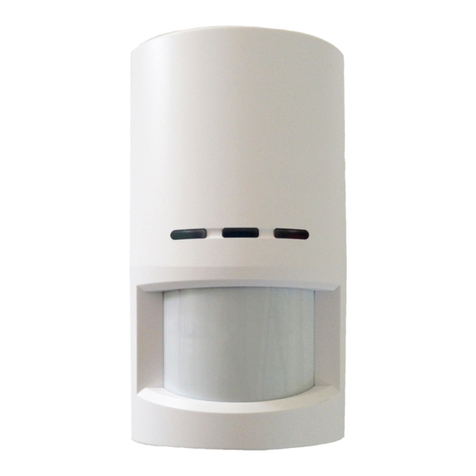
12 Release the 4screws on the back
of the functional unit.
13 Turn the lens by 180°. Then
screw it back onto the housing.
14 Insert the movement sensor
module without panel into the
mounting plate and mount.
Turning the lens by 180° causes
the potentiometer symbols to be
changed over and the orientation
marking “Oben/Top” is at the
bottom.
It is now possible to carry out a
performance check of the pick-up
range.
Performance check
The function test is carried out by
entering the pick-up range. For
this purpose, the movement sensor
module is set to day-time operation
in the factory and with 5seconds on
time. The movement sensor module
responds quickest when walking at
right angles to the sensor.
After switching off the move-
ment sensor module, a delay of
approx.2seconds is activated during
which repeated activation of the
sensor is disabled.
OFF delay (time setting)
The required lighting time of the
connected lamp can be steplessly
adjusted from around 5seconds to
max. 15minutes.
15 On the left next to the hemi-
spherical sensor is the potenti-
ometer for setting the OFF delay.
The shortest ON time is set on the
extreme left at the potentiometer,
the longest time on the right. The
movement sensor module comes
with a default setting of 5seconds.
The OFF delay for the contacts B
and D/B always apply jointly to both
outputs. If applicable, check by
repeating the function test.
Servicing
The functional unit can be com-
pletely exchanged if required.
Information regarding replacement
and checking the functional units
can be found in the product infor-
mation for the door station.
If replacing the function unit, the
installation position of the new
movement sensor module must be
the same as the installation position
of the previously installed movement
sensor module.
Technical data
Photoelectric lighting controller
range: 5 to 300 Lux
Operating voltage: 12VAC
Operating current: max.120mA
Contact type: contact 24V, 2A
Switching time: 5secto15min
Protection system: IP54
Ambient temperature:
–20°Cto+55°C
Photoelectric light controller
setting
The sensitivity of the photoelectric
lighting controller can be steplessly
adjusted from appr.5Lux (night-
time operation) to 300Lux (daytime
operation).
16 On the right next to the hemi-
spherical sensor is the potentiometer
for setting the response threshold.
The extreme left-hand setting
is for night-time operation, the
extreme right-hand setting day-time
operation. The default setting of the
movement sensor module is for day-
light operation.
The sensitivity of contacts D and
D/B always applies jointly to both
outputs. The setting should ideally
be checked using output “D”. As
this movement sensor module is
equipped with an integrated dazzle
protection, please note the fol-
lowing:
Any change to the photoelectric
lighting controller setting can only
be checked after a delay of 60 sec-
onds. This delay must be observed
after each change of the photoelec-
tric lighting controller setting.
After completion of the commis-
sioning process:
17 Unscrew and remove the move-
ment sensor module from the
mounting plate.
18 Clip the panel onto the func-
tional unit housing and remount the
movement sensor module.
19 Place the operating panel on the
mounting plate and lock using the
assembly key.