manuals.online logo
Brands
  1. Home
  2. •
  3. Brands
  4. •
  5. Steren
  6. •
  7. Mouse
  8. •
  9. Steren COM-524 User manual

Steren COM-524 User manual

Other Steren Mouse manuals

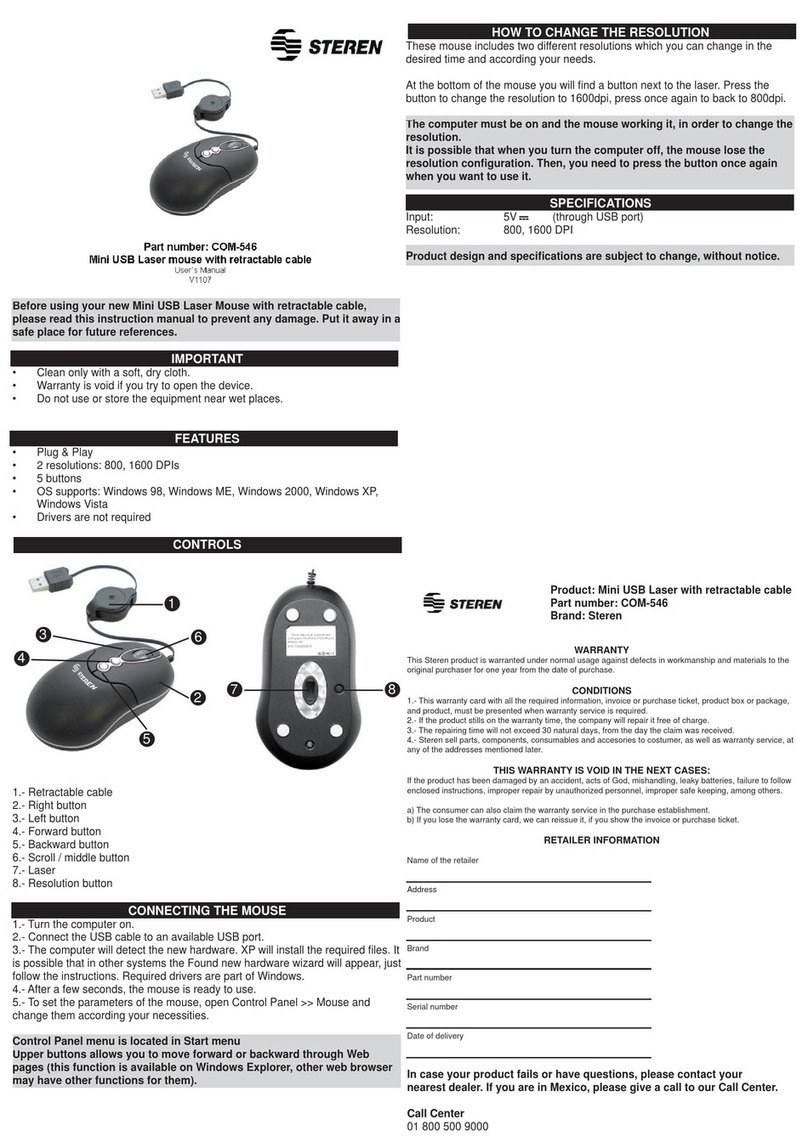
Steren COM-546 User manual

Steren

Steren COM-546 User manual

Steren COM-510 User manual

Steren

Steren COM-510 User manual

Steren COM-567 User manual

Steren

Steren COM-567 User manual

Steren COM-655 User manual

Steren

Steren COM-655 User manual

Steren COM-525R User manual

Steren

Steren COM-525R User manual

Steren COM-525MO User manual

Steren

Steren COM-525MO User manual

Steren COM-572 User manual

Steren

Steren COM-572 User manual

Steren COM0568 User manual

Steren

Steren COM0568 User manual

Steren COM-567 User manual

Steren

Steren COM-567 User manual

Steren COM-546 User manual

Steren

Steren COM-546 User manual

Steren COM-5425 User manual

Steren

Steren COM-5425 User manual

Steren COM-533 User manual

Steren

Steren COM-533 User manual

Steren COM-529 User manual

Steren

Steren COM-529 User manual

Steren COM-525R User manual

Steren

Steren COM-525R User manual

Steren com-554 User manual

Steren

Steren com-554 User manual

Steren COM-527 User manual

Steren

Steren COM-527 User manual

Steren COM-510 User manual

Steren

Steren COM-510 User manual

Steren COM-556 User manual

Steren

Steren COM-556 User manual

Steren COM-521 User manual

Steren

Steren COM-521 User manual

Steren COM-542 User manual

Steren

Steren COM-542 User manual

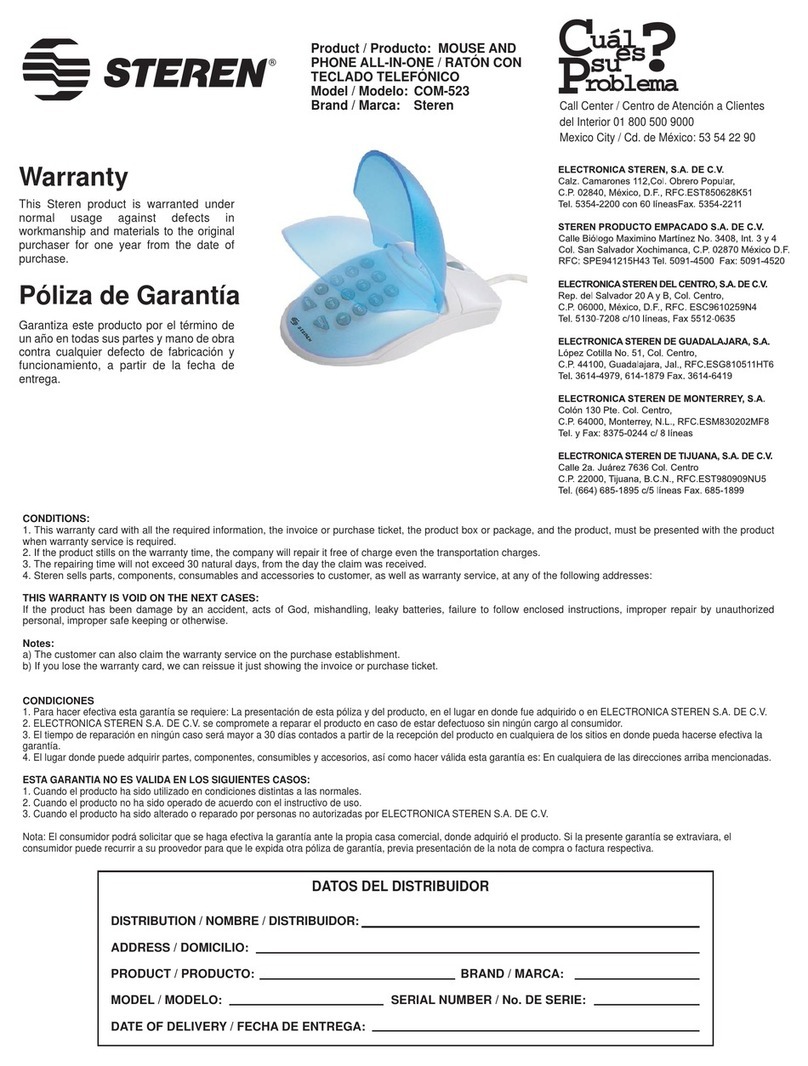
Steren COM-523 User manual

Steren

Steren COM-523 User manual

Steren XTREME USB MOUSE FOR GAMERS User manual

Steren

Steren XTREME USB MOUSE FOR GAMERS User manual

Steren COM-565 User manual

Steren

Steren COM-565 User manual

Steren COM-535 User manual

Steren

Steren COM-535 User manual

Popular Mouse manuals by other brands

Viper V570 user manual

Viper

Viper V570 user manual

Cherry MC 2.1 user manual

Cherry

Cherry MC 2.1 user manual

Sven RX-G720 user manual

Sven

Sven RX-G720 user manual

Sharkoon Light2 180 manual

Sharkoon

Sharkoon Light2 180 manual

Cherry MW 8C ERGO user manual

Cherry

Cherry MW 8C ERGO user manual

Vantec NBW-100U user manual

Vantec

Vantec NBW-100U user manual

NGS HIT RB manual

NGS

NGS HIT RB manual

Sharkoon FireGlider manual 

Sharkoon

Sharkoon FireGlider manual 

Lenovo Wireless Mouse N3902 quick start guide

Lenovo

Lenovo Wireless Mouse N3902 quick start guide

BASETech BN-S11 operating instructions

BASETech

BASETech BN-S11 operating instructions

Dell WM326 user guide

Dell

Dell WM326 user guide

Areson B213 user guide

Areson

Areson B213 user guide

Targus AMU83EU operating instructions

Targus

Targus AMU83EU operating instructions

HP M17587-371 manual

HP

HP M17587-371 manual

Chatpen CHA-30 user manual

Chatpen

Chatpen CHA-30 user manual

GAMDIAS DEMETER GMS5000 Quick installation guide

GAMDIAS

GAMDIAS DEMETER GMS5000 Quick installation guide

HP KJ453AA - Wireless Laser Mouse datasheet

HP

HP KJ453AA - Wireless Laser Mouse datasheet

Trust GRAPHIN GXT 960 user guide

Trust

Trust GRAPHIN GXT 960 user guide

manuals.online logo
manuals.online logoBrands
  • About & Mission
  • Contact us
  • Privacy Policy
  • Terms and Conditions

Copyright 2025 Manuals.Online. All Rights Reserved.


Product / Producto: ULTRA MINI
RETRACTABLE OPTICAL MOUSE /
MINI RATÓN ÓPTICO RETRÁCTIL
Model / Modelo: COM-524
Brand / Marca: Steren
CONDICIONES
1. Para hacer efectiva esta garantía se requiere: La presentación de esta póliza y del producto, en el lugar en donde fue adquirido o en ELECTRONICA STEREN S.A. DE C.V.
2. ELECTRONICA STEREN S.A. DE C.V. se compromete a reparar el producto en caso de estar defectuoso sin ningún cargo al consumidor.
3. El tiempo de reparación en ningún caso será mayor a 30 días contados a partir de la recepción del producto en cualquiera de los sitios en donde pueda hacerse efectiva la
garantía.
4. El lugar donde puede adquirir partes, componentes, consumibles y accesorios, así como hacer válida esta garantía es: En cualquiera de las direcciones arriba mencionadas.
ESTA GARANTIA NO ES VALIDA EN LOS SIGUIENTES CASOS:
1. Cuando el producto ha sido utilizado en condiciones distintas a las normales.
2. Cuando el producto no ha sido operado de acuerdo con el instructivo de uso.
3. Cuando el producto ha sido alterado o reparado por personas no autorizadas por ELECTRONICA STEREN S.A. DE C.V.
Nota: El consumidor podrá solicitar que se haga efectiva la garantía ante la propia casa comercial, donde adquirió el producto. Si la presente garantía se extraviara, el
consumidor puede recurrir a su proovedor para que le expida otra póliza de garantía, previa presentación de la nota de compra o factura respectiva.
DATOS DEL DISTRIBUIDOR
DISTRIBUTION / NOMBRE / DISTRIBUIDOR:
ADDRESS / DOMICILIO:
PRODUCT / PRODUCTO: BRAND / MARCA:
MODEL / MODELO: SERIAL NUMBER / No. DE SERIE:
DATE OF DELIVERY / FECHA DE ENTREGA:
Call Center / Centro de Atención a Clientes
del Interior 01 800 500 9000
Mexico City / Cd. de México: 53 54 22 90
Warranty
CONDITIONS:
1. This warranty card with all the required information, the invoice or purchase ticket, the product box or package, and the product, must be presented with the product
when warranty service is required.
2. If the product stills on the warranty time, the company will repair it free of charge even the transportation charges.
3. The repairing time will not exceed 30 natural days, from the day the claim was received.
4. Steren sells parts, components, consumables and accessories to customer, as well as warranty service, at any of the following addresses:
THIS WARRANTY IS VOID ON THE NEXT CASES:
If the product has been damage by an accident, acts of God, mishandling, leaky batteries, failure to follow enclosed instructions, improper repair by unauthorized
personal, improper safe keeping or otherwise.
Notes:
a) The customer can also claim the warranty service on the purchase establishment.
b) If you lose the warranty card, we can reissue it just showing the invoice or purchase ticket.
This Steren product is warranted under
normal usage against defects in
workmanship and materials to the original
purchaser for one year from the date of
purchase.
Garantiza este producto por el término de
un año en todas sus partes y mano de
obra contra cualquier defecto de fabricación
y funcionamiento, a partir de la fecha de
entrega.
Póliza de Garantía
INSTRUCTIVO DE USO DE MINI RATÓN ÓPTICO RETRÁCTIL
Modelo: COM-524
Marca: Steren
Antes de utilizar su nuevo Mini-ratón para computadora lea este
instructivo para evitar cualquier mal funcionamiento. Guárdelo para
futuras referencias.
Su nuevo mini-ratón óptico retráctil es la perfecta solución para las
personas que siempre están en constante movimiento, utilizando
computadores portátiles y que deseen ahorrar espacio utilizando un ratón
externo. La rueda de movimiento permite bajar o subir páginas enteras o
desplazarse por la pantalla hacia la derecha o hacia la izquierda. Su
nuevo ratón cuenta con un conector USB que le permite realizar
conexiones Plug & Play a través de un puerto USB disponible en su
computadora portátil.
IMPORTANTE
Siempre utilice un paño suave, limpio y seco para limpiar el equipo.
No intente abrir el equipo, puede ocasionar malfuncionamiento y
anulación de la garantía.
No use ni almacene este equipo en lugares donde existan goteras o
salpicaduras de agua.
Para comenzar a utilizar su nuevo equipo, siga estos pasos:
El mini-ratón óptico retráctil no requiere de controladores o instalación de
software especial.
1.- Para extender el cordón USB, sostenga el ratón en una mano y el
conector USB en la otra mano.
2.- Jale ambos lados hacia fuera al mismo tiempo.
3.- Para acortar el tamaño del cordón, extienda ambos lados del cordón
USB ligeramente y suelte inmediatamente.
4.- Cuando el tamaño ideal del cordón USB sea el adecuado, conecte el
conector USB del ratón a un puerto disponible USB de la computadora.
Su equipo está listo para usarse.
ESPECIFICACIONES
Entrada: 5V 100mA
Dimensiones: 75 x 35 x 20mm
Peso: 40g
Nota:
El diseño del producto y las especificaciones pueden cambiar sin previo
aviso.
MANUAL FOR ULTRA MINI RETRACTABLE OPTICAL MOUSE
Model: COM-524
Brand: Steren
Before using your new Mini mouse, please read this instruction
manual to prevent any damage. Put them away in a safe place for
future references.
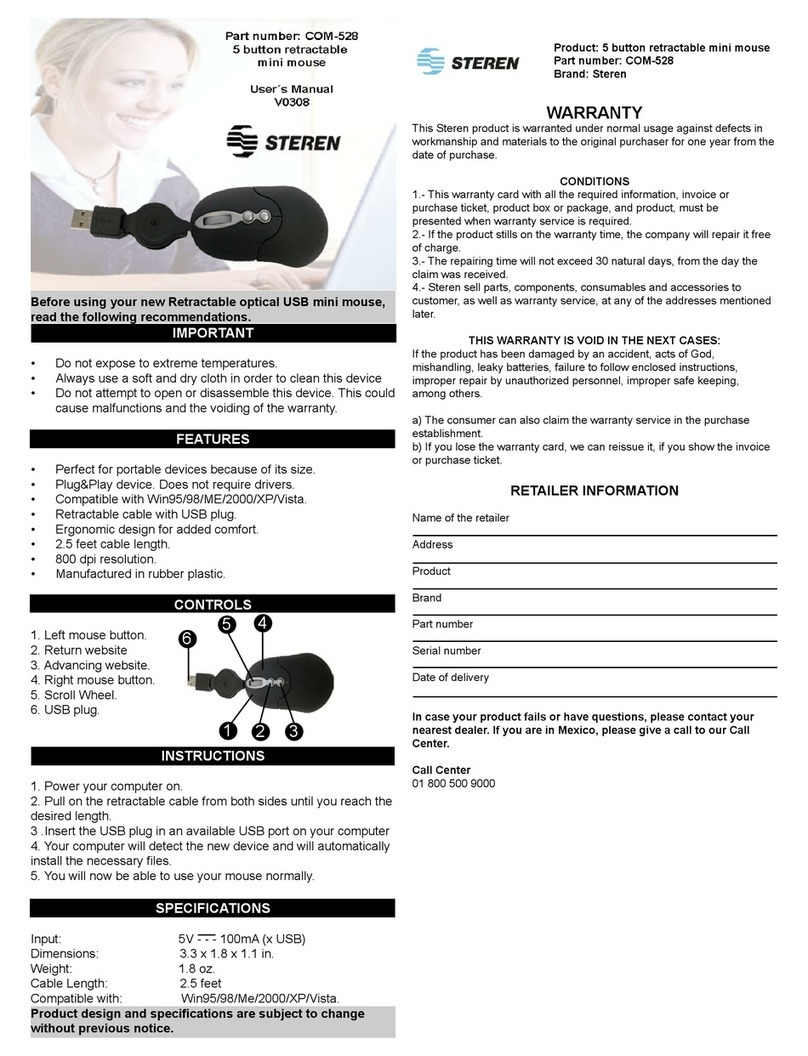
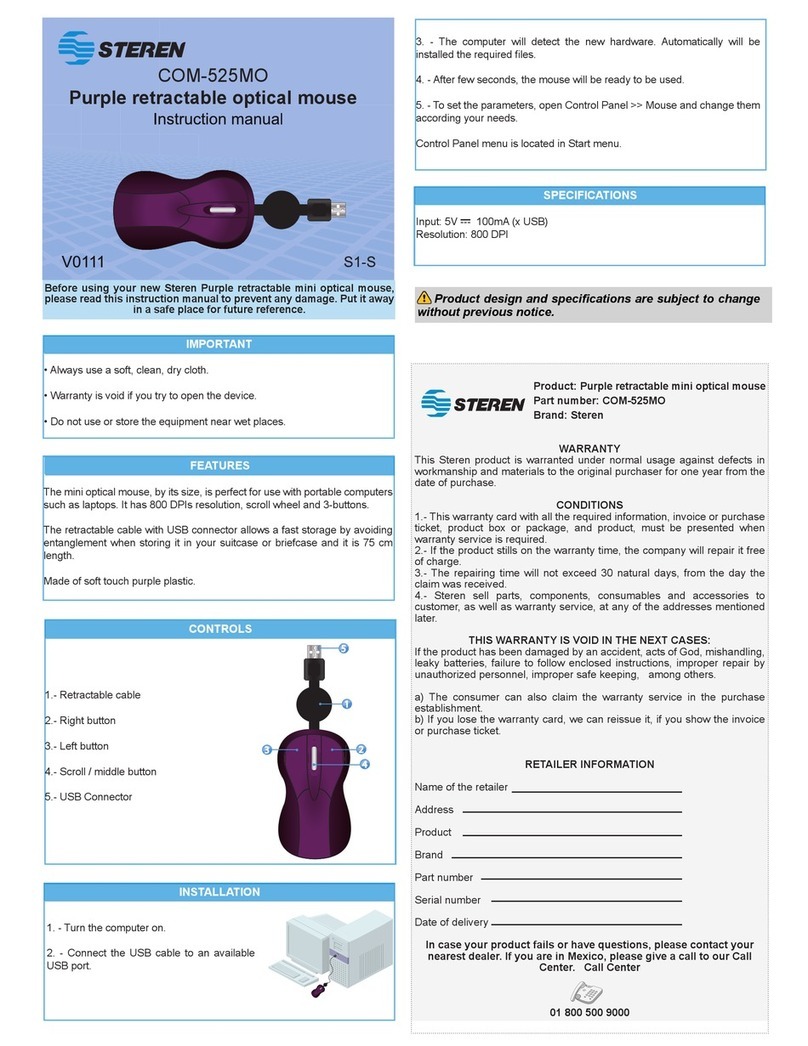
Your new Ultra Mini Retractable Optical Mouse is the perfect solution for
the mobile people who needs to save space when using an external
mouse on their laptops.
The Screen Scroller Button allow you to scroll up or down, left or right. The
Ultra Mini Retractable Optical Mouse comes with an USB connection that
will allow true plug and play connection with the available notebook USB
port.
IMPORTANT
Clean only with a soft, dry cloth.
Do no try to open the equipment, may cause malfunction and warranty
repeal.
Do not use or store the equipment near wet places.
To start to use your new equipment, follow these instructions:
The plug-and-play Ultra Mini Optical Mouse requires no driver or software.
1.- To extend the USB cord, hold the mouse in one hand and the USB
connector in the other.
2.- Pull both ends of the cord away from the cord wheel at the same time.
3.- To retract the USB cord, extend both ends of the cord slightly and
release quickly.
4.- When the ideal length of USB cord is fixed, plug the mouse USB
connector into your PC's USB
port and you are ready to go.
SPECIFICATIONS
Input: 5V 100mA
Dimensions: 75 x 35 x 20mm
Weight: 40g
Note:
Product design and specifications are subject to change, without notice.