phones have different charging behaviors. In general, try and keep the phone
as cool as possible. If the phone gets too hot, you may get a battery full
indication or other warning. If you suspect full overcast conditions or you are
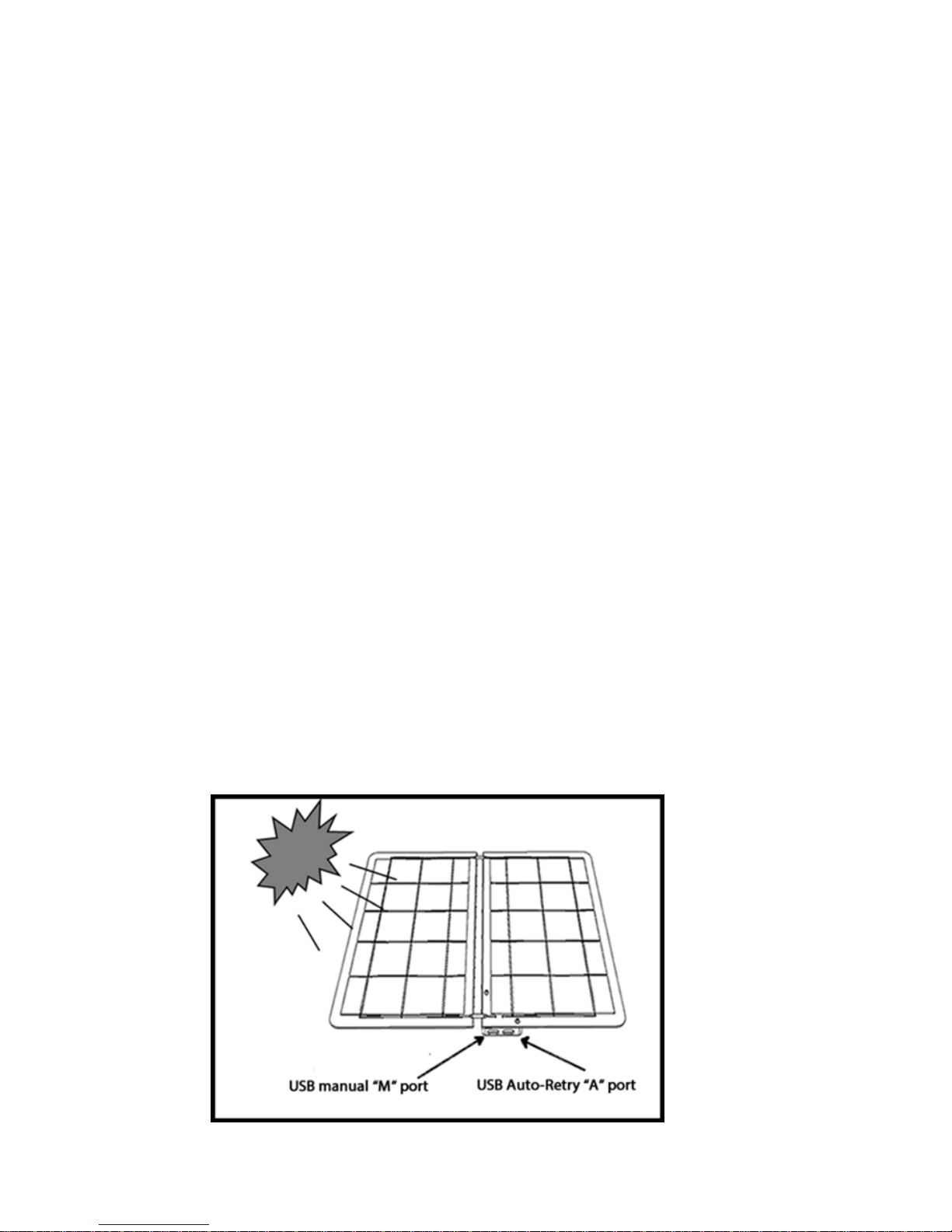
charging the Android near dusk hours, then use the “M” port. Some Android
phones can become confused if the sCharger-14 becomes fully shaded and will
display a USB sync message.This is okay; just let the sCharger-14 keep
charging. If plugged into the “A” USB port, this message will eventually go
away. If you have other issues with charging, like slow charging times, this
could be an indication of a faulty battery in the phone.
Charging other devices
If you can get your USB device to charge from a PC USB port then it should
solar charge from the sCharger-14. What you will find is that some tablet
devices will not charge from a PC USB but yet will charge from the sCharger-
14. This is because the sCharger-14 supplies the required power to charge
tablets.
The sCharger-14 can also charge USB backup batteries. USB batteries can be
found in many stores or online, on our website; suntactics.com. Many of these
portable USB battery packs are inexpensive. Just simply plug the USB battery
pack into the sCharger-14 while in the sun. When charging is complete, you
can either use the USB battery to charge your device right away or store it for
later use at night or for emergency power outages.You can even run USB led
lights from these batteries in emergency situations. The sCharger-14 can also
charge AAA/AA USB battery chargers available online and in some retail stores.
Mounting to a Backpack
We have many customers ask us if they can mount their sCharger to a back
pack or a bike. While possible, we really can’t guarantee success. Why? Well,
what do you get when you’re walking on a typical trail? Lots of trees! Solar
panel outputs can drop as much at 90% power in the shade. What does this do
to your solar charging session? Not much good. Most smartphones need a
required level of energy for their internals to start charging. When the solar
panel is not giving out enough power, the phone can get confused, cause the
screen to come on and actually drain the battery in some cases.
We highly recommend “opportunity charging”. Solar charge when you take a
rest, for lunch, at breakfast or even dinner. The sChargers are very powerful
when sun shines on them and you will be quite surprised house quickly your
smart device will top off in such a short amount of time.
“I don’t care, I still want to mount it to my backpack!”
So you want the challenge and to show off your sCharger? If you will be in the
direct sun at least 80% of the time, then great, your smart device will probably
stay at 100%. If you want more challenge and think you can still be successful
walking under trees, then we recommend purchasing a USB storage battery
4