8 • WORKINGMAN’S 2X10C
EFFECTS BLEND CONTROL
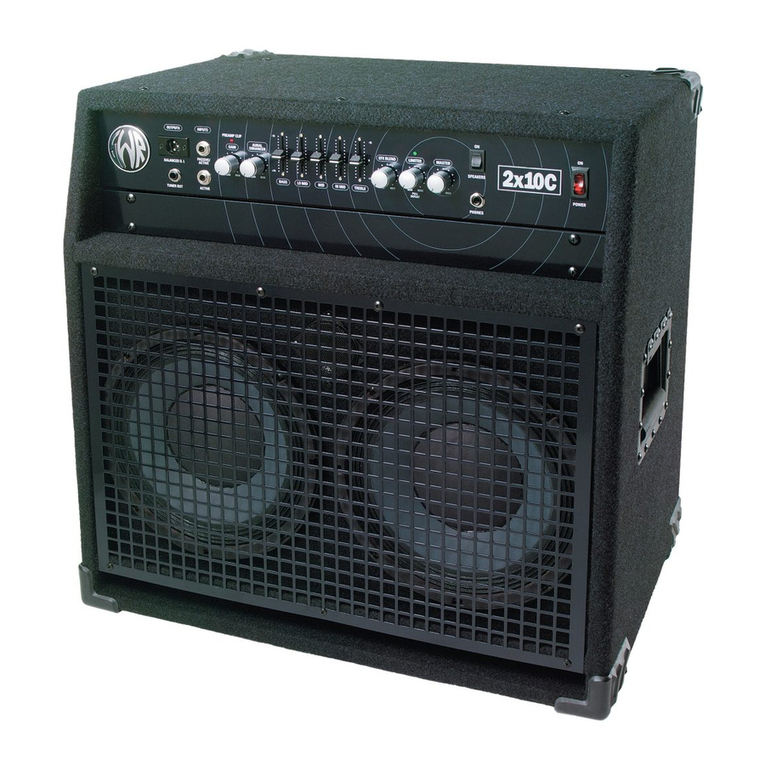
The Effects Blend Control "blends" the signal sent from your instrument ith the signal coming from an outboard effects unit of your
choice. With the Effects Blend fully counter-clock ise ("DRY"), no signal from your outboard effects unit ill be heard. As you turn this
control clock ise, more of the effect can be heard in the overall sound. When the Effects Blend control is set fully clock ise ("WET"),
no true or unaffected signal is heard other than hat your outboard effects unit provides. If your outboard effects unit has a similar
control, adjust it to the fully clock ise ("WET") position. This ill avoid any possible phasing problems.
The Effects Blend circuit is similar to that used on recording consoles ith the effects loop on a "side chain" to the normal circuit.
Unless the control is set to the full " et" position, you ill al ays get the full sound of your instrument AND get the diversity an
effects unit offers. This circuit is also effective in reducing noise generated by effects units because it is located after the gain
stages in the preamp.
The Effects Blend control functions only hen the Effects Loop is being used. It is activated hen a 1/4" phone plug is inserted into
the Effects Receive jack (for more information, please see the heading titled "Effects Loop" in the "Rear Panel Features" section later
in this manual).
VARIABLE LIMITER CONTROL (with defeat option)
The Limiter in the Workingman's 2x10C is designed to provide the user ith maximum flexibility of control, hile at the same time
provide protection for the po er amplifier from clipping, a condition that can cause damage to itself and the speaker system over
time if allo ed to occur.
The Limiter circuit is located after (post) the Master Volume and before (pre) the po er amplifier, so the Limiter itself is driven by the
Master Volume control. You can set the threshold of the Limiter ith the Limiter Control. Turning the control clock ise sets the
threshold to increase the amount of limiting, hile turning the control counter-clock ise ill decrease the amount of limiting. As
al ays, your ears ill help you determine the right amount of limiting to use, as levels vary greatly from player to player due to play-
ing style, output levels of basses, EQ settings, and many other factors. This feature can also be helpful in preventing speaker damage
hen running your system at high volumes.
NOTE: When listening to hear if there is distortion present in your signal, make sure you are not confusing po er amp distortion
ith preamp distortion. To make sure preamp distortion is not present, be sure to set the Gain Control to here the Preamp Clip LED
is not illuminating. Then you can make a clear determination as to ho best to set the Limiter.
DEFEATING THE LIMITER CIRCUIT
Regardless of here the Variable Limiter Control is set, you may defeat the Limiter circuit at any time by pulling out on the Limiter
knob itself. (It doubles as an on/off s itch for the Limiter.) To defeat the Limiter, simply pull "out" on the knob of this control until you
hear and feel a "click." To re-engage the Limiter, push the control back in to its original position, and the Limiter circuit ill reactivate
at the threshold setting you chose originally. This may be useful in determining just ho much limiting is occurring in an "A/B" type of
test. You can also hear in an instant if your limiter is set to here it is actually stopping the po er amp from clipping, because if you
suddenly hear distortion that asn't there hen the limiter as engaged, that's exactly hat's occurring. (This is especially key to
remember hen using your 2x10C ith an extension cabinet at high volumes.)
LIMITER ACTIVE LED
When the threshold (starting point) of the Limiter circuit is reached, the Limiter Active LED ill light, indicating that the Limiter Circuit
is active and helping to protect your po er amplifier from clipping. The Limiter LED ill not illuminate hen: a) the Limiter has been
defeated by pulling out on the Limiter control; b) hen playing at levels not high enough to engage the circuit.
NOTE: If you have defeated the Limiter and you hear a loud, sharp distortion present in your sound −and the Preamp Clip LED is
not lighting up −re-engage the Limiter by pushing the Limiter control back in. If the distortion goes a ay, you ere probably clipping
the po er amp, hich is not a good thing. Remember, the Limiter circuit is there to protect your amplifier from such a state of opera-
tion.