SY-HDBT-282-S
S\/
------~
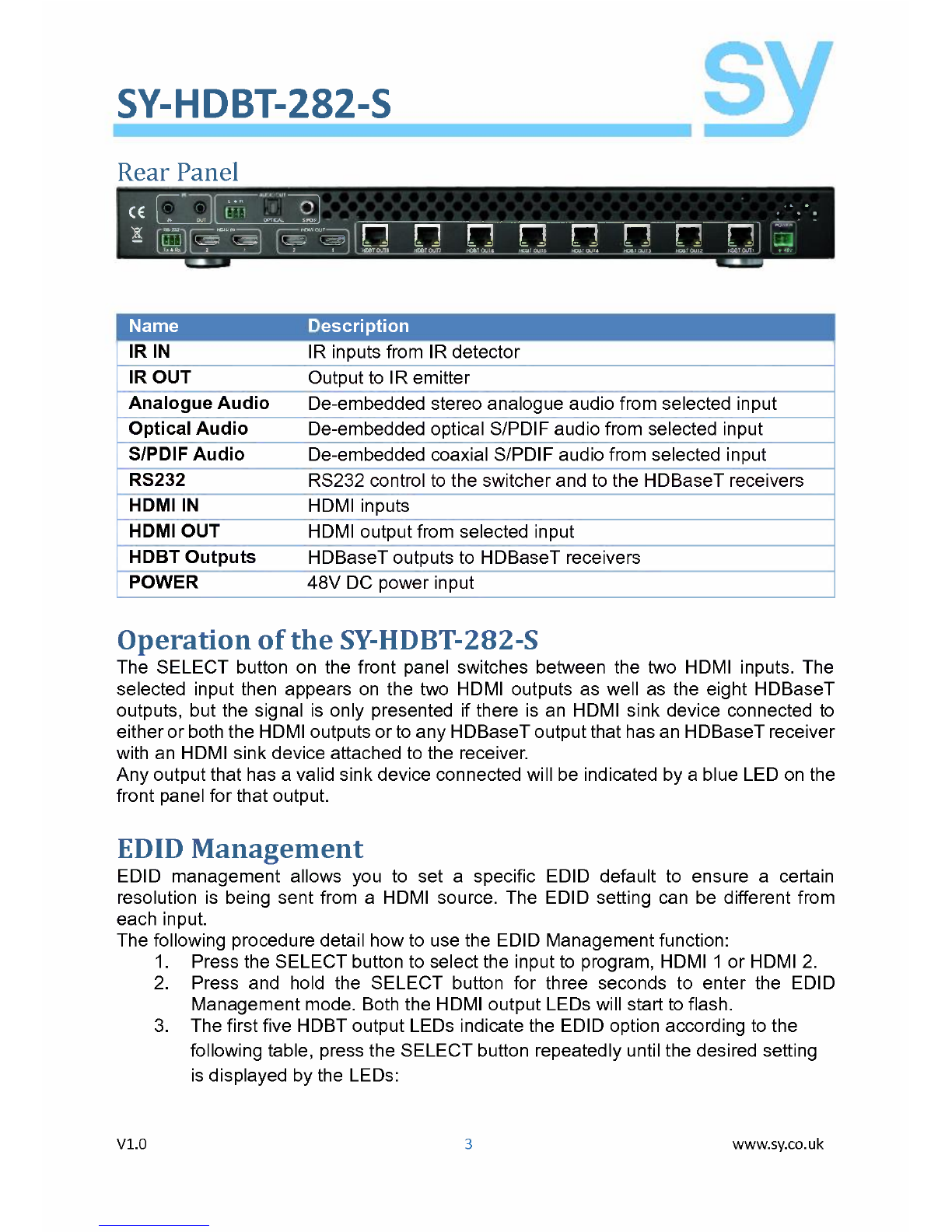
Rear Panel
-- --
I'I~-OO'---rll
CE ~~ ....•
![@]~~~[g
_ r -._
Name Description
IRIN IR inputs from IR detector
IROUT Output to IR emitter
Analogue Audio Oe-embeddedstereo analogue audio from selected input
Optical Audio Oe-embeddedoptical S/POIFaudio from selected input
S/PDIF Audio Oe-embeddedcoaxial S/POIFaudio from selected input
RS232 RS232 control to the switcher and to the HOBaseTreceivers
HDMIIN HOMI inputs
HDMIOUT HOMIoutput from selected input
HDBT Outputs HOBaseToutputs to HOBaseTreceivers
POWER 48V OC power input
Operation ofthe SY-HDBT-282-S
The SELECT button on the front panel switches between the two HOMI inputs. The
selected input then appears on the two HOMI outputs as weil as the eight HOBaseT
outputs, but the signal is only presented if there is an HOMI sink device connected to
either or both the HOMIoutputs or to any HOBaseToutput that hasan HOBaseTreceiver
with an HOMIsink device attached to the receiver.
Any output that has a valid sink device connected will be indicated by a blue LEOon the
front panelfor that output.
EDIDManagement
EOIO management allows you to set a specific EOIO default to ensure a certain
resolution is being sent from a HOMI source. The EOIO setting can be different from
each input.
The following procedure detail how to use the EOIOManagementfunction:
1. Press the SELECT button to select the input to program, HOMI 1or HOMI2.
2. Press and hold the SELECT button for three seconds to enter the EOIO
Management mode. Both the HOMIoutput LEOswill start to flash.
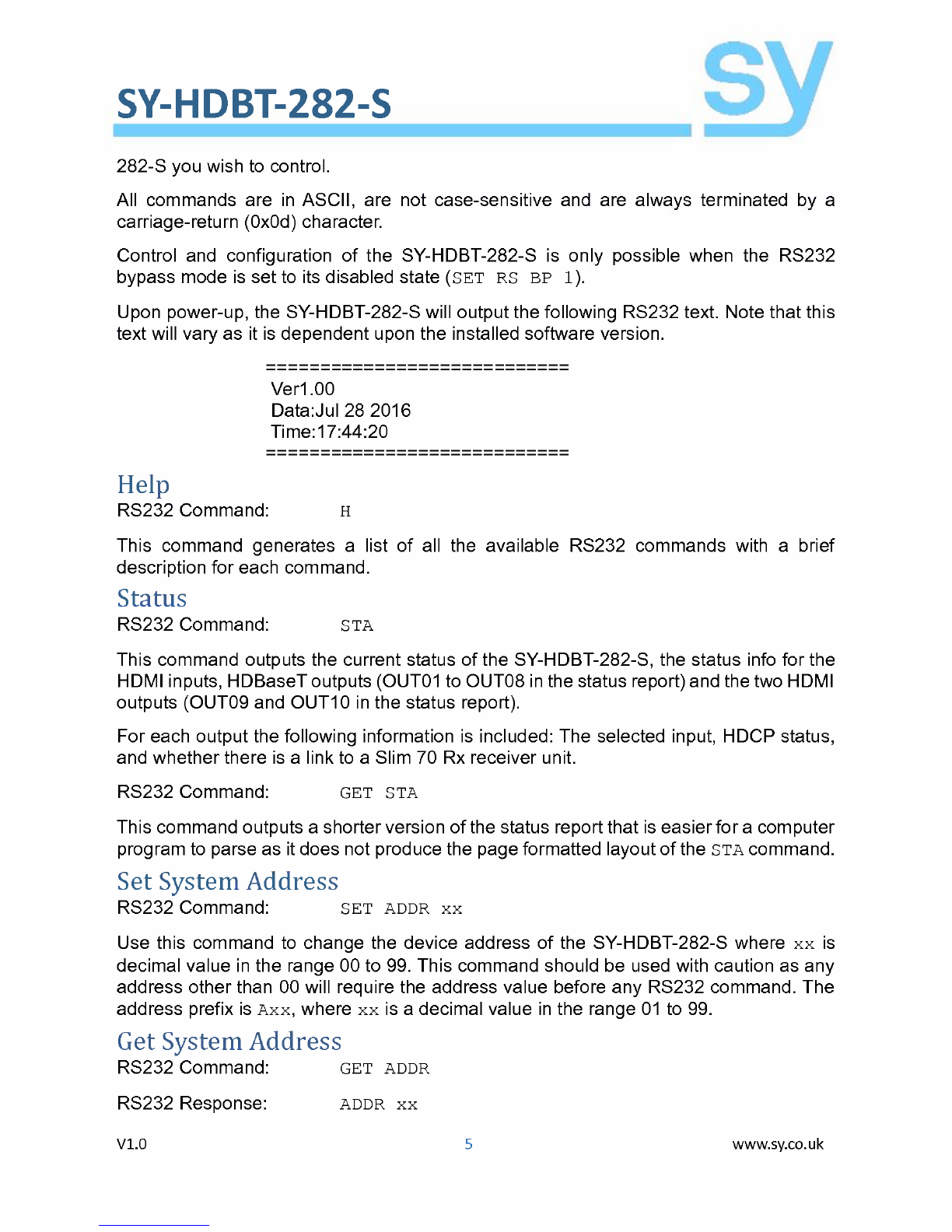
3. The first five HOBToutput LEOsindicate the EOIOoption according to the
following table, pressthe SELECT button repeatedly until the desired setting
isdisplayed by the LEOs:
V1.0
3
www.sy.co.uk