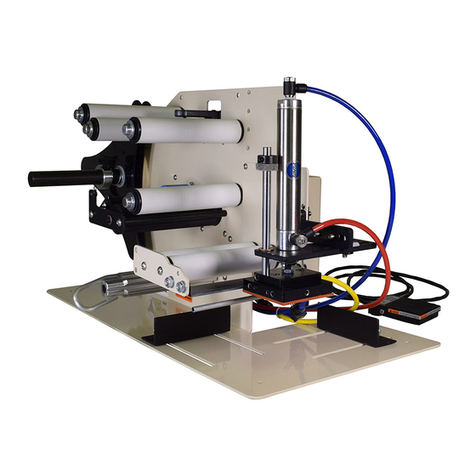
TAL-3100C Tamp Applicator
Machine Startup:
1. Mount the TAL-3100C on an appropriate mounting stand. Be sure to mount the
labeler using only the mounting arms.
2. Plug the TAL-3100C directly into a 110 VAC 15-amp Grounded outlet.
Extension cords may result in improper labeler operation and are not recommend
by Take-A-Label, Inc.
3. Connect the labeler to a sufficient air supply. Note: air requirements are 60 PSI
clean dry air. Note: The TAL-3100C Typically operates between 30-50 PSI.
When air is connected the vacuum generator will continually release air to create
the vacuum effect.
Label Threading:
1. Remove outer unwind disc (61) and install new roll of labels and replace disc.
2. Pull label web under the first Idler Roller (25A), and through photo eye (18).
Continue pulling the web downward and thread between bottom of roller (25C) and
the top of the Peel Plate (1).
3. Pull the web back under the Peel Plate (1), pulling toward the rear of the machine.
4. Keep the liner under the last Idler roller (25B), pulling web up and wrapping over the
drive roller (39), and down between the drive roller (39) and pinch roller (22). Then
up to the waste wind shaft (52).
a. Note: The pinch roller (22) is spring loaded. Slight pressure will be needed to
separate the pinch roller from the drive roller for threading.
5. Install waste wind clip (3) on waste wind shaft (52) pinching the webbing between
the shaft and the clip.