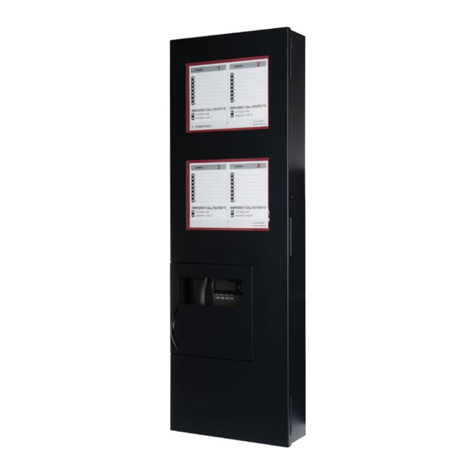
WEBS-CM-2, WEBS-PA-1 and WEBS-PA-2
Configuration and Operation Manual
Page 2of 53
Copyright 2012 Talk-A-Phone Co. •7530 North Natchez Avenue • Niles, Illinois 60714 • Phone 773.539.1100 • info@talkaphone.com • www.talkaphone.com.
All prices and specifications are subject to change without notice. Talk-A-Phone, Scream Alert, WEBS and WEBS Contact are registered trademarks of Talk-A-Phone Co. All rights reserved.
Contents
1. Introduction....................................................................................................................................................4
1.1. Overview of the Manual.............................................................................................................................4
1.2. Intended Audience .....................................................................................................................................4
1.3. Objective.....................................................................................................................................................4
1.4. Typographic Conventions ...........................................................................................................................4
1.5. Related Documents ....................................................................................................................................5
1.6. Technical Support / Help Desk ...................................................................................................................5
2. Overview.........................................................................................................................................................6
2.1. WEBS-CM-2, WEBS-PA-1, and WEBS-PA-2-IP............................................................................................6
3. Getting Started ...............................................................................................................................................7
3.1. Pre-requisites..............................................................................................................................................7
3.2. Configuration Using the Web GUI ..............................................................................................................7
3.3. Configuration Using the Serial Console......................................................................................................8
4. Using the Web GUI ...................................................................................................................................... 10
4.1. Web GUI Layout....................................................................................................................................... 10
4.2. Web Application Menu............................................................................................................................ 12
4.3. Home ....................................................................................................................................................... 13
4.4. Network................................................................................................................................................... 14
4.5. VoIP.......................................................................................................................................................... 15
4.6. Authentication......................................................................................................................................... 16
4.7. Maintaining the Communications Module.............................................................................................. 17
4.8. Reboot ..................................................................................................................................................... 28
5. Operations................................................................................................................................................... 29
5.1. Activating/Deactivating Auxiliary Outputs .............................................................................................. 29
5.2. Paging Operation..................................................................................................................................... 29
5.3. Rebooting the Communications Module ................................................................................................ 29
5.4. Factory Default Settings .......................................................................................................................... 29