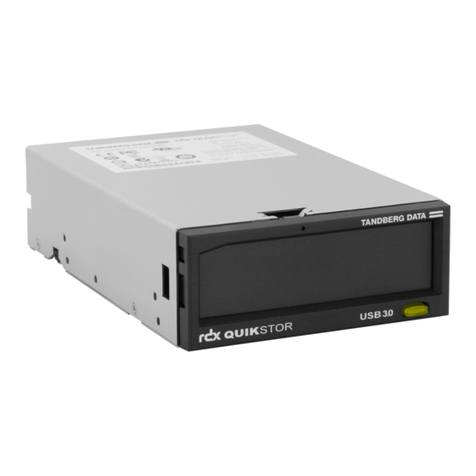
xPRODUCT MANUAL 1017472
5
55
5Operating the Library
Figure 5-1 Location of status LED . . . . . . . . . . . . . . . . . . . . . . . . . . . . . . 114
Figure 5-2 Bar code label placement and write-protect switch location . . 115
Figure 5-3 Location of I/E Port lock button . . . . . . . . . . . . . . . . . . . . . . . 116
Figure 5-4 Inserting a cartridge into the I/E port. . . . . . . . . . . . . . . . . . . . 117
Figure 5-5 Magazine lock buttons . . . . . . . . . . . . . . . . . . . . . . . . . . . . . . 121
Figure 5-6 Loading cartridges into a magazine. . . . . . . . . . . . . . . . . . . . . 121
7
77
7Maintenance
Figure 7-1 Serial cable routing—full height tape drive . . . . . . . . . . . . . . . 162
Figure 7-2 Serial cable routing—half height tape drives . . . . . . . . . . . . . . 162
Figure 7-3 Power cable routing—full height tape drive . . . . . . . . . . . . . . 162
Figure 7-4 Power cable routing—half height tape drives . . . . . . . . . . . . . 162
Figure 7-5 Tape drive cover plate (half height SCSI library) . . . . . . . . . . . 163
Figure 7-6 Tape drive cooling plate . . . . . . . . . . . . . . . . . . . . . . . . . . . . . 164
Figure 7-7 Upper half height tape drive cable routing . . . . . . . . . . . . . . . 165
Figure 7-8 Tape drive cover plate (Fibre Channel library). . . . . . . . . . . . . 166
Figure 7-9 Full height tape drive’s serial and power connectors . . . . . . . . 167
Figure 7-10 Upper half height tape drive cable routing . . . . . . . . . . . . . . . 168
Figure 7-11 Lower half height tape drive cable routing . . . . . . . . . . . . . . . 168
Figure 7-12 Tape drive cover plate (half height SCSI library) . . . . . . . . . . . 170
Figure 7-13 Tape drive cooling plate . . . . . . . . . . . . . . . . . . . . . . . . . . . . . 170
Figure 7-14 Full height tape drive’s serial and power connectors . . . . . . . . 171
Figure 7-15 Manual magazine release. . . . . . . . . . . . . . . . . . . . . . . . . . . . 175
B
BB
BInterface Specification
Figure B-1 Mag 224/T24 element addresses (I/E port enabled/no
fixed cleaning slot) . . . . . . . . . . . . . . . . . . . . . . . . . . . . . . . . . 219
Figure B-2 Mag 224/T24 element addresses (I/E port disabled/no
fixed cleaning slot) . . . . . . . . . . . . . . . . . . . . . . . . . . . . . . . . . 219
Figure B-3 StorageLoader 2U LTO element addresses (I/E port
enabled/no fixed cleaning slot) . . . . . . . . . . . . . . . . . . . . . . . . 220
Figure B-4 StorageLoader 2U LTO element addresses (I/E port
disabled/no fixed cleaning slot). . . . . . . . . . . . . . . . . . . . . . . . 220
C
CC
CWrite Once, Read Many (WORM) Capability
Figure C-1 Ultrium WORM tape cartridge . . . . . . . . . . . . . . . . . . . . . . . . 223
D
DD
DShipping the Library
Figure D-1 Shipping locks . . . . . . . . . . . . . . . . . . . . . . . . . . . . . . . . . . . . 230
Figure D-2 Shipping lock replacement–step 1 . . . . . . . . . . . . . . . . . . . . . 231
Figure D-3 Shipping lock replacement–step 3a . . . . . . . . . . . . . . . . . . . . 231
Figure D-4 Shipping lock replacement–step 3b . . . . . . . . . . . . . . . . . . . . 232
Figure D-5 Removing the screws securing the library to the rails . . . . . . . 233
Figure D-6 Removing the library from the rack . . . . . . . . . . . . . . . . . . . . 234
Figure D-7 Library in antistatic bag . . . . . . . . . . . . . . . . . . . . . . . . . . . . . 234