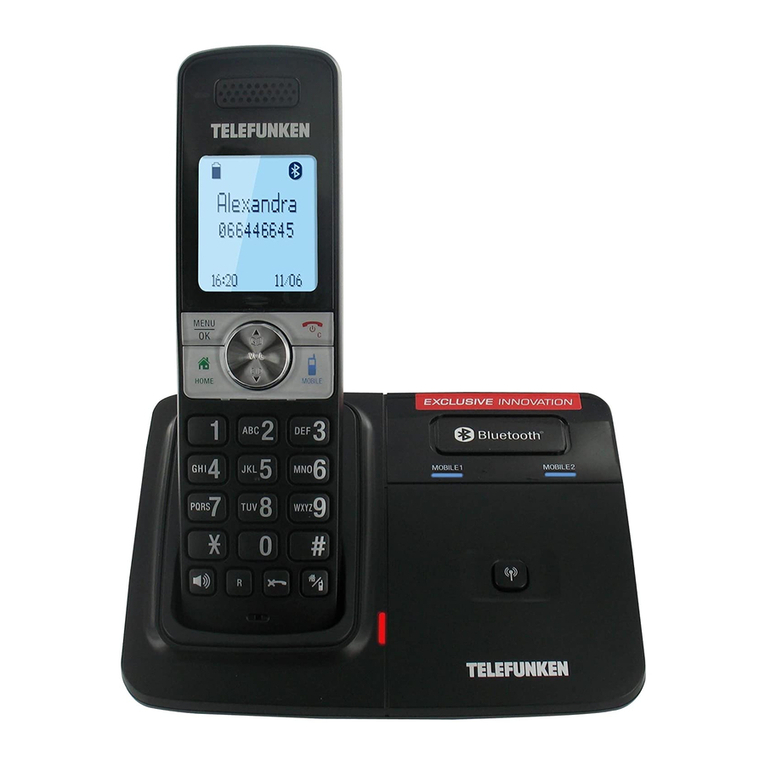
Telefunken Colombo TD 101 User manual


2
OPERATING INSTRUCTIONS
DIGITAL CORDLESS TELEPHONE
TD 101 Colombo
I. Box contents .............................................................................5
II. Getting to know your telephone................................................6
1. Handset ........................................................................... 6
2. Base................................................................................. 8
3. Display............................................................................. 9
III. Getting started ........................................................................10
1. Location......................................................................... 10
2. Handset range ............................................................... 10
3. Signal strength............................................................... 10
4. Connection to the base ................................................. 11
5. Connecting the handset ................................................ 11
6. Low battery warning ..................................................... 12
7. Battery life..................................................................... 12
8. Date and time................................................................ 12
IV. How to use your phone ...........................................................13
1. Navigating the menu ..................................................... 13
2. Making an external call ................................................. 14
3. Receiving an external call.............................................. 15
4. Volume settings............................................................. 16
5. Turning off the microphone .......................................... 16
6. Ending a call................................................................... 17
7. Switching the handset on/off........................................ 17

3
8. Calling a second number ............................................... 17
9. Calling another handset: intercom................................ 17
10. Transferring an external call to another handset.......... 18
11. Switching from an internal to an external call .............. 19
12. Making a 3-party conference call.................................. 19
V. Phonebook ..............................................................................20
1. Viewing and calling a number in the phonebook.......... 20
2. Adding a new entry ....................................................... 20
3. Viewing an entry ........................................................... 22
4. Editing an entry ............................................................. 23
5. Deleting an entry........................................................... 23
6. Deleting all entries ........................................................ 24
7. Linking an entry to a speed-dial key.............................. 24
8. Deleting a speed-dial number ....................................... 25
VI. Calls list ...................................................................................25
1. Looking at the calls list .................................................. 26
2. Calling from the calls list ............................................... 26
3. Saving a number from the calls list ............................... 27
4. Deleting a number from the calls list ............................ 27
5. Deleting all numbers from the calls list......................... 28
6. Redialling the last number ............................................ 28
7. Viewing and calling one of the last numbers dialled..... 28
8. Copying a number from the list of dialled numbers into
the phonebook ....................................................................... 29
9. Deleting a number from the list of dialled numbers..... 29
10. Deleting the entire list of dialled numbers.................... 29

4
VII. Clock and alarm.......................................................................30
VIII. Personal settings....................................................................32
1. Adjusting the ringer volume.......................................... 32
2. Setting the type of ringer .............................................. 32
3. Choosing a melody for a group ..................................... 33
4. Setting keypad tones..................................................... 33
5. Changing the handset name ......................................... 34
6. Setting up 'Auto-answer'............................................... 34
7. Setting up 'Auto-hang up'.............................................. 35
8. Setting the handset language........................................ 35
9. Activating 'Baby monitor' mode.................................... 35
10. Locking the keypad........................................................ 36
IX. Advanced settings ...................................................................37
1. Setting the Pause duration............................................ 37
2. Selecting the dialling mode........................................... 37
3. Blocking numbers.......................................................... 38
4. 'Child call' mode ............................................................ 39
5. ECO mode...................................................................... 40
6. Registration ................................................................... 41
7. Changing the PIN........................................................... 43
8. Resetting your telephone.............................................. 44
9. Activating 'Call intrude' mode ....................................... 44
X. Wall mounting.........................................................................45
XI. Safety instructions...................................................................46
XII. Warranty.................................................................................47

5
Thank you for purchasing a TELEFUNKEN DECT digital cordless
telephone! Before using your device, please consult these
operating instructions and keep them so you may refer to
them later on.
If you are still having difficulties after making these changes,
contact our technical support at the following email address:
assistance@sopeg.fr or at the following number: + 33 (0)5-45-60-82-51
I. Box contents
1 Handset
1 Base
1 Power adapter
1 Telephone cord
1 German plug
1 French plug
2 AAA NiMh, 550 mAh rechargeable batteries
1 Set of operating instructions
The maximum range of the handset from the base is approx.
300m. The range may be reduced in certain environments
and when used in certain conditions (proximity to other
appliances, walls, various obstacles). Indoors, the range is
generally inferior (approx. 50m) to the outdoors.

6
II.Getting to know your telephone
1. Handset
1
2
3
5
6

7
1
EARPIECE
7
'C' KEY
Accesses the calls list.
Returns to the previous menu.
Turns off the microphone
during a call. Deletes a mistake
when typing a number or a
name.
2
OK/MENU
Accesses the menu and its
various options.
Confirms a selection.
8
UP KEY
Accesses the list of calls
received. Scrolls upward
through options. Raises the
volume in the earpiece.
3
DOWN KEY
Accesses the phonebook.
Scrolls downward through
options. Lowers the volume
in the earpiece.
9
END CALL KEY
During a call: ends the call and
returns to standby mode. Turns
the handset on/off.
4
ANSWER
In STANDBY / PREPARATORY
DIALLING mode: makes a call.
Redial list / call log /
phonebook: makes a call to
the selected contact.
When the telephone is
ringing: answers a call.
10
'#' KEY
Switches from capital to lower-
case letters when entering a
name.
Press and hold: deactivates the
ringer.
5
'*' KEY
Locking the keypad
11
INT
Intercom key Makes an internal
call to another handset.
6
SPEAKERPHONE
Changes to handsfree mode.

8
2. Base
1
PAGE HANDSET KEY
Press to make all the handsets
registered to the base ring. You
can use this function to locate
missing handsets. Press and hold
this key to enter 'Register a new
handset' mode.
3
CHARGING CONTACTS
Charge the batteries.
These parts must remain clean
and dry.
2
WALL CLIP
Holds the handset in place when
the base is attached to a wall.
4
INDICATOR LIGHT
Shows the battery is charging.
1
4
1
2
3
4

9
3. Display
Battery charge level
In use
Appears when the telephone is in use and flashes when receiving a call.
Missed calls

10
III. Getting started
1. Location
You need to install the telephone base less than 2m from an
electrical outlet and a telephone jack.
Ensure that the base is at least 1m away from other electrical
appliances to avoid interference.
The telephone works by sending radio signals between the base
and the handset. Signal strength depends on where the base is
sited. Placing it high ensures a stronger signal.
2. Handset range
Your TELEFUNKEN telephone has a range of 300m outdoors
when there is a clear line of sight between the base and the
handset.
Any obstacle between the base and the handset seriously
reduces the range.
If the base is indoors and the handset is either indoors or
outdoors, the range is up to 50m. Very thick walls can affect the
range.
3. Signal strength
The symbol on your handset indicates when you are in

11
range. When the handset is out of range, the screen displays
SEARCHING, the symbol flashes and the handset emits a
warning tone each minute. This tone is repeated as long as the
handset is out of range.
If you go out of range while on a call, the call will drop. Go back
within range before making any further calls. The handset will
reconnect with the base automatically.
4. Connection to the base
Plug the transparent connector of the power adapter into the
place marked underneath the base, and plug the other end
into a wall outlet.
5. Connecting the handset
1. Insert the 2 AAA NiMH batteries supplied into the
handset. Slide the battery compartment cover back into
place.
2. Place the handset in the base, and leave it to charge for
at least 24 hours. Make sure it is inserted in the right
direction. When the handset is charged, the symbol is
displayed.
3. After 24 hours, plug the telephone cord into the base
and into the telephone wall jack.

12
6. Low battery warning
If the symbol flashes on the screen, you must recharge the
handset before using it again. While it is charging, the
symbol will scroll across the screen.
7. Battery life
Under ideal conditions, fully charged batteries should give about
10 hours of talk time and 100 hours of standby on a single
charge.
Note : New batteries do not reach full capacity until they have
been in normal use for several days.
To keep your batteries in optimal condition, leave the handset
off the base for several hours at a time.
Draining the batteries at least once per week will help them to
last as long as possible.
The charge capacity of the batteries decreases with time and
use, thus reducing talk/standby time. They should be replaced
at this point.
Batteries and the handset may become warm during charging.
This is normal.
8. Date and time
If you subscribe to your telephone operator's Caller ID service,
the date and time will be automatically set on all the handsets

13
upon each call received.
If you do not subscribe to this service, you can set the date
and time manually.
- Manually setting the date and time
1. Press 'MENU/OK', then to display 'CLOCK/ALARM'.
2. Press 'MENU/OK': the screen displays 'DATE & TIME'.
3. Enter the date in DD-MM format. Ex.: 04-08 for 4 August.
4. Press 'MENU/OK', and enter the time in 24-hour, HH-MM
format. Ex.: For example, 14-45 pour 14:45 or 2:45pm.
5. Press 'MENU/OK' to confirm, or press to return to
standby mode.
IV. How to use your phone
1. Navigating the menu
In standby mode, press the 'MENU/OK' key: this opens the
main menu.
Use the keys to scroll through the menu options.
The 'OK' and symbols appear at the bottom of the screen.
Press 'MENU/OK' to open a sub-menu or to confirm a
selection.
Press 'C/ ' to return to the previous menu, to correct a
typing error or to cancel a selection.

14
Press to return to standby mode.
2. Making an external call
- Direct calling
Press and dial the number.
- Preparatory dialling
You can use 'Preparatory dialling' mode to enter a number and
check it before making the call.
Enter the telephone number, and press or to dial the
number. By pressing , a 'HANDSFREE' call is made. Press 'C'
to delete if you make a mistake.
- Calling with speed dial (keys 1-9)
Press and hold a number key (1-9) until the phone number
appears and is dialled.
If no telephone number is programmed for the key, you will
hear a faint beep.
- Calling from the phonebook
1. Press . The first name in the phonebook list appears.
2. Press or to display the desired name.
3. Press to dial the number.

15
IMPORTANT: To avoid scrolling through all the names in the
phonebook, press the number key showing the first letter of
the name you want. For example, pressing '2' displays names
beginning with 'A'. Pressing '2' again will display names
beginning with 'B', and so on.
- Calling from the calls list
NOTE: You must subscribe to your operator's Caller ID service
to display this list.
1. Press to enter the calls menu. You then have access to
the 'calls list' or the ANSWERING MACHINE (version
TD151). Press 'MENU/OK' to display the 'calls list'. The
first entry in the list appears.
2. Press or until you reach the desired number.
3. Press to dial the number.
3. Receiving an external call
If your handset is not on the base when the telephone rings,
press or to answer.
If your handset is on the base and 'AUTO-ANSWER' mode is
on, simply pick up the phone. The call is automatically
connected.
If your handset is on its base and 'AUTO-ANSWER' mode is off,
pick up the handset and press or .
CAUTION :Holding the handset too close to your ear when it is
ringing may damage your hearing. Activating handsfree mode

16
can suddenly raise the earpiece volume to a high level. Make
sure the handset is not too close to your ear.
NOTE : If 'AUTO-ANSWER' mode is on, simply remove the
handset from its base to answer a call. This mode is on by
default. If you deactivate this mode, press to answer a call.
NOTE : If 'AUTO-ANSWER' mode is on and the handset is on its
base, you cannot see who is calling before the call connects.
NOTE : An incoming call takes precedence over any other
activity. When a call comes in, all other current operations
(settings, navigation, etc.) are cancelled.
4. Volume settings
During a call, press or to adjust the earpiece or speaker
volume. The volume level appears on the screen.
5. Turning off the microphone
Turning off the microphone lets you to speak to another
person nearby without letting your caller hear.
1. During a call, press 'C'. The microphone is cut off.
2. Press 'C' again to turn the microphone back on.

17
6. Ending a call
Press .
7. Switching the handset on/off
1. Press until the handset shuts off.
2. Press again to turn the handset on.
8. Calling a second number
You can put a caller on hold and call another number.
It is then possible for you to switch from one party to another,
or to switch to a three-party conference call.
1. During your call, press 'MENU/OK'. Then press to select
'START 2ND CALL'.
2. Press 'MENU/OK'. The screen will display 'R CALL'.
3. Dial the second number.
4. When the second party answers, press 'MENU/OK' to open
the options menu: - SWAP –Press 'MENU/OK' to switch from
one caller to another.
5. Press to hang up.
9. Calling another handset: intercom
This feature is only available if you have at least 2 handsets

18
registered to the same base. This lets you make internal calls,
transfer an external call to another handset and make 3-party
conference calls.
1. Press 'INT'.
If you have 2 handsets, the second one is called
automatically.
If you have more than 2 handsets registered to the
base, their numbers will appear on the screen. For ex.: 2, 3,...
Enter the number of the handset you want to call, or
press to call all the handsets.
2. Press to hang up.
10. Transferring an external call to another
handset
Note: This function is only available if several handsets are
registered to the same base.
1. During an external call, press 'INT'. Your caller is put on
hold.
2. Enter the number of the handset you want to call, or press
to call all the handsets. If you only have 2 handsets
registered, the second will be called automatically.
3. When the second handset answers, press to transfer
the call. If no handset answers, press 'INT' to return to the
caller on hold.

19
11. Switching from an internal to an external call
1. During an external call, press 'INT'. Your caller is put on
hold.
2. Enter the number of the handset you want to call, or press
to call all the handsets. If you only have 2 handsets
registered, the second will be called automatically.
3. When the second handset answers, you can speak to your
internal party without the external caller hearing.
4. Press 'INT' to switch from one party to another.
5. Press to hang up.
12. Making a 3-party conference call
1. During an external call, press 'INT'. Your caller is put on
hold.
2. Enter the number of the handset you want to call, or press
to call all the handsets. If you only have 2 handsets
registered, the second will be called automatically.
3. When the second handset answers, press and hold 'INT' to
connect the two parties. If the second handset does not
answer, press 'INT' again to resume the call with the external
caller.
4. Press to hang up.
5.

20
V. Phonebook
The TELEFUNKEN TD101 can store up to 100 names and
numbers.
NOTE : The numbers can have up to 24 digits, and names can
have up to 12 letters. Entries are in alphabetical order.
1. Viewing and calling a number in the
phonebook
1. Press . The screen displays the first name.
2. Press or to select the name you want, or search in
alphabetical order by pressing , then typing the number key
with the first letter of the name. For example, if the name
begins with 'R', press the '7' key 3 times in a row. The screen
will then display the first name that begins with 'R'.
If needed, press or to access the name you want.
3. Press to dial the desired number.
2. Adding a new entry
1. Press 'MENU/OK'. 'PHONEBOOK' will appear.
2. Press 'MENU/OK'. 'ADD NUM.' appears.
3. Press 'MENU/OK'. 'ENTER NAME' appears.
4. Enter the name, then press 'MENU/OK'.
5. Enter the number. Press 'MENU/OK' to save. Next, press
or to select 'NO GROUP', 'GROUP A', 'GROUP B', or
'GROUP C'. Press 'MENU/OK' to confirm.
Table of contents
Other Telefunken Cordless Telephone manuals

Telefunken
Telefunken TX 153 User manual

Telefunken
Telefunken TD 251 Combo User manual

Telefunken
Telefunken TX 101 User manual

Telefunken
Telefunken TB 251 User manual

Telefunken
Telefunken TB 201 User manual

Telefunken
Telefunken TD 301 Pillow User manual

Telefunken
Telefunken tf 652 cosi combo User manual

Telefunken
Telefunken TB 301 User manual

Telefunken
Telefunken TB 201 PEPS User manual

Telefunken
Telefunken TD 291 User manual