Setting 2: MPH or KPH Unit Selection
The default unit for all Tower eBikes is “Miles”. To change the units to “Kilometers”, press UP
or DOWN until the desired setting is highlighted. Press POWER to store the selection and
return to the general selections interface.
Setting 3: Slow Start
The “Slow Start” feature can be used to delay the pedal assist power. For example, setting
this to “3 sec” will result in the pedal assist system kicking in 3 seconds after the rider begins
to pedal. The default value of the “Slow Start” is 0, which means there is no delayed
response of the pedal assist system. As soon as you push the pedals, the pedal assist will
kick in. The “Slow Start” delay can be set for 0, 1, 2 or 3 seconds.
To change the slow start up settings, press the UP or DOWN button to adjust the value.
Press the POWER button to save the selection and return to the advanced settings
page.
To access a second level list of advanced settings, “flip the page” by clicking and
holding down UP (+) and DOWN (-) at the same time once again. This will prompt you to
the next level of settings labeled “Specific Set”.
Advanced Settings ( **SPECIFIC SET**)
Setting 1: Pedal Assist
This setting can be used to adjust the power exerted for each of the corresponding five
pedal assist levels.
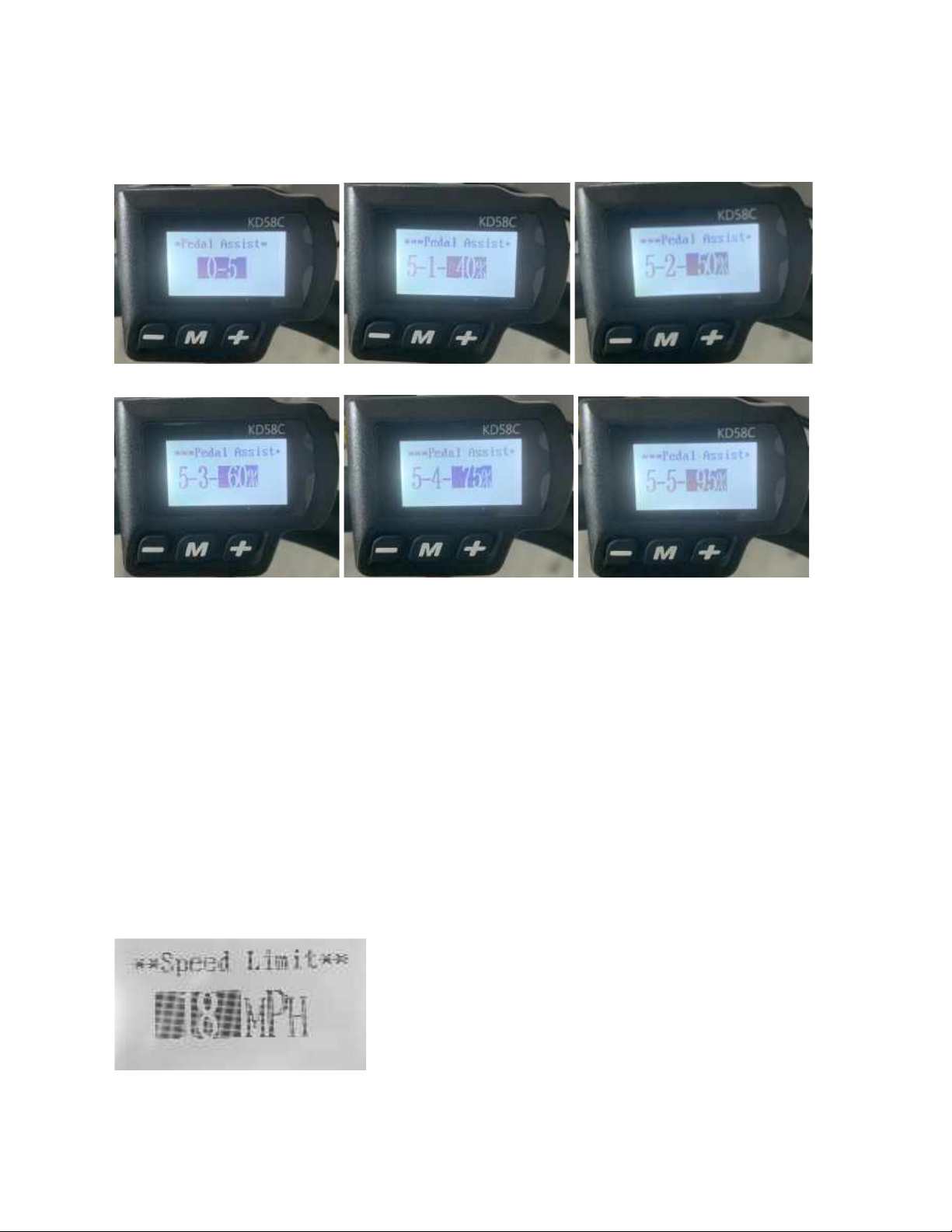
To access the PAS ratio settings page, select “Pedal Assist” from the *specific Set* menu
by pressing POWER. The first screen shows you that the pedal assist mode has 6 levels,
0-5. Zero just means the pedal assist is not activated. The other 5 have pre-set battery
power percentages exerted, but you can modify these as you like.
To get to the battery % level assistance for level 1, press POWER. This takes you to the
setting level for Pedal Assist level 1. By default it is set to 40% (denoted on the screen by
“5-1-40%”, or out of 5 levels this is level 1 and it’s set to 40%. You can change the % by
pressing the UP or DOWN button to increase or decrease the pedal assist percentage.
5